การแนะนำ
The AcuRite 00831A2 Digital Thermometer provides accurate and reliable indoor and outdoor temperature readings. This device features an easy-to-read LCD screen that displays current temperatures along with daily high and low records. The system includes a main display unit and a wireless outdoor sensor, designed for versatile placement and long-term performance.
เนื้อหาแพ็คเกจ
- หน่วยแสดงผลแบบดิจิตอล
- เซ็นเซอร์ไร้สายกลางแจ้ง
- คู่มือการใช้งาน
การตั้งค่า
1. การติดตั้งแบตเตอรี่
For both the digital display unit and the wireless outdoor sensor, install fresh batteries. Ensure correct polarity (+/-) as indicated in the battery compartments. The device requires batteries for operation.
2. การติดตั้งเซ็นเซอร์ภายนอกอาคาร
Place the wireless outdoor sensor in a location that is protected from direct sunlight and precipitation for the most accurate temperature readings. The sensor features a weather-resistant design and an integrated hanger for easy mounting. Ensure the sensor is within range of the main display unit, utilizing its powerful 433 MHz wireless technology.

Image: The wireless outdoor sensor, designed for easy placement and weather resistance.
3. Digital Display Unit Placement
The sleek, stylish display unit can be placed on a tabletop using its integrated stand or mounted on a wall. Choose a location indoors where the display is easily visible and within wireless range of the outdoor sensor.

Image: The digital display unit showing outdoor and indoor temperatures, suitable for tabletop use.
4 การซิงโครไนซ์เบื้องต้น
After installing batteries in both units, the display unit will automatically attempt to connect with the outdoor sensor. This process may take a few minutes. Once connected, the outdoor temperature will appear on the display.
คำแนะนำการใช้งาน
1. การอ่านค่าอุณหภูมิ
The LCD screen displays the current indoor and outdoor temperatures. The outdoor temperature section also shows the daily high and low temperatures recorded since the last reset.
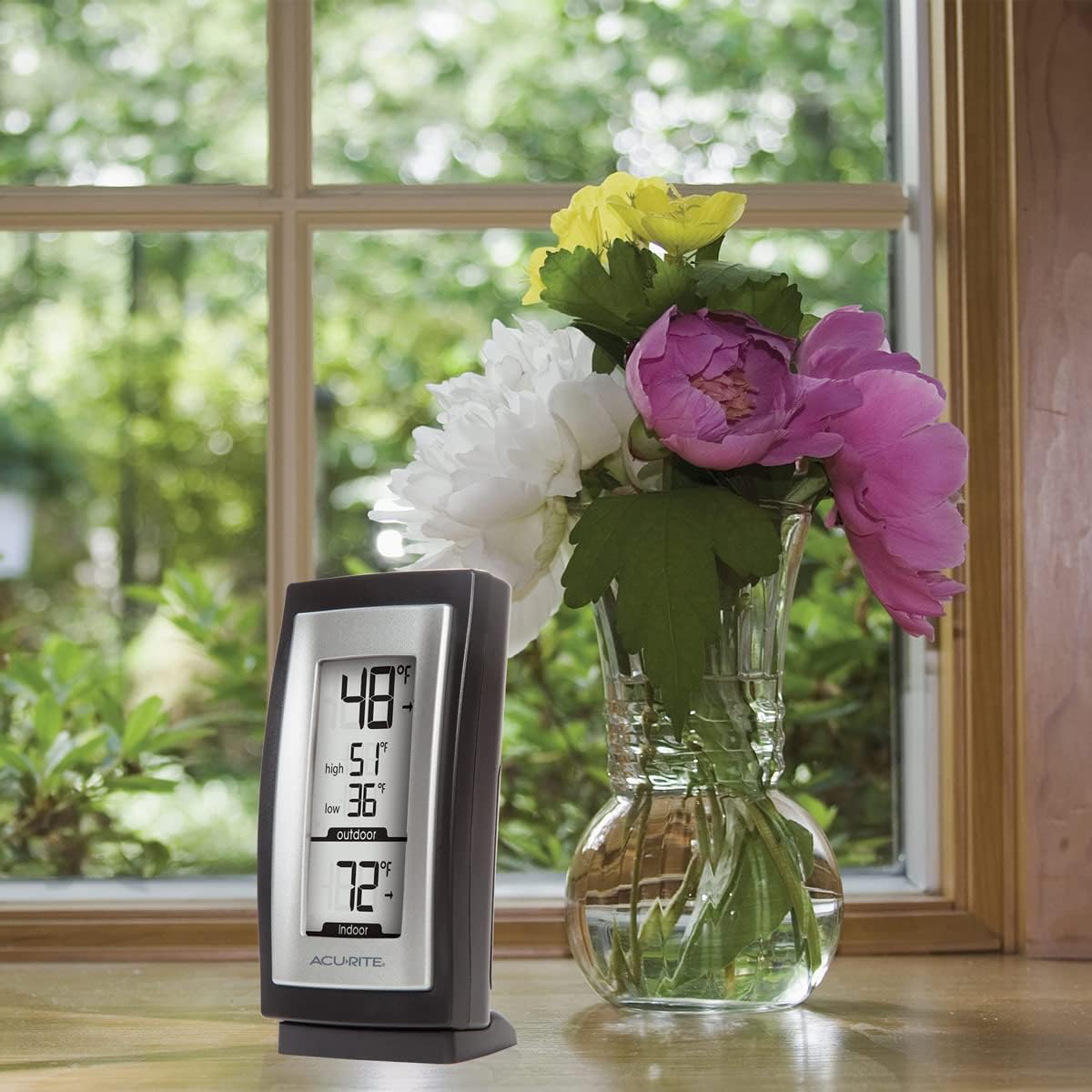
Image: Close-up of the display unit, clearly showing indoor and outdoor temperature readings, including daily high and low for outdoor.
2. Temperature Trend Arrows
Trend arrows next to the temperature readings indicate whether the temperature is rising, falling, or remaining steady, allowing for quick assessment of temperature changes.
3. Daily Minimum/Maximum Records
The display automatically tracks and shows the daily high and low outdoor temperatures. These records typically reset every 24 hours or can be manually reset by following instructions in the full manual (if applicable to this model).
4. หน่วยอุณหภูมิ
The thermometer displays temperatures in both Fahrenheit and Celsius. Refer to the full instruction manual for details on how to switch between these units, if a switch is available on your model.
การซ่อมบำรุง
1. การเปลี่ยนแบตเตอรี่
When the low battery indicator appears on the display, replace the batteries in the affected unit (display or sensor) with fresh ones. Always replace all batteries in a unit at the same time.
2. การทำความสะอาด
To clean the display unit or outdoor sensor, wipe them with a clean, damp cloth. Do not use abrasive cleaners or chemicals that may damage the plastic housing or electronic components.
3. การดูแลเซ็นเซอร์
While the outdoor sensor is weather-resistant, prolonged exposure to extreme conditions or direct sunlight can affect its lifespan and accuracy. Periodically check the sensor for debris or obstructions.
การแก้ไขปัญหา
- ไม่มีการอ่านอุณหภูมิภายนอก: Ensure the outdoor sensor is within wireless range (typically up to 100 feet, though walls and interference can reduce this). Check that both the display unit and sensor have fresh batteries installed correctly. Try repositioning the sensor or display unit to improve signal strength.
- การอ่านอุณหภูมิที่ไม่แม่นยำ: Verify that the outdoor sensor is not in direct sunlight, which can cause artificially high readings. Ensure the sensor is not near heat sources (e.g., vents, engines) or cold sources (e.g., air conditioners). Allow up to 30 seconds for the sensor to respond to temperature changes.
- ไฟแสดงสถานะแบตเตอรี่ต่ำ: Replace batteries in the indicated unit promptly to ensure continuous operation and accurate readings.
ข้อมูลจำเพาะ
- แบบอย่าง: 00831A2
- ยี่ห้อ: AcuRite
- สี: สีดำ
- ประเภทจอภาพ: จอแอลซีดี
- เทคโนโลยีการเชื่อมต่อ: Wireless (Enhanced 433 MHz)
- แหล่งพลังงาน: ใช้พลังงานจากแบตเตอรี่ (ต้องใช้แบตเตอรี่)
- วัสดุภายนอก: พลาสติก
- การใช้งานในร่ม/กลางแจ้ง: ในร่ม, กลางแจ้ง
- คุณสมบัติพิเศษ: ไฟแสดงสถานะแบตเตอรี่ต่ำ
- คะแนนอุณหภูมิด้านบน: 158 องศาฟาเรนไฮต์
- เวลาตอบสนอง: 30 วินาที
- ความยาวรายการ: 5.5 นิ้ว
- น้ำหนักสินค้า: 5.9 ออนซ์
ข้อมูลการรับประกัน
This AcuRite product is covered by a รับประกัน 1 ปี from the date of purchase. For specific terms and conditions, please refer to the warranty card included with your product or visit the manufacturer's official webเว็บไซต์.
สนับสนุน
For further assistance, technical support, or to inquire about replacement parts, please contact AcuRite customer service. Contact information can typically be found on the product packaging or the official AcuRite webเว็บไซต์.


