การแนะนำ
This manual provides comprehensive instructions for the installation, operation, and maintenance of your Stinger SPD514 PRO Series Power or Ground Distribution Block. Designed for high-current automotive audio systems, this distribution block efficiently manages power or ground connections, ensuring optimal performance and safety. Please read this manual thoroughly before installation to ensure correct usage and to prevent damage to the product or your vehicle's electrical system.
ข้อมูลด้านความปลอดภัยที่สำคัญ
- Always disconnect the vehicle's battery before installing any electrical components.
- ตรวจสอบให้แน่ใจว่าการเชื่อมต่อทั้งหมดมีความปลอดภัยและมีฉนวนป้องกันอย่างเหมาะสมเพื่อป้องกันไฟฟ้าลัดวงจร
- Use appropriate wire gauges as specified for your system's current draw.
- Install the distribution block in a dry location, away from excessive heat or moisture.
- ปรึกษาผู้เชี่ยวชาญหากคุณไม่แน่ใจเกี่ยวกับส่วนใดส่วนหนึ่งของกระบวนการติดตั้ง
- This product is designed for 12-volt automotive applications only.
คำเตือน: ผลิตภัณฑ์นี้มีสารเคมีที่รัฐแคลิฟอร์เนียรู้จักว่าก่อให้เกิดมะเร็งและความพิการแต่กำเนิดหรืออันตรายต่อระบบสืบพันธุ์อื่นๆ สำหรับข้อมูลเพิ่มเติมโปรดเยี่ยมชม www.P65Warnings.ca.gov.
เนื้อหาแพ็คเกจ
ตรวจสอบว่ามีรายการทั้งหมดอยู่ก่อนเริ่มการติดตั้ง:
- Stinger SPD514 PRO Series Power or Ground Distribution Block
- Protective Clear Cover
- ฮาร์ดแวร์สำหรับติดตั้ง (สกรู)

Image: Stinger SPD514 Distribution Block in its retail packaging, showing the product and model number.
การติดตั้งและการตั้งค่า
The Stinger SPD514 is designed to distribute power or ground from a main input cable to multiple output cables. Follow these steps for proper installation:
1. เลือกตำแหน่งติดตั้ง
Select a secure, dry, and easily accessible location for the distribution block. Ensure it is away from moving parts, excessive heat, and moisture. The block can be surface-mounted using the provided screws.
2. Prepare Wiring
- สายอินพุต: The SPD514 accepts two 1/0 gauge input wires. Strip approximately 1/2 inch (12-15mm) of insulation from the ends of your main power or ground cables.
- สายไฟขาออก: The block provides four output terminals, compatible with 4 or 8 gauge wires. Strip approximately 1/2 inch (12-15mm) of insulation from the ends of your amplifier or accessory power/ground cables.

ภาพ: จากบนลงล่าง view of the Stinger SPD514 distribution block with its clear protective cover, showing the two large input terminals and four smaller output terminals.
3. Connect Input Wires
- Loosen the set screws for the two large input terminals on the distribution block.
- Insert the stripped ends of your 1/0 gauge main power or ground cables into the respective input terminals.
- Tighten the set screws firmly to ensure a secure connection. Do not overtighten.
4. Connect Output Wires
- Loosen the set screws for the four smaller output terminals.
- Insert the stripped ends of your 4 or 8 gauge power or ground cables into the output terminals.
- Tighten the set screws firmly. Verify that all connections are snug and that no loose strands of wire are exposed.
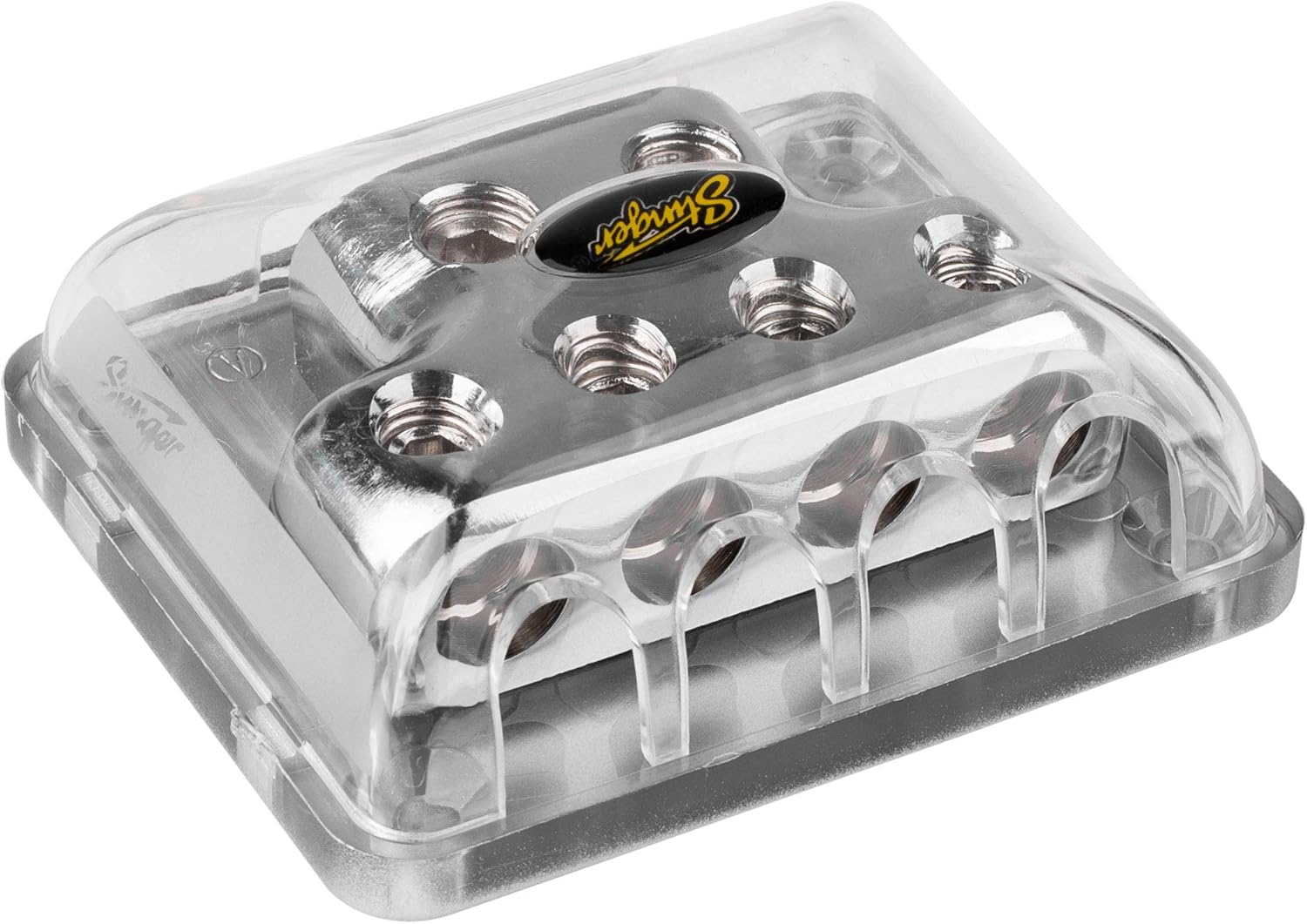
ภาพ: ด้านข้าง view of the Stinger SPD514 distribution block, highlighting the four output terminals where smaller gauge wires are connected.
5. Secure the Protective Cover
Once all wiring is complete and connections are secure, place the clear protective cover over the distribution block. This cover helps prevent accidental short circuits and protects the terminals from environmental elements.
การดำเนินการ
The Stinger SPD514 is a passive component designed to distribute electrical current. It does not require active operation. Once properly installed, it functions by providing a common connection point for multiple power or ground wires, ensuring efficient current flow to connected devices. Always ensure that the total current draw of all connected devices does not exceed the capacity of your main input wire and the distribution block itself.
การซ่อมบำรุง
- การตรวจสอบปกติ: Periodically inspect the distribution block and all connected wires for signs of corrosion, loose connections, or damage.
- การทำความสะอาด: If necessary, gently clean the exterior of the block with a dry, soft cloth. Do not use abrasive cleaners or solvents. Ensure the protective cover is always in place.
- ความสมบูรณ์ของการเชื่อมต่อ: Re-tighten set screws if any connections appear loose. Loose connections can lead to resistance, heat buildup, and potential system failure.
การแก้ไขปัญหา
If you experience issues with your electrical system after installing the distribution block, consider the following:
- ไม่มีไฟเข้าอุปกรณ์:
- Check all input and output wire connections for tightness.
- Verify that the main power/ground cable is properly connected to the vehicle's battery/chassis.
- Ensure any inline fuses (not part of this product) are intact and not blown.
- Excessive Heat at Block or Wires:
- This indicates high resistance or excessive current draw.
- ตรวจสอบการเชื่อมต่อทั้งหมดเพื่อดูว่าหลวมหรือมีการกัดกร่อนหรือไม่
- Ensure the wire gauges used are appropriate for the current demands of your system. Undersized wires can cause heat.
- Verify that the total current draw does not exceed the block's capacity.
- พลังงานไม่สม่ำเสมอ:
- Inspect for loose or corroded connections at the distribution block, battery, and connected devices.
- Check for damaged insulation on wires that could lead to intermittent shorts.
If problems persist, consult a qualified automotive audio technician.
ข้อมูลจำเพาะ
| คุณสมบัติ | รายละเอียด |
|---|---|
| หมายเลขรุ่น | สปด.514 |
| ยี่ห้อ | พลิ้วไหว |
| ขั้วอินพุต | Two (2) 1/0 Gauge |
| ขั้วต่อเอาท์พุต | Four (4) 4 or 8 Gauge |
| ประเภทขั้วต่อ | สกรูเซ็ต |
| วัสดุ | Brass with ShocKrome Finish |
| เล่มที่tagความเข้ากันได้ | 12 โวลต์ (กระแสตรง) |
| ขนาด (กว้าง x ยาว x สูง) | 5.9 x 1.5 x 4 นิ้ว |
| น้ำหนักสินค้า | 7.7 ออนซ์ |
| ประเภทการติดตั้ง | การติดตั้งบนพื้นผิว |
การรับประกันและการสนับสนุน
For information regarding warranty coverage, technical support, or replacement parts, please refer to the official STINGER webหรือติดต่อฝ่ายบริการลูกค้าโดยตรง โปรดเก็บใบเสร็จรับเงินไว้เป็นหลักฐานการซื้อสำหรับการเรียกร้องการรับประกันใดๆ
STINGER Official Webเว็บไซต์: www.stinger.com (หมายเหตุ: นี่เป็นเพียงตัวอย่างชั่วคราว URLโปรดตรวจสอบข้อมูลจากผู้ผลิตจริงอีกครั้ง webเว็บไซต์สำหรับการสนับสนุน)
การปฏิเสธความรับผิดทางกฎหมาย
คำเตือนข้อเสนอ 65: ผลิตภัณฑ์นี้มีสารเคมีที่รัฐแคลิฟอร์เนียรู้จักว่าก่อให้เกิดมะเร็งและความพิการแต่กำเนิดหรืออันตรายต่อระบบสืบพันธุ์อื่นๆ สำหรับข้อมูลเพิ่มเติมโปรดเยี่ยมชม www.P65Warnings.ca.gov.


