การแนะนำ
The CAD Audio USB U7 Boundary Omnidirectional Condenser Microphone is designed for clear audio capture in various settings, including home and office use. Its omnidirectional pickup pattern ensures 360-degree coverage, making it ideal for dictation, online meetings, and recording. This plug-and-play device offers high sensitivity and is compatible with both PC and Mac systems.

รูปที่ 1 : ด้านหน้า view of the CAD Audio USB U7 microphone with its USB cable connected, showcasing its compact, triangular design.
ข้อมูลด้านความปลอดภัย
- อย่าให้ไมโครโฟนสัมผัสกับอุณหภูมิหรือความชื้นที่สูงเกินไป
- ควรหลีกเลี่ยงการทำไมโครโฟนตกหรือกระแทกอย่างรุนแรง
- Keep the device away from liquids to prevent electrical shock or damage.
- Use only the provided USB cable or a compatible replacement.
- ห้ามถอดประกอบหรือดัดแปลงไมโครโฟนด้วยตนเอง โปรดส่งซ่อมโดยช่างผู้ชำนาญการเท่านั้น
เนื้อหาแพ็คเกจ
ตรวจสอบว่ามีรายการทั้งหมดอยู่ในแพ็คเกจของคุณ:
- CAD Audio USB U7 Boundary Omnidirectional Condenser Microphone
- 10-foot USB Cable
การตั้งค่า
The CAD Audio USB U7 microphone is designed for simple plug-and-play operation. No additional drivers are typically required for most operating systems.
- การจัดวาง: Place the microphone on a flat, stable surface, such as a desk or conference table. Its low-profile design allows for unobtrusive placement.
- เชื่อมต่อสาย USB: Insert the small end of the included 10-foot USB cable into the USB port on the microphone.
- เชื่อมต่อกับคอมพิวเตอร์: Insert the standard USB-A end of the cable into an available USB port on your PC or Mac computer.
- การจดจำระบบ: Your computer's operating system should automatically detect and install the necessary drivers for the microphone. A blue LED indicator on the microphone will illuminate when it is powered and ready for use.
- เลือกเป็นอุปกรณ์อินพุต:
- หน้าต่าง: ไปที่ การตั้งค่าเสียง > ป้อนข้อมูล and select "CAD Audio USB U7" or similar as your input device.
- MacOS: ไปที่ การตั้งค่าระบบ > เสียง > ป้อนข้อมูล and select "CAD Audio USB U7" or similar.

รูปที่ 2: จากบนลงล่าง view of the CAD Audio USB U7 microphone, highlighting its triangular shape and the USB connection point.
คำแนะนำการใช้งาน
The U7 microphone is designed for optimal performance in various audio capture scenarios.
- การรับรอบทิศทาง: The microphone features an omnidirectional pickup pattern, meaning it captures sound equally from all directions (360 degrees). This makes it suitable for recording multiple speakers around a table or capturing ambient sound.
- Speech Tailored Frequency Response: The U7's frequency response is specifically tailored for speech, ensuring clear and intelligible voice capture for dictation, online meetings, and voiceovers.
- การใช้งานแอปพลิเคชัน: Once connected and selected as your input device, the microphone will work with any audio recording or communication software (e.g., Skype, Zoom, Microsoft Teams, voice recorders, dictation software).
- การตรวจสอบเสียง: Most software applications allow you to monitor the microphone's input level. Adjust the input gain within your software settings to prevent clipping (distortion) or ensure adequate volume.
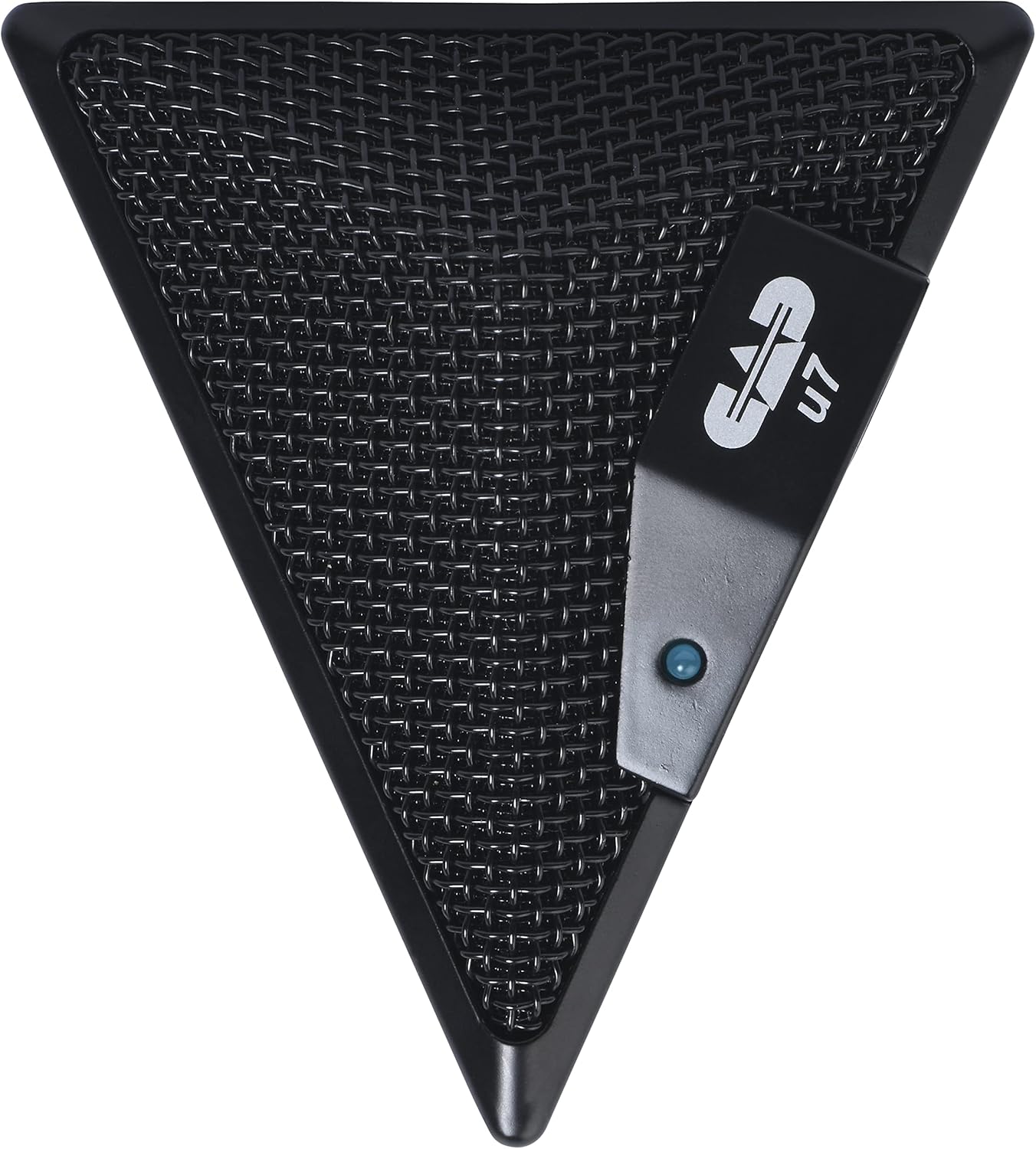
Figure 3: An overhead perspective of the CAD Audio USB U7 microphone, showing its mesh grille and the CAD U7 logo.
การซ่อมบำรุง
- การทำความสะอาด: Use a soft, dry cloth to clean the exterior of the microphone. Do not use abrasive cleaners, solvents, or chemical sprays.
- พื้นที่จัดเก็บ: When not in use, store the microphone in a clean, dry environment, away from dust and extreme temperatures.
- การดูแลสายเคเบิล: หลีกเลี่ยงการโค้งงอหรือหักงออย่างรุนแรงในสาย USB เพื่อป้องกันความเสียหายภายใน
การแก้ไขปัญหา
| ปัญหา | สาเหตุที่เป็นไปได้ | สารละลาย |
|---|---|---|
| Microphone not detected / No sound input |
|
|
| ระดับเสียงต่ำหรือคุณภาพเสียงไม่ดี |
|
|
| เสียงบิดเบี้ยว |
|
|
ข้อมูลจำเพาะ
| ชื่อรุ่น | CAD Audio U7 |
| หมายเลขรุ่นสินค้า | AMS-U7 |
| เทคโนโลยีการเชื่อมต่อ | ยูเอสบี |
| ประเภทขั้วต่อ | ยูเอสบี |
| รูปแบบขั้ว | รอบทิศทาง |
| ปัจจัยรูปแบบไมโครโฟน | ไมโครโฟนเท่านั้น |
| แพลตฟอร์มฮาร์ดแวร์ | PC, Mac compatible |
| น้ำหนักสินค้า | 9.6 ออนซ์ (ประมาณ 272 กรัม) |
| ขนาดสินค้า (กว้าง x ยาว x สูง) | 6.2 x 8.5 x 3 นิ้ว (ประมาณ 15.7 x 21.6 x 7.6 ซม.) |
| วัสดุ | พลาสติก, โลหะ |
| อัตราส่วนสัญญาณต่อเสียงรบกวน | 78 เดซิเบล |
| แหล่งพลังงาน | สายไฟ (ใช้พลังงาน USB) |
| ส่วนประกอบที่รวมอยู่ | Microphone, USB Cable |

รูปที่ 4: ด้านล่าง view of the CAD Audio USB U7 microphone, showing its textured base and mounting points.
การรับประกันและการสนับสนุน
For warranty information and technical support, please refer to the official CAD Audio webหรือติดต่อฝ่ายบริการลูกค้าโดยตรง โปรดเก็บใบเสร็จรับเงินไว้เป็นหลักฐานการซื้อสำหรับการเรียกร้องการรับประกัน
CAD Audio Official Webเว็บไซต์: www.caaudio.com
หากต้องการความช่วยเหลือเพิ่มเติม คุณสามารถดูได้ที่ [แหล่งข้อมูลเพิ่มเติม] หน้าผลิตภัณฑ์บน Amazon for additional resources and customer reviews.


