
การแนะนำ
The Lutron Diva 3-Speed Fan Control (model DVFSQ-F-AL) provides convenient control over your ceiling fan's speed. This switch allows you to select from three quiet fan speeds and turn the fan on or off. It is designed for use in both single-pole and 3-way wiring configurations. A coordinating Claro wall plate is sold separately.
ข้อมูลด้านความปลอดภัย
คำเตือน: To avoid fire, shock, or death, turn off power at the circuit breaker or fuse box and test that power is off before wiring. This device must be installed by a qualified electrician in accordance with all national and local electrical codes. Use only with permanently installed ceiling paddle fans. Do not use with fans that have proprietary remote controls, DC motor fans, or exhaust fans.
- ห้ามใช้เกินพิกัดไฟฟ้าสูงสุด: 1.5 Amps, 120 Volts AC, 60 Hz.
- ตรวจสอบให้แน่ใจว่ามีการต่อลงดินอย่างเหมาะสม
- Do not use for controlling lighting loads.
สิ่งที่รวมอยู่
ในแพ็คเกจประกอบด้วย:
- One (1) Lutron Diva 3-Speed Fan Control (DVFSQ-F-AL)
Note: A coordinating Claro wall plate is sold separately and is not included with this unit.

Image: The Lutron Diva 3-Speed Fan Control in Almond, shown without a wall plate.
ความเข้ากันได้
This fan control is designed for use with indoor ceiling paddle fans only. It is compatible with standard 3-speed ceiling fans that use a pull chain for speed control. It is ไม่เข้ากัน กับ:
- Ceiling fans with proprietary remote controls.
- DC motor fans.
- Exhaust fans.
- Lights or other electrical loads.

Image: A compatibility chart showing a checkmark for ceiling fans with pull chains and an 'X' for ceiling fans with pull chains and remotes.
การติดตั้งและการตั้งค่า
ก่อนที่คุณจะเริ่มต้น: Ensure power is turned off at the circuit breaker. This device requires a neutral wire for proper operation. If you are unsure about wiring, consult a qualified electrician.
เครื่องมือที่จำเป็น:
- ไขควง (ปากแฉกและปากแบน)
- ระบำลวด
- เทปพันสายไฟ
- เล่มที่tagผู้ทดสอบอิเล็กทรอนิกส์
คำแนะนำในการเดินสายไฟ:
- ปิดเครื่อง: Locate the circuit breaker controlling the fan and turn it off. Verify power is off using a voltagอีผู้ทดสอบ
- ลบสวิตช์ที่มีอยู่: ถอดแผ่นปิดผนังออกอย่างระมัดระวัง และคลายสกรูสวิตช์เดิมออกจากกล่องติดผนัง ถอดสายไฟออกจากสวิตช์เก่า
- ระบุสายไฟ:
- Hot (Line) Wire: Typically black, brings power from the breaker.
- สายโหลด: Typically black, goes to the fan.
- สายนิวทรัล: Typically white, required for this switch.
- สายดิน: โดยทั่วไปเป็นทองแดงเปลือยหรือสีเขียว
- Traveler Wires (for 3-way only): Two wires (often red and black) that connect between two 3-way switches.
- เชื่อมต่อสายไฟ:
- เชื่อมต่อ พื้น wire from the wall box to the green ground wire on the Lutron fan control.
- เชื่อมต่อ เป็นกลาง wire from the wall box to the white neutral wire on the Lutron fan control.
- สำหรับ เสาเดี่ยว installation: Connect the Hot (Line) wire to one of the black wires on the fan control. Connect the โหลด wire (to the fan) to the other black wire on the fan control.
- สำหรับ 3 ทาง installation: This control can be used with a standard 3-way switch. Connect the Hot (Line) wire to one of the black wires on the fan control. Connect the โหลด wire (to the fan) to the other black wire on the fan control. The traveler wires will connect to the corresponding terminals on the standard 3-way switch. Refer to the diagram provided with your standard 3-way switch for specific traveler connections.
- การเดินสายไฟที่ปลอดภัย: ใช้ตัวเชื่อมสายไฟแบบน็อตเพื่อยึดการเชื่อมต่อทั้งหมดให้แน่น ตรวจสอบให้แน่ใจว่าไม่มีสายไฟเปลือยโผล่ออกมา
- สวิตช์ติดตั้ง: Gently fold the wires into the wall box and secure the fan control with the provided screws.
- ติดตั้งแผ่นผนัง: Attach the coordinating Claro wall plate (sold separately).
- คืนค่าพลัง: เปิดเครื่องอีกครั้งที่เซอร์กิตเบรกเกอร์
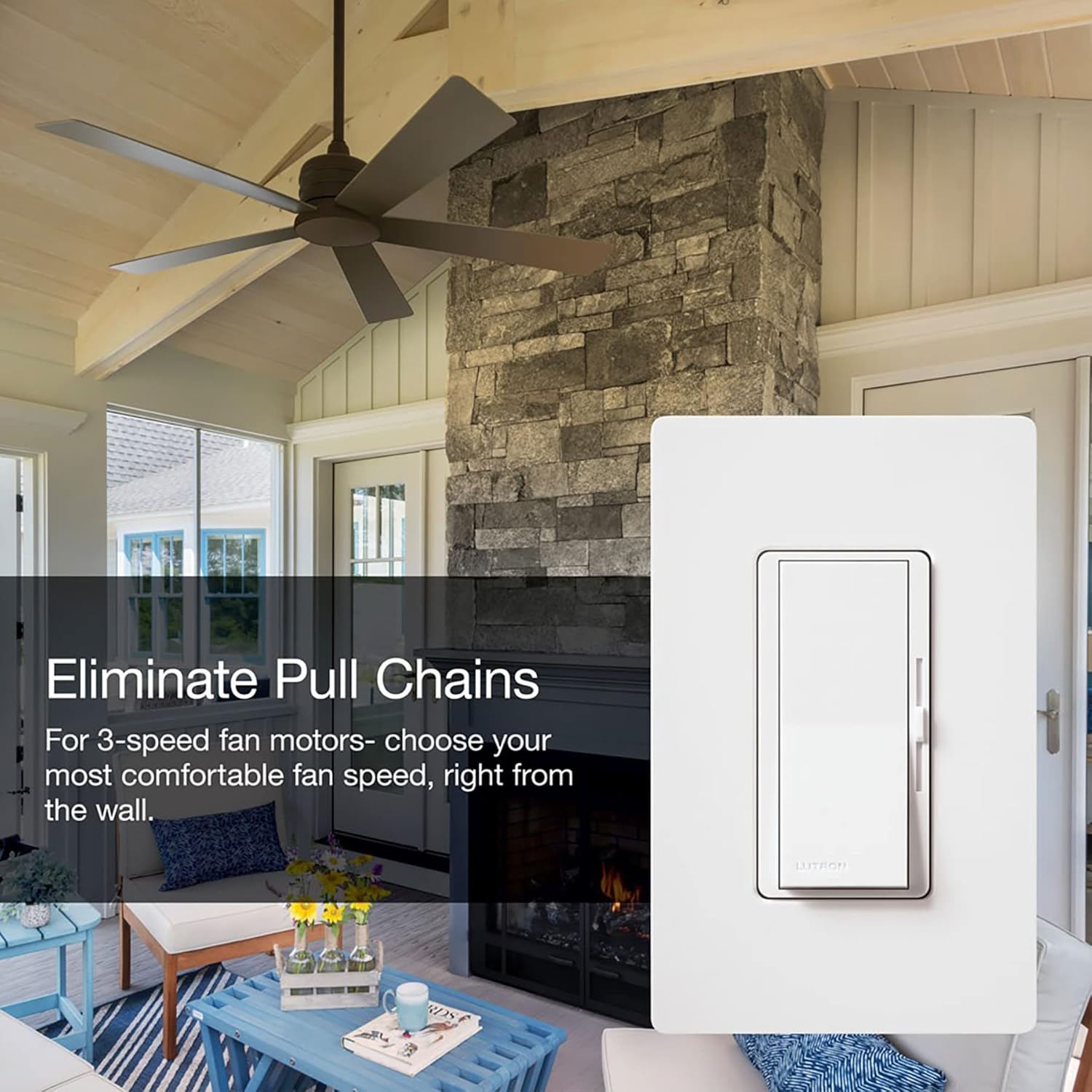
Image: The Lutron Diva 3-Speed Fan Control installed in a wall, demonstrating its appearance with a wall plate.
คำแนะนำการใช้งาน
The Lutron Diva 3-Speed Fan Control features a large paddle switch and a linear slider for easy operation.
- การเปิด/ปิด: Press the large paddle switch to turn the ceiling fan on or off. The fan will resume at the last selected speed setting.
- การปรับความเร็วพัดลม: Use the small linear slider located on the right side of the paddle switch to adjust the fan speed.
- Slide the control up for higher fan speeds.
- Slide the control down for lower fan speeds.
- The control offers three distinct quiet fan speeds.

Image: A living space with a ceiling fan, illustrating the comfort provided by the 3 quiet fan speeds controlled by the Lutron Diva switch.

Image: The Lutron Diva fan control in a room setting, emphasizing its ability to eliminate the need for pull chains on ceiling fans.
การซ่อมบำรุง
The Lutron Diva 3-Speed Fan Control requires minimal maintenance.
- การทำความสะอาด: To clean the surface of the control, wipe with a soft, damp cloth. Do not use chemical cleaners or abrasive materials, as these can damage the finish.
- ไม่มีชิ้นส่วนที่ผู้ใช้สามารถซ่อมบำรุงได้: There are no user-serviceable parts inside the control. Do not attempt to disassemble or repair the unit.
การแก้ไขปัญหา
| ปัญหา | สาเหตุที่เป็นไปได้ | สารละลาย |
|---|---|---|
| พัดลมไม่เปิด |
|
|
| Fan does not respond to speed changes. |
|
|
| Fan makes humming noise. |
|
|
ข้อมูลจำเพาะ
| คุณสมบัติ | รายละเอียด |
|---|---|
| แบบอย่าง | DVFSQ-F-AL |
| ยี่ห้อ | ลูตรอน |
| โหมดการทำงาน | ON-OFF, Paddle Switch |
| คะแนนปัจจุบัน | 1.5 Amps |
| ปฏิบัติการฉบับที่tage | AC 120 โวลต์ |
| ความถี่ | 60 เฮิรตซ์ |
| ประเภทสวิตซ์ | เดโคร่า |
| ประเภทวงจร | Single-pole / 3-way |
| วัสดุ | พลาสติก |
| สี | อัลมอนด์ |
| ขนาดรายการ (ยาว x กว้าง x สูง) | 1.75 x 2.2 x 4.25 นิ้ว |
| น้ำหนักสินค้า | 4 ออนซ์ |
| คะแนนอุณหภูมิ | 32°F ถึง 104°F (0°C ถึง 40°C) |
| การรับรอง | ซีเอสเอ, ยูแอล |
การรับประกันและการสนับสนุน
Lutron provides comprehensive support for its products. For assistance with installation, operation, or troubleshooting, please contact Lutron customer support.
Video: Lutron 24/7 Support. This video highlights Lutron's commitment to customer assistance, available day or night.
Lutron offers 24/7 customer support to help you with your project. You can reach them anytime for assistance.
For the most current warranty information, please refer to the documentation included with your product or visit the official Lutron webเว็บไซต์.