การแนะนำ
คู่มือนี้ให้คำแนะนำโดยละเอียดสำหรับเครื่องตั้งเสียงและจังหวะ MATRIX MR600 อุปกรณ์นี้รวมเอาเครื่องตั้งเสียงสำหรับฝึกจังหวะและเครื่องตั้งเสียงเพื่อความแม่นยำของระดับเสียงเครื่องดนตรี ออกแบบมาเพื่อช่วยเหลือนักดนตรีในการฝึกซ้อมและการแสดง
สินค้าเกินview
MATRIX MR600 มีจอแสดงผล LED แบบลูกตุ้มสำหรับแสดงจังหวะด้วยภาพ เอาต์พุตเสียงโครมาติกสำหรับการปรับจูน และฟังก์ชันปรับจังหวะลงสำหรับจังหวะเวลาต่างๆ
ส่วนประกอบ
- ปุ่มปรับจังหวะ: ปุ่มหมุนขนาดใหญ่สำหรับปรับจังหวะได้อย่างแม่นยำ
- สวิตช์เปิด/ปิดเครื่อง: เลือกโหมดได้ระหว่าง ปิด, เมโทรโนม และ เสียง (จูนเนอร์)
- การตั้งค่าจังหวะ/ระดับเสียง: ปุ่มควบคุมจังหวะเมโทรโนมและระดับเสียงอ้างอิงของเครื่องตั้งสาย
- การควบคุมระดับเสียง: ปรับระดับเสียงเอาท์พุต
- ไฟ LED แสดงจังหวะ: ภาพแสดงจังหวะเมโทรโนม
- ลำโพงในตัว: เพื่อให้ได้เสียงจังหวะเมโทรโนมและเสียงจูนเนอร์ที่ได้ยินชัดเจน
- แจ็คหูฟัง: สำหรับการฟังส่วนตัว
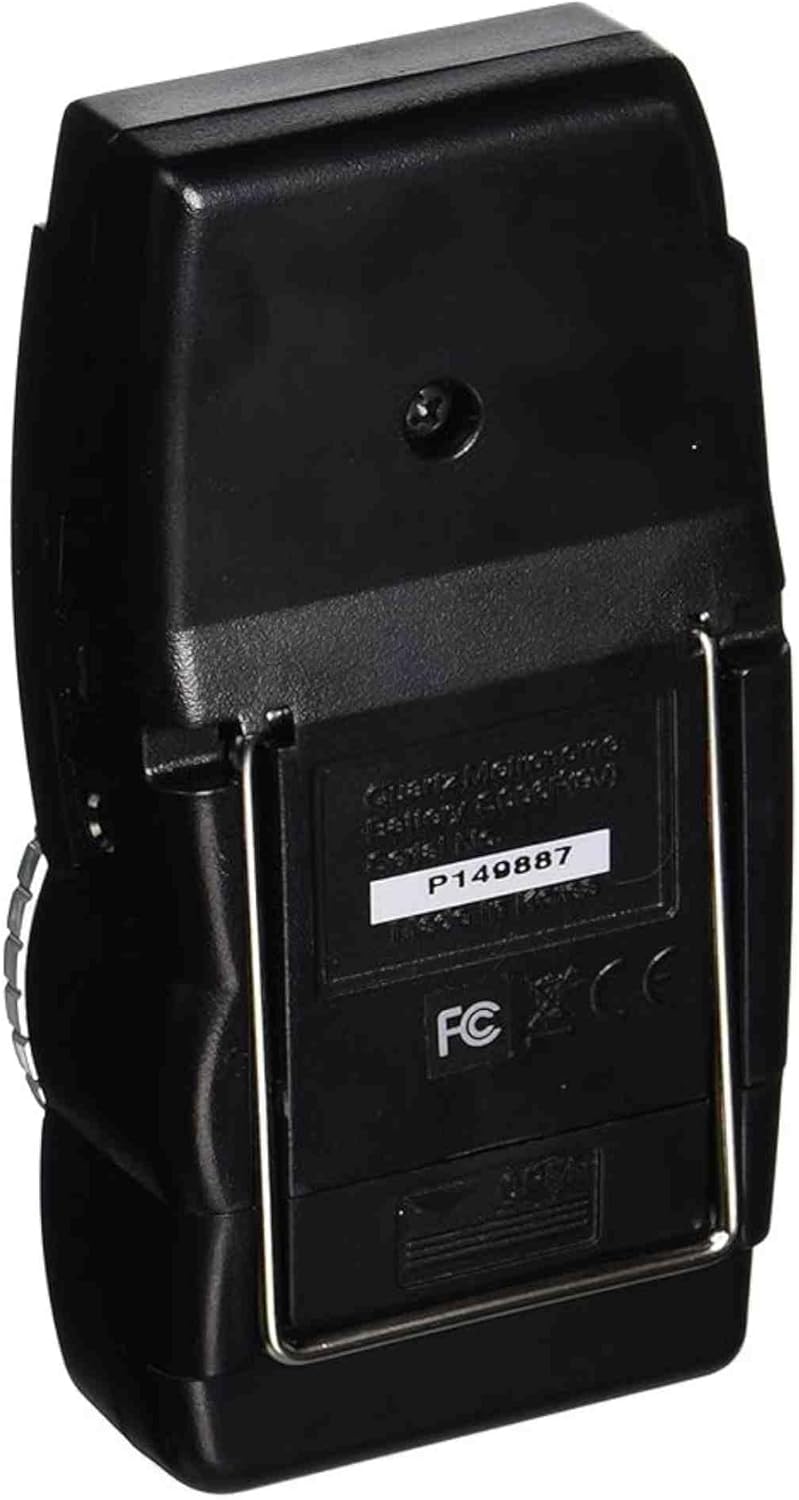
- ขาตั้ง: สำหรับการจัดท่าในแนวตั้ง

การตั้งค่า
การติดตั้งแบตเตอรี่
- ค้นหาช่องใส่แบตเตอรี่ที่ด้านหลังของเครื่อง
- เปิดฝาช่องใส่แบตเตอรี่
- ใส่แบตเตอรี่ 9V หนึ่งก้อน ตรวจสอบให้แน่ใจว่าขั้วถูกต้อง (+/-)
- ปิดฝาช่องใส่แบตเตอรี่ให้แน่น
คำแนะนำการใช้งาน
ฟังก์ชั่นเครื่องเมตรอนอม
- ตั้งสวิตช์เปิด/ปิด/โหมดไปที่ "METRO"
- ปรับจังหวะโดยใช้แป้นหมุนขนาดใหญ่ ช่วงจังหวะโดยทั่วไปจะอยู่ที่ 40 ถึง 208 บีทต่อนาที (BPM)
- ใช้ตัวเลือก "จังหวะ" เพื่อเลือกรูปแบบจังหวะที่ต้องการ (เช่น 0, 2, 3, 4, 5, 6 สำหรับจังหวะดนตรีที่แตกต่างกัน) จังหวะแรกของรูปแบบที่เลือกจะมีโทนเสียงที่แตกต่างออกไป
- ปรับระดับเสียงโดยใช้ปุ่มควบคุมระดับเสียง
- สังเกตไฟแสดงสถานะ LED เพื่อดูจังหวะดนตรีอย่างชัดเจน
ฟังก์ชันจูนเนอร์ (เอาต์พุตระดับเสียงโครมาติก)
- ตั้งสวิตช์เปิด/ปิด/โหมดไปที่ "เสียง"
- ใช้ตัวเลือก "PITCH" เพื่อเลือกความถี่เสียงอ้างอิงที่ต้องการ (เช่น A440, A441, A442, A443, A444, A445 เฮิรตซ์)
- อุปกรณ์นี้จะส่งเสียงต่อเนื่องในระดับเสียงที่เลือกไว้ ใช้เสียงนี้ในการปรับจูนเครื่องดนตรีของคุณด้วยการฟัง
- ปรับระดับเสียงได้ตามต้องการ

การซ่อมบำรุง
- การทำความสะอาด: เช็ดทำความสะอาดตัวเครื่องด้วยผ้าแห้งเนื้อนุ่ม หลีกเลี่ยงการใช้สารทำความสะอาดที่มีฤทธิ์กัดกร่อนหรือตัวทำละลาย
- การเปลี่ยนแบตเตอรี่: เปลี่ยนแบตเตอรี่ 9V เมื่อประสิทธิภาพการทำงานของเครื่องลดลงหรือเครื่องเปิดไม่ติด ถอดแบตเตอรี่ออกหากไม่ได้ใช้งานเครื่องเป็นเวลานานเพื่อป้องกันการรั่วไหล
- พื้นที่จัดเก็บ: เก็บเครื่องเมโทรโนมไว้ในที่แห้ง หลีกเลี่ยงอุณหภูมิที่สูงหรือต่ำเกินไป และแสงแดดโดยตรง
การแก้ไขปัญหา
- ไม่มีไฟฟ้า: ตรวจสอบให้แน่ใจว่าได้ติดตั้งแบตเตอรี่ 9V อย่างถูกต้องและไม่หมดไฟ เปลี่ยนแบตเตอรี่หากจำเป็น
- ไม่มีเสียง: ตรวจสอบการควบคุมระดับเสียง ตรวจสอบให้แน่ใจว่าสวิตช์เปิด/ปิด/โหมดตั้งอยู่ที่ "METRO" หรือ "SOUND" และไม่ใช่ "OFF"
- จังหวะ/ระดับเสียงไม่ถูกต้อง: ตรวจสอบให้แน่ใจว่าได้เลือกรูปแบบจังหวะหรือระดับเสียงอ้างอิงที่ถูกต้องแล้ว
- การทำงานเป็นระยะ: ตรวจสอบการเชื่อมต่อแบตเตอรี่ หากปัญหายังคงอยู่ โปรดติดต่อฝ่ายบริการลูกค้า
ข้อมูลจำเพาะ
| คุณสมบัติ | รายละเอียด |
|---|---|
| หมายเลขรุ่น | MR600 |
| น้ำหนักสินค้า | 5.6 ออนซ์ |
| ขนาดสินค้า | 8 x 5.5 x 1.4 นิ้ว |
| แหล่งพลังงาน | แบตเตอรี่ 9V (ไม่รวม) |
| Tempo Range | 40-208 บีพีเอ็ม (จังหวะต่อนาที) |
| สนามอ้างอิง | ความถี่ 440-445 เฮิรตซ์ (ปรับได้) |
| แสดง | ไฟ LED สไตล์ลูกตุ้ม |
การรับประกันและการสนับสนุน
คู่มือนี้ไม่ได้ระบุข้อมูลการรับประกันเฉพาะสำหรับเครื่องตั้งจังหวะและจังหวะ MATRIX MR600 โปรดดูรายละเอียดการรับประกันได้จากบรรจุภัณฑ์ของผลิตภัณฑ์หรือติดต่อร้านค้าที่ซื้อผลิตภัณฑ์
หากต้องการความช่วยเหลือหรือการสนับสนุนเพิ่มเติม โปรดเยี่ยมชมเว็บไซต์อย่างเป็นทางการ ร้านค้าแบรนด์ MATRIX.


