การแนะนำ
This manual provides essential information for the proper setup, operation, and maintenance of your Kodak EasyShare DX4530 5MP Digital Camera. Please read this guide thoroughly to ensure optimal performance and longevity of your device.
การตั้งค่า
1. การติดตั้งแบตเตอรี่
The Kodak EasyShare DX4530 camera operates on two AA batteries. For best performance, CRV3 lithium batteries are included, and rechargeable batteries are recommended for long-term use.
- หาช่องใส่แบตเตอรี่ที่อยู่ด้านล่างของกล้อง
- Slide the battery compartment latch to open the cover.
- ใส่แบตเตอรี่ AA สองก้อน โดยตรวจสอบให้แน่ใจว่าขั้ว (+/-) ถูกต้องตามที่ระบุภายในช่อง
- ปิดฝาช่องใส่แบตเตอรี่ให้แน่นจนกระทั่งล็อคเข้าที่

Image: Battery compartment open with batteries.
2. การติดตั้งการ์ดหน่วยความจำ
The camera has 32 MB of internal memory. For extended storage, you can use SD or MMC memory cards.
- Locate the memory card slot on the side of the camera, typically protected by a cover.
- เปิดฝาครอบ
- Insert an SD or MMC card into the slot with the metal contacts facing the correct direction, usually downwards or towards the back of the camera, until it clicks into place.
- ปิดฝาช่องใส่การ์ดหน่วยความจำให้แน่น

Image: Memory card slot open with card.
3. การเปิดเครื่องและการตั้งค่าครั้งแรก
After installing batteries, power on the camera. You may be prompted to set the date and time. Follow the on-screen instructions using the navigation buttons.
การใช้งานกล้อง
1.การถ่ายภาพ
The DX4530 features a 5.0 megapixel sensor for high-resolution images and a 3x optical zoom lens.
- เปิดเครื่อง: กดปุ่มเปิด/ปิดเพื่อเปิดกล้อง เลนส์จะยืดออก
- กรอบ: Use the 1.8-inch indoor/outdoor LCD display or the real image optical viewFinder เพื่อจัดกรอบภาพของคุณ
- ซูม: Use the zoom controls (W/T buttons) to adjust the 3x optical zoom. The camera also has a 3.3x digital zoom, which digitally enlarges the image.
- จุดสนใจ: The camera uses automatic focus (Contrast Detection, Live View, Single).
- ชัตเตอร์: กดปุ่มชัตเตอร์ลงครึ่งหนึ่งเพื่อโฟกัส จากนั้นกดจนสุดเพื่อถ่ายภาพ
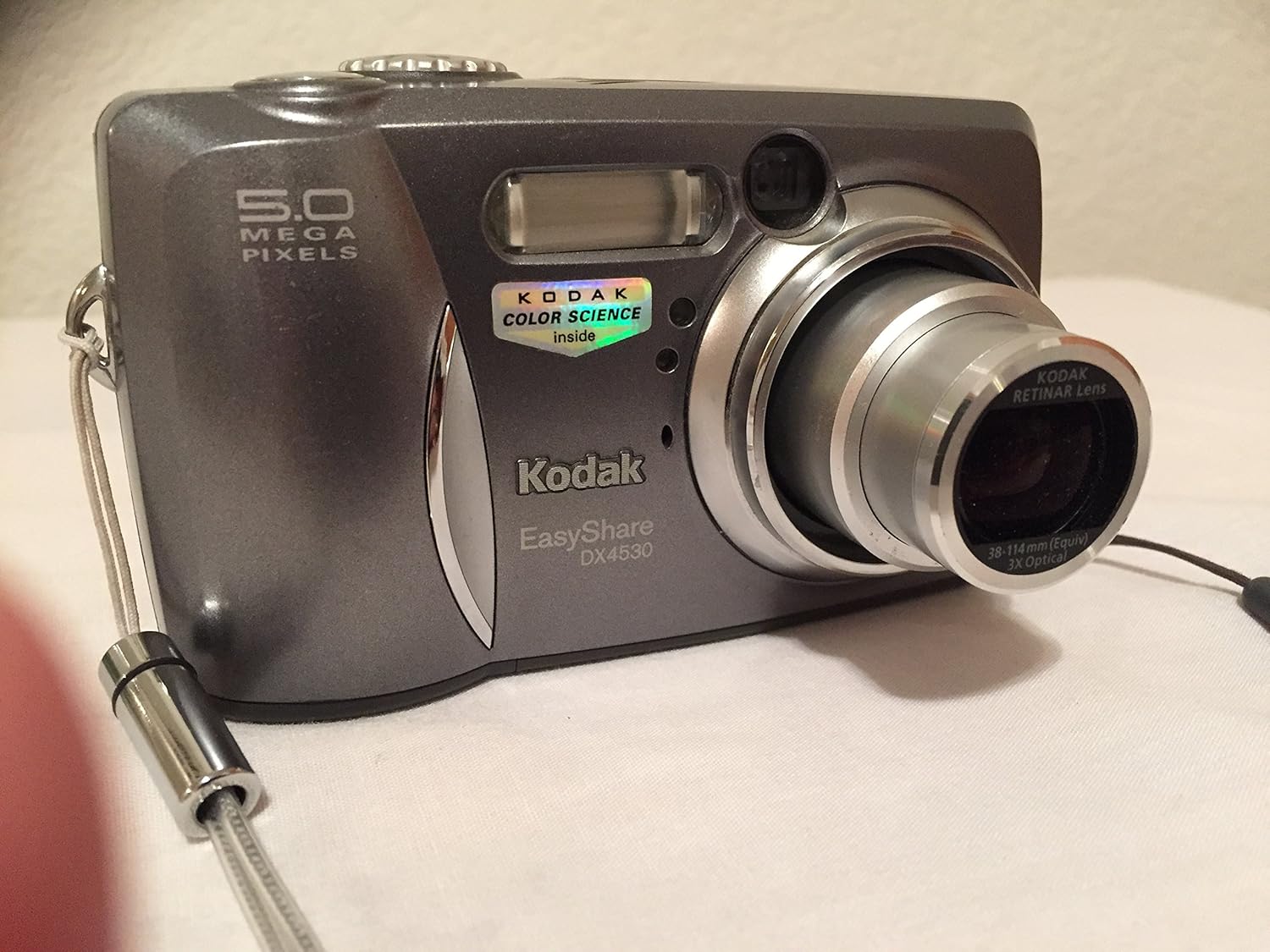
ภาพ: ด้านหน้า view with lens extended.

ภาพ: ด้านหลัง view ของกล้อง
2 โหมดแฟลช
The built-in flash supports various modes:
- อัตโนมัติ: กล้องจะตรวจสอบโดยอัตโนมัติว่าจำเป็นต้องใช้แฟลชหรือไม่
- On/Fill: Flash fires for every shot.
- ปิด: Flash is disabled.
3. บันทึกวิดีโอ
The camera can record 60-second video clips with audio.
- Switch to video mode (refer to your camera's specific mode dial or menu).
- กดปุ่มชัตเตอร์เพื่อเริ่มบันทึก กดอีกครั้งเพื่อหยุด
- Note: Zooming is not available during video recording.
4. เรื่องviewการลงภาพและวิดีโอ
Use the 'reviewปุ่ม ' เพื่อ view captured photos and videos on the 1.8-inch LCD screen.
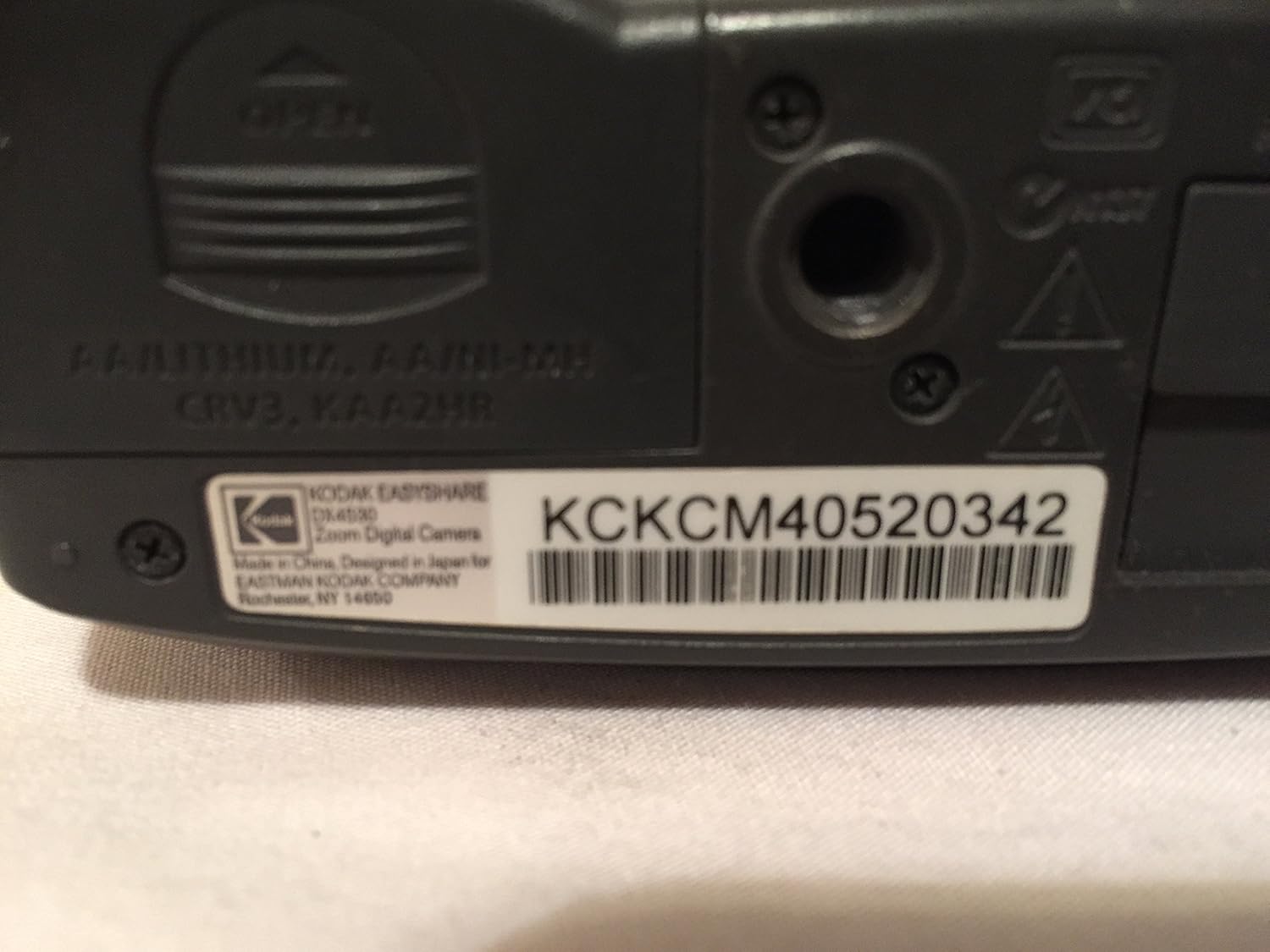
Image: Camera screen displaying a captured image.
5. Transferring Images to a Computer
Connect the camera to your computer using the provided USB cable. The camera is compatible with Macs and PCs via USB 1.1. Use Kodak EasyShare software for managing and editing your photos.
- Connect the small end of the USB cable to the camera's USB port (located near the memory card slot).
- เชื่อมต่อปลายด้านที่ใหญ่กว่าของสาย USB เข้ากับพอร์ต USB ที่มีอยู่ในคอมพิวเตอร์ของคุณ
- The computer should recognize the camera as a removable storage device.
- Install and use the Kodak EasyShare software (included on CD) for seamless photo transfer and organization.
การซ่อมบำรุง
1. การดูแลเลนส์
Keep the lens clean and free from dust and fingerprints. Use a soft, lint-free cloth specifically designed for camera lenses. Ensure the lens cap is properly attached when not in use to protect the lens from scratches and debris.

Image: Close-up of the camera lens.
2. การดูแลแบตเตอรี่
Remove batteries if the camera will not be used for an extended period to prevent leakage. Use high-quality rechargeable batteries for cost-effectiveness and environmental benefits.
3. การทำความสะอาดทั่วไป
Wipe the camera body with a soft, dry cloth. Avoid using harsh chemicals or solvents. For stubborn dirt, slightly dampen the cloth with water. Do not immerse the camera in water as it is not water-resistant.
การแก้ไขปัญหา
- กล้องไม่เปิดเครื่อง:
Check that batteries are correctly inserted and fully charged. If using an SD card, ensure it is properly seated. Try new batteries if current ones are depleted.
- ภาพถ่ายเบลอ:
Ensure the camera is held steady during shooting. Use the autofocus feature by pressing the shutter button halfway before fully pressing it. Check lighting conditions; low light can lead to slower shutter speeds and blur. Digital zoom can also result in lower quality images compared to optical zoom.
- Lens Cap Issues:
Ensure the lens cap is securely attached when not in use. If it frequently detaches, inspect for any physical damage to the cap or lens housing.
- Dark Indoor Shots:
Utilize the built-in flash in appropriate modes (e.g., On/Fill flash). Ensure sufficient ambient lighting. Adjust white balance settings if available in the camera menu.
- Video Rotation Issues:
Some users have reported videos rotating 90 degrees. This may be a software-related issue during playback or transfer. Check for updated Kodak EasyShare software or use video editing software to correct orientation.
ข้อมูลจำเพาะ
| ชื่อรุ่น | Kodak EasyShare DX4530 |
| ความละเอียดของภาพนิ่งที่มีประสิทธิภาพ | 5 MP |
| ซูมออปติคอล | 3x |
| ซูมดิจิตอล | 3.3 เท่า |
| ประเภทเซนเซอร์ | ซีซีดี |
| ขนาดหน้าจอ | 1.8 นิ้ว |
| หน่วยความจำภายใน | 32MB |
| การรองรับการ์ดหน่วยความจำ | การ์ด SD/MMC |
| การบันทึกวิดีโอ | 60-second clips with audio (MPEG-4 format) |
| การเชื่อมต่อ | ยูเอสบี 1.1 |
| แหล่งพลังงาน | 2 AA batteries (CRV3 lithium included, rechargeables recommended) |
| น้ำหนักสินค้า | 7.36 ออนซ์ |
| สี | สีเทาเข้ม |
| ระบบป้องกันภาพสั่นไหว | ดิจิตอล, ออปติคัล |
| รองรับ File รูปแบบ | เจพีเจ |

Image: Camera bottom with model information.
ข้อมูลการรับประกัน
The Kodak EasyShare DX4530 Digital Camera comes with a รับประกันจำกัด 1 ปี from the manufacturer. Please retain your proof of purchase for warranty claims. For detailed terms and conditions, refer to the warranty card included with your product or visit the official Kodak support webเว็บไซต์.
สนับสนุน
For further assistance, technical support, or service inquiries, please contact Kodak customer support. Many users have reported positive experiences with Kodak's support staff.
- เยี่ยมชมอย่างเป็นทางการ โคดัก webเว็บไซต์ สำหรับทรัพยากรสนับสนุน คำถามที่พบบ่อย และข้อมูลการติดต่อ
- Refer to the interactive software tutorial included with the Kodak EasyShare software CD.


