1. บทนำ
This manual provides detailed instructions for the proper setup, operation, and maintenance of your Pentax PF-80ED-A 80mm ED Angled Spotting Scope. Please read this manual thoroughly before using your spotting scope to ensure optimal performance and longevity. Keep this manual for future reference.
2. สินค้าหมดview
The Pentax PF-80ED-A is a high-performance 80mm ED (Extra-low Dispersion) angled spotting scope designed for clear and bright observation. Its 45-degree angled viewing design offers comfortable viewing positions, especially for extended periods or when observing subjects at varying elevations. The scope features a BAK4 Porro prism light path for enhanced image quality and is compatible with all standard 1.25-inch telescope eyepieces, providing versatility in magnification options. An eyepiece is required for proper use and is sold separately.
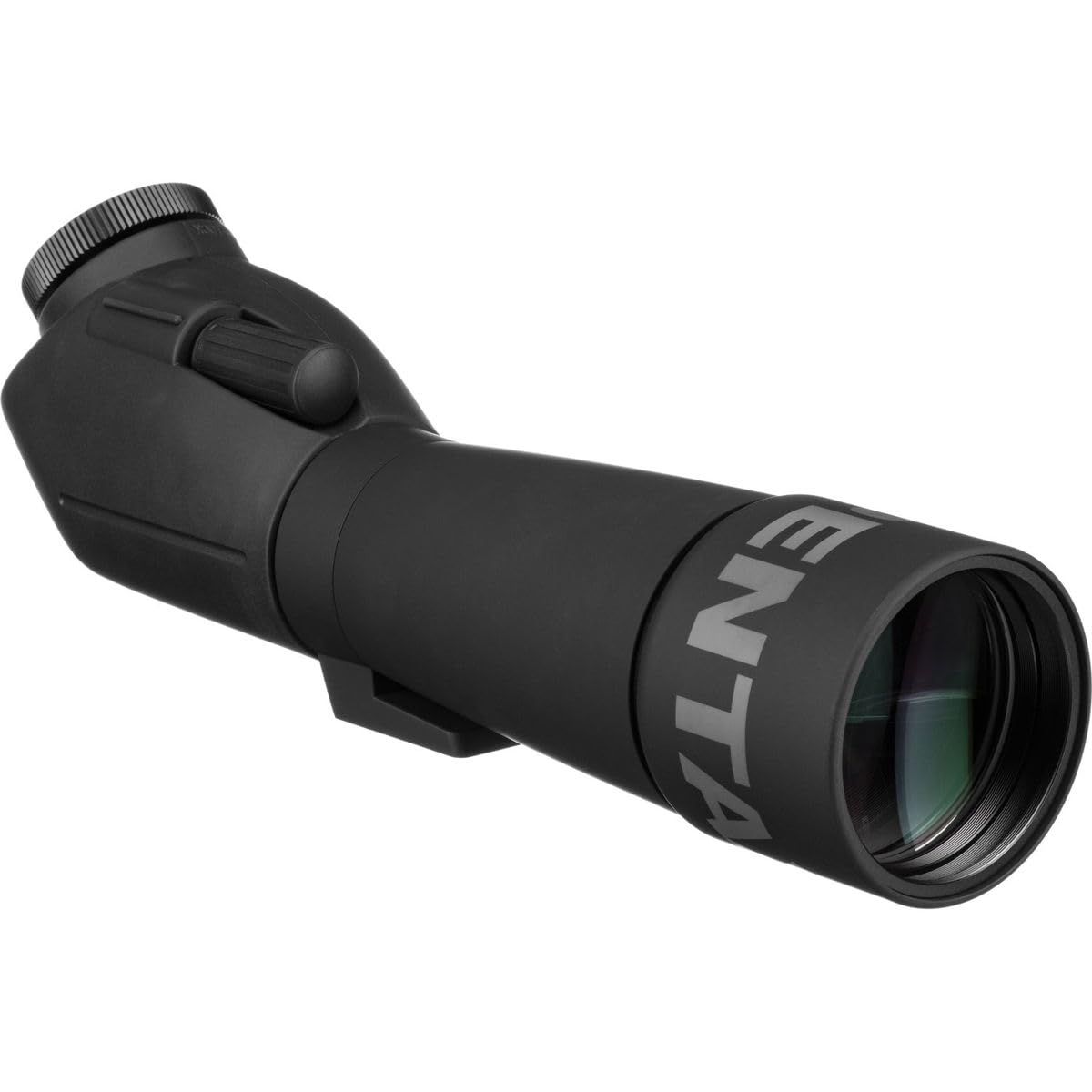
Figure 2.1: Pentax PF-80ED-A 80mm ED Angled Spotting Scope. This image shows the overall design of the spotting scope, highlighting its angled eyepiece and robust construction.
3. คำแนะนำในการตั้งค่า
3.1 การแกะกล่องและเนื้อหา
นำส่วนประกอบทั้งหมดออกจากบรรจุภัณฑ์อย่างระมัดระวัง ตรวจสอบว่ามีส่วนประกอบทั้งหมดครบถ้วน:
- Pentax PF-80ED-A Spotting Scope Body
- เคสป้องกัน
- ฝาปิดเลนส์ใกล้วัตถุ
- Eyepiece Port Cap
3.2 Attaching an Eyepiece
The Pentax PF-80ED-A requires a 1.25-inch eyepiece (sold separately) for operation. Follow these steps to attach an eyepiece:
- Remove the eyepiece port cap from the spotting scope body.
- Gently insert your 1.25-inch eyepiece into the eyepiece port.
- Tighten the set screw(s) on the eyepiece port to secure the eyepiece in place. Do not overtighten.

รูปที่ 3.1: ด้านข้าง view of the Pentax PF-80ED-A, illustrating the eyepiece port where a 1.25-inch eyepiece is to be inserted.
3.3 Mounting the Spotting Scope
เพื่อความมั่นคง viewing, it is recommended to mount the spotting scope on a sturdy tripod. The scope features a standard tripod mounting socket.
- Locate the tripod mounting socket on the underside of the scope body.
- Align the scope with your tripod's quick-release plate or mounting screw.
- Securely attach the scope to the tripod. Ensure it is stable before use.
4. คู่มือการใช้งาน
4.1 การโฟกัส
The Pentax PF-80ED-A uses a manual focus system for precise image adjustment.
- หันกล้องส่องทางไกลไปยังเป้าหมายที่ต้องการสังเกต
- มองผ่านช่องมองภาพ
- Rotate the focus knob, typically located on the top or side of the scope body, until the image appears sharp and clear.

รูปที่ 4.1: ด้านบน view of the Pentax PF-80ED-A, showing the location of the manual focus knob for adjusting image clarity.
4.2 มุม Viewกำลังทำ
The 45-degree angled design allows for comfortable viewing, especially when observing subjects high above or below your position. This design reduces neck strain during prolonged observation sessions.
4.3 คุณสมบัติกันน้ำและกันฝ้า
The PF-80ED-A is designed to be waterproof and fogproof, allowing for use in various weather conditions. This protection helps prevent internal fogging and damage from moisture. Ensure all caps are securely in place when not in use to maintain these protective properties.
5. การบำรุงรักษา
5.1 การทำความสะอาดเลนส์
To clean the ED glass lenses, follow these steps:
- ค่อยๆ ปัดฝุ่นหรือเศษสิ่งสกปรกที่หลุดร่วงออกไปโดยใช้แปรงปัดเลนส์แบบนุ่ม หรือใช้ลมเป่าอัดแรงดันสูง
- Apply a small amount of lens cleaning fluid to a clean, soft microfiber lens cloth.
- Wipe the lens surface in a circular motion, starting from the center and moving outwards. Avoid excessive pressure.
- Do not use abrasive cloths, paper towels, or household cleaners, as these can scratch or damage the lens coatings.
5.2 พื้นที่จัดเก็บ
When not in use, store the spotting scope in its protective case in a cool, dry place. Ensure all lens caps are securely attached to prevent dust accumulation and protect the lenses from impact.
5.3 Waterproof Integrity
While the scope is waterproof, avoid submerging it in water. If the scope gets wet, wipe it dry with a soft cloth. Regularly inspect the seals around the eyepiece port and objective lens for any signs of wear or damage that could compromise its waterproof capabilities.
6 การแก้ไขปัญหา
| ปัญหา | สาเหตุที่เป็นไปได้ | สารละลาย |
|---|---|---|
| ภาพเบลอหรือไม่โฟกัส | ปุ่มปรับโฟกัสไม่ได้ปรับอย่างถูกต้อง | หมุนปุ่มปรับโฟกัสจนกว่าภาพจะคมชัด |
| Dark or obstructed view. | Lens caps still on. Eyepiece not fully inserted or secured. | Remove all lens caps. Ensure eyepiece is correctly inserted and secured. |
| ภาพดูมืดไม่ชัด | Low light conditions. Dirty objective lens. | Use in brighter conditions if possible. Clean the objective lens as per maintenance instructions. |
| Internal fogging. | Extreme temperature changes. Compromised waterproof seal. | Allow scope to acclimate to temperature. If persistent, contact support. |
7. ข้อมูลจำเพาะ
| คุณสมบัติ | รายละเอียด |
|---|---|
| ยี่ห้อ | เพนแท็กซ์ |
| ชื่อรุ่น | 70950 |
| ความยาวหลอดแสง | 16.3 นิ้ว |
| คำอธิบายเลนส์ช่องมองภาพ | บาเค4 |
| เส้นผ่านศูนย์กลางเลนส์วัตถุ | 80 มิลลิเมตร |
| ขนาดสินค้า (ลึก x กว้าง x สูง) | ลึก 4.72 นิ้ว x กว้าง 4.72 นิ้ว x สูง 15.55 นิ้ว |
| ประเภทโฟกัส | โฟกัสแบบแมนนวล |
| อุปกรณ์ที่รองรับ | Eyepiece (1.25") |
| ที่ดินของ View | 1.14 องศา |
| น้ำหนักสินค้า | 1400 กรัม |
| คุณสมบัติเพิ่มเติม | Fogproof, Waterproof, Zoom (with compatible eyepiece) |
| จีทีอิน (UPC) | 027075064799 |
| ASIN | B00009XVOT |
8. การรับประกันและการสนับสนุน
For detailed warranty information, please refer to the warranty card included with your product or visit the official Pentax website. If you encounter any issues not covered in this manual or require technical assistance, please contact Pentax customer support. Contact details can typically be found on the manufacturer's webเว็บไซต์หรือในบรรจุภัณฑ์ของผลิตภัณฑ์


