การแนะนำ
The Olympus Super Zoom 115 is a compact, fully automatic 35mm film camera designed for ease of use and reliable performance. It features a versatile power zoom lens and advanced autofocus capabilities, making it suitable for various photographic situations.
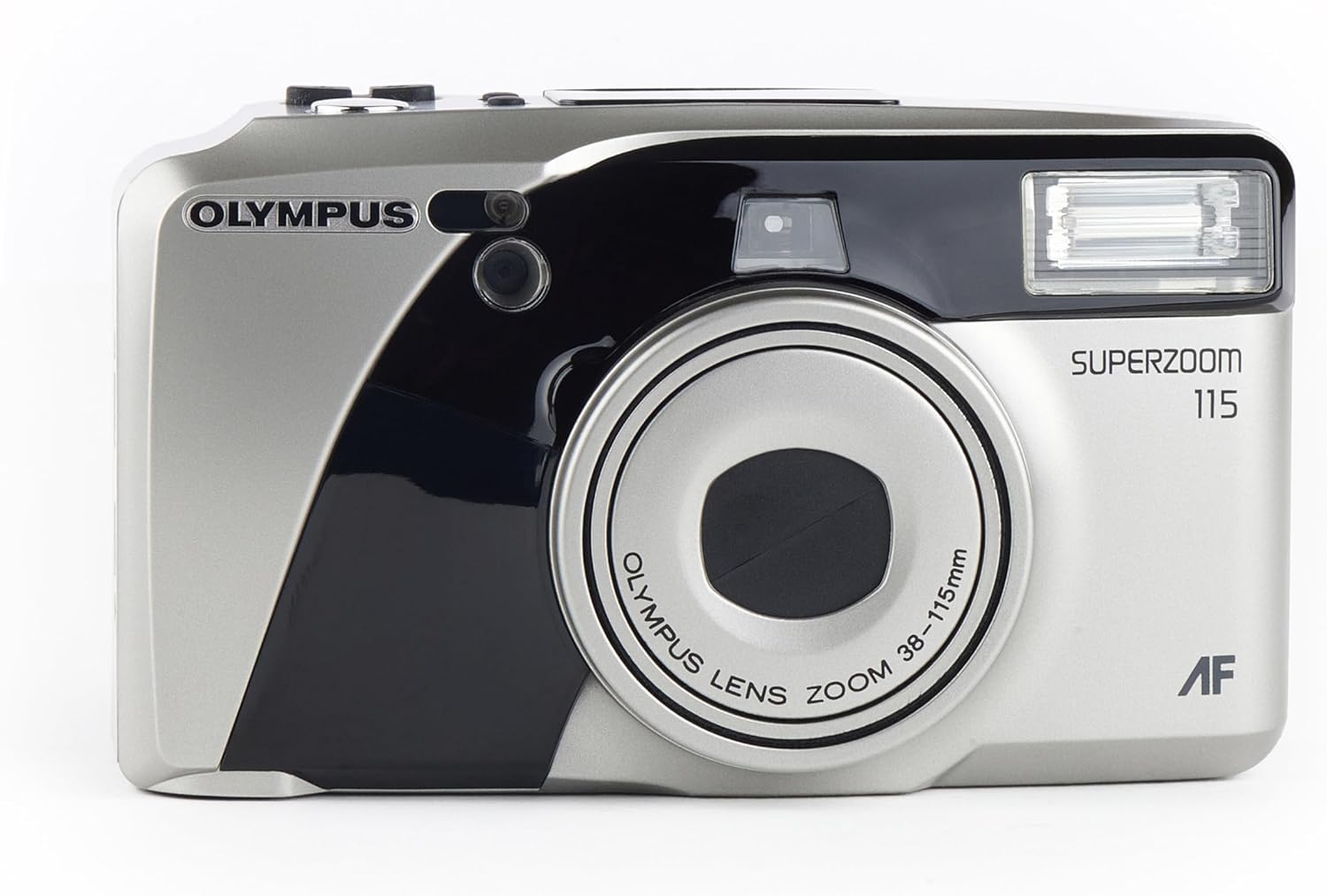
ด้านหน้า view of the Olympus Super Zoom 115 camera, showcasing its compact design and zoom lens.
คุณสมบัติหลัก:
- 38-115mm Power Zoom Lens: Offers a wide range of focal lengths for diverse shots.
- การทำงานอัตโนมัติเต็มรูปแบบ: Simplifies photography with automatic exposure, film loading, and rewinding.
- 11-Point Multi-Wide Autofocus: Ensures sharp and precise focusing across the frame.
- Built-in Flash with Red-Eye Reduction: Provides illumination in low-light conditions and minimizes red-eye effect.
- Quartz Date Back: Imprints the date onto your photos.
- Ultra-Compact Metal Body: Durable and portable design.
การตั้งค่า
1. การติดตั้งแบตเตอรี่
- หาฝาปิดช่องใส่แบตเตอรี่ที่ด้านข้างหรือด้านล่างของกล้อง
- Slide or open the cover according to the indicator.
- Insert two AA alkaline batteries, ensuring correct polarity (+/-) as indicated inside the compartment.
- ปิดฝาช่องใส่แบตเตอรี่ให้แน่น
2. การใส่ฟิล์ม

หลัง view of the camera with the film compartment open, showing where to insert the 35mm film roll.
- Open the camera back cover by sliding the latch located on the side.
- ใส่ตลับฟิล์มขนาด 35 มม. ลงในช่องใส่ฟิล์มทางด้านซ้าย
- Pull the film leader across to the film take-up spool on the right side, aligning it with the orange mark.
- Close the camera back cover firmly until it clicks. The camera will automatically advance the film to the first frame.
การใช้งานกล้อง
1. เปิด/ปิดเครื่อง
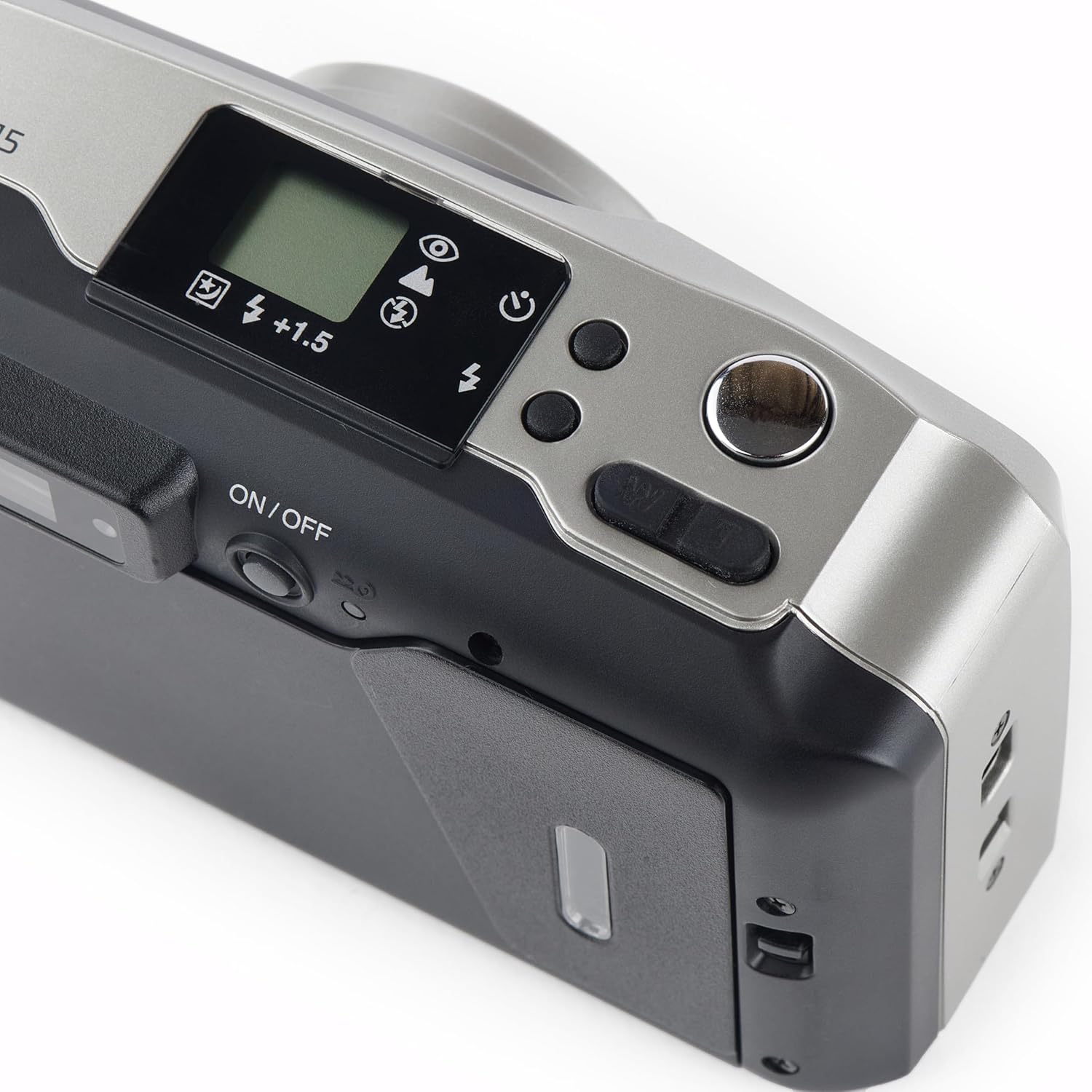
สูงสุด view of the camera, highlighting the power button and other control dials.
- To turn on the camera, slide the ON/OFF switch located on the top panel. The lens will extend.
- To turn off the camera, slide the ON/OFF switch again. The lens will retract.
2. การถ่ายภาพ
- มองผ่าน viewใช้ช่องมองภาพเพื่อจัดองค์ประกอบภาพ
- กดปุ่มชัตเตอร์ลงครึ่งหนึ่งเพื่อเปิดใช้งานระบบโฟกัสอัตโนมัติและระบบวัดแสง ไฟสีเขียวจะสว่างขึ้น viewช่องมองภาพแสดงว่าล็อคโฟกัสแล้ว
- กดปุ่มชัตเตอร์ลงจนสุดเพื่อถ่ายภาพ ฟิล์มจะเลื่อนไปยังเฟรมถัดไปโดยอัตโนมัติ
3. การดำเนินการซูม
- Use the 'W' (Wide) and 'T' (Telephoto) buttons near the shutter button to adjust the zoom.
- Press 'W' to zoom out (38mm) and 'T' to zoom in (115mm).
4 โหมดแฟลช
- Press the flash mode button (usually indicated by a lightning bolt icon) to cycle through available flash modes: Auto Flash, Red-Eye Reduction, Fill-in Flash, Flash Off.
- The selected mode will be displayed on the LCD panel.
5. Quartz Date Back
- Use the MODE and SELECT buttons on the back of the camera to set the date and time.
- Once set, the date will be imprinted on your photos.
6. ตั้งเวลาถ่าย
- Activate the self-timer function via the mode button.
- Press the shutter button; the self-timer lamp ไฟจะกะพริบ และชัตเตอร์จะทำงานหลังจากนั้นประมาณ 10 วินาที
การซ่อมบำรุง
- การทำความสะอาด: Use a soft, lint-free cloth to clean the camera body. For the lens, use a specialized lens cleaning cloth and solution. Avoid touching the lens directly.
- พื้นที่จัดเก็บ: เก็บกล้องไว้ในที่แห้งและเย็น หลีกเลี่ยงแสงแดดโดยตรงและอุณหภูมิที่สูงหรือต่ำเกินไป ถอดแบตเตอรี่ออกหากไม่ได้ใช้งานกล้องเป็นเวลานาน
การแก้ไขปัญหา
- กล้องไม่สามารถเปิดได้: Check if the batteries are inserted correctly and are not depleted. Replace with fresh batteries if necessary.
- ภาพยนตร์ไม่คืบหน้า: Ensure the film is loaded correctly and the back cover is securely closed.
- แฟลชไม่ทำงาน: Check the flash mode settings. Ensure it is not set to 'Flash Off'.
- For further assistance, refer to the official Olympus support resources.
ข้อมูลจำเพาะ
| คุณสมบัติ | รายละเอียด |
|---|---|
| ยี่ห้อ | โอลิมปัส |
| ชื่อรุ่น | u mju zoom115 |
| ประเภทเลนส์ | ซูมมาตรฐาน |
| ซูมออปติคอล | 3x |
| ความยาวโฟกัสต่ำสุด | 38 มิลลิเมตร |
| ความยาวโฟกัสสูงสุด | 115 มิลลิเมตร |
| รูรับแสงสูงสุด | 2.8 ฟ. |
| จุดโฟกัสอัตโนมัติ | 11 |
| การควบคุมการรับแสง | อัตโนมัติ |
| Light Sensitivity (ISO Range) | 100-3200 |
| แฟลชกล้อง | บิวท์อิน |
| ประเภทแบตเตอรี่ | ด่าง |
| คุณสมบัติพิเศษ | ตั้งเวลาถ่ายตัวเอง |
| ระดับความต้านทานต่อน้ำ | ทนน้ำ |
วิดีโอผลิตภัณฑ์อย่างเป็นทางการ
วิดีโอนี้ให้ภาพที่ชัดเจนview of the Olympus Super Zoom 115 35mm Camera, demonstrating its features and operation.
การรับประกันและการสนับสนุน
This Olympus product is covered by a standard manufacturer's warranty. For detailed warranty information, service, or technical support, please visit the official Olympus webเว็บไซต์หรือติดต่อฝ่ายบริการลูกค้าของพวกเขา
คุณยังสามารถเยี่ยมชม ร้าน Olympus บน Amazon สำหรับข้อมูลผลิตภัณฑ์และอุปกรณ์เสริมเพิ่มเติม


