1. บทนำและเรื่องอื่นๆview
The StarTech.com 2-in-1 USB KVM Cable (SVUSB2N1_6) is designed to connect VGA and USB-equipped computers to a KVM (Keyboard, Video, Mouse) switch. This cable integrates both VGA video and USB keyboard/mouse signals into a single, convenient cable assembly, helping to reduce cable clutter and simplify connections in your workspace. It ensures crystal clear display quality and reliable performance for your KVM setup.
2. คุณสมบัติของผลิตภัณฑ์
- Connects VGA and USB-equipped computers to a KVM Switch using a single cable.
- 6-foot (1.8m) length for flexible placement.
- Combines VGA video, USB keyboard, and USB mouse signals.
- โครงสร้างที่ทนทานเพื่อประสิทธิภาพที่ยาวนาน
3. เนื้อหาบรรจุภัณฑ์
ตรวจสอบให้แน่ใจว่ามีสินค้าทั้งหมดอยู่ในแพ็คเกจของคุณ:
- 1x StarTech.com 2-in-1 USB KVM Cable (SVUSB2N1_6)

Figure 1: StarTech.com 2-in-1 USB KVM Cable Packaging. The packaging displays the product name, length, and model number SVUSB2N1_6, along with a UPC barcode 065030788632.
4. คำแนะนำในการตั้งค่า
Follow these steps to connect your computer to a KVM switch using the SVUSB2N1_6 cable:
- ระบุตัวเชื่อมต่อ: Locate the VGA (blue, 15-pin) and USB-A (rectangular) connectors on one end of the cable, and the VGA (blue, 15-pin) and USB-B (square) connectors on the other end.
- เชื่อมต่อกับคอมพิวเตอร์: Plug the VGA male connector and the USB-A male connector into the corresponding female ports on your computer. Ensure a secure connection for both.
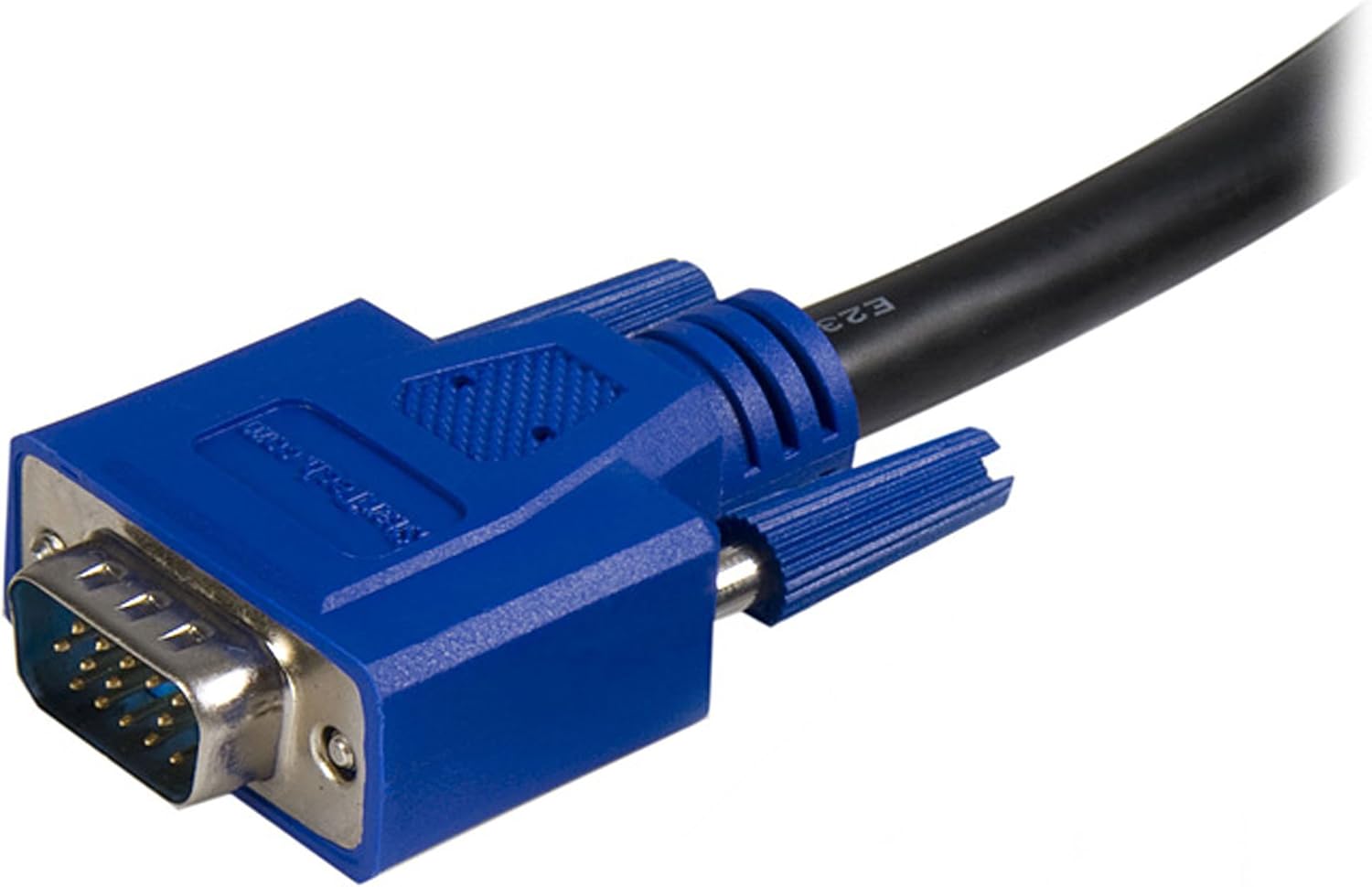
Figure 2: Close-up of the male VGA connector. This connector carries video signals.

Figure 3: Close-up of the male USB-A connector. This connector typically connects to the computer's USB port for keyboard and mouse data.
- Connect to KVM Switch: Plug the remaining VGA male connector and the USB-B male connector into the designated computer input ports on your KVM switch. The USB-B connector on the cable connects to the USB-B port on the KVM switch, which then routes keyboard and mouse signals to the connected computer.

รูปที่ 4: อื่น ๆ view of the male VGA connector.
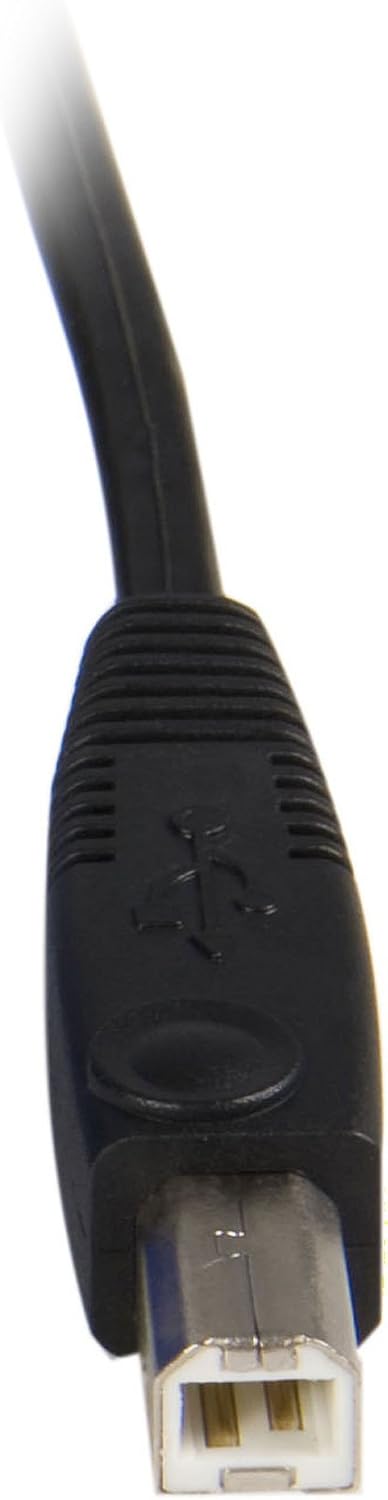
Figure 5: Close-up of the male USB-B connector. This connector typically connects to the KVM switch.
- เปิดเครื่อง: Ensure your KVM switch and connected computers are powered on.
This cable is compatible with StarTech.com KVMs and can also work with various models from other brands such as Aten (CS102U, CS104U), Belkin (F1DN102U, F1DN104U, F1DN108U), TrippLite (B006-004-R), Cables to go (35555, 35566, 35554, 52064), and IOGear (GCS102U, GCS104U).
5. คู่มือการใช้งาน
The StarTech.com 2-in-1 USB KVM Cable facilitates the connection between your computer and a KVM switch. The operation of switching between connected computers, or controlling peripherals, is managed directly by the KVM switch itself. Refer to your KVM switch's instruction manual for specific operating procedures, hotkey commands, or button functions.
6. การบำรุงรักษา
To ensure the longevity and optimal performance of your KVM cable, follow these maintenance guidelines:
- จัดการด้วยความระมัดระวัง: Avoid bending the cable sharply or placing heavy objects on it, as this can damage internal wires.
- รักษาความสะอาด: Periodically wipe the cable and connectors with a soft, dry cloth to remove dust and debris. Do not use liquid cleaners directly on connectors.
- การจัดเก็บที่เหมาะสม: When not in use, coil the cable loosely and store it in a dry, cool place away from direct sunlight.
- ตรวจสอบการเชื่อมต่อ: Regularly check that all connectors are securely seated in their respective ports.
7 การแก้ไขปัญหา
If you encounter issues with your KVM cable, consider the following troubleshooting steps:
- ไม่มีการแสดงผลบนจอภาพ:
- Ensure the VGA connectors are fully inserted into both the computer's video output and the KVM switch's video input.
- Verify that the monitor is powered on and correctly connected to the KVM switch's monitor output.
- Test the monitor and computer with a different VGA cable if possible to rule out other component issues.
- แป้นพิมพ์หรือเมาส์ไม่ตอบสนอง:
- Check that the USB-A and USB-B connectors of the KVM cable are securely plugged into the computer and KVM switch, respectively.
- Ensure the KVM switch is powered on and functioning correctly.
- Try connecting the keyboard and mouse directly to the computer to confirm they are operational.
- Some KVM switches may require specific USB ports or drivers; consult your KVM switch manual.
- การเชื่อมต่อไม่ต่อเนื่อง:
- Loose connections are a common cause. Re-seat all cable connectors firmly.
- Ensure the cable is not excessively bent or kinked, which could damage internal wiring.
8. ข้อมูลจำเพาะ
| ยี่ห้อ | StarTech.com |
| ชื่อรุ่น | SVUSB2N1_6 |
| ความยาวสายเคเบิล | 6 ฟุต (1.8 ม.) |
| Connector Type (Computer Side) | VGA (HD-15 Male), USB Type-A (Male) |
| Connector Type (KVM Side) | VGA (HD-15 Male), USB Type-B (Male) |
| สี | สีดำ |
| ประเภทสายเคเบิล | โคแอกเซียล |
| อุปกรณ์ที่รองรับ | Personal Computer, KVM Switches |
| อัตราการถ่ายโอนข้อมูล | Up to 1000 Megabits Per Second (USB) |
| จำนวนพิน | 15 (VGA) |
| ขนาดสินค้า (บรรจุภัณฑ์) | 5.59 x 1.02 x 10.63 นิ้ว |
| น้ำหนักสินค้า | 10.2 ออนซ์ (0.29 กิโลกรัม) |
| ยูพีซี | 065030788632 |
9. การรับประกันและการสนับสนุน
ผลิตภัณฑ์ StarTech.com นี้ได้รับการสนับสนุนโดย รับประกันตลอดอายุการใช้งาน. For technical support or warranty inquiries, please visit the official StarTech.com website or contact their customer service department. Ensure you have your product model number (SVUSB2N1_6) and proof of purchase available when seeking support.


