คู่มือและคำแนะนำการใช้งานแบบสัมผัส

คู่มือการใช้งาน คู่มือการตั้งค่า วิธีแก้ไขปัญหา และข้อมูลการซ่อมแซมสำหรับผลิตภัณฑ์ Touch

คำแนะนำ: โปรดระบุหมายเลขรุ่นทั้งหมดที่พิมพ์อยู่บนฉลาก Touch เพื่อให้ได้ข้อมูลที่ตรงกันมากที่สุด

คู่มือแบบสัมผัส

บทความล่าสุด คู่มือแนะนำ และคู่มือที่เชื่อมโยงกับร้านค้าปลีกสำหรับแบรนด์นี้ tag.

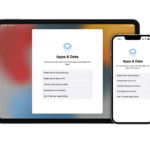
ใช้ iCloud เพื่อถ่ายโอนข้อมูลจากอุปกรณ์ iOS เครื่องเก่าของคุณไปยัง iPhone, iPad หรือ iPod touch เครื่องใหม่ของคุณ

วันที่ 11 กันยายน 2021
Use iCloud to transfer data from your previous iOS device to your new iPhone, iPad, or iPod touch Transfer your personal data and purchased content to your new device using your previous device's iCloud backup. How to transfer your iCloud…

ใช้ iTunes หรือ Finder เพื่อถ่ายโอนข้อมูลจากอุปกรณ์ iOS เครื่องก่อนของคุณไปยัง iPhone, iPad หรือ iPod touch เครื่องใหม่ของคุณ

วันที่ 11 กันยายน 2021
Use iTunes or the Finder to transfer data from your previous iOS device to your new iPhone, iPad, or iPod touch Transfer your personal data and purchased content to your new device from a backup that you made with iTunes or…

เกี่ยวกับคุณสมบัติการช่วยการเข้าถึงด้วยการมองเห็นบน iPhone, iPad หรือ iPod touch ของคุณ

วันที่ 11 กันยายน 2021
About the vision accessibility features on your iPhone, iPad, or iPod touch Get to know some of the powerful features that Apple builds into iPhone, iPad, and iPod touch to support people who are blind or have low vision. Here…

วิธีปรับแต่งคำสั่งการสั่งการด้วยเสียงบน iPhone, iPad และ iPod touch ของคุณ

วันที่ 11 กันยายน 2021
วิธีปรับแต่งคำสั่งการสั่งการด้วยเสียงบน iPhone, iPad และ iPod touch ด้วยการสั่งการด้วยเสียง คุณสามารถview the full list of commands, turn specific commands on or off, and even create custom commands. Voice Control is available only…

ใช้โหมดมืดบน iPhone, iPad หรือ iPod touch ของคุณ

วันที่ 11 กันยายน 2021
ใช้โหมดมืดบน iPhone, iPad หรือ iPod touch ของคุณ เปิดโหมดมืดเพื่อความยอดเยี่ยม viewing experience in low-light environments. How to turn on Dark Mode Go to Settings, then tap Display & Brightness. Select Dark to turn…