
การแนะนำ
This manual provides comprehensive instructions for the setup, operation, and maintenance of your BLAUPUNKT 24WGC5501S 24-inch HD Ready Smart TV. This compact television features Google TV with integrated Chromecast, a clear 1366x768 LED display, Dolby Audio, Wi-Fi, Bluetooth 5.0, and various connectivity options. Please read this manual thoroughly before using your TV to ensure proper functionality and safety.
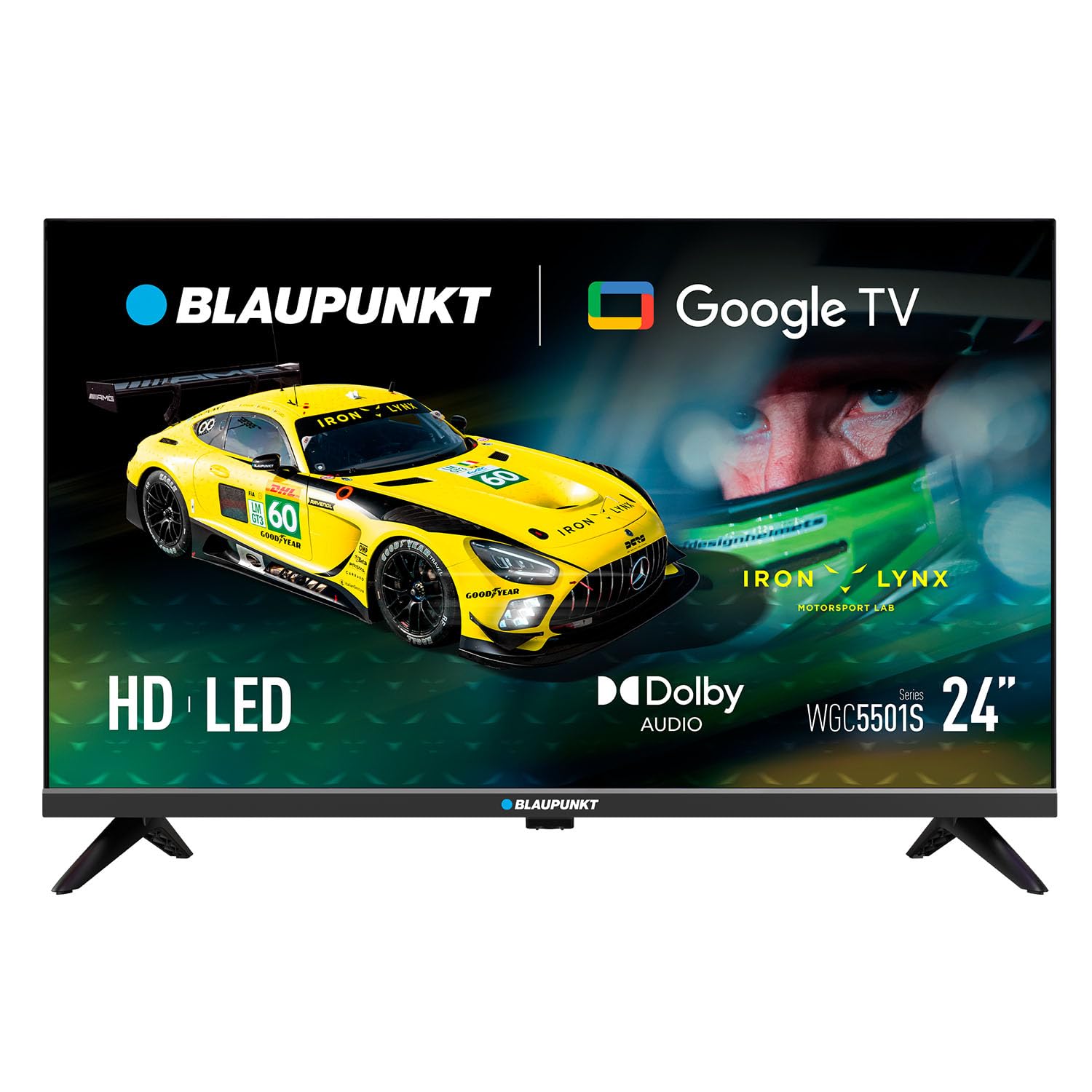
ภาพ: ด้านหน้า view of the BLAUPUNKT 24WGC5501S 24-inch Smart TV, showcasinด้วยการออกแบบและการแสดงผลที่เพรียวบาง
ข้อมูลด้านความปลอดภัย
Always follow basic safety precautions when using this television to reduce the risk of fire, electric shock, and injury. Keep the TV away from water and moisture. Do not block ventilation openings. Use only attachments/accessories specified by the manufacturer. Unplug the TV during lightning storms or when unused for long periods. Refer to the full safety guidelines in the included printed manual.
คุณสมบัติหลัก
The BLAUPUNKT 24WGC5501S Smart TV offers a range of features designed for a comprehensive entertainment experience:
- จอแสดงผล HD Ready: 24-inch LED LCD screen with 1366 x 768 pixel resolution for clear visuals.
- Google TV 5.0: Intuitive smart TV platform with access to a wide array of streaming applications.
- Chromecast ในตัว: Easily cast content from your mobile devices directly to the TV.
- ระบบเสียง Dolby: Enhanced sound quality with 8W (2x4W) stereo speakers.
- การเชื่อมต่อที่หลากหลาย: Includes Wi-Fi, Bluetooth 5.0, 2 HDMI ports, 1 USB port, Ethernet, AV Mini, and SPDIF Optical Out.
- จูนเนอร์ในตัว: Supports DVB-T/T2/C/S/S2 for various digital broadcasting standards.
- ฟังก์ชั่นการใช้งานจริง: Features like EPG, Teletext, PVR recording, HDMI-ARC, and HDMI-CEC for convenience.
- การออกแบบที่กะทัดรัด: Lightweight and VESA compatible (200 x 100 mm) for flexible placement.
มีอะไรอยู่ในกล่อง
ตรวจสอบว่ามีส่วนประกอบทั้งหมดอยู่ครบเมื่อแกะกล่อง:
- BLAUPUNKT 24WGC5501S Smart TV
- รีโมทคอนโทรล
- สายไฟ
- User manual (printed version)
- ขาตั้ง (2 ชิ้น)
การตั้งค่า
1. การติดตั้งขาตั้ง
- วางทีวีคว่ำหน้าลงบนพื้นผิวที่นุ่มและเรียบอย่างระมัดระวังเพื่อป้องกันไม่ให้หน้าจอเสียหาย
- จัดวางขาตั้งแต่ละชิ้นให้ตรงกับช่องที่ตรงกันที่ด้านล่างของทีวี
- Secure the stands using the screws provided (typically included with the stand pieces).

ภาพ: ด้านหลัง view of the TV, illustrating the VESA mounting points and the areas where the stand legs attach.
2. การติดตั้งบนผนัง (ทางเลือก)
This TV supports VESA standard 200 x 100 mm wall mounts. Ensure you use a compatible wall mount bracket and follow the instructions provided with the mount. Disconnect the stand before wall mounting.
3. การเชื่อมต่ออุปกรณ์ภายนอก
ทีวีมีพอร์ตต่างๆ สำหรับเชื่อมต่ออุปกรณ์ภายนอก:
- HDMI (x2): เชื่อมต่อเครื่องเล่น Blu-ray, คอนโซลเกม หรือกล่องรับสัญญาณทีวี
- พอร์ต USB2.0 (x1): สำหรับการเล่นสื่อจากไดรฟ์ USB
- แลน (RJ45): สำหรับการเชื่อมต่ออินเตอร์เน็ตแบบใช้สาย
- เอวี มินิ: สำหรับอุปกรณ์อนาล็อกรุ่นเก่า
- SPDIF Optical Out: สำหรับเอาต์พุตเสียงดิจิทัลไปยังซาวด์บาร์หรือระบบโฮมเธียเตอร์
- สล็อต CI+: สำหรับโมดูลการเข้าถึงแบบมีเงื่อนไข (CAM) สำหรับช่องสัญญาณที่เข้ารหัส
- ช่องรับสัญญาณเสาอากาศ/ดาวเทียม: For DVB-T/T2/C/S/S2 tuner connection.

ภาพ: ด้านซ้าย view of the TV, detailing the HDMI, USB, and CI+ ports for various connections.

ภาพ: ด้านขวา view of the TV, showing the power input connection.
4. การเชื่อมต่อไฟฟ้า
Connect the power cable to the TV's AC input and then plug it into a suitable wall outlet (100–240 V AC).
5. การตั้งค่าเริ่มต้น
เมื่อเปิดเครื่องครั้งแรก ทีวีจะแนะนำคุณตลอดกระบวนการตั้งค่าเบื้องต้น:
- เลือกภาษา: เลือกภาษาที่คุณต้องการ
- การเชื่อมต่อเครือข่าย: เชื่อมต่อกับเครือข่าย Wi-Fi ของคุณหรือใช้สายอีเทอร์เน็ต
- การเข้าสู่ระบบบัญชี Google: ลงชื่อเข้าใช้ด้วยบัญชี Google ของคุณเพื่อเข้าถึงฟีเจอร์และแอปต่างๆ ของ Google TV
- การสแกนช่อง: The TV will scan for available digital channels via the connected antenna or satellite.
คำแนะนำการใช้งาน
1. รีโมทคอนโทรล
Use the provided remote control to navigate the TV's functions. Insert two AAA batteries (not included) into the remote control, observing polarity.
- ปุ่มเปิด/ปิด: เปิดหรือปิดทีวี
- ระดับเสียง +/-: ปรับระดับเสียง
- ช่อง +/-: เปลี่ยนช่องทีวี
- ปุ่มนำทาง: ใช้สำหรับเลื่อนดูเมนูและเลือกตัวเลือก
- ปุ่มโฮม: เข้าถึงหน้าจอหลักของ Google TV
- ปุ่มแอป: Direct access to popular streaming services like Netflix, YouTube, Prime Video, Disney Plus.
2. อินเทอร์เฟซ Google TV
The Google TV interface provides a personalized experience with recommendations based on your viewing habits. From the home screen, you can access:
- แอป: Download and manage your favorite streaming applications.
- ทีวีสด: Access broadcast channels.
- ห้องสมุด: Your purchased or rented content.
- สำหรับคุณ: คำแนะนำเนื้อหาที่ปรับให้เหมาะกับแต่ละบุคคล

Image: The Google TV 5.0 interface, showing various streaming app icons and content recommendations.
3. Chromecast ในตัว
With Chromecast built-in, you can cast content from your compatible smartphone, tablet, or computer directly to your TV. Look for the Cast icon (a rectangle with three curved lines in the bottom-left corner) within supported apps on your mobile device.
4. Tuner Functions
- DVB-T/T2/C/S/S2: Supports various digital terrestrial, cable, and satellite broadcasting standards.
- EPG (คู่มือรายการอิเล็กทรอนิกส์): View upcoming program schedules.
- เทเลเท็กซ์: Access text-based information services.
- PVR (เครื่องบันทึกวิดีโอส่วนตัว): Record TV programs to a connected USB storage device.
5. Audio and Video Features
The TV features Dolby Audio for enhanced sound quality. The integrated stereo speakers provide 2 x 4 W (8 W total) output. It also supports HDR for improved contrast and color depth.

Image: Visual representation of Dolby Audio, emphasizing balanced and harmonious sound.

Image: Visual representation of HDR technology, highlighting enhanced detail in both bright and dark scenes.
การซ่อมบำรุง
1. การทำความสะอาด
- หน้าจอ: เช็ดหน้าจอเบาๆ ด้วยผ้านุ่มๆ ที่ไม่เป็นขุย สำหรับคราบฝังแน่น ให้ใช้น้ำยาทำความสะอาดเฉพาะสำหรับหน้าจอ เช็ดลงบนผ้า อย่าเช็ดลงบนหน้าจอโดยตรง
- ตัวเครื่องทีวี: Wipe with a soft, dry cloth. Avoid using abrasive cleaners or solvents.
- ควรถอดปลั๊กทีวีทุกครั้งก่อนทำความสะอาด
2. การอัปเดตซอฟต์แวร์
The TV may receive software updates to improve performance and add new features. Ensure your TV is connected to the internet to receive these updates. You can usually check for updates in the TV's settings menu. Guaranteed software updates are not specified beyond the initial purchase.
การแก้ไขปัญหา
หากคุณประสบปัญหาเกี่ยวกับทีวี โปรดดูวิธีแก้ไขทั่วไปต่อไปนี้:
- ไม่มีไฟฟ้า: ตรวจสอบว่าสายไฟเชื่อมต่อกับทีวีและเต้ารับที่ผนังอย่างแน่นหนาหรือไม่ ลองใช้เต้ารับอื่น
- ไม่มีภาพ/เสียง: ตรวจสอบให้แน่ใจว่าได้เลือกแหล่งสัญญาณเข้าที่ถูกต้องแล้ว ตรวจสอบการเชื่อมต่อสายเคเบิลทั้งหมดกับอุปกรณ์ภายนอก
- ไม่มีการเชื่อมต่ออินเทอร์เน็ต: Verify your Wi-Fi password. Restart your router and the TV. If using Ethernet, check the cable connection.
- รีโมทคอนโทรลไม่ทำงาน: เปลี่ยนแบตเตอรี่ ตรวจสอบให้แน่ใจว่าไม่มีสิ่งกีดขวางระหว่างรีโมทและเซ็นเซอร์อินฟราเรดของทีวี
- ปัญหาเกี่ยวกับแอป: Try restarting the app or clearing its cache in the TV's settings.
For more detailed troubleshooting, consult the full user manual (PDF) or contact customer support.
ข้อมูลจำเพาะ
| คุณสมบัติ | รายละเอียด |
|---|---|
| ชื่อรุ่น | 24WGC5501S |
| เทคโนโลยีหน้าจอ | LED LCD HD Ready |
| ปณิธาน | 1366 x 768 พิกเซล |
| ขนาดหน้าจอ | 24 นิ้ว (59.9 ซม.) |
| อัตราส่วนภาพ | 16:9 น. |
| Typical Contrast | 2250:1 น. |
| ความสว่าง | 150–180 nits |
| อัตราการรีเฟรช | 60 เฮิรตซ์ |
| Viewอิงแองเกิล | 178° (สูง) / 178° (ต่ำ) |
| เวลาตอบสนอง | 9.5 มิลลิวินาที |
| สีสัน | 16.7 ล้าน |
| พลังเสียง | 2 × 4 W (8 W total) |
| เทคโนโลยีเสียง | ระบบเสียงดอลบี้ |
| Tuner Support | DVB-T/T2/C/S/S2 |
| CI+ สล็อต | 1 |
| ระบบปฏิบัติการสมาร์ททีวี | กูเกิลทีวี 5.0 |
| ซีพียู | ARM Cortex-A55 Quad Core 1.45 GHz |
| จีพียู | G31MP2 Dual Core |
| แรม | 1GB |
| หน่วยความจำแฟลช | 8GB |
| โครมโค้ท | บูรณาการ |
| ไวไฟ | 2T2R Integrated |
| บลูทูธ | เวอร์ชัน 5.0 |
| พอร์ต HDMI | 2 |
| พอร์ต USB 2.0 | 1 |
| แลน (RJ45) | 1 |
| AV Mini Input | 1 |
| SPDIF Optical Out | 1 |
| แหล่งจ่ายไฟ | ไฟฟ้ากระแสสลับ 100–240 โวลต์ |
| การบริโภคการดำเนินงาน | 17 วัตต์ |
| การบริโภคสแตนด์บาย | ≤ 0.5 วัตต์ |
| การบริโภคสแตนด์บายเครือข่าย | 2 วัตต์ |
| Energy Class SDR/HDR | E |
| Dimensions with Stand (L×W×H) | 536 × 156 × 360 มม. |
| Dimensions without Stand (L×W×H) | 536 × 77 × 330 มม. |
| น้ำหนักสุทธิพร้อมขาตั้ง | 2.25 กก. |
| การติดตั้ง VESA | 200 × 100 มม. |
| อีเอเอ็น | 8594213441658 |
| ประเทศต้นกำเนิด | สาธารณรัฐเช็ก |

Image: The energy efficiency label for the 24WGC5501S model, showing its Class E rating and power consumption.
For more details on energy efficiency, scan the QR code or visit: https://eprel.ec.europa.eu/qr/2522775
การรับประกัน
This BLAUPUNKT television comes with a two-year manufacturer's warranty. Please retain your proof of purchase for warranty claims. The warranty covers manufacturing defects under normal use. It does not cover damage caused by misuse, accidents, unauthorized modifications, or normal wear and tear. For specific terms and conditions, refer to the warranty documentation included with your product or contact BLAUPUNKT customer service.
สนับสนุน
For technical assistance, product inquiries, or warranty support, please contact BLAUPUNKT customer service. Contact information can typically be found on the manufacturer's official website or in the printed user manual. Ensure you have your model number (24WGC5501S) and serial number ready when contacting support.