
1. บทนำ
This manual provides essential information for setting up, operating, maintaining, and troubleshooting your realme P4 Lite 5G smartphone. Please read this guide thoroughly to ensure optimal performance and longevity of your device.
2. อะไรอยู่ในกล่อง
Upon unboxing your realme P4 Lite 5G, verify that all the following items are included:
- realme P4 Lite 5G Smartphone
- สาย USB
- อะแดปเตอร์แปลงไฟ
- ตัวดันถาดซิม
- คู่มือเริ่มต้นอย่างรวดเร็ว
- ฟิล์มกันรอยหน้าจอ (ติดมาแล้วหรืออยู่ในกล่อง)
3. อุปกรณ์โอเวอร์view
Familiarize yourself with the physical components of your realme P4 Lite 5G.

รูปที่ 3.1: ด้านหน้า view of the realme P4 Lite 5G, showing the display and front camera.

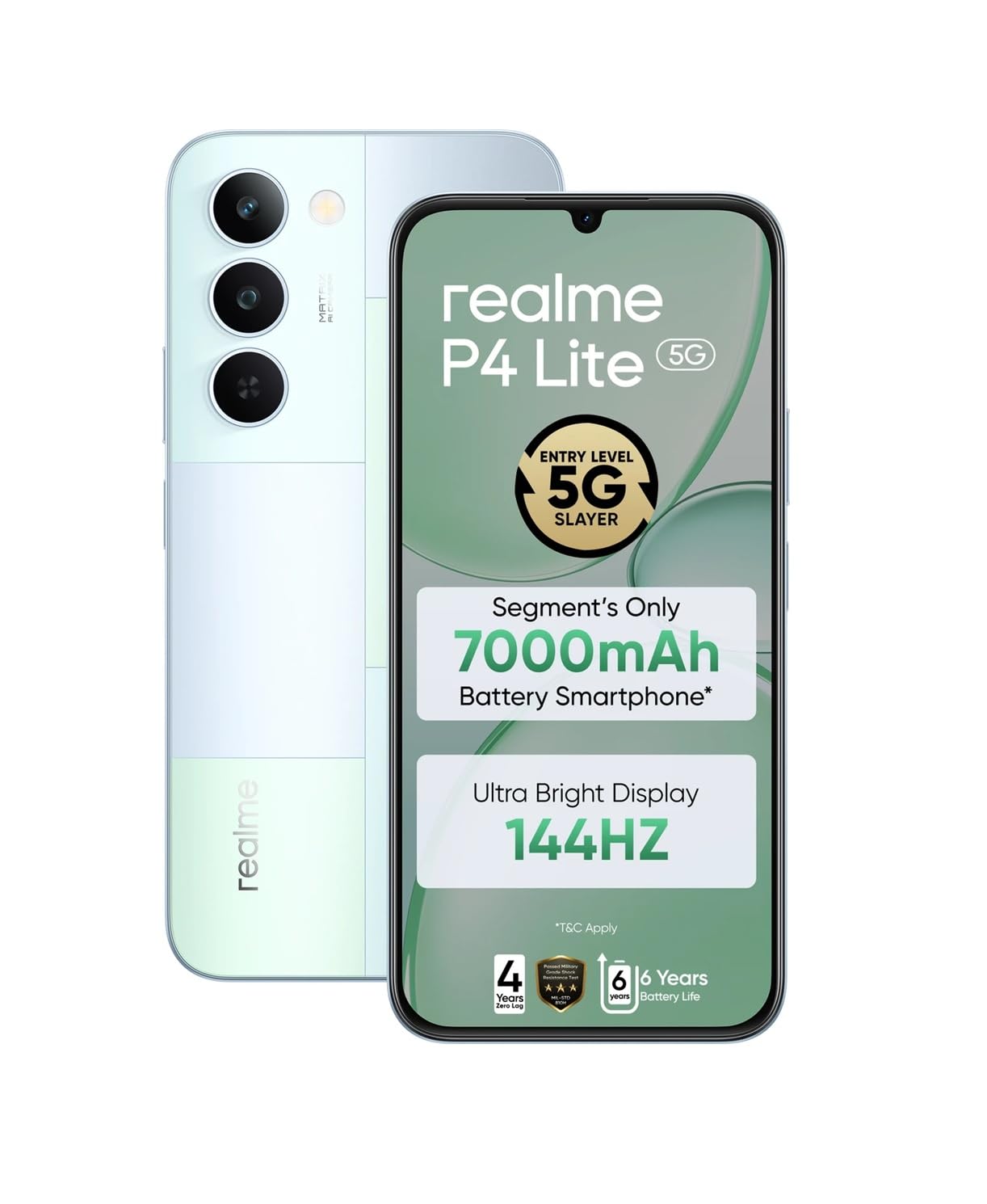
รูปที่ 3.2: กลับ view of the realme P4 Lite 5G, highlighting the camera module and Mosaic Green finish.
ส่วนประกอบหลัก:
- ปุ่มเปิด/ปิด: ปุ่มนี้อยู่ด้านข้าง ใช้สำหรับเปิด/ปิด และปลุก/พักเครื่อง
- ปุ่มปรับระดับเสียง: ปรับระดับเสียงสื่อและการโทร
- พอร์ต USB Type-C: สำหรับการชาร์จและถ่ายโอนข้อมูล
- แจ็คหูฟัง 3.5 มม.: สำหรับเอาต์พุตเสียง
- ถาดใส่ซิมการ์ด: ใส่ซิมการ์ดแบบนาโนเข้าไป
- โมดูลกล้องหลัง: Contains the main camera and LED flash.
- กล้องหน้า: สำหรับการเซลฟี่และวิดีโอคอล
4. การตั้งค่า
4.1. การติดตั้งซิมการ์ด
- ค้นหาถาดใส่การ์ด SIM ที่ด้านข้างอุปกรณ์ของคุณ
- เสียบเครื่องมือถอดซิมที่ให้มาลงในรูเล็กๆ ข้างถาด แล้วกดเบาๆ จนกว่าถาดจะหลุดออกมา
- Place your Nano-SIM card(s) into the tray with the gold contacts facing down, ensuring they are correctly aligned. The device supports Dual SIM.
- Carefully push the tray back into the slot until it is flush with the device's side.

รูปที่ 4.1: ด้านข้าง view of the realme P4 Lite 5G, indicating the SIM card tray location.
4.2. เปิดเครื่องครั้งแรก
Press and hold the Power button located on the side of the device until the realme logo appears on the screen. The device will boot up.
4.3. First-time Setup Wizard
ปฏิบัติตามคำแนะนำบนหน้าจอเพื่อดำเนินการตั้งค่าเริ่มต้นให้เสร็จสมบูรณ์:
- เลือกภาษา: เลือกภาษาที่คุณต้องการ
- การเลือกภูมิภาค: เลือกประเทศ/ภูมิภาคของคุณ
- การเชื่อมต่อ Wi-Fi: เชื่อมต่อกับเครือข่าย Wi-Fi สำหรับการเข้าถึงอินเทอร์เน็ต
- บัญชี Google: ลงชื่อเข้าใช้ด้วยบัญชี Google ของคุณหรือสร้างบัญชีใหม่
- การถ่ายโอนข้อมูล: ตัวเลือกในการถ่ายโอนข้อมูลจากอุปกรณ์เก่า
- การตั้งค่าความปลอดภัย: Set up a screen lock (PIN, pattern, password, fingerprint).
5. การใช้งานอุปกรณ์ของคุณ
5.1. คุณสมบัติการแสดงผล
The realme P4 Lite 5G features a 17.3 cm (6.8 inches) 144Hz Ultra Bright Display with 900 nits peak brightness. This provides smooth scrolling and clear visibility even in direct sunlight. Full Brightness DC Dimming is integrated to reduce eye strain during prolonged use.

รูปที่ 5.1: The 144Hz Ultra Bright Display offers a fluid visual experience.
5.2. การจัดการแบตเตอรี่
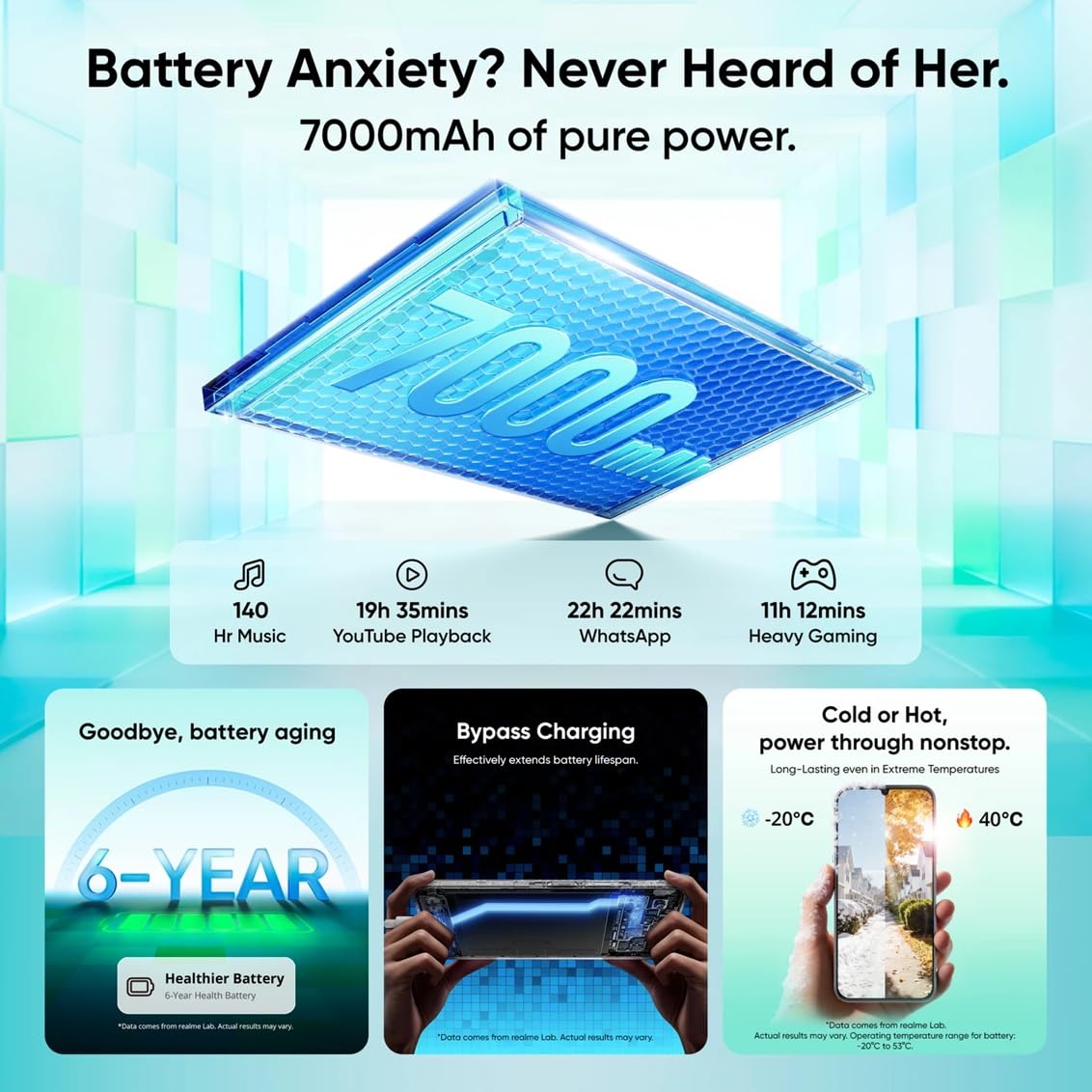
Your device is equipped with a 7000mAh Titan Battery, designed for extended usage. It supports 15W fast charging. The 6-Year Healthier Battery feature and Bypass Charging help extend battery lifespan and maintain performance over time.

รูปที่ 5.2: Details on the 7000mAh battery, bypass charging, and 6-year battery health.
5.3. ประสิทธิภาพและซอฟต์แวร์
The realme P4 Lite 5G is powered by the MediaTek Dimensity 6300 6nm Octa-core 5G Chipset, ensuring smooth multitasking. It runs on Android 16 and features a 4-Year Zero-Lag guarantee, supported by the Flux Engine and AI Boost technology for optimized app performance and reduced power consumption.
รูปที่ 5.3: Information on the 4-year zero lag performance and AI Boost optimization.

รูปที่ 5.4: เกินview of the MediaTek Dimensity 6300 chipset and the Airflow Vapor Chamber Cooling System.
5.4. การใช้กล้อง
The device features a 13MP wide-angle rear camera and a 5MP front camera. Various camera modes are available:
- รูปถ่าย: การจับภาพมาตรฐาน
- วีดีโอ: Record videos up to 1080P at 30 fps.
- ภาพเหมือน: สำหรับภาพถ่ายที่มีเอฟเฟกต์พื้นหลังเบลอ
- กลางคืน: ปรับปรุงการถ่ายภาพในที่แสงน้อยให้ดีขึ้น
- พาโนรามา: Capture wide-angle scenes.
- Cinematic: Video mode with cinematic aspect ratios.
- สโลว์โมชั่น: Slow-motion video recording.
- TIME-LAPSE: Speed up video footage.
- dual-view วิดีโอ: Record from front and rear cameras simultaneously.
5.5. การเชื่อมต่อ
The realme P4 Lite 5G supports:
- เครือข่าย 5G: เพื่อการใช้งานข้อมูลมือถือความเร็วสูง
- Wi-Fi 5 (802.11ac): สำหรับการเชื่อมต่ออินเตอร์เน็ตแบบไร้สาย
- Bluetooth 5.3: สำหรับเชื่อมต่ออุปกรณ์เสริมไร้สาย
- USB Type-C: สำหรับใช้ในการชาร์จและถ่ายโอนข้อมูลผ่านสาย
- GPS, GLONASS, Galileo, Beidou, QZSS: เพื่อบริการระบุตำแหน่งที่แม่นยำ
5.6. AI Powered Features
Leverage the integrated AI Assistant for Notes and AI-Powered Documents. These features offer voice-to-text with auto-highlighting, translation, summarization, and mind map generation. The AI Writer supports multiple languages including English, Hindi, Tamil, Telugu, and Bengali, and provides tools like Clean up, Elaborate, and Formal tone adjustment for document management.
6. การบำรุงรักษา
6.1. การป้องกันอุปกรณ์
The realme P4 Lite 5G is built with ArmorShell Protection, offering 360° drop defense and MIL-STD 810H military-grade shock resistance. It also features an IP64 Dust and Water Resistance rating, protecting against dust ingress and water splashes. Smart Touch 2.0 ensures responsive touch even with wet hands or gloves.
รูปที่ 6.1: The realme P4 Lite 5G design incorporates robust protection features.
6.2. การอัปเดตซอฟต์แวร์
ตรวจสอบและติดตั้งการอัปเดตซอฟต์แวร์เป็นประจำเพื่อให้แน่ใจว่าอุปกรณ์ของคุณมีฟีเจอร์ แพตช์ความปลอดภัย และการปรับปรุงประสิทธิภาพล่าสุด ไปที่ การตั้งค่า > เกี่ยวกับโทรศัพท์ > อัปเดตซอฟต์แวร์ เพื่อตรวจสอบการอัปเดต
6.3. การทำความสะอาดอุปกรณ์ของคุณ
To clean your device, power it off and use a soft, lint-free cloth. For stubborn smudges, slightly dampชุบผ้าด้วยน้ำหรือน้ำยาทำความสะอาดหน้าจอที่ออกแบบมาสำหรับอุปกรณ์อิเล็กทรอนิกส์ หลีกเลี่ยงการใช้สารเคมีรุนแรงหรือวัสดุที่มีฤทธิ์กัดกร่อน
7 การแก้ไขปัญหา
This section addresses common issues you might encounter with your realme P4 Lite 5G.
7.1. อุปกรณ์ไม่เปิดเครื่อง
- Ensure the battery is charged. Connect the device to the power adapter and wait a few minutes before attempting to power on again.
- กดปุ่มเปิด/ปิดค้างไว้อย่างน้อย 10-15 วินาทีเพื่อบังคับให้รีสตาร์ท
7.2. ประสิทธิภาพช้าหรือหยุดนิ่ง
- ปิดแอพพลิเคชันพื้นหลังที่ไม่จำเป็น
- Clear the cache of frequently used apps via การตั้งค่า > แอป > [ชื่อแอป] > ที่เก็บข้อมูล > ล้างแคช.
- Restart your device regularly to refresh the system.
- ให้แน่ใจว่ามีพื้นที่เก็บข้อมูลเพียงพอ
7.3 ปัญหาการเชื่อมต่อ (Wi-Fi/Bluetooth/5G)
- Toggle Wi-Fi, Bluetooth, or Mobile Data off and on again.
- รีสตาร์ทอุปกรณ์ของคุณ
- For Wi-Fi, restart your router.
- For 5G, ensure you are in an area with network coverage and your SIM card is active.
7.4. Touch Screen Unresponsiveness
- ตรวจสอบให้แน่ใจว่ามือของคุณสะอาดและแห้ง
- If using a screen protector, ensure it is properly installed and not interfering with touch sensitivity.
- รีสตาร์ทอุปกรณ์
8. ข้อมูลจำเพาะ
Detailed technical specifications for the realme P4 Lite 5G.
| คุณสมบัติ | ข้อมูลจำเพาะ |
|---|---|
| ยี่ห้อ | เรียลมี |
| แบบอย่าง | P4 Lite 5G |
| ระบบปฏิบัติการ | แอนดรอยด์ 16 |
| โปรเซสเซอร์ | MediaTek Dimensity 6300 Octa-core (2x2.4 GHz Cortex-A76 & 6x2.0 GHz Cortex-A55) |
| จีพียู | ARM Mali-G57 MC2@1072MHz |
| แรม | 6 GB (Up to 14GB Dynamic RAM) |
| การจัดเก็บข้อมูลภายใน | 128GB |
| แสดง | 17.3 cm (6.8 inches) IPS LCD, 720 x 1570 pixels, 144Hz, 900 nits, Panda Glass |
| กล้องหลัง | 13MP (f/2.2, FOV 77°) with LED Flash |
| กล้องหน้า | 5MP (f/2.2, FOV 78°) |
| ความจุของแบตเตอรี่ | ลิเธียมไอออน 7000 mAh |
| การชาร์จไฟ | 15W Fast Charge (PD, DCP) |
| การเชื่อมต่อ | 5G, Wi-Fi 5 (802.11ac), Bluetooth 5.3, USB Type-C, 3.5mm Jack |
| ประเภทซิมการ์ด | นาโนซิมคู่ |
| เซ็นเซอร์ | Proximity sensor, Ambient light sensor, E-compass, Accelerometer, Fingerprint Recognition |
| ความต้านทานต่อน้ำ | IP64 (ทนฝุ่นและน้ำ) |
| ขนาด | 16.6 x 7.8 x 0.8 เซนติเมตร |
| น้ำหนัก | 212 กรัม |
| รุ่นปี | 2026 |
9. การรับประกันและการสนับสนุน
9.1. ข้อมูลการรับประกัน
Your realme P4 Lite 5G comes with a รับประกันจากผู้ผลิต 12 เดือน for the device unit and 6 months for box accessories นับจากวันที่ซื้อ โปรดเก็บหลักฐานการซื้อไว้เพื่อใช้ในการเคลมประกัน
9.2. ข้อมูลติดต่อผู้ผลิต
หากต้องการความช่วยเหลือเพิ่มเติม การสนับสนุนทางเทคนิค หรือการเรียกร้องการรับประกัน โปรดติดต่อผู้ผลิต:
บริษัท ออปโป้ โมบายล์ อินเดีย จำกัด
5th Floor, Tower-B, Building No. 8, DLF Cyber City, Gurugram, Haryana-122002, India
Please refer to the official realme website or your local support channels for the most up-to-date contact information and service center locations.