
1. การตั้งค่าและการติดตั้ง
1.1 อะไรอยู่ในกล่อง
Carefully unpack your new TCL 55T6D television and ensure all components are present. The package should contain the following items:
- ทีวี LED 1N
- ขาตั้ง 1N
- รีโมทคอนโทรล 1N
- แบตเตอรี่ AAA 2 ก้อน

Image: Contents of the TCL 55T6D TV box, showing the television, remote control, and two AAA batteries.
1.2 การติดตั้งขาตั้ง / การติดผนัง
Your TCL 55T6D television supports both table-top stand installation and wall mounting. The table-top stand is included in the box. A fixed or adjustable wall mount is not included and must be purchased separately.

Image: Diagram illustrating the dimensions and weight of the TCL 55T6D television, both with and without its stand, for installation planning.
1.3 การเชื่อมต่ออุปกรณ์
The TCL 55T6D TV offers various connectivity options for external devices:
- พอร์ต HDMI: มีพอร์ต 3 พอร์ตสำหรับเชื่อมต่ออุปกรณ์ต่างๆ เช่น เครื่องเล่นบลูเรย์ เครื่องเล่นเกม หรือกล่องรับสัญญาณทีวี
- พอร์ต USB: 1 port for connecting USB storage devices.
- อินพุตเสาอากาศ: สำหรับการเชื่อมต่อเสาอากาศภาคพื้นดิน
- อินพุตดาวเทียม: สำหรับการเชื่อมต่อจานดาวเทียม
- AV IN Adapter: For older devices using composite video/audio.
- อีเธอร์เน็ต: สำหรับการเชื่อมต่อเครือข่ายแบบใช้สาย
- ไวไฟ : Built-in Wi-Fi 5 for wireless network connection.
- บลูทูธ: Version 5.0 for wireless audio devices and remote control.

ภาพ: รายละเอียด view of the TCL 55T6D television's connectivity ports, including HDMI, USB, Antenna/Cable In, and Satellite Input.
2. คู่มือการใช้งาน
2.1 การเปิดเครื่องครั้งแรกและการตั้งค่า Google TV
After connecting the power cable, press the power button on the remote control or the TV. Follow the on-screen instructions to complete the initial setup, including network connection, Google account login, and channel scanning. The TV runs on the Google TV operating system.

Image: The Google TV interface displayed on the TCL 55T6D, showing various streaming applications and content recommendations.
2.2 ฟังก์ชั่นการควบคุมระยะไกล
The included remote control allows for easy navigation and control of your TV. It features dedicated buttons for popular streaming services and integrates Google Assistant for voice commands.

Image: The TCL remote control, highlighting the Google Assistant button for voice commands and quick access buttons for streaming services like Netflix and Prime Video.
2.3 คุณสมบัติของสมาร์ททีวี
The TCL 55T6D is equipped with advanced smart features:
- โปรเซสเซอร์: 64-bit Quad Core Processor for smooth performance.
- หน่วยความจำ: 2GB RAM and 16GB ROM for apps and system operations.
- บริการสตรีมมิ่ง: Access to Prime Video, Netflix, Hotstar, Zee5, YouTube, and many more.
- ผู้ช่วย Google: Use voice commands for search, control, and smart home integration.
- มิเรอร์หน้าจอ: Cast content from compatible devices.
- ทำงานร่วมกับ Alexa: Integrate with Amazon Alexa-enabled devices.
- เกมมาสเตอร์: การตั้งค่าที่เหมาะสมเพื่อประสบการณ์การเล่นเกมที่ดียิ่งขึ้น

Image: The 'Game Master' feature on the TCL 55T6D, designed to optimize the television for a responsive and immersive gaming experience.
2.4 เทคโนโลยีการแสดงผลและเสียง
Experience superior picture and sound quality with the following technologies:
- แผงหน้าจอ 4K UHD QLED: Delivers vibrant colors and sharp details.
- HDR 10+: ช่วยเพิ่มความคมชัดและสีสันให้ภาพดูมีชีวิตชีวามากขึ้น
- โปรเซสเซอร์ AiPQ: ปรับภาพและเสียงอย่างชาญฉลาดแบบเรียลไทม์
- ระบบเสียง Dolby Atmos: Provides immersive, three-dimensional audio.
- MEMC 60 Hz: การประมาณค่าการเคลื่อนไหวและการชดเชยการเคลื่อนไหว เพื่อให้ฉากที่มีการเคลื่อนไหวเร็วดูราบรื่นยิ่งขึ้น
- ดีไซน์ไร้ขอบโลหะ: Offers a sleek, modern aesthetic with an expansive viewพื้นที่ที่กำลังก่อสร้าง
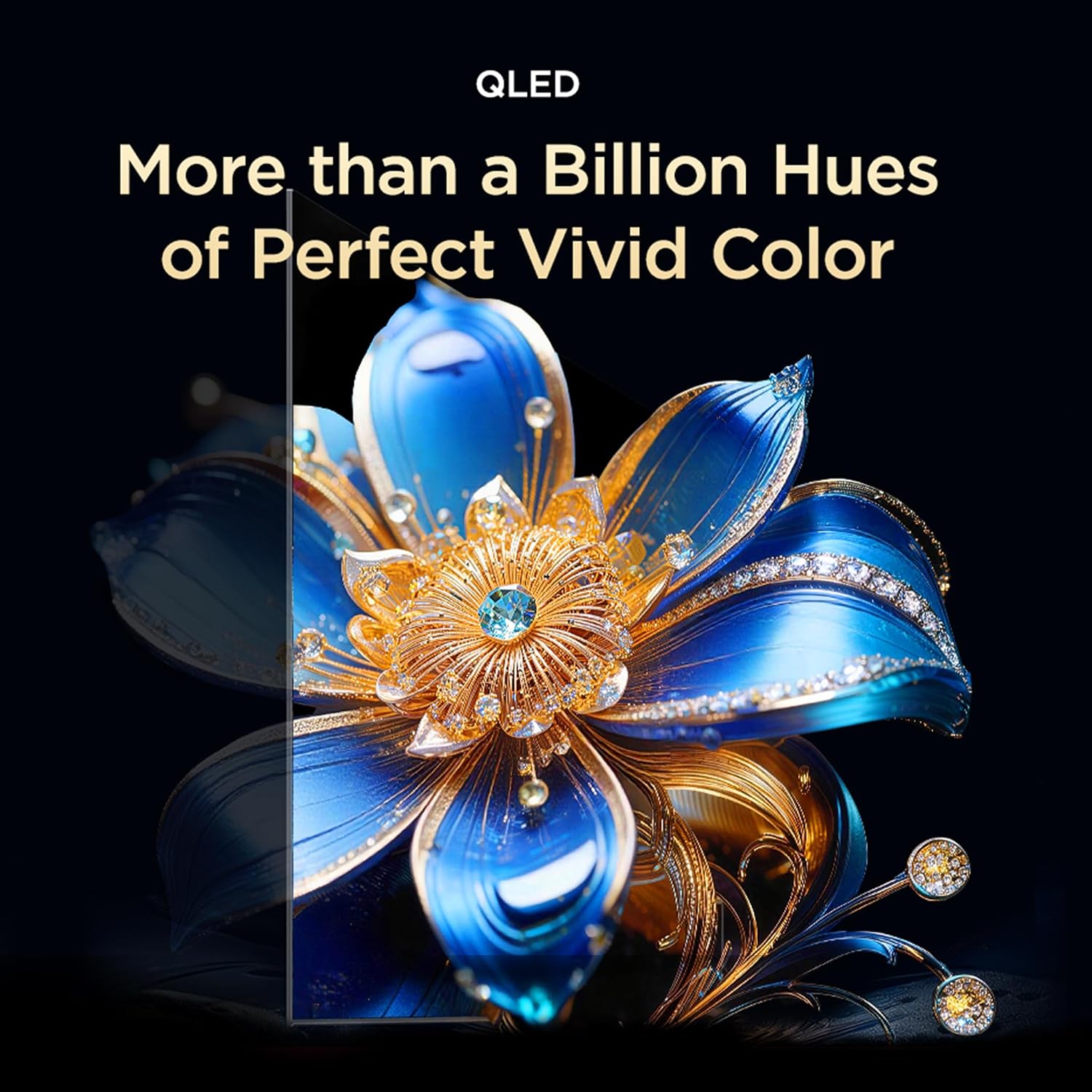
Image: Visual representation of QLED technology, emphasizing its ability to produce over a billion hues for vivid color reproduction.

Image: A graphic depicting the AiPQ Processor, highlighting its role in intelligent picture and sound processing.

Image: A visual demonstrating the immersive audio experience provided by Dolby Atmos, with sound waves emanating from the screen.
3. การบำรุงรักษา
3.1 การทำความสะอาดทีวีของคุณ
ในการทำความสะอาดหน้าจอ ให้เช็ดเบาๆ ด้วยผ้านุ่ม แห้ง และไม่เป็นขุย สำหรับรอยฝังแน่น ให้เช็ดเบาๆampชุบผ้าด้วยน้ำหรือน้ำยาทำความสะอาดหน้าจอโดยเฉพาะ หลีกเลี่ยงการใช้สารเคมีรุนแรงหรือวัสดุที่มีฤทธิ์กัดกร่อน สำหรับตัวทีวี ให้ใช้ผ้านุ่มและแห้ง
3.2 คุณสมบัติการดูแลดวงตา
The TCL 55T6D includes Multiple Eye Care features designed to reduce eye strain during prolonged viewing. These features include low blue light emission and natural light protection technology.
4 การแก้ไขปัญหา
หากคุณพบปัญหาเกี่ยวกับทีวี โปรดลองวิธีแก้ไขปัญหาทั่วไปต่อไปนี้ก่อนติดต่อฝ่ายสนับสนุน:
- ไม่มีไฟฟ้า: Ensure the power cable is securely plugged into both the TV and a working power outlet. Try a different outlet.
- ไม่มีภาพ/เสียง: Check all cable connections (HDMI, antenna, etc.). Ensure the correct input source is selected on the TV. Restart the TV by unplugging it for a few minutes and plugging it back in.
- ระยะไกลไม่ทำงาน: ใส่แบตเตอรี่ AAA กลับเข้าไปในรีโมทคอนโทรล ตรวจสอบให้แน่ใจว่าไม่มีสิ่งกีดขวางระหว่างรีโมทและเซ็นเซอร์อินฟราเรดของทีวี
- ปัญหาการเชื่อมต่อเครือข่าย: For Wi-Fi, ensure your router is working and within range. For Ethernet, check the cable connection. Try restarting your router and the TV.
- ปัญหาคุณภาพของภาพ: Check the source content resolution. Adjust picture settings (brightness, contrast, color) in the TV menu.
For persistent issues, please refer to the Warranty & Support section for contact information.
5. ข้อมูลจำเพาะ
| คุณสมบัติ | รายละเอียด |
|---|---|
| ชื่อรุ่น | 55T6D |
| ขนาดหน้าจอ | 55 นิ้ว (139 ซม.) |
| เทคโนโลยีการแสดงผล | คิวแอลอีดี |
| ปณิธาน | 4K UHD (3840 x 2160) |
| อัตราการรีเฟรช | 60 เฮิรตซ์ |
| ระบบปฏิบัติการ | กูเกิลทีวี |
| โปรเซสเซอร์ | ควอดคอร์ 64 บิต |
| แรม | 2GB |
| รอม | 16GB |
| การเชื่อมต่อ | 3 HDMI Ports, 1 USB Port, Ethernet, Wi-Fi 5, Bluetooth 5.0 |
| เอาท์พุตเสียง | 28 วัตต์, ระบบเสียง Dolby Atmos |
| ขนาดสินค้า (ลึก x กว้าง x สูง) | 25.5D x 122.6W x 75H Centimeters (with stand) |
| น้ำหนัก | 9.2 Kilograms (with stand) |
| คะแนนพลังงาน | 3 ดาว |
| การบริโภคพลังงานรายปี | 160 kWh/ปี |
| ส่วนประกอบที่รวมอยู่ | 1N LED TV, 1N Stand, 1N Remote Control, 2N Batteries |

Image: Energy rating label for the TCL 55T6D television, indicating a 3-star rating and an annual energy consumption of 160 kWh.
6. การรับประกันและการสนับสนุน
6.1 ข้อมูลการรับประกัน
The TCL 55T6D television comes with a รับประกัน 2 ปี provided by the manufacturer from the date of purchase. The remote control has a รับประกัน 6 เดือน.
To avail warranty services, please retain your purchase invoice. Warranty claims can be processed using the Amazon e-invoice.
6.2 การสนับสนุนลูกค้า
For assistance, service requests, or any queries regarding your TCL TV, please contact the brand's customer support:
- หมายเลขโทรฟรี: 180-0102-0622 / 180-0419-0622
- อีเมล: indiasupport@tcl.com
When contacting support, please provide the product's model name (55T6D) and the seller's details as mentioned on your invoice. The service center will schedule a convenient slot for service.
6.3 ข้อมูลผู้ผลิต
ผู้ผลิต: TTE ELECTRONICS INDIA PRIVATE LIMITED, Vikruthamala Village, Papanaidupeta Post, Yerpedu Mandal, Tirupati, Vikruthamala Village, Chittoor, Andhra Pradesh, INDIA-517527
ประเทศต้นกำเนิด: อินเดีย