
1. บทนำ
The DigiQuest Q99 4K UHD Satellite Receiver is designed for receiving Italian television channels. It supports DVB-S2 and DVB-T2 standards, HEVC HDR, and includes an activated TiVuSat 4K card. This allows access to over 60 programs from RAI, Mediaset, and LA7 in HD and 4K UHD resolution. The receiver incorporates Smart TV functions for media libraries such as Rai Play and Mediaset Infinity, requiring an internet connection. The Q99 operates on 12V, making it suitable for mobile use.
2. อะไรอยู่ในกล่อง
ตรวจสอบว่ามีส่วนประกอบทั้งหมดอยู่ในแพ็คเกจ:
- DigiQuest Q99 4K UHD Combo Satellite Receiver
- Activated TiVuSat 4K UHD Card
- รีโมทคอนโทรล
- อะแดปเตอร์แปลงไฟ
- HTS e-com HDMI Cable
- User Manual (Italian and English)
3. การตั้งค่า
3.1 การเชื่อมต่อทางกายภาพ
ทำตามขั้นตอนต่อไปนี้เพื่อเชื่อมต่อเครื่องรับสัญญาณของคุณ:
- การเชื่อมต่อเสาอากาศรับสัญญาณดาวเทียม: Connect your satellite dish cable to the "SAT IN" port on the rear panel. Ensure your satellite dish is pointed to Hotbird 13° East.
- Television Connection: Connect one end of the provided HDMI cable to the "HDMI" port on the receiver and the other end to an available HDMI input on your television.
- การเชื่อมต่อไฟฟ้า: Connect the power adapter to the "DC IN 12V" port on the receiver and then plug it into a power outlet.
- การเชื่อมต่อเครือข่าย (ไม่บังคับ): For Smart TV functions and software updates, connect an Ethernet cable to the "LAN" port on the receiver and to your internet router. Alternatively, a compatible Wi-Fi USB dongle can be used in a USB port.
- Optional USB Storage: For PVR (recording) and Timeshift functions, connect an external USB storage device (e.g., USB stick or hard drive) to one of the "USB" ports.

Figure 1: Rear panel of the DigiQuest Q99 receiver, illustrating satellite input/output, RF in, AV, S/PDIF, HDMI, USB 2.0, USB 3.0, LAN, and DC IN ports.
3.2 TiVuSat Card Insertion
The TiVuSat 4K card is pre-activated. Insert the card into the designated smart card slot on the side of the receiver, ensuring the chip faces downwards and the card is inserted correctly as indicated by the label.

รูปที่ 2: ด้านข้าง view of the DigiQuest Q99 receiver, highlighting the smart card slot for TiVuSat card insertion.
3.3 การเปิดเครื่องครั้งแรกและการสแกนช่องสัญญาณ
After connecting all cables and inserting the TiVuSat card, turn on your television and select the correct HDMI input. Power on the DigiQuest Q99 receiver. The initial setup wizard will guide you through language selection (Italian/English) and channel scanning. The receiver features an automatic update function for the TiVuSat station list.
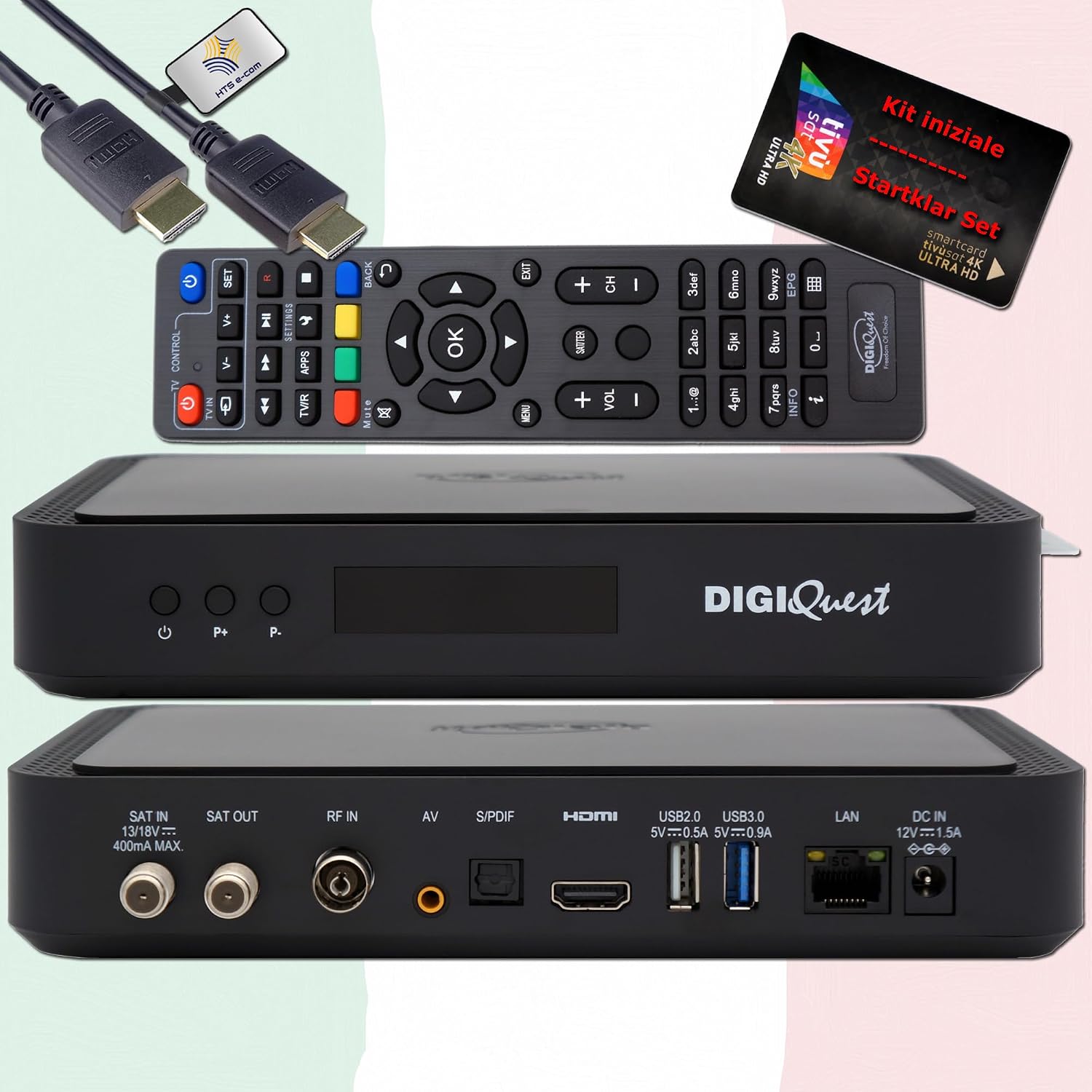
รูปที่ 3 : ด้านหน้า view of the DigiQuest Q99 receiver, showing the power button and channel selection buttons.
4. คู่มือการใช้งาน
4.1 ฟังก์ชั่นพื้นฐาน
Use the remote control to navigate the receiver's functions:
- การเลือกช่อง: Use the "P+" and "P-" buttons or the numeric keypad to change channels.
- การควบคุมระดับเสียง: ปรับระดับเสียงโดยใช้ปุ่มปรับระดับเสียงเฉพาะ
- คู่มือโปรแกรมอิเล็กทรอนิกส์ (EPG): Press the "EPG" button to view program schedules for upcoming broadcasts.
- การนำทางเมนู: Access the main menu for settings and features.

Figure 4: Remote control layout and detailed features of the DigiQuest Q99 receiver.
คุณสมบัติขั้นสูง 4.2 ประการ
- PVR (Personal Video Recorder) and Timeshift: With an external USB storage device connected, you can activate PVR functionality to record programs and use Timeshift to pause live TV.
- ฟังก์ชั่นของสมาร์ททีวี: Connect the receiver to the internet via LAN or a compatible Wi-Fi USB dongle to access media libraries such as Rai Play and Mediaset Infinity, and tivùon HbbTV services.
- 4K UHD Channels: The receiver supports 4K UHD content, providing access to channels like Rai 4K and other UHD programs available via TiVuSat.
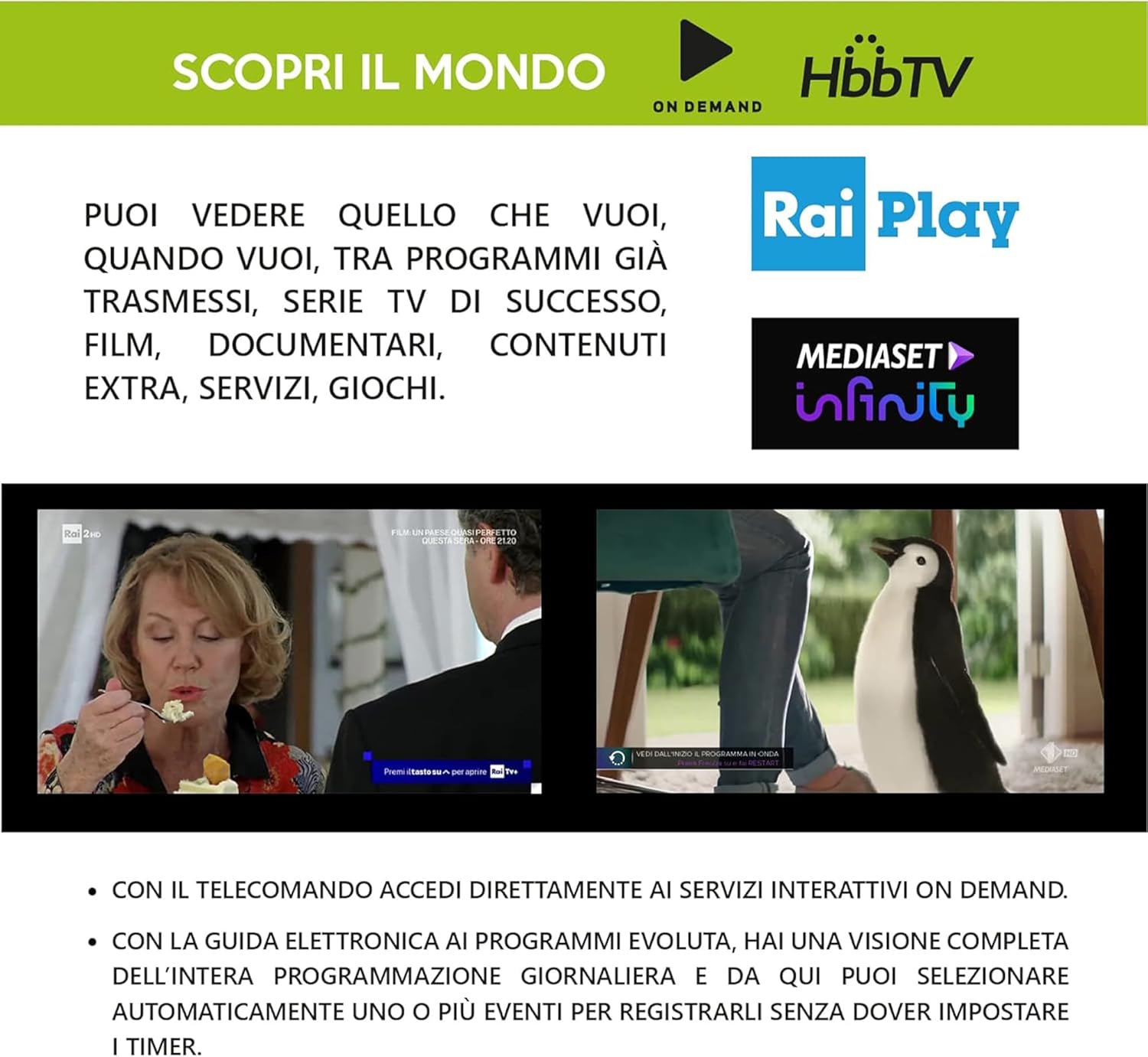
Figure 5: Smart TV capabilities of the DigiQuest Q99, including HbbTV, Rai Play, and Mediaset Infinity.

รูปที่ 6: อดีตample of 4K Ultra HD channels accessible through the TiVuSat platform.

Figure 7: A selection of Italian and international television channels available with the DigiQuest Q99.
5. การบำรุงรักษา
- การอัปเดตซอฟต์แวร์: The receiver supports software updates via OTA (Over-The-Air), USB, or FTP. Regularly check for and install updates to ensure optimal performance and access to the latest features.
- การทำความสะอาด: ใช้ผ้านุ่มและแห้งเช็ดทำความสะอาดภายนอกตัวรับสัญญาณ ห้ามใช้น้ำยาทำความสะอาดหรือวัสดุขัดถู
- การระบายอากาศ : ควรวางเครื่องรับสัญญาณไว้ในบริเวณที่มีการระบายอากาศดี เพื่อป้องกันความร้อนสูงเกินไป ห้ามปิดกั้นช่องระบายอากาศ
6 การแก้ไขปัญหา
If you encounter issues with your DigiQuest Q99 receiver, refer to the following common solutions:
- ไม่มีภาพ/เสียง:
- Check all cable connections (HDMI, satellite, power).
- ตรวจสอบให้แน่ใจว่าทีวีตั้งค่าเป็นอินพุต HDMI ที่ถูกต้อง
- ตรวจสอบว่าเครื่องรับสัญญาณเปิดใช้งานอยู่หรือไม่
- ไม่มีสัญญาณดาวเทียม:
- Check the satellite cable connection to the "SAT IN" port.
- Confirm your satellite dish is correctly aligned to Hotbird 13° East.
- Check for any obstructions blocking the satellite signal.
- TiVuSat Card Error:
- Ensure the TiVuSat card is inserted correctly into the smart card slot.
- Verify the card is clean and free from damage.
- ไม่มีการเชื่อมต่ออินเทอร์เน็ต:
- Check the Ethernet cable connection to the "LAN" port and your router.
- If using Wi-Fi, ensure the USB dongle is compatible and properly connected, and check Wi-Fi settings in the receiver's menu.
- รีสตาร์ทเราเตอร์และตัวรับสัญญาณของคุณ
สำหรับรายละเอียดเพิ่มเติมเกี่ยวกับการแก้ไขปัญหา โปรดดูคู่มือผู้ใช้ฉบับเต็มที่ให้มาพร้อมกับผลิตภัณฑ์ของคุณ
7. ข้อมูลจำเพาะ
| คุณสมบัติ | คำอธิบาย |
|---|---|
| หมายเลขรุ่น | คำถามที่ 99 |
| ยี่ห้อ | ดิจิเควส |
| ประเภทจูนเนอร์ | DVB-S2 (Satellite), DVB-T2 (Terrestrial - Italy only) |
| ความละเอียดวิดีโอ | สูงถึง 4K UHD |
| การถอดรหัสวิดีโอ | HEVC H.265 (10-bit), HDR support |
| โหมดเอาต์พุตเสียง | ดอลบี้ ดิจิตอล, ดอลบี้ ดิจิตอล พลัส |
| การเชื่อมต่อ | HDMI (1), USB (2 - 2.0 & 3.0), LAN (Ethernet), S/PDIF, AV, RF IN, SAT IN/OUT |
| การสนับสนุน DiSEqC | DiSEqC 1.2, USALS, SCR, Unicable |
| คุณสมบัติพิเศษ | PVR Ready, Timeshift, EPG, Automatic TiVuSat channel list update, Smart TV functions (Rai Play, Mediaset Infinity, HbbTV) |
| แหล่งจ่ายไฟ | การทำงาน 12V |
| ขนาด | 210 x 153 x 40 มม. (โดยประมาณ) |
8. การรับประกันและการสนับสนุน
This product comes with a manufacturer's warranty. Please refer to the warranty card included in your package or contact your retailer for specific warranty terms and conditions.
For technical support or service inquiries, please consult the contact information provided in the full user manual or visit the official DigiQuest webเว็บไซต์.