
1. สูงกว่าview
This manual provides essential information for setting up, operating, maintaining, and troubleshooting your INSIGNIA 85-inch Class QF Series QLED 4K UHD Smart Fire TV. This television offers a high-quality viewing experience with 4K UltraHD resolution, Quantum Dot Technology for enhanced color, and Direct LED Backlight for uniform brightness. It integrates the Fire TV Smart OS, providing access to various streaming services and features like the Voice Remote with Alexa. The design features a metal bezel-less display for a modern aesthetic.
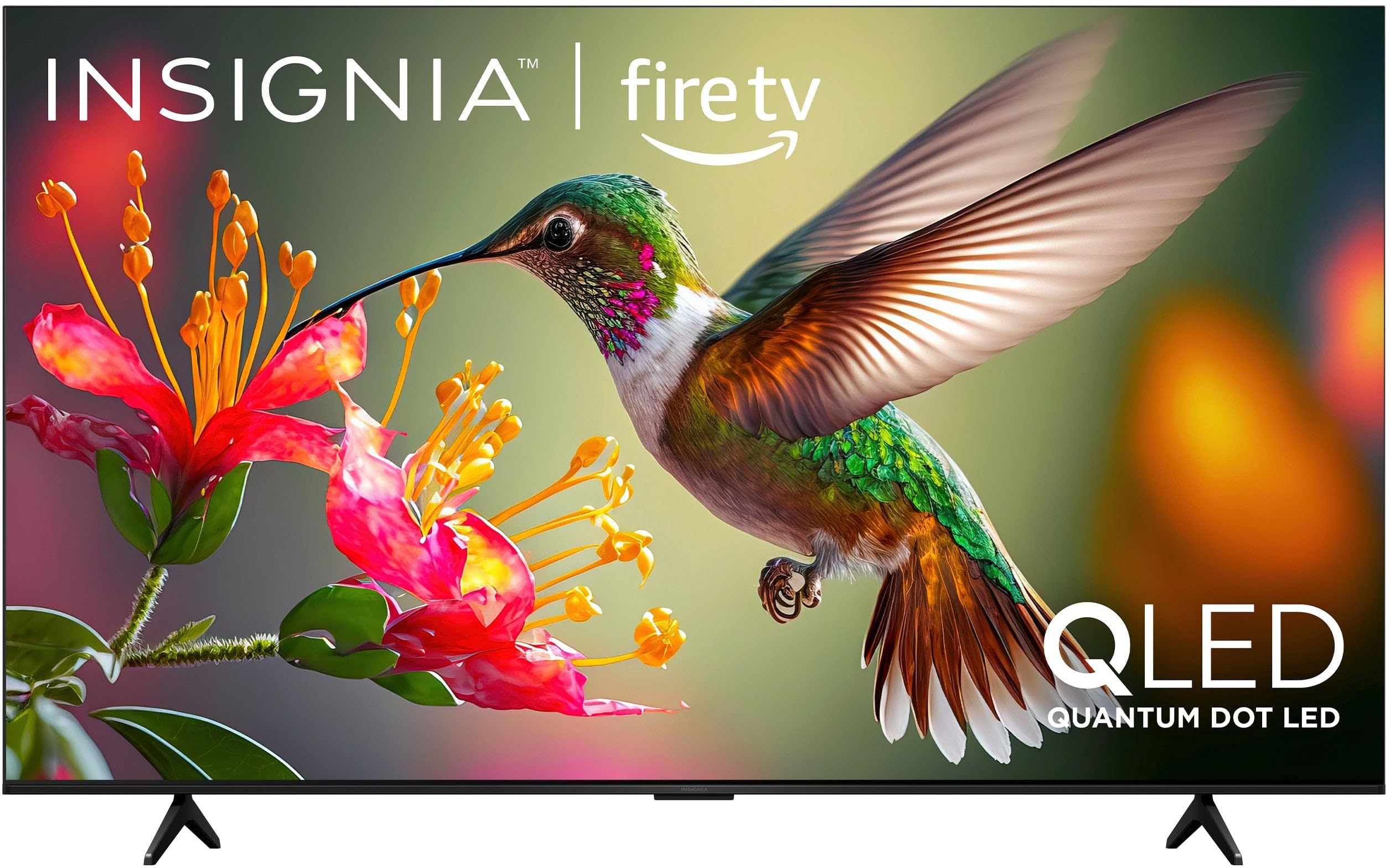
ภาพที่ 1.1: ด้านหน้า view of the INSIGNIA 85-inch QF Series QLED 4K UHD Smart Fire TV.
2. อะไรอยู่ในกล่อง
ตรวจสอบว่าส่วนประกอบทั้งหมดมีอยู่ก่อนดำเนินการติดตั้ง:
- INSIGNIA 85-inch QF Series QLED 4K UHD Smart Fire TV
- รีโมทควบคุมด้วยเสียงพร้อม Alexa
- แบตเตอรี่รีโมทคอนโทรล (2 AAA)
- แท่นวางทีวี
- สกรูสำหรับติดตั้งขาตั้ง
- คู่มือการตั้งค่าด่วน (เอกสารนี้)
3. การตั้งค่า
3.1. การติดตั้งขาตั้งทีวี
If you are not wall-mounting your TV, attach the included stand:
- วางทีวีคว่ำหน้าลงบนพื้นผิวที่นุ่มและสะอาดอย่างระมัดระวังเพื่อป้องกันไม่ให้หน้าจอเสียหาย
- จัดวางขาตั้งให้ตรงกับรูสกรูที่ด้านล่างของทีวี
- ยึดขาตั้งด้วยสกรูที่ให้มา ตรวจสอบให้แน่ใจว่าขันแน่นแล้ว
3.2. การเปิดเครื่องและการเชื่อมต่อเครือข่ายครั้งแรก
- เชื่อมต่อสายไฟเข้ากับทีวีแล้วจึงเสียบเข้ากับเต้ารับไฟฟ้า
- กดปุ่มเปิด/ปิดบนทีวีหรือรีโมทคอนโทรลเพื่อเปิดทีวี
- ทำตามคำแนะนำบนหน้าจอเพื่อเลือกภาษา เชื่อมต่อกับเครือข่าย Wi-Fi และลงชื่อเข้าใช้บัญชี Amazon ของคุณ
3.3. การจับคู่ระยะไกล
Your Voice Remote with Alexa should pair automatically. If it does not, press and hold the บ้าน button on the remote for 10 seconds until the LED indicator flashes blue, then release. The remote will attempt to pair.

Image 3.1: The Voice Remote with Alexa, used for controlling the TV and accessing smart features.
4. คู่มือการใช้งาน
4.1. Fire TV Smart OS Navigation
The Fire TV Smart OS provides a centralized hub for all your entertainment. Use the navigation buttons on your remote to browse:
- หน้าจอหลัก: Access recommended content, recently used apps, and various streaming services.
- แอป: Download and manage your favorite streaming applications.
- ทีวีสด: Integrate live TV channels from supported services or an antenna.
- การตั้งค่า: Adjust picture, sound, network, and device preferences.

Image 4.1: The Fire TV interface displaying a selection of streaming services and content.
4.2. Voice Remote with Alexa
Utilize the built-in Alexa voice assistant for hands-free control:
- กดปุ่มค้างไว้ ปุ่มไมโครโฟน บนรีโมทของคุณ
- Speak commands such as "Find action movies," "Launch Netflix," "Switch to HDMI 2," or "Show me the weather."
- Alexa can also control compatible smart home devices.
4.3. การเชื่อมต่ออุปกรณ์ภายนอก
Your TV is equipped with four HDMI inputs for connecting external devices:
- Connect gaming consoles, Blu-ray players, soundbars, or cable/satellite boxes to the HDMI ports.
- One HDMI port supports eARC for enhanced audio return channel functionality with compatible sound systems.
- หากต้องการเปลี่ยนแหล่งสัญญาณเข้า ให้กดปุ่ม ป้อนข้อมูล button on your remote and select the desired source.

Image 4.2: Illustration of the TV's connectivity options, including HDMI ports.
4.4. การปรับปรุงภาพและเสียง
This TV features advanced technologies for an immersive experience:
- QLED (Quantum Dot LED): Delivers vibrant, lifelike colors and improved brightness.
- ความละเอียด 4K UltraHD: Provides four times the detail of Full HD TVs.
- Dolby Vision และ Dolby Atmos: Supports advanced HDR for enhanced contrast and accurate colors, along with immersive spatial audio.

Image 4.3: Visual representation of Dolby Vision and Dolby Atmos features, highlighting cinematic picture and immersive sound.
5. การบำรุงรักษา
5.1. การทำความสะอาดทีวีของคุณ
เพื่อรักษารูปลักษณ์และประสิทธิภาพของทีวี:
- ควรถอดปลั๊กทีวีทุกครั้งก่อนทำความสะอาด
- ใช้ผ้าแห้งนุ่มและไม่เป็นขุยเช็ดหน้าจอและตู้เบาๆ
- สำหรับรอยฝังแน่นบนหน้าจอ ให้เช็ดเบาๆampชุบผ้าด้วยน้ำหรือน้ำยาทำความสะอาดหน้าจอโดยเฉพาะ ห้ามฉีดน้ำยาลงบนหน้าจอโดยตรง
- หลีกเลี่ยงการใช้สารทำความสะอาดที่มีฤทธิ์กัดกร่อน ขี้ผึ้งหรือตัวทำละลาย
5.2. การอัปเดตซอฟต์แวร์
Your Fire TV automatically receives software updates to improve performance and add new features. Ensure your TV is connected to the internet to receive these updates. You can manually check for updates in the Settings menu.
6 การแก้ไขปัญหา
หากคุณประสบปัญหาเกี่ยวกับทีวี โปรดดูวิธีแก้ไขทั่วไปต่อไปนี้:
| ปัญหา | สารละลาย |
|---|---|
| ไม่มีไฟฟ้า | ตรวจสอบให้แน่ใจว่าสายไฟเสียบเข้ากับทีวีและเต้ารับไฟฟ้าที่ใช้งานได้แน่นดีแล้ว ลองใช้เต้ารับอื่น |
| ไม่มีภาพแต่มีเสียง | ตรวจสอบแหล่งที่มาของข้อมูล กดปุ่ม ป้อนข้อมูล button on the remote to cycle through inputs. Verify external devices are powered on and connected correctly. |
| รีโมทไม่ตอบสนอง | Replace the AAA batteries in the remote. If the issue persists, re-pair the remote by holding the บ้าน กดปุ่มนี้เป็นเวลา 10 วินาที |
| ไม่สามารถเชื่อมต่อ Wi-Fi ได้ | Ensure your Wi-Fi router is on and within range. Restart your router and TV. Check Wi-Fi settings in the TV's menu to ensure the correct network and password are entered. |
| คุณภาพของภาพไม่ดี | Adjust picture settings (brightness, contrast, color) in the TV's menu. Ensure the content source is high-quality (e.g., 4K content for 4K resolution). |
| ไม่มีเสียง | Check the volume level and ensure the TV is not muted. Verify external audio devices (soundbar, receiver) are connected and configured correctly. |
7. ข้อมูลจำเพาะ
| คุณสมบัติ | รายละเอียด |
|---|---|
| ชื่อรุ่น | NS85-UQFL27 |
| ขนาดหน้าจอ | 84.6 inches (85-inch class) |
| เทคโนโลยีการแสดงผล | QLED (ควอนตัมดอทแอลอีดี) |
| ปณิธาน | 4K Ultra HD (3840 x 2160) |
| อัตราการรีเฟรช | 60 เฮิรตซ์ |
| ระบบปฏิบัติการ | ไฟร์โอเอส |
| รองรับ HDR | ระบบภาพ Dolby |
| เทคโนโลยีเสียง | ระบบเสียง Dolby Atmos |
| การเชื่อมต่อ | ไวไฟ |
| อินพุต HDMI | 4 (รวม 1 eARC) |
| คุณสมบัติพิเศษ | Voice Remote with Alexa, Apple Airplay |
| ขนาดสินค้า (ลึก x กว้าง x สูง) | ลึก 2.5 นิ้ว x กว้าง 74.4 นิ้ว x สูง 42.8 นิ้ว |
| Item Weight Without Stand | 64.6 ปอนด์ |
| ส่วนประกอบที่รวมอยู่ | Remote Control, Remote Control Battery, Screws, Stand |
| ยูพีซี | 600603325472 |
8. การรับประกันและการสนับสนุน
8.1. ข้อมูลการรับประกัน
This INSIGNIA TV comes with a รับประกัน 1 ปี. For specific terms and conditions, please refer to the warranty card included with your product or visit the official INSIGNIA support webเว็บไซต์.
8.2. การสนับสนุนลูกค้า
If you require further assistance or encounter issues not covered in this manual, please contact INSIGNIA customer support. Contact information can typically be found on the manufacturer's webไซต์หรือในบรรจุภัณฑ์ผลิตภัณฑ์ของคุณ