
การแนะนำ
This manual provides essential information for the safe and efficient operation of your Metz 32MQH7000Z Smart Google QLED+ LED TV. Please read it thoroughly before using the television and retain it for future reference.
The Metz MQH7000 TV features Gen6 QLED+ technology, delivering excellent image quality and vibrant colors. The enhanced stability of QLED+ technology also extends the TV's lifespan, ensuring reliable use.
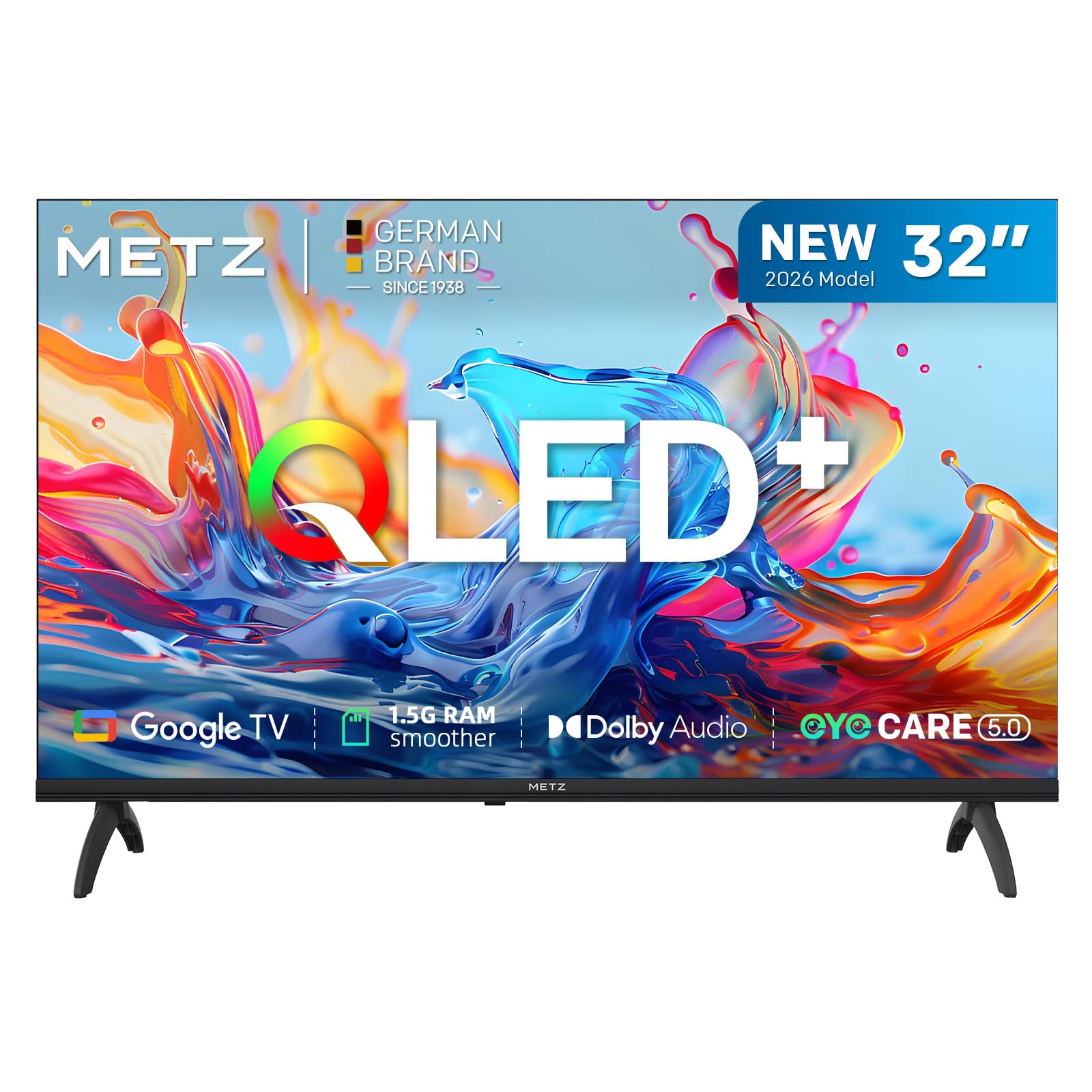
ภาพ: ด้านหน้า view of the Metz 32MQH7000Z 32-inch Smart Google QLED+ LED TV.
มีอะไรอยู่ในกล่อง
ตรวจสอบว่าบรรจุภัณฑ์มีส่วนประกอบทั้งหมด:
- รีโมทคอนโทรล
- สายไฟ
- คู่มือการใช้งาน
- TV Bases (2)
- สกรูสำหรับฐาน
- ถ่าน AAA (2)

Image: Contents of the Metz 32MQH7000Z TV box, including remote control, power cable, user manual, TV bases, and screws. The image also displays the TV's dimensions and available input/output ports.
การตั้งค่า
1. Attaching the TV Bases
- วางหน้าจอทีวีลงบนพื้นผิวที่นุ่มและเรียบอย่างระมัดระวังเพื่อป้องกันความเสียหาย
- Align each base with the corresponding slots on the bottom of the TV.
- Secure the bases using the provided screws. Ensure they are firmly attached.
2. การเชื่อมต่ออุปกรณ์ภายนอก
Refer to the diagrams below for port locations:
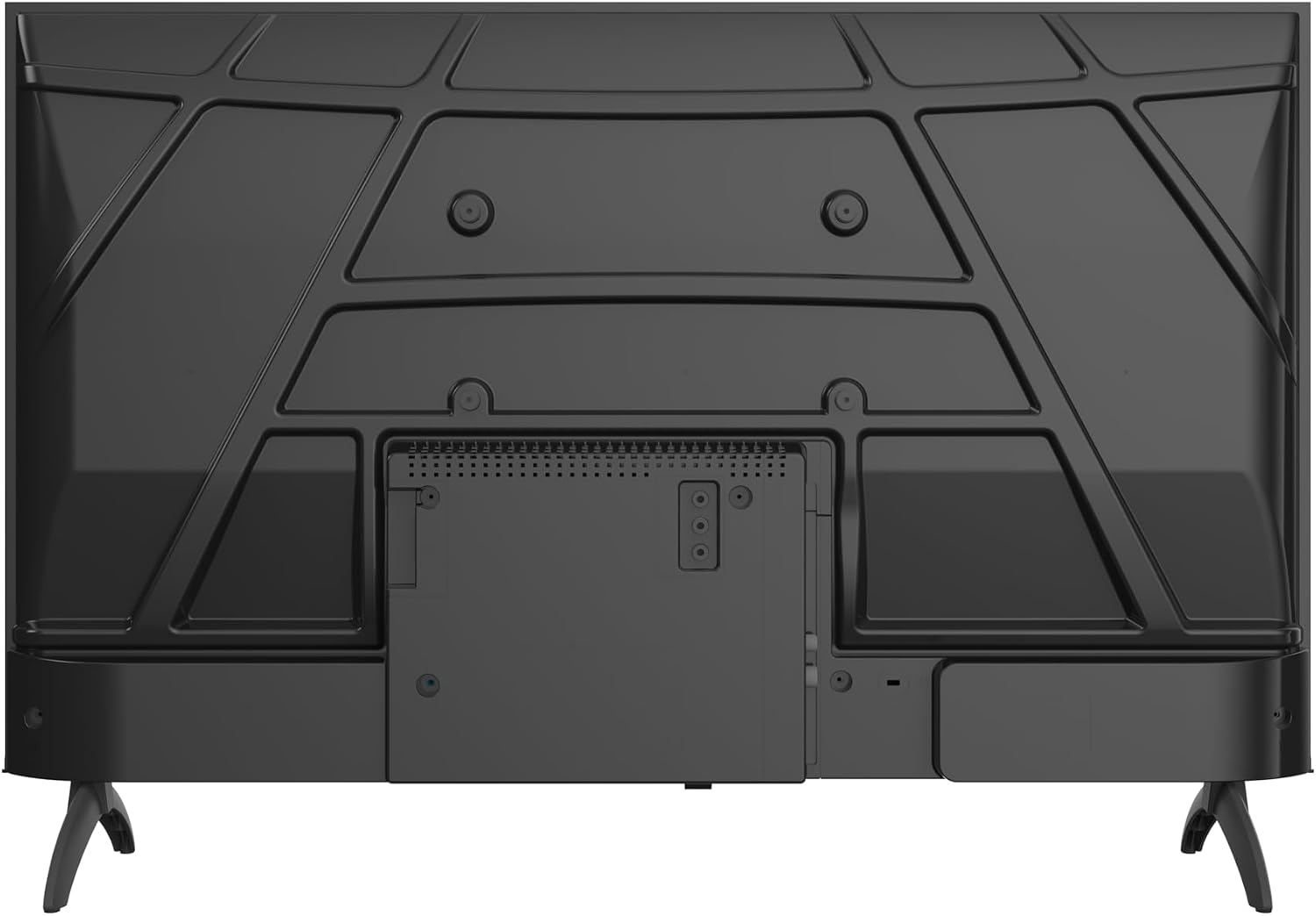
ภาพ: ด้านหลัง view of the Metz 32MQH7000Z TV, highlighting the VESA mounting points and the main connection panel.

ภาพ: ด้านข้าง view of the Metz 32MQH7000Z TV, illustrating the location of various input ports including HDMI and USB.
- พอร์ต HDMI (x2): เชื่อมต่อเครื่องเล่น Blu-ray คอนโซลเกม หรืออุปกรณ์ที่รองรับ HDMI อื่นๆ
- พอร์ต USB (x2): เชื่อมต่ออุปกรณ์จัดเก็บข้อมูล USB สำหรับการเล่นสื่อหรืออัปเดตซอฟต์แวร์
- Antenna/Cable Input (DVB-T/T2/C/S/S2): Connect your antenna or cable for terrestrial, cable, or satellite broadcasts.
- สล็อต CI+: เพิ่มโมดูล CI+ สำหรับช่องทางการเข้ารหัส
- พอร์ต LAN: เชื่อมต่อสายเคเบิลอีเทอร์เน็ตสำหรับการเชื่อมต่ออินเทอร์เน็ตแบบใช้สาย
- เอาท์พุตหูฟัง: เชื่อมต่อหูฟังเพื่อการฟังแบบส่วนตัว
- เอาต์พุตเสียงดิจิตอล: เชื่อมต่อกับระบบเสียงภายนอกเพื่อคุณภาพเสียงที่ดีขึ้น
3. การเชื่อมต่อไฟฟ้า
- เชื่อมต่อสายไฟเข้ากับช่องอินพุตไฟฟ้าของทีวี
- เสียบปลายสายไฟอีกด้านหนึ่งเข้ากับเต้ารับไฟฟ้าที่ผนัง
คำแนะนำการใช้งาน
1. การตั้งค่าเริ่มต้น
Upon first power-on, the TV will guide you through the initial setup process, including language selection, network connection, and Google TV account login.
2. อินเทอร์เฟซ Google TV
Your Metz TV features Google TV, providing a personalized experience with access to popular streaming apps and content recommendations.

Image: The Google TV interface, displaying a selection of streaming application icons and personalized content suggestions.
- การเข้าถึงแอป: Navigate through the home screen to find and launch applications like Netflix, YouTube, Prime Video, and Disney+.
- การควบคุมด้วยเสียง: Use the remote control's microphone button to issue voice commands for searching content, controlling playback, and more.
3. Picture Settings (Gen 6 QLED+, HDR10 & HLG)
Your TV utilizes Gen 6 QLED+ technology for superior image quality. Adjust picture settings via the TV menu to optimize your viewการสร้างประสบการณ์

ภาพ: ภาพระยะใกล้ view of the television screen, highlighting the vibrant and rich color reproduction achieved by QLED+ technology.
The TV supports HDR10 and HLG for enhanced contrast and color accuracy in compatible content. These technologies automatically adjust to provide deeper blacks and brighter highlights.

Image: A diagram illustrating the multi-layered Quantum Dot structure, designed to maintain color stability and vibrancy for over 10 years, comparing Metz QLED performance to conventional QLED over time.

Image: A side-by-side comparison demonstrating the visual improvement with HDR10 & HLG enabled, showing more vibrant colors and deeper contrast compared to a standard picture.
4. Sound Settings (Dolby Audio)
The integrated Dolby Audio system provides powerful and clear surround sound. Access the sound settings in the TV menu to customize audio profiles (e.g., Standard, Cinema, Music, Speech).

Image: An overhead perspective of a person seated on a sofa, watching the TV, with visual representations of Dolby Audio sound waves extending from the screen, indicating an immersive audio experience.
5. การเชื่อมต่อ
- Bluetooth 5.1: เชื่อมต่อหูฟังไร้สาย ซาวด์บาร์ หรืออุปกรณ์อื่นๆ ที่เปิดใช้งาน Bluetooth

Image: A graphic illustrating Bluetooth 5.1 connectivity, featuring a sleek sports car to symbolize fast, intelligent, and reliable wireless connections.
- ไวไฟ : เชื่อมต่อกับเครือข่ายไร้สายในบ้านของคุณเพื่อเข้าถึงอินเทอร์เน็ตและสตรีมมิ่ง
- Multi-Screen Casting (Chromecast): Cast content from your smartphone, tablet, or computer directly to the TV screen using Chromecast built-in.

Image: A visual representation of multi-screen casting, demonstrating how content can be streamed from a smartphone or laptop to the television for an immersive viewการสร้างประสบการณ์
6. คุณสมบัติการดูแลดวงตา
The TV includes Eye Care features designed to reduce eye strain during prolonged viewการไอเอ็นจี
- แสงสีฟ้าต่ำ: ช่วยลดการปล่อยแสงสีฟ้าที่เป็นอันตราย
- ปราศจากการสั่นไหว: ลดการกระพริบของหน้าจอเพื่อการใช้งานที่สบายตายิ่งขึ้น viewการสร้างประสบการณ์
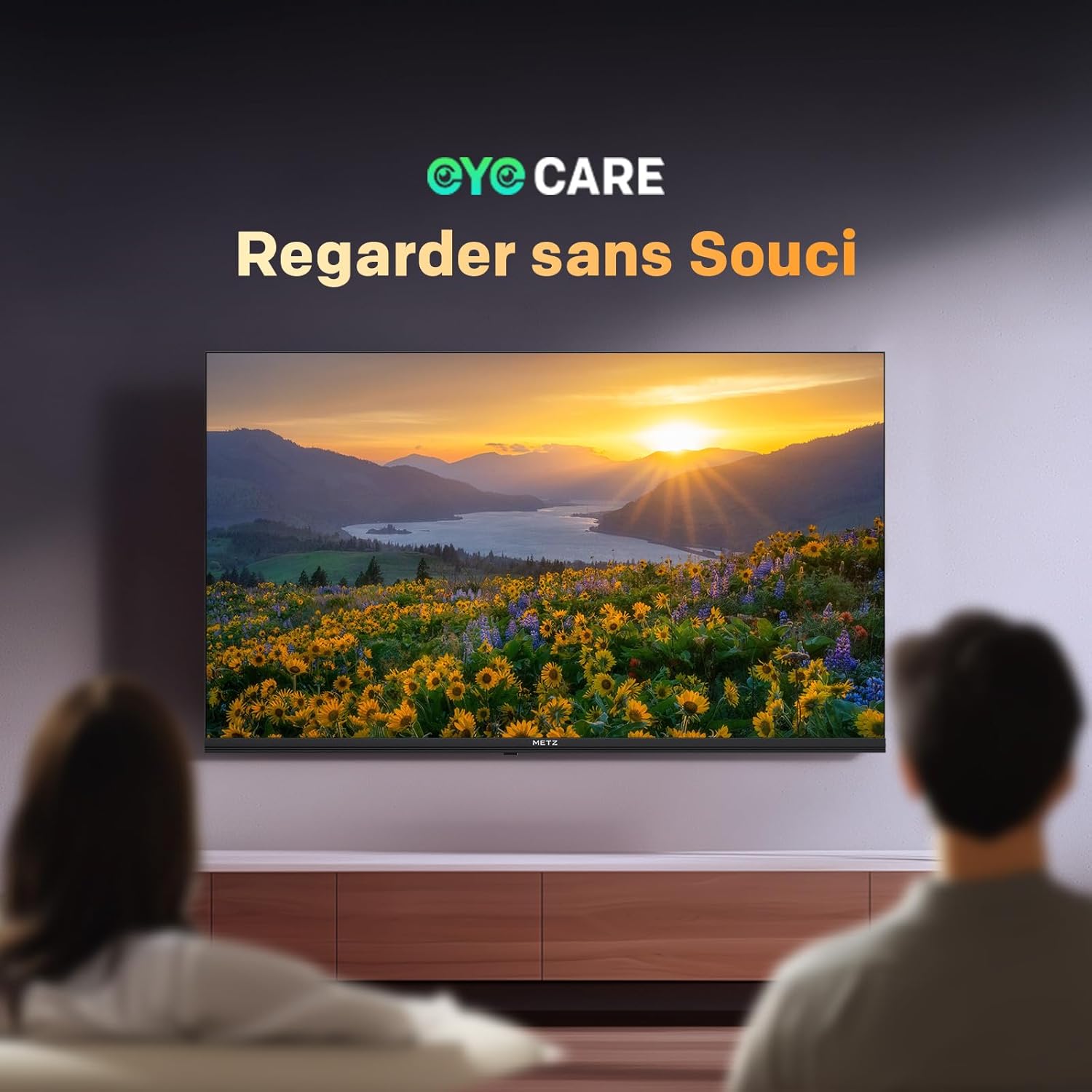
Image: A scene depicting individuals comfortably watching television, illustrating the benefits of the TV's Eye Care features for a relaxed viewการสร้างประสบการณ์

Image: Two comparative images demonstrating the benefits of Low Blue Light and Flicker-Free technologies. The top image shows a scene with and without low blue light, while the bottom image illustrates the difference with and without flicker-free technology for reduced eye fatigue.
7. Enhanced Performance (1.5 GB RAM)
The TV is equipped with 1.5 GB of RAM, providing a 50% increase in memory compared to previous models. This enhancement ensures smoother operation, faster application loading, and improved multitasking capabilities, reducing lag and enhancing overall responsiveness.

Image: A graphic representation highlighting the upgrade to 1.5 GB RAM, indicating a 50% increase in memory for improved television performance and responsiveness.
การซ่อมบำรุง
การทำความสะอาดหน้าจอ
เช็ดหน้าจอเบาๆ ด้วยผ้านุ่มที่ไม่เป็นขุย สำหรับรอยฝังแน่น ให้เช็ดเบาๆampเช็ดผ้าด้วยน้ำหรือน้ำยาทำความสะอาดหน้าจอโดยเฉพาะ หลีกเลี่ยงการใช้สารเคมีรุนแรงหรือวัสดุที่มีฤทธิ์กัดกร่อน
Cleaning the TV Casing
ใช้ผ้าแห้งนุ่มๆ เช็ดทำความสะอาดทีวีasing. Do not use liquid cleaners directly on the TV.
การดูแลทั่วไป
- ถอดปลั๊กทีวีออกจากเต้าเสียบก่อนทำความสะอาด หรือหากจะไม่ได้ใช้งานเป็นเวลานาน
- ควรวางทีวีให้ห่างจากแสงแดดโดยตรง แหล่งความร้อน และฝุ่นละอองมากเกินไป
- ตรวจสอบให้แน่ใจว่ามีการระบายอากาศที่เหมาะสมรอบๆ ทีวีเพื่อป้องกันความร้อนสูงเกินไป
การแก้ไขปัญหา
หากคุณประสบปัญหาเกี่ยวกับทีวี โปรดดูวิธีแก้ไขทั่วไปต่อไปนี้:
| ปัญหา | วิธีแก้ปัญหาที่เป็นไปได้ |
|---|---|
| ไม่มีไฟฟ้า | Check if the power cable is securely plugged into both the TV and the wall outlet. Ensure the power outlet is functional. |
| ไม่มีภาพแต่มีเสียง | Verify the correct input source is selected. Check cable connections (HDMI, antenna). Try another HDMI port. |
| ไม่มีเสียงแต่มีภาพ | Check the volume level and mute status. Ensure external audio devices are correctly connected and powered on. Check audio output settings in the TV menu. |
| รีโมตคอนโทรลไม่ทำงาน | เปลี่ยนแบตเตอรี่ในรีโมทคอนโทรล ตรวจสอบให้แน่ใจว่าไม่มีสิ่งกีดขวางระหว่างรีโมทและเซ็นเซอร์อินฟราเรดของทีวี |
| คุณภาพของภาพไม่ดี | Adjust picture settings (brightness, contrast, sharpness). Check antenna or cable connection for signal strength. For streaming, ensure a stable internet connection. |
| ไม่สามารถเชื่อมต่อ Wi-Fi ได้ | Ensure your Wi-Fi router is on and within range. Re-enter the Wi-Fi password. Try restarting both the TV and the router. |
ข้อมูลจำเพาะ
| คุณสมบัติ | รายละเอียด |
|---|---|
| ชื่อรุ่น | มคฮ7000 |
| หมายเลขรุ่น | 32MQH7000Z |
| ขนาดหน้าจอ | 32 Pouces (80 cm) |
| เทคโนโลยีการแสดงผล | QLED (Gen 6 QLED+, Quantum Dot QLED) |
| ปณิธาน | 768p (1366 x 768 พิกเซล) |
| อัตราการรีเฟรช | 60 เฮิรตซ์ |
| รองรับ HDR | HDR10,เอชแอลจี |
| ระบบปฏิบัติการ | กูเกิลทีวี |
| แรม | 1.5GB |
| เทคโนโลยีเสียง | Dolby Audio, Dolby Digital, Dolby Digital Plus |
| การเชื่อมต่อ | Bluetooth 5.1, Wi-Fi, USB (x2), HDMI (x2), LAN |
| จูนเนอร์ | DVB-T/T2/C/S/S2, CI+ |
| คุณสมบัติพิเศษ | ระบบปรับระดับเสียงอัตโนมัติ, ดีไซน์ไร้ขอบ, Chromecast, โหมดถนอมสายตา, โหมดเกม |
| มาตรฐานการติดตั้ง VESA | 200 x 100 มม. |
| ขนาดสินค้า (รวมขาตั้ง) | 21.4P x 71.5l x 47.5H ซม. |
| รุ่นปี | 2026 |
| ประเทศต้นกำเนิด | โปแลนด์ |

Image: The energy efficiency label for the Metz 32MQH7000Z TV, indicating an energy class of E and power consumption details. For more information, visit the official EU EPREL database: https://eprel.ec.europa.eu/qr/2590878
การรับประกันและการสนับสนุน
Your Metz 32MQH7000Z TV comes with a รับประกัน 2 ปี นับจากวันที่ซื้อ โปรดเก็บหลักฐานการซื้อไว้เพื่อใช้ในการเคลมประกัน
For technical assistance, troubleshooting beyond this manual, or warranty service, please contact Metz customer support. Contact information can typically be found on the official Metz webไซต์หรือในเอกสารที่รวมอยู่กับผลิตภัณฑ์ของคุณ
For additional resources and product information, visit the official Metz brand store: Metz Brand Store