
การแนะนำ
This manual provides essential information for the setup, operation, maintenance, and troubleshooting of your VIZIO Onn 55S4V1 55-inch 4K UHD Smart TV. This television offers breathtaking 4K UHD visuals with HDR10 support, an integrated Roku platform for smart entertainment, and compatibility with smart home systems like Apple AirPlay, Google Assistant, and Amazon Alexa. It also features versatile connectivity options and a mobile app companion for enhanced control.
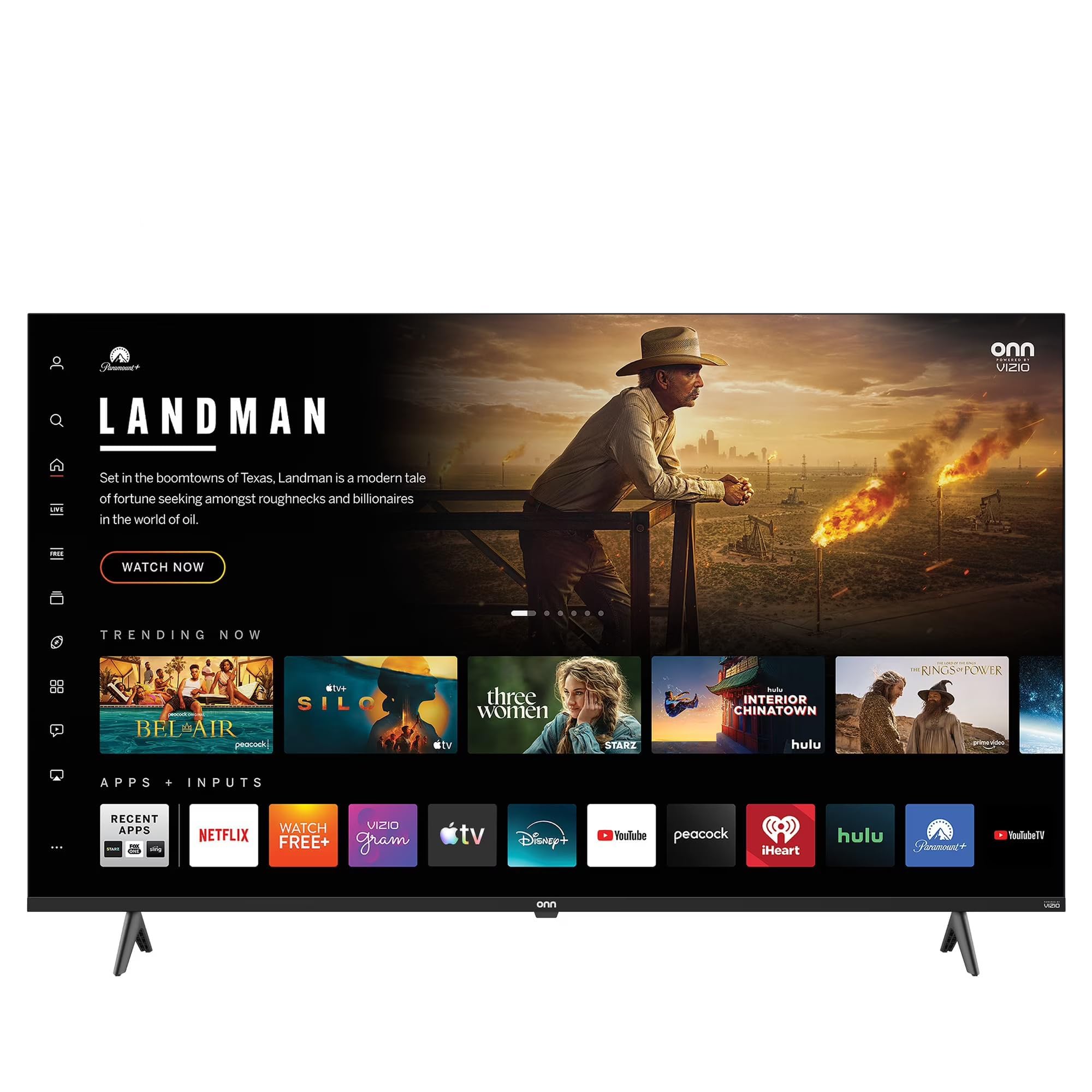
This image shows the VIZIO Onn 55S4V1 55-inch 4K UHD Smart TV powered on, displaying a web browser interface with various featured websites like Wikipedia and YouTube. The TV is mounted on a stand in a room setting.
การตั้งค่า
มีอะไรอยู่ในกล่อง
- VIZIO Onn 55S4V1 55-inch 4K UHD Smart TV
- รีโมทคอนโทรล
- สายไฟ
- ขาตั้งทีวี (ถ้ามี)
การติดตั้งทางกายภาพ
Carefully unpack the television. If using the included stand, attach it securely according to the separate stand assembly instructions. Alternatively, if wall-mounting, ensure you use a compatible VESA mount (sold separately) and follow the mount manufacturer's instructions.
การเชื่อมต่ออุปกรณ์
เชื่อมต่ออุปกรณ์ภายนอกของคุณเข้ากับพอร์ตของทีวี:
- HDMI Ports (3 total, including 1 ARC): For gaming consoles (PS5/Xbox), soundbars, Blu-ray players, and other HDMI-enabled devices.
- USB Port (1 total): สำหรับเชื่อมต่ออุปกรณ์จัดเก็บข้อมูล USB
- อินพุตคอมโพสิต: For older devices requiring composite video and audio connections.
- สายไฟ: เชื่อมต่อสายไฟเข้ากับทีวีแล้วจึงเสียบเข้ากับเต้ารับไฟฟ้า
การเปิดเครื่องครั้งแรกและการตั้งค่าเครือข่าย
After connecting all devices and power, press the power button on the remote control or TV. Follow the on-screen instructions to complete the initial setup, including selecting your language, connecting to your Wi-Fi network, and activating the Roku platform.
การบูรณาการบ้านอัจฉริยะ
Your TV is compatible with various smart home ecosystems:
- Apple AirPlay และ HomeKit: Stream content from Apple devices and integrate with your Apple Home ecosystem.
- อเมซอนอเล็กซ่า: ควบคุมทีวีของคุณด้วยคำสั่งเสียงผ่านอุปกรณ์ที่รองรับ Alexa
- ผู้ช่วย Google: Control your TV using voice commands through a Google Assistant-enabled device.
Refer to the respective app instructions for pairing your TV with these smart home systems.
คำแนะนำการใช้งาน
Roku Platform Navigation
The integrated Roku platform provides a user-friendly interface. Use the directional pad on your remote to navigate through menus and select channels (apps). The Home screen displays your installed channels, input selections, and featured content.
การเข้าถึงบริการสตรีมมิ่ง
The TV supports popular internet services such as Netflix, Disney+, and Hulu. Access these by selecting their respective icons on the Roku Home screen. You may need to log in with your existing account credentials.
การควบคุมด้วยเสียง
If you have paired your TV with Amazon Alexa or Google Assistant, you can use voice commands to perform actions such as:
- "อเล็กซ่า เปิดทีวี"
- "เฮ้ Google เปิด Netflix"
- "Alexa, change the volume to 20."
แอป Roku Mobile
Download the free Roku mobile app on your smartphone for additional features:
- รีโมทคอนโทรล: Use your phone as a full-function remote.
- การฟังส่วนตัว: Listen to TV audio through headphones connected to your phone.
- การคัดเลือกนักแสดง: Cast photos, videos, and music directly from your phone to the TV.
- Voice Search & Keyboard: Use your phone's keyboard for faster text entry and voice commands.
การซ่อมบำรุง
การทำความสะอาดหน้าจอ
To clean the screen, first power off the TV and unplug it from the power outlet. Use a soft, dry, lint-free cloth to gently wipe the screen. For stubborn marks, lightly dampชุบผ้าด้วยน้ำหรือน้ำยาทำความสะอาดหน้าจอโดยเฉพาะ (หลีกเลี่ยงสารเคมีรุนแรงหรือวัสดุที่มีฤทธิ์กัดกร่อน)
การดูแลทั่วไป
- ควรวางทีวีในบริเวณที่มีอากาศถ่ายเทสะดวกเพื่อป้องกันไม่ให้เครื่องร้อนเกินไป
- ควรหลีกเลี่ยงการวางทีวีไว้ในที่ที่มีแสงแดดส่องโดยตรง อุณหภูมิที่สูงหรือต่ำเกินไป หรือความชื้นสูง
- ห้ามวางสิ่งของหนักๆ ไว้บนทีวี
- ตรวจสอบและติดตั้งการอัปเดตซอฟต์แวร์เป็นประจำเพื่อให้มั่นใจถึงประสิทธิภาพและความปลอดภัยที่เหมาะสมที่สุด
การแก้ไขปัญหา
If you encounter issues with your TV, try the following steps before contacting support:
- ไม่มีไฟฟ้า: ตรวจสอบให้แน่ใจว่าสายไฟเชื่อมต่อกับทีวีและเต้ารับไฟฟ้าอย่างแน่นหนาแล้ว ลองเสียบเข้ากับเต้ารับอื่นดู
- ไม่มีภาพ/เสียง: Verify that the correct input source is selected. Check all cable connections (HDMI, etc.). Restart connected devices.
- ระยะไกลไม่ทำงาน: เปลี่ยนแบตเตอรี่ในรีโมทคอนโทรล ตรวจสอบให้แน่ใจว่าไม่มีสิ่งกีดขวางระหว่างรีโมทและเซ็นเซอร์อินฟราเรดของทีวี
- ปัญหาการเชื่อมต่อเครือข่าย: Restart your Wi-Fi router. Go to the TV's network settings to reconnect to your Wi-Fi network.
- Picture/Sound Quality Issues: Check the resolution settings of your connected devices. Ensure cables are not damaged.
- General Glitches: Power cycle the TV by unplugging it from the wall for 60 seconds, then plugging it back in.
If problems persist, consult the VIZIO support webเว็บไซต์หรือติดต่อฝ่ายบริการลูกค้า
ข้อมูลจำเพาะ
| คุณสมบัติ | ข้อมูลจำเพาะ |
|---|---|
| ชื่อรุ่น | 55S4V1 |
| ขนาดหน้าจอ | 55 นิ้ว |
| ปณิธาน | 4K (2160p) |
| เทคโนโลยีการแสดงผล | นำ |
| อัตราการรีเฟรช | 60 เฮิรตซ์ |
| รองรับรูปแบบ HDR | HDR10 |
| พอร์ต HDMI | 3 (รวม 1 ARC) |
| พอร์ต USB | 1 |
| เทคโนโลยีการเชื่อมต่อ | บลูทู ธ Wi-Fi |
| บริการอินเทอร์เน็ตที่รองรับ | Netflix, Disney+, Hulu, Roku |
| คุณสมบัติพิเศษ | Bezel-Less Design, Built-In Speaker, Flat, Game Mode, Multiple Voice Assistance |
| วิธีการควบคุม | แอป, รีโมท, เสียง |
| สี | สีดำ |
| ผู้ผลิต | วิซิโอ |
| รุ่นปี | 2021 |
ข้อมูลการรับประกัน
This VIZIO Onn 55S4V1 Smart TV comes with a รับประกันจำกัด 90 วัน. Please retain your proof of purchase for warranty claims. For detailed terms and conditions, refer to the warranty documentation provided with your product or visit the official VIZIO support webเว็บไซต์.
สนับสนุน
For further assistance, technical support, or to access additional resources, please visit the official VIZIO support webโดยทั่วไปคุณจะพบคำถามที่พบบ่อย คู่มือการแก้ไขปัญหา และข้อมูลติดต่อฝ่ายบริการลูกค้าได้ที่นั่น
ผู้ผลิต: วิซิโอ
Webเว็บไซต์: www.vizio.com/support (อดีตample link, please verify official VIZIO support URL)