
1. บทนำ
This manual provides essential information for setting up, operating, and maintaining your RebotAi A9 Android Tablet. Please read it thoroughly before using the device to ensure proper functionality and safety.

ภาพที่ 1.1: ด้านหน้าและด้านหลัง view of the RebotAi A9 Android Tablet.

ภาพที่ 1.2: จบแล้วview of the RebotAi A9 Android Tablet highlighting its 8.68-inch 90Hz IPS display, MediaTek Helio G100 processor, 7.8mm thickness, 360g weight, 18GB RAM, 128GB ROM, 5000mAh battery, 2.4GHz+5GHz WiFi, GPS, and BT5.2.
2. คุณสมบัติหลัก
- โปรเซสเซอร์: Latest MediaTek Helio G100 (MT8781) octa-core CPU (up to 2.2GHz) for enhanced performance and energy efficiency.
- หน่วยความจำและการจัดเก็บ: 18GB RAM (6GB physical + 12GB virtual) and 128GB internal storage, expandable up to 1TB via microSD.
- แสดง: 8.68-inch high-definition IPS LCD display with 1340x800 resolution, 90Hz refresh rate, and 450 nits brightness.
- การเชื่อมต่อ: Dual nano SIM 4G LTE support (B1 / B3 / B7 / B8 / B19 / B20), high-speed 5G Wi-Fi, Bluetooth 5.2, and integrated high-precision GPS.
- กล้องถ่ายรูป: 13-megapixel autofocus rear camera and 5-megapixel front camera.
- แบตเตอรี่: 5000mAh large-capacity battery with 20W PD fast charging support.
- ออกแบบ: Ultra-thin 7.8mm and lightweight 360g nano-coated metal body.
- ซอฟต์แวร์: Runs on Android 15 with GMS certification, supporting various AI applications and features like face recognition (for unlocking).
3. การตั้งค่า
3.1 เนื้อหาบรรจุภัณฑ์
ตรวจสอบว่ามีรายการทั้งหมดอยู่ในแพ็คเกจ:
- RebotAi A9 Tablet x1
- เครื่องชาร์จ x1
- สาย USB-C x1
- Stylus Pen x1
- Screen Protector (pre-applied) x1
- Instruction Manual (Japanese) x1
- SIM Card Pin x1

Image 3.1: Illustration of the RebotAi A9 tablet and its included accessories.
3.2 การชาร์จเริ่มต้น
Before first use, fully charge the tablet using the provided USB-C cable and charger. Connect the USB-C cable to the tablet's charging port and the charger to a power outlet.
Video 3.1: This video demonstrates the physical features of the RebotAi A9 tablet, including its rear camera, side buttons, USB-C port, and speaker grille. It also shows the tablet being charged and powered on, displaying the RebotAi logo.
3.3 การติดตั้งซิมการ์ดและการ์ด MicroSD
Locate the card slot on the side of the tablet. Use the provided SIM card pin to open the tray. Insert up to two nano SIM cards and/or one microSD card (up to 1TB) into the tray, ensuring correct orientation. Gently push the tray back into the slot until it clicks into place.
4. คู่มือการใช้งาน
4.1 เปิด/ปิดเครื่อง
- การเปิดเครื่อง: Press and hold the power button until the RebotAi logo appears.
- วิธีปิดเครื่อง: กดปุ่มเปิด/ปิดค้างไว้ จากนั้นเลือก 'ปิดเครื่อง' จากตัวเลือกบนหน้าจอ
- ในการรีสตาร์ท: Press and hold the power button, then select 'Restart' from the options on the screen.
4.2 การนำทางพื้นฐาน
The tablet uses a touch-sensitive screen for navigation:
- แตะ: แตะหน้าจอหนึ่งครั้งเพื่อเลือกรายการหรือเปิดแอป
- กดแบบยาว: แตะและกดรายการเพื่อดูตัวเลือกเพิ่มเติม
- ปัด: ลากนิ้วของคุณบนหน้าจอเพื่อเลื่อนหรือไปยังหน้าต่างๆ
- หยิก: ใช้สองนิ้วเพื่อซูมเข้าหรือออกจากรูปภาพและ web หน้า
4.3 ฟังก์ชันการแบ่งหน้าจอ
The tablet supports split-screen mode, allowing you to use two applications simultaneously. This feature is useful for multitasking, such as watching a video while chatting or browsing information.

Image 4.1: The tablet demonstrating split-screen mode, allowing two applications to be viewเอ็ดไปพร้อมๆ กัน
5. การเชื่อมต่อ
5.1 การเชื่อมต่อ Wi-Fi
The RebotAi A9 supports dual-band 2.4GHz and 5GHz Wi-Fi (802.11ac) for fast and stable internet access.
- ไปที่ การตั้งค่า > เครือข่ายและอินเตอร์เน็ต > ไวไฟ.
- เปิด Wi-Fi
- เลือกเครือข่ายที่คุณต้องการจากรายการ และป้อนรหัสผ่านหากจำเป็น
5.2 4G LTE Mobile Data and Calls
With dual nano SIM support, you can use 4G LTE for mobile data and voice calls. The tablet supports bands B1 / B3 / B7 / B8 / B19 / B20.
- Ensure SIM cards are correctly installed.
- ไปที่ การตั้งค่า > เครือข่ายและอินเตอร์เน็ต > เครือข่ายมือถือ.
- Configure your mobile data settings as per your carrier's instructions.
5.3 การเชื่อมต่อบลูทูธ
The tablet features Bluetooth 5.2 for connecting wireless accessories.
- ไปที่ การตั้งค่า > อุปกรณ์ที่เชื่อมต่อ > บลูทูธ.
- เปิดบลูทูธ
- Select the device you wish to pair from the list and follow the on-screen prompts.
5.4 ระบบนำทาง GPS
The integrated high-precision GPS supports navigation and location-based services, compatible with Beidou, Galileo, and GLONASS.

Image 5.1: The tablet displaying GPS navigation, indicating its capability for accurate positioning.
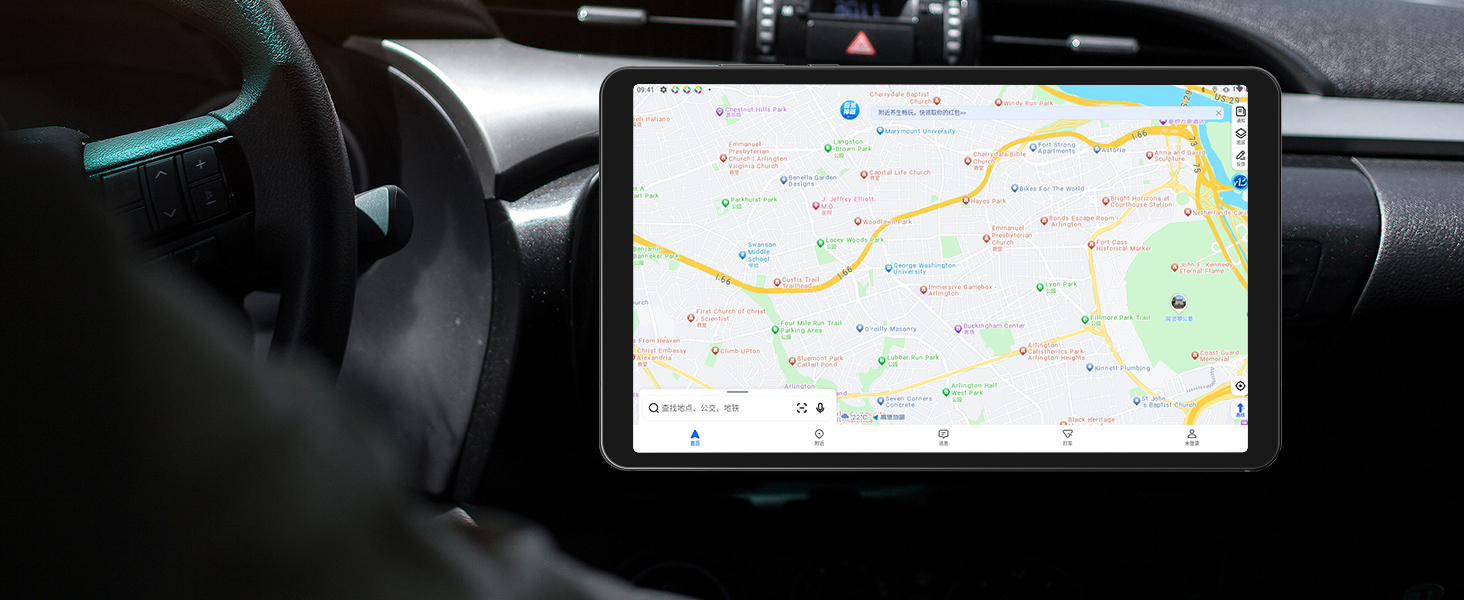
Image 5.2: The RebotAi A9 tablet being used for in-car navigation, demonstrating its GPS functionality.
6. จอแสดงผลและมัลติมีเดีย
6.1 High-Definition Display
The 8.68-inch IPS LCD display offers a 1340x800 resolution, 90Hz refresh rate, and 450 nits brightness. Its full lamination structure ensures vibrant colors and clear visuals for videos, games, photos, and documents.

Image 6.1: The tablet screen displaying a visual representation of its 90Hz refresh rate.

Image 6.2: The RebotAi A9 tablet showcasing a colorful image on its IPS display, emphasizing visual quality.
6.2 ขาตั้ง Widevine L1
With Widevine L1 certification, the tablet allows high-quality, full HD content streaming from services like Amazon Prime Video, Netflix, Disney+, and Hulu.

Image 6.3: The tablet highlighting its Widevine L1 support for high-definition streaming from various platforms.
6.3 เอาต์พุตเสียง
The tablet features dual BOX speakers for clear audio and a 3.5mm headphone jack for private listening.

ภาพที่ 6.4: แท็บเล็ตที่แสดง...asing its dual BOX speakers for enhanced audio experience.
6.4 การฉายภาพแบบไร้สาย
The tablet supports wireless projection, allowing you to easily connect to a large-screen TV for sharing content.
7. กล้องถ่ายรูป
The RebotAi A9 is equipped with a 13-megapixel autofocus rear camera and a 5-megapixel front camera, suitable for photography, video calls, and QR code scanning.

ภาพที่ 7.1: ภาพระยะใกล้ view of the RebotAi A9 tablet's rear camera module.

Image 7.2: Visual representation of the tablet's 5MP front and 13MP rear cameras.
8. การจัดเก็บและประสิทธิภาพ
8.1 โปรเซสเซอร์
The tablet is powered by the MediaTek Helio G100 (MT8781) octa-core processor, featuring two Cortex-A76 and six Cortex-A55 cores, clocked up to 2.2GHz. This configuration provides an AnTuTu score exceeding 400,000, ensuring smooth performance for various applications, including gaming.

Image 8.1: Details of the MTK Helio G100 processor, highlighting its performance and efficiency.
8.2 หน่วยความจำและที่เก็บข้อมูล
The RebotAi A9 comes with 18GB RAM (6GB physical + 12GB virtual) and 128GB of internal storage. Storage can be expanded up to 1TB using a microSD card, providing ampพื้นที่สำหรับแอปพลิเคชัน สื่อ และเอกสาร

Image 8.2: Visual representation of the tablet's 18GB RAM and 128GB ROM, with 1TB expansion capability.

Image 8.3: Illustration of the tablet's large storage capacity, including 6GB+12GB virtual memory, 128GB storage, and 1TB expansion.
8.3 เกมและความบันเทิง
The combination of the Helio G100 processor, Mali-G76 GPU, 90Hz display, and 6-axis gyroscope provides a responsive and immersive experience for gaming and multimedia consumption.

Image 8.4: The tablet displaying a racing game, demonstrating its smooth performance for gaming.

Image 8.5: A user playing a game on the RebotAi A9 tablet, highlighting its suitability for gaming.

Image 8.6: A user reading comics on the RebotAi A9 tablet, showcasing its display quality for reading.
9. แบตเตอรี่และการชาร์จ
The tablet is equipped with a 5000mAh battery and supports 20W PD fast charging, providing extended usage times for various activities such as reading, online classes, video viewing, and work.
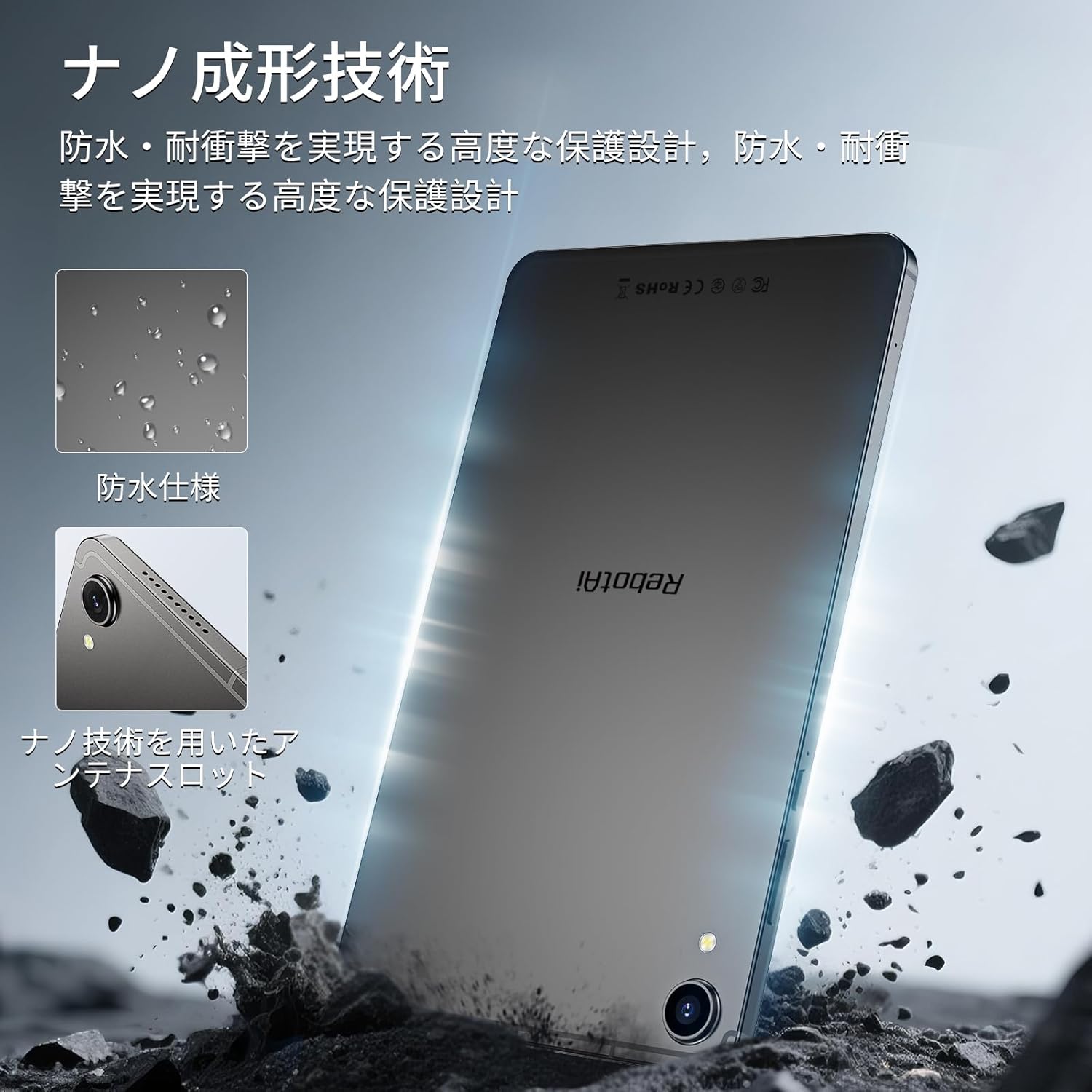
Image 9.1: The RebotAi A9 tablet connected to its charger, indicating its charging capability.

Image 9.2: Details of the tablet's 5000mAh battery and 20W fast charging, with estimated usage times for different activities.
10. Physical Design and Durability
The RebotAi A9 features a nano-coated metal body, offering a smooth and premium feel. Its ultra-thin 7.8mm profile and lightweight 360g design make it highly portable. The nano-molding technology provides enhanced protection against water and impacts.

Image 10.1: The tablet highlighting its water-resistant features and nano-molding technology for durability.

Image 10.2: The RebotAi A9 tablet emphasizing its thinness (7.8mm) and light weight (360g).

ภาพที่ 10.3: รายละเอียด view of the tablet's nano-molding technology, contributing to its robust design.
11. ข้อมูลจำเพาะ
| คุณสมบัติ | ข้อมูลจำเพาะ |
|---|---|
| ยี่ห้อ | รีบอทเอไอ |
| ชื่อรุ่น | A9 |
| ระบบปฏิบัติการ | แอนดรอยด์ 15 |
| โปรเซสเซอร์ | MediaTek Helio G100 (Octa-core, up to 2.2 GHz) |
| จีพียู | มะลิ-G76 |
| แรม | หน่วยความจำ 18 GB (6 GB แบบกายภาพ + 12 GB แบบเสมือน) |
| การจัดเก็บข้อมูลภายใน | 128GB |
| พื้นที่เก็บข้อมูลแบบขยายได้ | รองรับสูงสุด 1 TB ผ่าน microSD |
| ขนาดหน้าจอ | 8.68 นิ้ว |
| ประเภทจอภาพ | จอ LCD ไอพีเอส |
| ปณิธาน | 1340x800 พิกเซล |
| อัตราการรีเฟรช | 90 เฮิรตซ์ |
| ความสว่าง | 450 นิต |
| อัตราส่วนภาพ | 16:10 น. |
| กล้องหลัง | 13 ล้านพิกเซล (ออโตโฟกัส) |
| กล้องหน้า | 5 MP |
| ความจุของแบตเตอรี่ | 5000 มิลลิแอมป์ |
| การชาร์จไฟ | ระบบชาร์จเร็ว PD 20W |
| ไวไฟ | 802.11ac (2.4GHz/5GHz) |
| บลูทูธ | 5.2 |
| เครือข่ายมือถือ | 4G LTE (Dual Nano SIM, Bands: B1/B3/B7/B8/B19/B20) |
| จีพีเอส | Integrated (Supports Beidou, Galileo, GLONASS) |
| เซ็นเซอร์ | 6-axis Gyroscope, Light Sensor, Gravity Sensor, Hall Sensor, Proximity Sensor |
| พอร์ต | USB 2.0 Type-C, 3.5mm Headphone Jack |
| ขนาด | ความหนา 7.8 มม. |
| น้ำหนัก | ประมาณ 360 กรัม |
| สี | Gray-Metallic |
| การรับรอง | PSE, TELEC, GMS |
12. การบำรุงรักษา
12.1 การทำความสะอาด
Use a soft, lint-free cloth to clean the tablet screen and body. Avoid using harsh chemicals or abrasive materials that could damage the device.
12.2 การอัปเดตซอฟต์แวร์
ตรวจสอบและติดตั้งการอัปเดตระบบเป็นประจำเพื่อให้มั่นใจถึงประสิทธิภาพและความปลอดภัยที่เหมาะสมที่สุด ไปที่ การตั้งค่า > ระบบ > การอัพเดทระบบ.
12.3 การจัดการการจัดเก็บข้อมูล
To maintain performance, periodically clear unnecessary files and applications. You can check storage usage in การตั้งค่า > พื้นที่จัดเก็บ.
13 การแก้ไขปัญหา
แท็บเล็ต 13.1 ไม่เปิด
- ตรวจสอบให้แน่ใจว่าแบตเตอรี่ชาร์จเต็มแล้ว เสียบที่ชาร์จและรอสักครู่ก่อนลองเปิดเครื่องอีกครั้ง
- กดปุ่มเปิด/ปิดค้างไว้อย่างน้อย 10-15 วินาทีเพื่อบังคับให้รีสตาร์ท
13.2 ประสิทธิภาพช้า
- ปิดแอปพลิเคชันที่ไม่ได้ใช้งานซึ่งทำงานอยู่เบื้องหลัง
- ล้างข้อมูลแคชสำหรับแอปที่ใช้บ่อย
- ตรวจสอบการอัปเดตระบบที่มีอยู่
- Consider performing a factory reset if issues persist (back up your data first).
13.3 ปัญหาการเชื่อมต่อ Wi-Fi
- ตรวจสอบให้แน่ใจว่าได้เปิดใช้งาน Wi-Fi บนแท็บเล็ตแล้ว
- รีสตาร์ทเราเตอร์ Wi-Fi ของคุณ
- ลืมเครือข่ายในการตั้งค่าแท็บเล็ตและเชื่อมต่อใหม่อีกครั้ง
14. การรับประกันและการสนับสนุน
The RebotAi A9 tablet comes with a 2-year product warranty. This product has obtained all official certifications based on Japanese regulations, including PSE (Electrical Appliance and Material Safety Act), TELEC (Radio Act), and GMS (Google official certification).
14.1 การติดต่อฝ่ายสนับสนุน
For any inquiries or issues, please contact the seller through your Amazon purchase history. Alternatively, on the product page, click the store name below the 'Add to Cart' button, then click 'Ask a question' in the upper right corner.

Image 14.1: Warranty and support information for the RebotAi A9 tablet.