
1. บทนำ
ขอบคุณสำหรับการซื้อasing the TOPPING E50II Compact Desktop DAC. This device is designed to provide high-fidelity audio decoding for various digital sources. It features an AK4497S DAC chip, supports high-resolution audio formats up to PCM768kHz and DSD512, and offers versatile connectivity options including USB, optical, coaxial, RCA, and TRS balanced outputs. This manual provides essential information for proper setup, operation, and maintenance of your E50II.
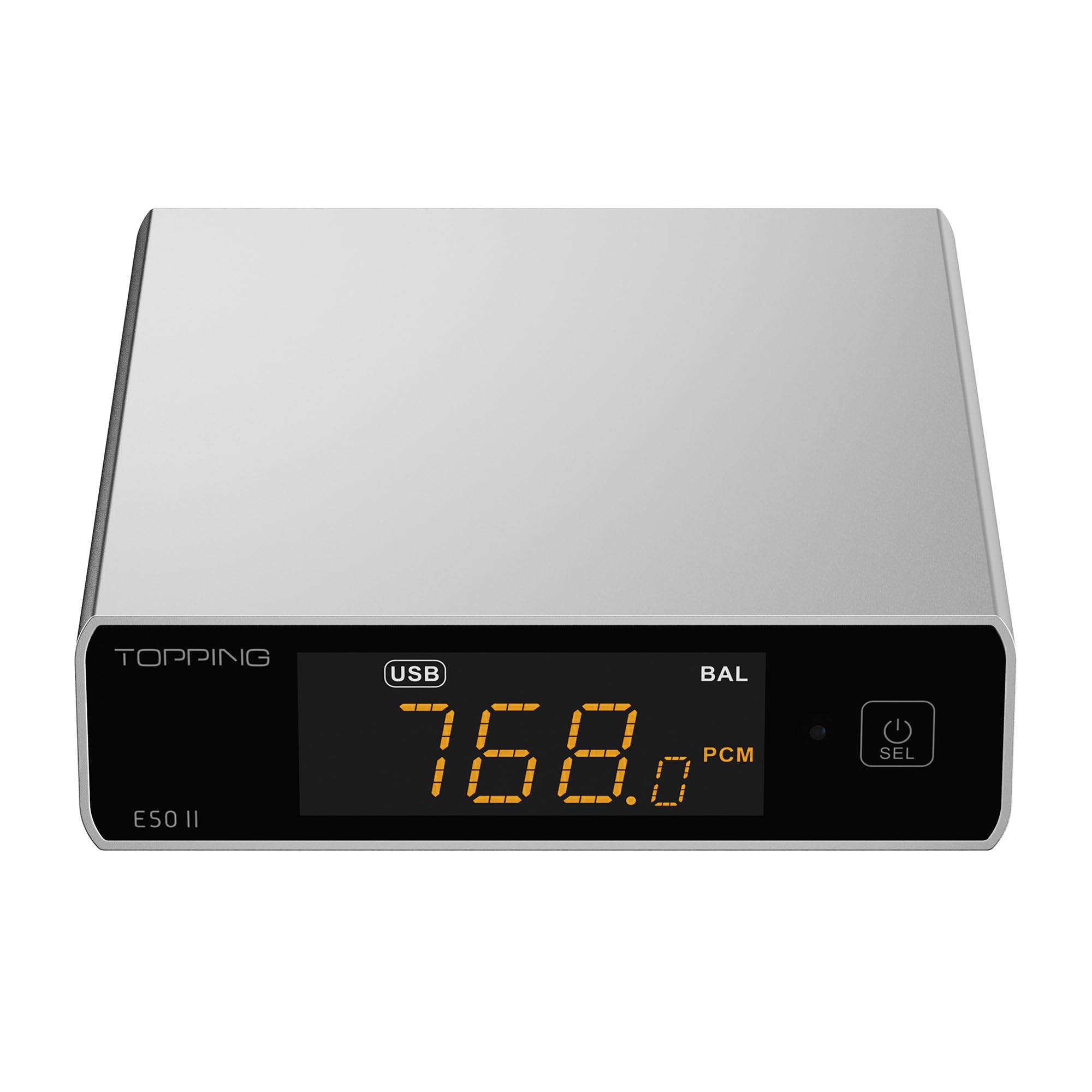
Image 1.1: The TOPPING E50II Compact Desktop DAC in silver finish.
2. ข้อมูลด้านความปลอดภัย
- ห้ามถอดประกอบหรือดัดแปลงอุปกรณ์ การดัดแปลงโดยไม่ได้รับอนุญาตอาจทำให้การรับประกันเป็นโมฆะและก่อให้เกิดความเสี่ยงด้านความปลอดภัย
- ควรเก็บอุปกรณ์ให้ห่างจากน้ำ ความชื้น และอุณหภูมิสูง
- Use only the provided power adapter or a compatible 5V power supply.
- ตรวจสอบให้แน่ใจว่ามีการระบายอากาศที่เหมาะสมรอบๆ อุปกรณ์เพื่อป้องกันความร้อนสูงเกินไป
- หลีกเลี่ยงการวางของหนักบนอุปกรณ์
- Disconnect the power cable during lightning storms or when unused for extended periods.
3. เนื้อหาบรรจุภัณฑ์
กรุณาตรวจสอบว่าสินค้าทั้งหมดมีอยู่ในแพ็คเกจ:
- TOPPING E50II Unit
- รีโมทคอนโทรล
- สาย USB (Type-A ถึง Type-C)
- สายไฟ USB (Type-A ถึง Type-C)
- เสาอากาศบลูทูธ
- คู่มือการใช้งาน (เอกสารนี้)
- บัตรรับประกัน

Image 3.1: Included accessories: remote control, USB cables, and Bluetooth antenna.
4. สินค้าหมดview
4.1 แผงด้านหน้า

Image 4.1: Front panel of the E50II, showing the display and control button.
- หน้าจอแสดงผล: แสดงค่าอินพุตปัจจุบัน sample rate, volume, and other status information.
- ปุ่มมัลติฟังก์ชั่น: Press to power on/off, select input, or adjust settings.
4.2 แผงด้านหลัง

Image 4.2: Rear panel of the E50II, illustrating various input and output ports.
- RCA Outputs (L/R): เอาต์พุตเสียงอนาล็อกแบบไม่สมดุล
- TRS Balanced Outputs (L/R): เอาต์พุตเสียงอนาล็อกแบบบาลานซ์
- อินพุตโคแอกเชียล: อินพุตเสียงดิจิตอล
- อินพุตออปติคัล: อินพุตเสียงดิจิตอล
- อินพุต USB-C: For connecting to a computer or other digital source.
- กำลังไฟเข้า USB-C: For connecting to a 5V power supply.
- ขั้วต่อเสาอากาศบลูทูธ: For attaching the Bluetooth antenna.
5. การตั้งค่า
5.1 การเชื่อมต่อสายไฟ
Connect the provided USB power cable to the E50II's "POWER" USB-C port and then to a 5V power adapter (not included) or a USB port on your computer. The E50II requires a stable 5V power supply for optimal performance.
5.2 การเชื่อมต่อเสียง
Choose the appropriate input and output connections based on your audio system:
- ช่องต่อ USB: Connect the E50II's "USB" port to your computer or other USB audio source using the provided USB data cable.
- อินพุตออปติคอล/โคแอกเซียล: Connect your digital audio source (e.g., CD player, TV) to the E50II's "OPTICAL" or "COAXIAL" input.
- อาร์ซีเอเอาท์พุต: Connect the E50II's "SE" RCA outputs to your amplifier or active speakers using RCA cables.
- TRS Balanced Output: Connect the E50II's "BAL" TRS outputs to your balanced amplifier or active speakers using 6.35mm TRS cables. The E50II supports simultaneous output from both RCA and TRS ports.

Image 5.1: Close-up of the balanced TRS and unbalanced RCA output connections.
5.3 การติดตั้งเสาอากาศบลูทูธ
Screw the provided Bluetooth antenna onto the antenna connector on the rear panel of the E50II.
5.4 Driver Installation (for Windows)
For Windows operating systems, a dedicated driver is required for USB audio playback up to PCM768kHz and DSD512. The driver can be downloaded from the official TOPPING website. Follow the on-screen instructions for installation. macOS and Linux typically do not require a separate driver.
6. คู่มือการใช้งาน
6.1 การทำงานพื้นฐาน

Image 6.1: A hand interacting with the multi-function button on the E50II's front panel.
- เปิด/ปิดเครื่อง: Press and hold the multi-function button for 3 seconds to power on or off.
- การเลือกอินพุต: Briefly press the multi-function button to cycle through available inputs (USB, Optical, Coaxial, Bluetooth).
- การควบคุมระดับเสียง: Rotate the multi-function button to adjust the volume.
6.2 การใช้รีโมทคอนโทรล
รีโมทคอนโทรลที่รวมอยู่ช่วยให้เข้าถึงฟังก์ชั่นต่างๆ ได้อย่างสะดวก:
- ปุ่มเปิด/ปิด: เปิด/ปิดเครื่อง
- ปุ่มเลือกอินพุต: Dedicated buttons for USB, Optical, Coaxial, and Bluetooth inputs.
- เพิ่ม/ลดระดับเสียง: ปรับระดับเสียงเอาท์พุต
- ปิดเสียง: Mutes/unmutes the audio output.
- ปุ่ม EQ: Cycles through PEQ presets.
- ปุ่มตัวกรอง: สลับโหมดการกรองแบบดิจิทัล
- Gain Button: Switches between Low and High gain modes.
6.3 TOPPING Home App Control
The E50II is compatible with the "TOPPING Home" app, allowing control from your smartphone or tablet via Bluetooth. This app enables input switching, EQ settings, and volume adjustment remotely.

Image 6.2: Smartphone displaying the TOPPING Home app interface for controlling the E50II.
6.4 การทำงานของบลูทูธ
ในการเชื่อมต่อผ่านบลูทูธ:
- Switch the E50II input to Bluetooth mode. The display will show "BT".
- On your mobile device, search for "TOPPING E50II" in the Bluetooth settings and pair.
- Once connected, audio from your device will be streamed to the E50II. The E50II supports LDAC, aptX-Adaptive, aptX HD, aptX, AAC, and SBC codecs.
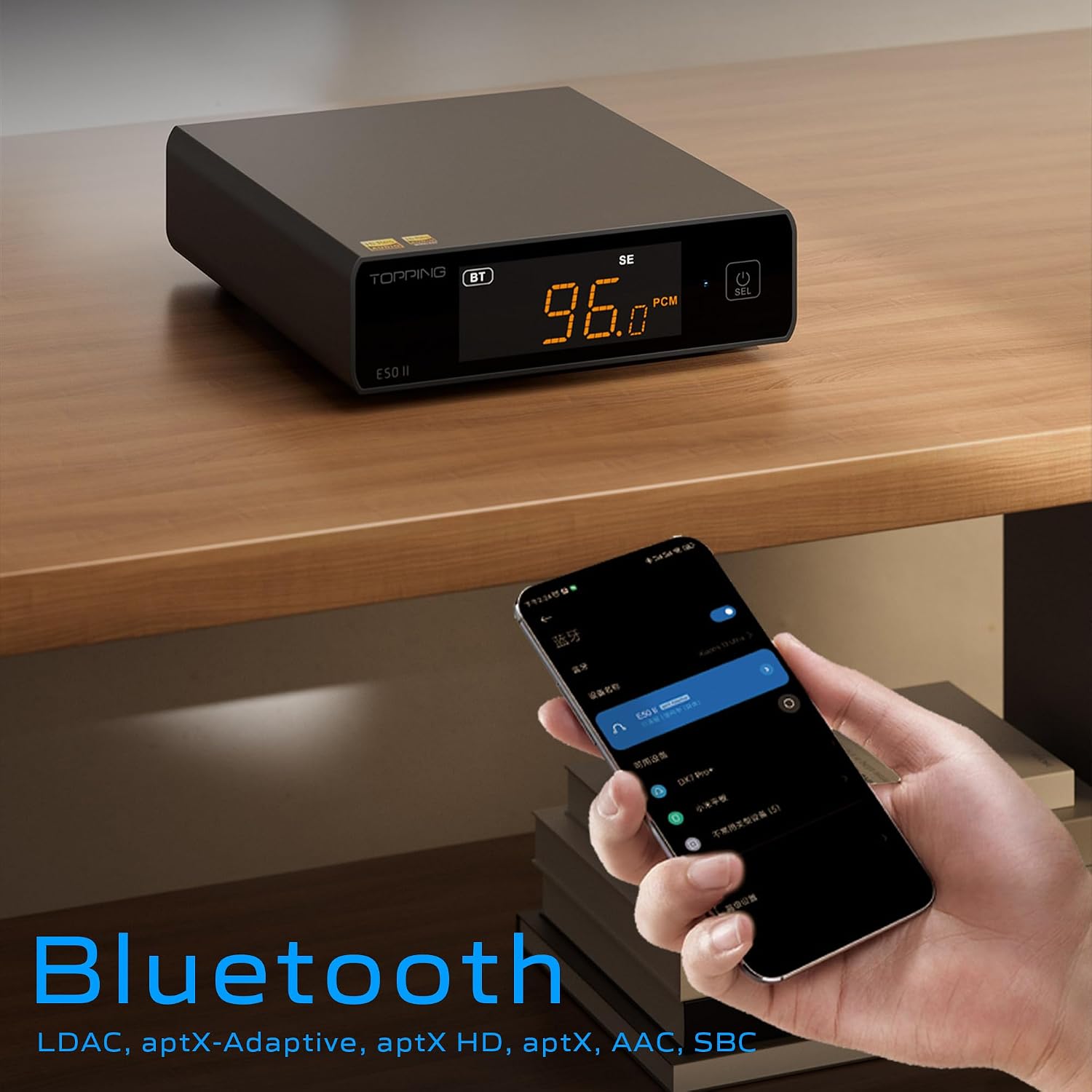
Image 6.3: A black E50II unit with a smartphone showing Bluetooth connection status.
6.5 PEQ (Parametric Equalizer) Function
The E50II features a 10-band Parametric Equalizer (PEQ) for precise sound customization. You can adjust frequency, gain, and bandwidth for each band. This function is accessible via the TOPPING Home app or dedicated PC software.

Image 6.4: Screenshot of the TOPPING TUNE FOR PC software interface, showing the 10-band PEQ settings.
6.6 ก่อนamp การทำงาน
The E50II can function as a preamplifier, allowing direct connection to a power amplifier or active speakers. In this mode, the volume can be controlled via the remote or the TOPPING Home app, providing precise output level control to prevent overload or under-driving of connected equipment.
7. การบำรุงรักษา
- ทำความสะอาดอุปกรณ์ด้วยผ้านุ่มและแห้ง ห้ามใช้น้ำยาทำความสะอาดหรือสเปรย์
- รักษาช่องระบายอากาศให้สะอาดปราศจากฝุ่นและเศษขยะ
- เก็บอุปกรณ์ไว้ในที่แห้งและเย็นเมื่อไม่ใช้งาน
8 การแก้ไขปัญหา
| ปัญหา | สาเหตุที่เป็นไปได้ | สารละลาย |
|---|---|---|
| ไม่มีเสียงออก | Incorrect input/output selection, loose cables, muted volume. | Check input source, ensure cables are securely connected, unmute or increase volume. |
| อุปกรณ์ไม่เปิดเครื่อง | Power cable not connected, faulty power adapter. | Ensure power cable is connected to a working 5V source. Try a different power adapter. |
| ปัญหาการเชื่อมต่อบลูทูธ | E50II not in Bluetooth mode, device not paired, interference. | Switch E50II to Bluetooth input. Re-pair the device. Ensure no strong interference sources nearby. |
| เสียงบิดเบี้ยว | Input signal too high, incorrect gain setting, faulty cables. | Reduce source volume. Adjust E50II gain setting. Try different audio cables. |
| Windows USB driver not working | Incorrect driver installation, driver conflict. | Reinstall the latest driver from the TOPPING website. Check for other conflicting audio drivers. |
9. ข้อมูลจำเพาะ
- ยี่ห้อ: โรยหน้า
- แบบอย่าง: อี50II
- ชิป DAC: AK4497S
- อินเทอร์เฟซ USB: เอ็กซ์มอส XU316
- Max USB Decoding: PCM 768kHz / DSD512
- Optical/Coaxial Decoding: สูงสุด 192kHz
- โคเดกบลูทูธ: LDAC, aptX-Adaptive, aptX HD, aptX, AAC, SBC
- โหมดเอาต์พุตเสียง: สเตอริโอ
- อินเทอร์เฟซเอาต์พุต: RCA (unbalanced), 6.35mm TRS (balanced)
- อินเทอร์เฟซอินพุต: USB, ออปติคอล, โคแอกเซียล, บลูทูธ
- คุณสมบัติ: 10-band PEQ, Preamp function, TOPPING Home App control, Top Sync circuit for low jitter.
10. การรับประกันและการสนับสนุน
The TOPPING E50II is covered by the manufacturer's or authorized agent's warranty regulations. Please refer to the warranty card included in your package for specific terms and conditions. For technical support, driver downloads, or service inquiries, please visit the official TOPPING webไซต์หรือติดต่อตัวแทนจำหน่ายที่ได้รับอนุญาตในพื้นที่ของคุณ
Official TOPPING Webเว็บไซต์: www.toppingaudio.com