
1. บทนำ
The Monster Mission 350 is a versatile wireless gaming headset designed for an immersive audio experience across various platforms. It features dual connectivity options (2.4GHz wireless and Bluetooth 6.0), a detachable microphone, and comfortable over-ear design. This manual provides instructions for setup, operation, maintenance, and troubleshooting to ensure optimal use of your headset.
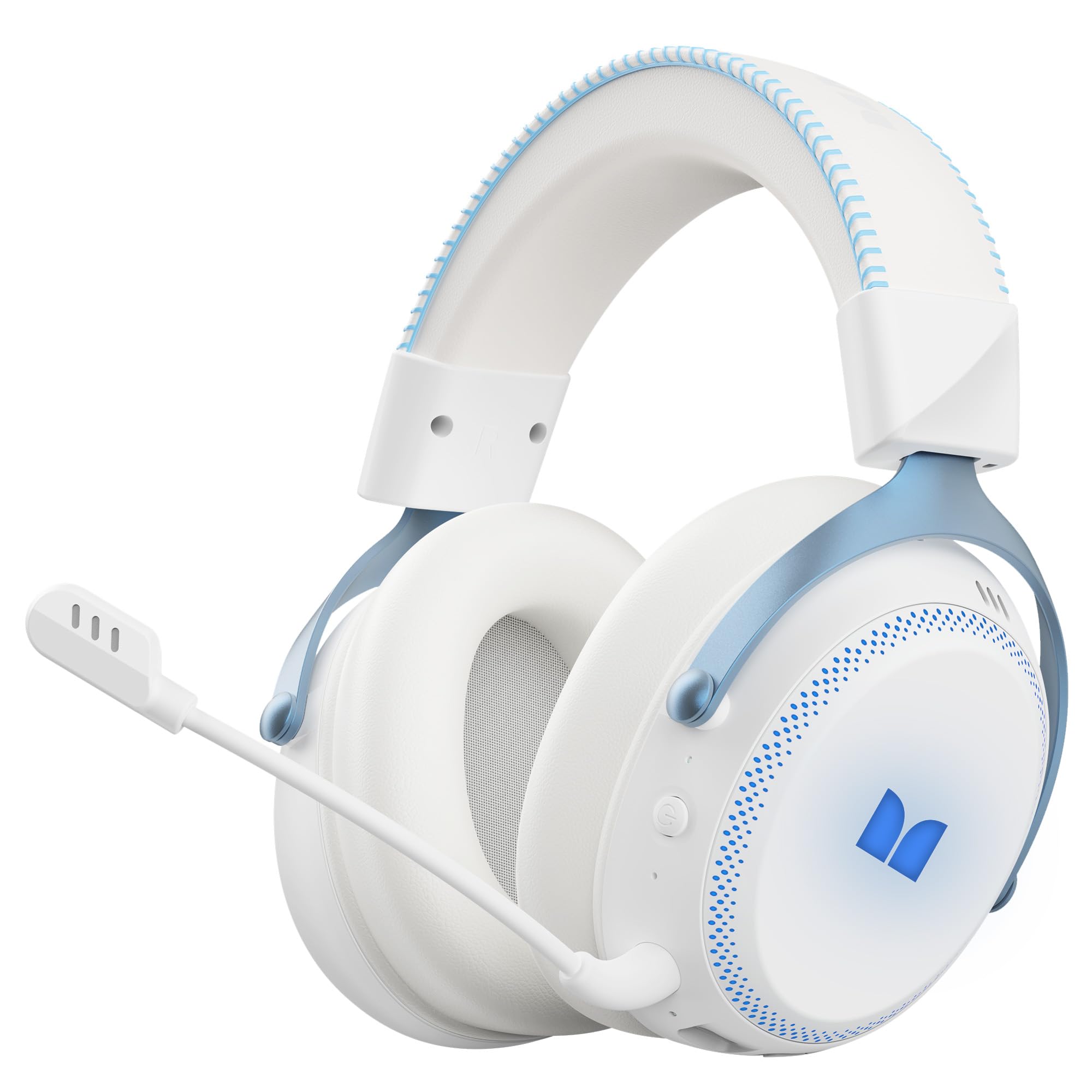
รูปที่ 1.1: The Monster Mission 350 headset providing 7.1 surround sound, allowing users to pinpoint audio cues like gunshots, explosions, vehicle sounds, and enemy footsteps for an immersive gaming experience.
2. เนื้อหาบรรจุภัณฑ์
กรุณาตรวจสอบแพ็คเกจสำหรับรายการต่อไปนี้:
- Monster Mission 350 Wireless Gaming Headset x1
- 2.4GHz USB Wireless Dongle x1
- Detachable Microphone x1
- สายชาร์จ USB x1
- สายสัญญาณเสียง 3.5 มม. x1
- คู่มือการใช้งาน x1
3. สินค้าหมดview
Familiarize yourself with the components and controls of your Monster Mission 350 headset.
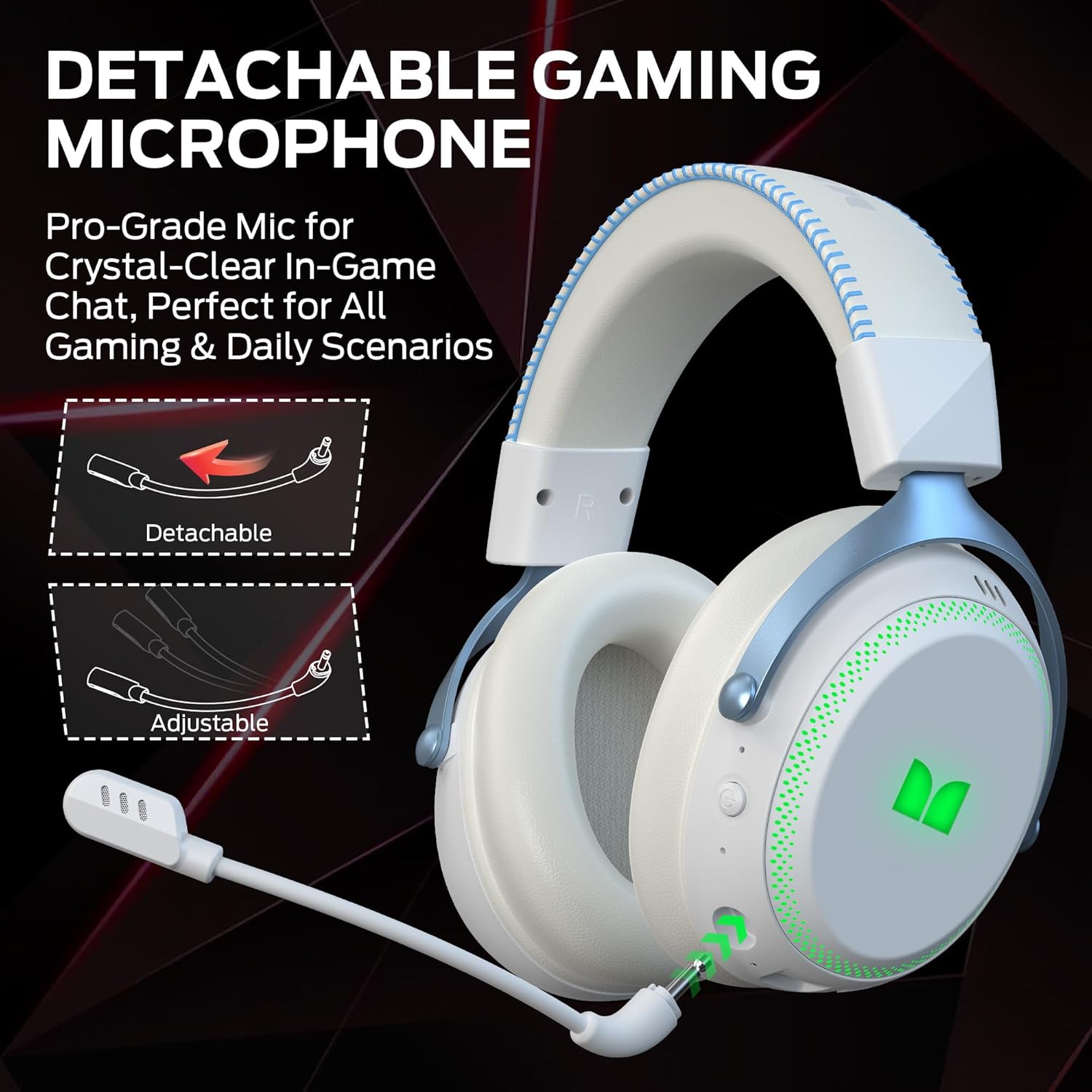
รูปที่ 3.1: The headset features a detachable and adjustable gaming microphone, designed for clear in-game communication and versatile use in various scenarios.

รูปที่ 3.2: The headset includes customizable RGB lighting effects on the earcups, allowing users to personalize their gaming setup and enhance the aesthetic appeal.
Headset Controls (Refer to diagram in physical manual for exact placement)
- ปุ่มเปิด/ปิด: กดค้างไว้เพื่อเปิด/ปิด
- ล้อระดับเสียง: ปรับระดับเอาท์พุตเสียง
- ปุ่มปิดเสียงไมโครโฟน: เปิด/ปิดไมโครโฟน
- ปุ่มไฟ RGB: Cycles through lighting modes or turns RGB off.
- แจ็คเสียงขนาด 3.5 มม.: สำหรับการเชื่อมต่อแบบมีสาย
- พอร์ตชาร์จ USB-C: สำหรับการชาร์จชุดหูฟัง
4. การตั้งค่า
4.1. การชาร์จชุดหูฟัง
Before first use, fully charge the headset. Connect the USB charging cable to the headset's USB-C port and the other end to a USB power source (e.g., computer, wall adapter). The charging indicator light will show charging status and turn off or change color when fully charged. A full charge takes approximately 2 hours.
4.2 การเชื่อมต่อผ่านระบบไร้สาย 2.4GHz
This method provides a low-latency connection ideal for gaming.
- Insert the 2.4GHz USB wireless dongle into an available USB port on your gaming console, desktop, or laptop.
- Power on the Monster Mission 350 headset.
- ชุดหูฟังควรเชื่อมต่อกับตัวรับสัญญาณโดยอัตโนมัติ ไฟแสดงสถานะบนชุดหูฟังจะยืนยันการเชื่อมต่อ
- Adjust audio settings on your device to ensure the headset is selected as the input and output device.
4.3. การเชื่อมต่อผ่าน Bluetooth
ใช้บลูทูธในการเชื่อมต่อกับอุปกรณ์มือถือ แท็บเล็ต หรืออุปกรณ์อื่นๆ ที่รองรับบลูทูธ
- Power on the Monster Mission 350 headset.
- Press and hold the Bluetooth pairing button (refer to physical manual for location) until the indicator light flashes, indicating pairing mode.
- On your device, go to Bluetooth settings and search for "Monster Mission 350".
- Select the headset to pair. The indicator light on the headset will become solid when connected.
4.4. การเชื่อมต่อผ่านสายสัญญาณเสียงขนาด 3.5 มม.
For wired connections to devices with a 3.5mm audio jack, or when the battery is depleted.
- เชื่อมต่อปลายด้านหนึ่งของสายสัญญาณเสียงขนาด 3.5 มม. เข้ากับแจ็คเสียงขนาด 3.5 มม. ของหูฟัง
- Connect the other end to the 3.5mm audio output on your device.
- The headset will operate in passive mode, and power is not required for audio playback.

รูปที่ 4.1: The Monster Mission 350 supports dual audio connections, featuring Bluetooth 6.0 for mobile devices and a dedicated 2.4GHz wireless dongle for low-latency gaming on compatible platforms.
5. คู่มือการใช้งาน
5.1. เปิด/ปิดเครื่อง
Press and hold the Power button for approximately 3 seconds to turn the headset on or off. An audible prompt or indicator light will confirm the status.
5.2. การควบคุมระดับเสียง
Rotate the Volume wheel located on the earcup to increase or decrease the audio volume.
5.3. การใช้ไมโครโฟน
Attach the detachable microphone to the designated port on the headset. Press the Microphone Mute button to toggle the microphone on or off. The microphone can be adjusted for optimal positioning.
5.4. การควบคุมแสง RGB
Press the RGB Lighting button to cycle through different lighting effects or to turn the RGB lighting off. This feature allows for customization of the headset's appearance.
5.5. อายุการใช้งานแบตเตอรี่และตัวบ่งชี้
The headset provides approximately 70 hours of battery life for general use, or 45 hours with RGB lights continuously on. A low battery indicator will alert you when charging is required.

รูปที่ 5.1: The Monster Mission 350 headset offers extended battery performance, with a 2-hour charge providing up to 90 hours of gaming, 45 hours with RGB lights active, or 70 hours for calls.
6. การบำรุงรักษาและการดูแล
การดูแลรักษาอย่างถูกวิธีจะช่วยให้หูฟังของคุณใช้งานได้ยาวนานและมีประสิทธิภาพดี
- การทำความสะอาด: ใช้ผ้านุ่มและแห้งเช็ดทำความสะอาดหูฟัง สำหรับที่ครอบหู ให้เช็ดเบาๆ ด้วยผ้านุ่มๆamp เช็ดด้วยผ้าหากจำเป็น และปล่อยให้แห้งสนิทก่อนใช้งาน หลีกเลี่ยงสารเคมีรุนแรงหรือวัสดุที่มีฤทธิ์กัดกร่อน
- พื้นที่จัดเก็บ: เก็บหูฟังไว้ในที่แห้งและเย็น หลีกเลี่ยงแสงแดดโดยตรงและอุณหภูมิที่สูงหรือต่ำเกินไป
- ความต้านทานน้ำ: ชุดหูฟังคือ ไม่ water resistant. Avoid exposure to liquids.
- การดูแลแบตเตอรี่ To maintain battery health, avoid fully discharging the battery frequently. Charge the headset regularly, even if not in use for extended periods.

รูปที่ 6.1: The Monster Mission 350 headset is designed for all-day comfort, featuring comfortable memory foam earcups, an adjustable headband, and soft, breathable earpads to reduce fatigue during extended use.
7 การแก้ไขปัญหา
If you encounter issues with your Monster Mission 350 headset, refer to the following common problems and solutions:
| ปัญหา | วิธีแก้ปัญหาที่เป็นไปได้ |
|---|---|
| หูฟังไม่สามารถเปิดเครื่องได้ | ตรวจสอบให้แน่ใจว่าหูฟังชาร์จเต็มแล้ว กดปุ่มเปิด/ปิดค้างไว้ 3-5 วินาที |
| ไม่มีเสียงหรือเสียงเบา | Check headset volume wheel. Verify device's audio output settings. Ensure headset is properly connected (2.4GHz dongle, Bluetooth, or 3.5mm cable). |
| ไมโครโฟนไม่ทำงาน | Ensure microphone is securely attached and not muted. Check device's input settings to confirm the headset microphone is selected. |
| ไม่สามารถเชื่อมต่อผ่านระบบไร้สาย 2.4GHz ได้ | Ensure the USB dongle is fully inserted. Try a different USB port. Power cycle both the headset and the device. |
| ไม่สามารถจับคู่ผ่านบลูทูธได้ | Ensure headset is in pairing mode. Turn off and on Bluetooth on your device. Forget the device from your Bluetooth list and try pairing again. |
| ไฟ RGB ไม่ทำงาน | Press the RGB Lighting button to cycle through modes. Ensure the headset has sufficient battery charge. |
8. ข้อมูลจำเพาะ
Detailed technical specifications for the Monster Mission 350 Wireless Gaming Headset:
| คุณสมบัติ | รายละเอียด |
|---|---|
| หมายเลขรุ่น | ภารกิจมอนสเตอร์ 350 |
| เทคโนโลยีการเชื่อมต่อ | 2.4GHz Wireless, Bluetooth 6.0, 3.5mm Jack |
| ช่วงสาย | ระยะการใช้งานสูงสุด 33 ฟุต (บลูทูธ) |
| ขนาดไดร์เวอร์เสียง | ไดร์เวอร์ไดนามิก 55 มม |
| อิมพีแดนซ์ | 32 โอห์ม |
| ความไวต่อความรู้สึก | 120 เดซิเบล |
| การวางตำแหน่งหู | ครอบหู |
| วัสดุของตู้หุ้ม | Leather (earpads) |
| อายุการใช้งานแบตเตอรี่ | Up to 70 Hours (general use), 45 Hours (with RGB lights on) |
| เวลาในการชาร์จแบตเตอรี่ | ประมาณ 2 ชั่วโมง |
| ประเภทการควบคุม | Button Control (Push Button, Siri compatible) |
| อุปกรณ์ที่รองรับ | Gaming Consoles, Desktops, Tablets, Laptops, Cellphones |
| น้ำหนักสินค้า | 0.54 กิโลกรัม |
| ระดับความต้านทานต่อน้ำ | ไม่ทนน้ำ |

รูปที่ 8.1: The Monster Mission 350 headset is equipped with a 55mm dynamic driver, engineered to deliver clear and powerful audio performance for gaming and multimedia.
9. ข้อมูลการรับประกัน
The Monster Mission 350 Wireless Gaming Headset comes with a รับประกัน 3 เดือน นับจากวันที่ซื้อสินค้า การรับประกันนี้ครอบคลุมข้อบกพร่องจากการผลิตภายใต้การใช้งานปกติ ไม่ครอบคลุมความเสียหายที่เกิดจากการใช้งานผิดวิธี อุบัติเหตุ การดัดแปลงโดยไม่ได้รับอนุญาต หรือการสึกหรอตามปกติ โปรดเก็บหลักฐานการซื้อไว้เพื่อใช้ในการเรียกร้องการรับประกัน
10. การสนับสนุนลูกค้า
For further assistance, technical support, or warranty inquiries, please refer to the contact information provided with your product packaging or visit the official Monster website. When contacting support, please have your product model number (Monster Mission 350) and proof of purchase readily available.