
1. บทนำ
This manual provides detailed instructions for the VBESTLIFE Customizable Control Knob. It covers product features, setup, operation, customization, maintenance, and troubleshooting to ensure optimal use of your device. Please read this manual thoroughly before using the product.
2. สินค้าหมดview
2.1 คุณสมบัติหลัก
- การเชื่อมต่อ 3 โหมด: Supports BT5.0, 2.4G (receiver not included), and USB C connectivity. Plug and play via Type C to USB interface, no driver required.
- ความเข้ากันได้กว้าง: Compatible with Wins, OS X, Android, HarmonyOS, and iOS platforms.
- ฟังก์ชันที่สามารถปรับแต่งได้: Program for media playback, brightness, volume, webpage navigation, video editing, and e-book page turning with 360° rotation.
- การออกแบบที่ใช้งานง่าย: Constructed from aluminum alloy and ABS for durability. Features a built-in 400mAh battery with Type C charging.
- เพิ่มประสิทธิภาพ: Compact and versatile, designed to simplify repetitive tasks and improve workflow across various applications.
2.2 อะไรอยู่ในกล่อง
- 1 x Customized Knob
- 1 x USB C สายเคเบิลข้อมูล
- 1 x คู่มือผู้ใช้ (เอกสารนี้)

Image: The customizable control knob shown alongside its included USB C data cable.
3. การตั้งค่า
Follow these steps to set up your VBESTLIFE Customizable Control Knob.
3.1 การชาร์จอุปกรณ์
The knob has a built-in 400mAh Li battery. Before first use, or when the battery is low, connect the device using the provided USB C data cable to a power source (e.g., computer USB port or USB wall adapter).
3.2 โหมดการเชื่อมต่อ
The control knob supports three connection methods:
- USB C Wired Connection:
Connect the provided USB C data cable from the knob to your computer or device. The knob will be recognized automatically as a plug-and-play device, requiring no additional drivers.
- Bluetooth (BT5.0) Connection:
Ensure the knob is charged. Turn on the knob using the power switch located on the bottom. Activate Bluetooth pairing mode on the knob (refer to the device's LED indicator for status). On your computer or mobile device, search for Bluetooth devices and select the VBESTLIFE knob to pair.
- การเชื่อมต่อไร้สาย 2.4G:
This mode requires an additional 2.4G receiver (not included). Insert the 2.4G receiver into a USB port on your computer. Turn on the knob and switch it to 2.4G mode. The knob should automatically connect to the receiver.

Image: The underside of the control knob, highlighting the power switch and USB C charging/connection port.
4. คู่มือการใช้งาน
The VBESTLIFE Customizable Control Knob features a double-layer design with rotatable and press functions for both upper and lower knobs.
4.1 การทำงานพื้นฐาน
- การหมุน: Both the upper and lower knobs can be rotated left or right to control various functions.
- Press Function: The upper knob supports a press function, allowing for additional control methods.
- กดและหมุน: The upper knob also supports a press-and-rotate function, integrating more complex controls.

Image: A visual guide demonstrating how to rotate the upper and lower knobs, press the upper knob, and combine press with rotation for control.
4.2 Default Functions (Exampเลอ)
While functions are highly customizable, common uses include:
- Adjusting system volume (up/down, mute).
- Controlling media playback (play/pause, previous/next track).
- กำลังปรับความสว่างหน้าจอ
- การนำทาง web pages or electronic books (flip up/down).
- Executing commands in video editing software.
For specific function assignments, refer to the customization software section.
5. การปรับแต่ง
The VBESTLIFE Customizable Control Knob allows extensive personalization through its dedicated software.
5.1 Custom Software
The device utilizes an interactive, user-friendly English software for customization. This software allows you to set knob key positions and control RGB lighting effects. The software is only required during the setting process and does not need to run in the background for daily use.

Image: Multiple screenshots of the customization software, illustrating various configuration options such as basic key assignments, combination key setups, multimedia controls, RGB lighting adjustments, mouse/swipe gestures, and general software settings.
5.2 การควบคุมแสง RGB
The knob features customizable RGB lighting. Through the software, you can adjust the lighting to create a desired ambiance or visual cue for different functions or environments.

Image: The control knob displaying its customizable RGB lighting, which can be configured via the software.
5.3 Key Mapping and Memory
The device's built-in memory stores your customized key mappings, including complex shortcut combinations. Once configured, these settings are retained even when switching between devices or connectivity modes, eliminating the need for re-configuration.
6. การบำรุงรักษา
To ensure the longevity and optimal performance of your control knob, follow these maintenance guidelines:
- การทำความสะอาด: Use a soft, dry cloth to wipe the surface of the knob. Avoid using harsh chemicals or abrasive materials.
- พื้นที่จัดเก็บ: เก็บอุปกรณ์ไว้ในที่แห้งและเย็น หลีกเลี่ยงแสงแดดโดยตรงและอุณหภูมิที่สูงหรือต่ำเกินไป
- การดูแลแบตเตอรี่ เพื่อให้แบตเตอรี่ใช้งานได้นานที่สุด ควรหลีกเลี่ยงการปล่อยให้แบตเตอรี่หมดจนเกลี้ยงบ่อยๆ ชาร์จอุปกรณ์เป็นประจำ โดยเฉพาะอย่างยิ่งหากจะเก็บไว้เป็นเวลานาน
7 การแก้ไขปัญหา
If you encounter issues with your control knob, refer to the following common solutions:
- อุปกรณ์ไม่ตอบสนอง:
- ตรวจสอบให้แน่ใจว่าได้ชาร์จอุปกรณ์แล้ว
- Check the power switch on the bottom of the knob.
- Verify the connection (USB C cable, Bluetooth pairing, or 2.4G receiver).
- ลองรีสตาร์ทคอมพิวเตอร์หรืออุปกรณ์ของคุณ
- Custom Functions Not Working:
- Ensure you have saved your settings in the customization software.
- Confirm the software is compatible with your operating system.
- Re-apply the settings using the customization software.
- ปัญหาการเชื่อมต่อบลูทูธ:
- โปรดตรวจสอบให้แน่ใจว่าได้เปิดใช้งานบลูทูธบนอุปกรณ์โฮสต์ของคุณแล้ว
- Remove the knob from your device's paired Bluetooth list and attempt to re-pair.
- Ensure the knob is in Bluetooth pairing mode.
8. ข้อมูลจำเพาะ
| คุณลักษณะ | ค่า |
|---|---|
| ประเภทสินค้า | Customizable Knob |
| วัสดุผลิตภัณฑ์ | ABS, อะลูมิเนียมอัลลอย |
| โหมดการเชื่อมต่อ | 2.4G (receiver not included), BT5.0, USB C Wired |
| ความเข้ากันได้ | Wins, OS X, Android, HarmonyOS, iOS |
| เส้นผ่านศูนย์กลางผลิตภัณฑ์ | ประมาณ 55 มม. / 2.2 นิ้ว |
| ความสูงของสินค้า | ประมาณ 40 มม. / 1.6 นิ้ว |
| แบตเตอรี่ | 1 x 400mAh Li Battery (Built-in) |
| หมายเลขรุ่น | VBESTLIFEt8fa1hp392 |
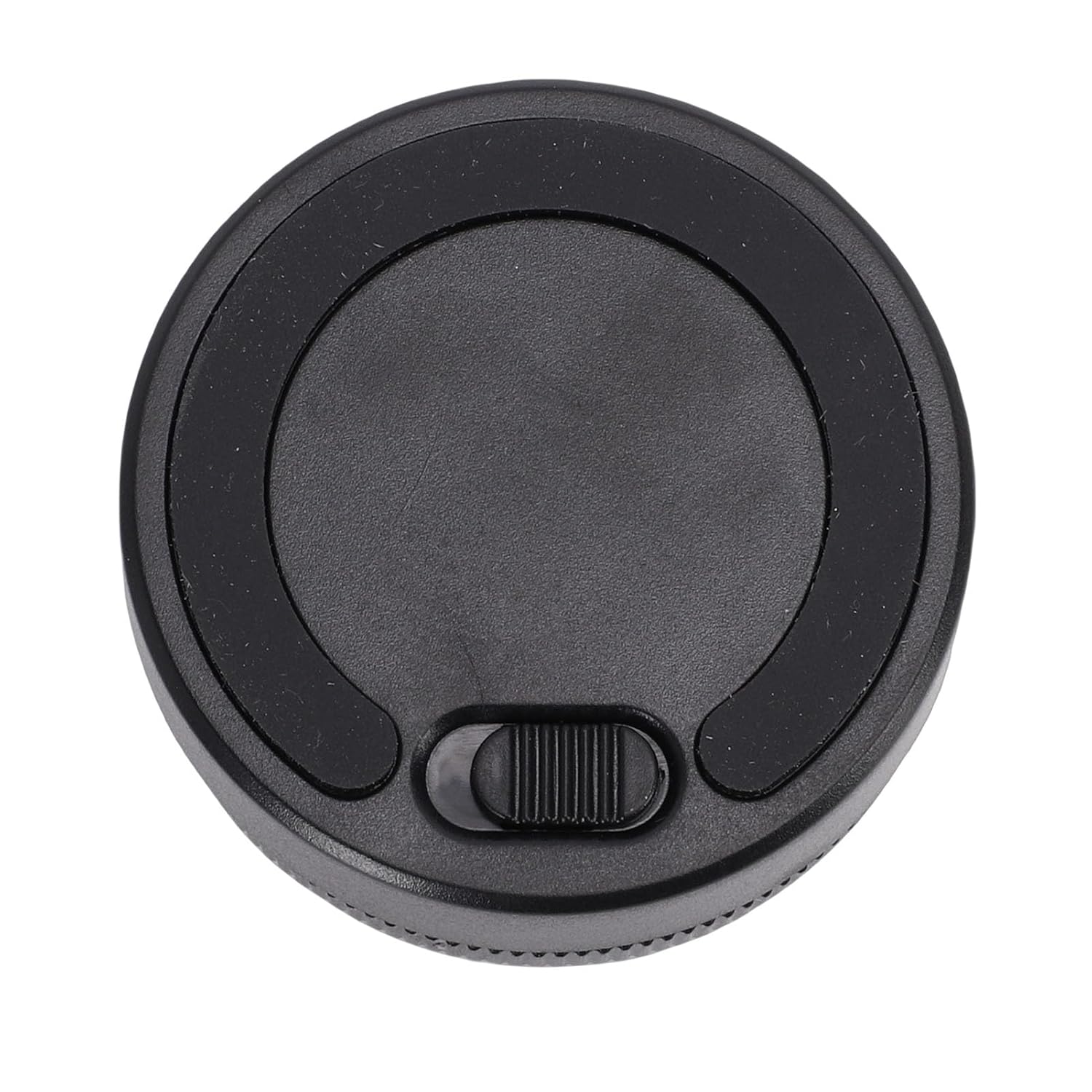
Image: A diagram illustrating the physical dimensions of the control knob, with a diameter of 55mm (2.2in) and a height of 40mm (1.6in).
9. การรับประกันและการสนับสนุน
For warranty information and technical support, please refer to the documentation provided with your purchase or contact VBESTLIFE customer service directly. Keep your proof of purchase for warranty claims.