
NIIMBOT D11H
NIIMBOT D11H Label Maker Instruction Manual
รุ่น: D11H
การแนะนำ
Thank you for choosing the NIIMBOT D11H Label Maker. This portable thermal label printer is designed for efficient and clear label printing for various organizational needs in home, office, and small business environments. This manual provides detailed instructions for setup, operation, and maintenance to ensure optimal performance of your device.

Image: A user operating the NIIMBOT D11H label maker with a smartphone, demonstrating its compact size and app-based functionality. The image highlights the device's portability and ease of use for creating various labels.
มีอะไรอยู่ในกล่อง
กรุณาตรวจสอบเนื้อหาแพ็คเกจเมื่อแกะกล่อง:
- NIIMBOT D11H Label Maker
- 3 Rolls of Label Tapes (14x30mm clear, 14x40mm white, 12x40mm green)
- Extra 6 Rolls of Mixed Label Paper (White 0.47" x 1.57", Clear 0.47" x 4.29", 0.55" x 1.18")
- สายชาร์จ USB (Type-C)
- คู่มือการใช้งาน (เอกสารนี้)

Image: A collection of NIIMBOT label rolls in different sizes and colors, illustrating the variety of labels included with the D11H label maker.
สินค้าเกินview
The NIIMBOT D11H is a compact, portable thermal label printer. It features a 300 DPI print resolution for clear text and graphics, a 1500mAh battery, and a Type-C USB port for charging. It connects via Bluetooth to your mobile device for label design and printing.

Image: A visual comparison between the NIIMBOT D11 and D11H models, highlighting the D11H's improved specifications such as 1500mAh battery, 300dpi resolution, Type-C USB, and 50mm/s printing speed.
การตั้งค่า
1. การชาร์จอุปกรณ์
Before first use, fully charge the label maker. Connect the provided USB Type-C cable to the charging port on the device and to a standard USB power adapter (not included).
- ไฟแสดงสถานะการชาร์จจะแสดงสถานะการชาร์จ
- โดยทั่วไปการชาร์จเต็มจะใช้เวลาประมาณ 2-3 ชั่วโมง
2 การติดตั้งม้วนฉลาก
- Open the label compartment cover by sliding it open or pressing the release button (refer to device diagram if available).
- Insert the label roll with the printing surface facing upwards, ensuring the labels feed smoothly into the printer mechanism.
- ปิดฝาช่องเก็บของให้แน่นจนได้ยินเสียงคลิก
- Ensure a small portion of the label tape extends out of the printer's output slot.
3. การดาวน์โหลดแอปและการเชื่อมต่อบลูทูธ
- ดาวน์โหลดแอป: ค้นหา "NIIMBOT" or "NIIM" in your mobile app store (iOS App Store or Google Play Store) and download the official application.
- Turn On the Label Maker: กดปุ่มเปิด/ปิดค้างไว้จนกระทั่งไฟแสดงสถานะติด
- เปิดใช้งานบลูทูธ: ตรวจสอบให้แน่ใจว่าได้เปิดใช้งาน Bluetooth บนอุปกรณ์มือถือของคุณ
- เชื่อมต่อผ่านแอป: Open the NIIMBOT app. The app will automatically search for nearby NIIMBOT devices. Select your D11H from the list to pair. Note: Do not pair directly through your phone's Bluetooth settings; connect only via the NIIMBOT app.
- เมื่อเชื่อมต่อแล้ว แอปจะแสดงสถานะของอุปกรณ์
คำแนะนำการใช้งาน
1. เปิด/ปิดเครื่อง
- เปิดเครื่อง: Press and hold the power button for approximately 2 seconds. The indicator light will illuminate.
- หมดแรง: กดปุ่มเปิด/ปิดค้างไว้ประมาณ 2 วินาที จนกระทั่งไฟแสดงสถานะดับ
2 การสร้างและแก้ไขป้ายกำกับ
Use the NIIMBOT app to design your labels:
- Open the NIIMBOT app and ensure your D11H is connected.
- Select a template or create a new label from scratch.
- The app offers various features including text, symbols, logos, barcodes, QR codes, images, and time stamps.
- Customize font, size, alignment, and other label properties.
- The D11H supports automatic calibration, meaning the first label will not be wasted during printing.

Image: An illustration showing the NIIMBOT D11H's self-calibration feature, which automatically rewinds the first label to prevent waste, ensuring efficient use of label paper.
3. การพิมพ์ฉลาก
- หลังจากออกแบบฉลากในแอปเสร็จแล้ว ให้แตะปุ่ม "พิมพ์"
- Confirm the number of copies and other print settings.
- The label maker will print the labels. The D11H prints at a speed of 50mm/s.
- ฉีกฉลากที่พิมพ์แล้วตามขอบหยัก
Note: This label maker produces monochrome printouts, meaning it only prints in black text.

ภาพ: ภาพระยะใกล้ view of the NIIMBOT D11H printing a label, emphasizing its 300 dpi high-resolution thermal printing capability for clear and sharp text.
การซ่อมบำรุง
1. การทำความสะอาดหัวพิมพ์
- ตรวจสอบให้แน่ใจว่าอุปกรณ์ปิดอยู่ก่อนทำความสะอาด
- เปิดช่องฉลาก
- ค่อยๆ เช็ดหัวพิมพ์ด้วยสำลีเบาๆampเคลือบด้วยแอลกอฮอล์ไอโซโพรพิล
- Allow the print head to dry completely before closing the cover and powering on the device.
2. การจัดเก็บ
- เก็บเครื่องพิมพ์ฉลากไว้ในที่แห้งและเย็น หลีกเลี่ยงแสงแดดโดยตรงและอุณหภูมิที่สูงหรือต่ำเกินไป
- Remove label rolls if the device will not be used for an extended period.
การแก้ไขปัญหา
| ปัญหา | สาเหตุที่เป็นไปได้ | สารละลาย |
|---|---|---|
| อุปกรณ์ไม่สามารถเปิดได้ | แบตเตอรี่เหลือน้อย; อุปกรณ์ทำงานผิดปกติ | Charge the device; Contact customer support if issue persists. |
| ไม่สามารถเชื่อมต่อผ่านบลูทูธได้ | Bluetooth not enabled; Incorrect pairing method; App issue | Ensure Bluetooth is on; Connect via NIIMBOT app only; Restart app and device. |
| คุณภาพการพิมพ์ไม่ดี | หัวพิมพ์สกปรก; วางฉลากผิดทิศทาง; แบตเตอรี่เหลือน้อย | Clean the print head; Reinstall label roll correctly; Charge the device. |
| ป้ายกำกับไม่แสดงผล | Label roll incorrectly installed; Empty roll; Jammed mechanism | Reinstall label roll; Replace with new roll; Check for obstructions. |
| ฉลากแรกเสียเปล่า | Automatic calibration not functioning | Ensure the app and firmware are updated. The D11H model is designed to prevent this. |
ข้อมูลจำเพาะ
- แบบอย่าง: NIIMBOT D11H
- ความละเอียดในการพิมพ์: 300 จุดต่อนิ้ว
- เทคโนโลยีการพิมพ์: การพิมพ์ความร้อน
- การเชื่อมต่อ: บลูทูธ
- ความจุแบตเตอรี่: 1500mAh
- พอร์ตชาร์จ: ยูเอสบี ไทป์ ซี
- ความเร็วในการพิมพ์: 50มม./วินาที
- ระบบปฏิบัติการที่รองรับ: iOS, Android (via NIIMBOT App)
- พิมพ์สี: ขาวดำ (ข้อความสีดำเท่านั้น)
- การสอบเทียบอัตโนมัติ: Supported (no first label waste)
แอปพลิเคชั่น
The NIIMBOT D11H label maker is suitable for a wide range of labeling tasks:
- การจัดระเบียบภายในบ้าน: Labeling kitchen containers, storage boxes, pantry items.
- ใช้ในสำนักงาน: การจัดระเบียบ files, folders, stationery, cables.
- ธุรกิจขนาดเล็ก: Product labeling, price tags, inventory management, jewelry labels.
- การใช้งานส่วนบุคคล: Labeling cosmetics, medicine, gifts, school supplies.

Image: Demonstrates various uses of the NIIMBOT D11H labels, including organizing kitchen items, setting reminders for medication, and labeling office supplies.
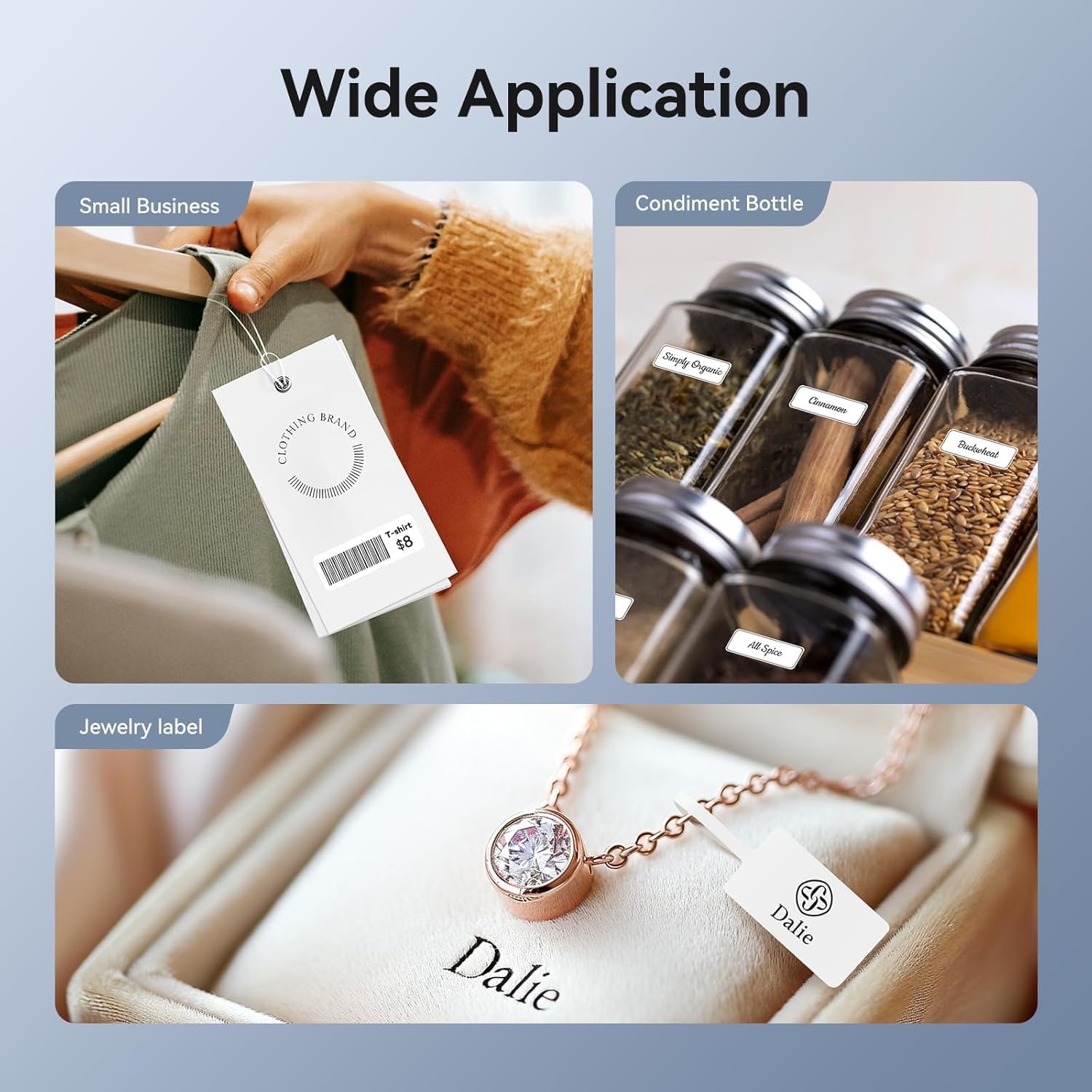
Image: Shows the versatility of the NIIMBOT D11H for small business applications, such as creating price tags for clothing, labeling condiment bottles, and making elegant jewelry labels.

ภาพ: ภาพตัดปะแสดงasing diverse labeling applications for the NIIMBOT D11H, covering kitchen organization, office filing, cosmetic storage, gift personalization, stationery identification, and medicine management.
การรับประกันและการสนับสนุน
NIIMBOT products typically come with a standard manufacturer's warranty. Please refer to the warranty card included in your package or visit the official NIIMBOT webเว็บไซต์สำหรับข้อกำหนดและเงื่อนไขการรับประกันโดยเฉพาะ
For technical support, troubleshooting assistance, or warranty claims, please contact NIIMBOT customer service through their official website or the contact information provided in your product packaging. When contacting support, please have your product model (D11H) and purchase details ready.
Ask a question about this manual
Ask about setup, troubleshooting, compatibility, parts, safety, or missing instructions. Manuals+ will review the question and use this page’s manual context to help answer it.