
การแนะนำ
This manual provides detailed instructions for the setup, operation, and maintenance of your EPOMAKER AJAZZ AK820 V2 Tri-Mode Mechanical Gaming Keyboard. Please read this guide thoroughly before using the product to ensure optimal performance and longevity.
มีอะไรอยู่ในกล่อง
- EPOMAKER AJAZZ AK820 V2 Mechanical Gaming Keyboard
- สาย USB
- ตัวดึงกุญแจ
- Two Mechanical Switches (spare)
- คู่มือการใช้งาน (เอกสารนี้)
การตั้งค่า
1. การชาร์จคีย์บอร์ด
Before initial use, fully charge the keyboard using the provided USB-C cable. Connect the USB-C end to the keyboard's port and the USB-A end to a power source (e.g., computer USB port, wall adapter).
The keyboard features a 10000mAh battery. Charging status may be indicated by the backlight or a dedicated LED.

Image: The keyboard connected via USB-C cable, demonstrating the charging setup.
2. โหมดการเชื่อมต่อ
The AK820 V2 supports three connectivity modes: 2.4GHz wireless, Bluetooth, and USB-C wired. A switch on the underside of the keyboard allows selection between these modes.

Image: Diagram illustrating the three connectivity modes: USB-C, 2.4GHz, and Bluetooth.
2.1. โหมดสาย USB-C
Connect the keyboard directly to your computer using the provided USB-C cable. This mode offers a stable connection and charges the keyboard simultaneously. The polling rate in wired mode is 1000Hz.
2.2. โหมดไร้สาย 2.4GHz
Insert the 2.4GHz USB dongle into an available USB port on your computer. Switch the keyboard to 2.4GHz mode. The keyboard should automatically connect. This mode provides a 1000Hz polling rate for low-latency gaming.
2.3. Bluetooth Wireless Mode
Switch the keyboard to Bluetooth mode. On your device (PC, laptop, tablet, phone), search for Bluetooth devices and select "AK820 V2" to pair. The keyboard supports Bluetooth 5.0 and has a polling rate of 125Hz. It can remember up to 5 paired devices.

Image: The keyboard shown connected wirelessly to a laptop, tablet, and smartphone, demonstrating wide compatibility.
3 การปรับตามหลักสรีรศาสตร์
The keyboard features a two-stage adjustable kickstand on the underside, allowing you to set the typing angle for personalized comfort and to reduce hand fatigue during extended use.

Image: Close-up of the keyboard's underside, highlighting the two-stage adjustable kickstand.
คำแนะนำการใช้งาน
1. ฟังก์ชันการทำงานของปุ่มหมุน
The large rotary metal knob provides quick control over audio and other functions:
- ปุ่มหมุน: ปรับระดับเสียง (หมุนตามเข็มนาฬิกาเพื่อเพิ่มระดับเสียง หมุนทวนเข็มนาฬิกาเพื่อลดระดับเสียง)
- กดปุ่ม: ปิดหรือเปิดเสียง
- Fn + Knob Click: Enters menu mode for adjusting lighting, language, and other settings (if applicable via software).

Image: The keyboard's rotary knob with visual cues for volume adjustment and mute/unmute functions.
2. Dynamic RGB Backlight Control
The AK820 V2 features 16 million color RGB backlighting with south-facing LEDs for vibrant illumination. You can customize lighting effects using keyboard shortcuts or the dedicated software.
- กดปุ่ม Fn + ปุ่มลูกศร (ขึ้น/ลง): Adjusts backlight brightness/speed.
- กดปุ่ม Fn + ปุ่มลูกศร (ซ้าย/ขวา): Changes backlight effect direction.
- ฟน + \|: Cycles through different backlight effects.
- กดปุ่ม Fn + Enter: Cycles through side light effects.
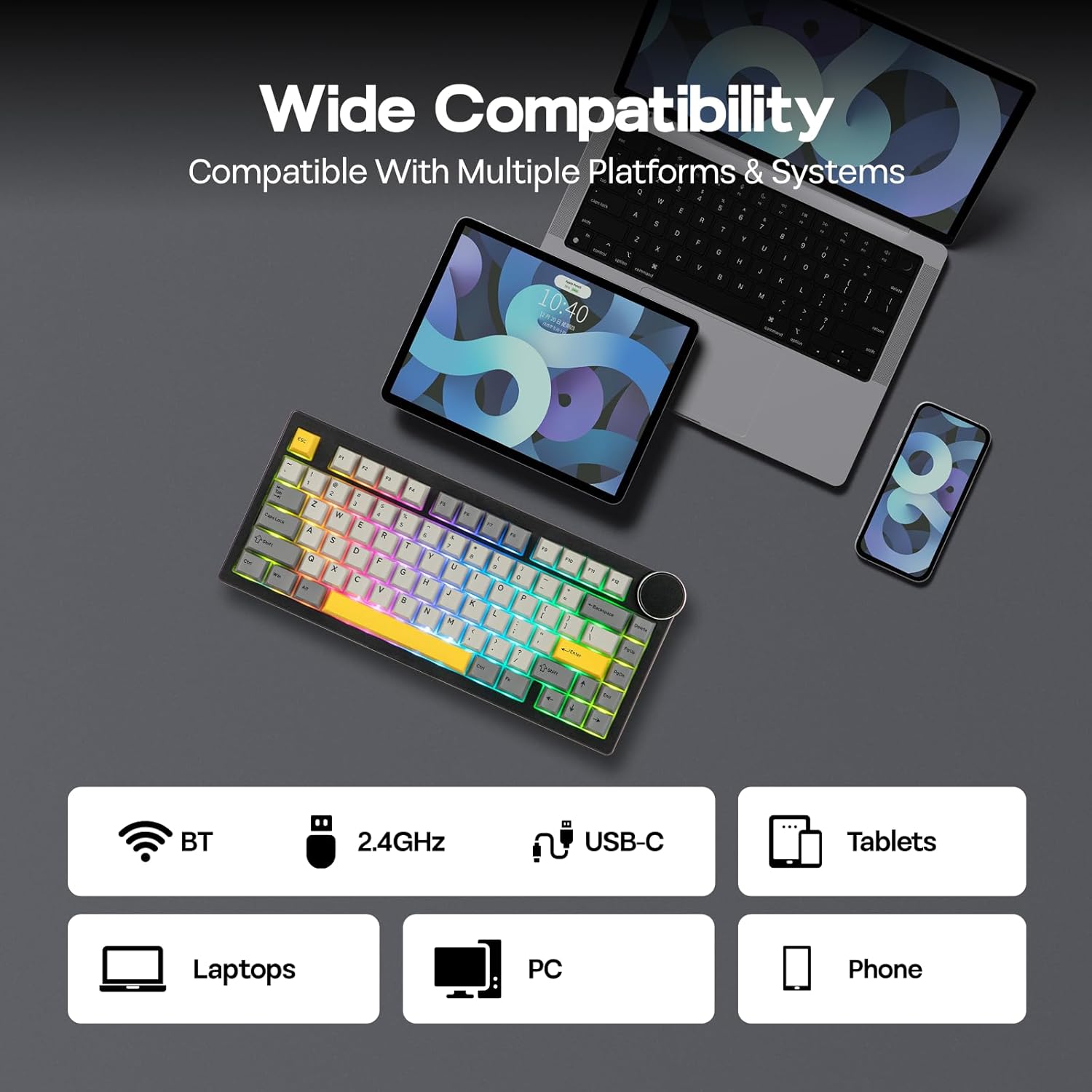
Image: The keyboard illuminated with dynamic RGB backlighting, showcasing both key and side panel lights.
3. ซอฟต์แวร์ที่ตั้งโปรแกรมได้
Utilize the dedicated software for advanced customization, including:
- การรีแมปคีย์
- การบันทึกมาโคร
- Layer Definition
- Detailed Backlight Settings
- การตั้งค่าระบบ
Refer to the official EPOMAKER website for software download and specific instructions.

Image: A computer display showing the graphical user interface of the keyboard's programmable software.
4. Battery Life Check (Wireless Mode Only)
To check the remaining battery life in wireless mode, press Fn + แบ็คสเปซ. The keyboard's lighting or a dedicated indicator will show the current battery level.

Image: Visual representation of battery life: 21 hours with backlight, 214 hours without backlight, and the Fn + Backspace key combination for checking battery status.
การซ่อมบำรุง
1. การเปลี่ยนปุ่มกดและสวิตช์ (ถอดเปลี่ยนได้ขณะใช้งาน)
The AK820 V2 features a hot-swappable PCB, allowing you to change mechanical switches without soldering. It is compatible with 3-pin and 5-pin mechanical switches.
- การถอดคีย์แคป: Use the provided keycap puller to gently remove keycaps. Hook the puller onto the keycap and pull upwards evenly.
- การถอดสวิตช์: After removing the keycap, use the switch puller (often integrated with the keycap puller) to grip the top and bottom clips of the switch. Gently pull the switch upwards until it detaches from the PCB.
- การติดตั้งสวิตช์: จัดตำแหน่งขาของสวิตช์ใหม่ให้ตรงกับรูบนแผงวงจรพิมพ์ กดลงไปให้แน่นจนกระทั่งสวิตช์ล็อคเข้าที่ ตรวจสอบให้แน่ใจว่าขาของสวิตช์ไม่บิดงอ
- การติดตั้ง Keycaps: Place the keycap onto the switch stem and press down gently until it is secure.

Image: A keycap and switch being removed from the keyboard, demonstrating the hot-swappable design.

Image: Detailed specifications of the Coconut Cream switch, including trigger force, bottom-out force, pre-travel, and total travel.
2. การทำความสะอาด
To clean your keyboard, first disconnect it from all power sources. Use a soft, lint-free cloth to wipe the surface. For deeper cleaning, remove keycaps and use compressed air to clear debris from between switches. Avoid using harsh chemicals or abrasive materials.
การแก้ไขปัญหา
- แป้นพิมพ์ไม่ตอบสนอง:
- ตรวจสอบให้แน่ใจว่าแป้นพิมพ์มีประจุไฟแล้ว
- Check the connectivity mode switch (USB-C, 2.4GHz, BT) and ensure it matches your connection method.
- สำหรับความถี่ 2.4GHz โปรดตรวจสอบให้แน่ใจว่าเสียบตัวรับสัญญาณ USB เข้าที่อย่างถูกต้องแล้ว
- สำหรับการเชื่อมต่อบลูทูธ โปรดตรวจสอบให้แน่ใจว่าได้จับคู่และเลือกแป้นพิมพ์บนอุปกรณ์ของคุณแล้ว ลองทำการจับคู่ใหม่อีกครั้ง
- ลองเชื่อมต่อผ่านสาย USB-C เพื่อตัดปัญหาเรื่องไร้สาย
- กุญแจไม่ลงทะเบียน:
- Ensure the switches are fully seated in the PCB.
- If a specific key is not working, try replacing its switch with one of the spare switches or a known working switch from another key.
- ทำความสะอาดเศษสิ่งสกปรกที่อยู่รอบสวิตช์ที่ได้รับผลกระทบ
- ปัญหาไฟแบ็คไลท์:
- ปรับความสว่างโดยใช้ปุ่ม Fn + ลูกศรขึ้น
- Cycle through effects using Fn + \|.
- ตรวจสอบให้แน่ใจว่าแป้นพิมพ์ไม่ได้อยู่ในโหมดประหยัดพลังงาน
- Check software settings for backlight configuration.
- ซอฟต์แวร์ไม่ตรวจจับแป้นพิมพ์:
- Ensure the keyboard is connected via USB-C wired mode when using the software.
- Download the latest version of the software from the official EPOMAKER webเว็บไซต์.
- ปิดใช้งานซอฟต์แวร์ป้องกันไวรัสหรือไฟร์วอลล์ที่อาจรบกวนชั่วคราว
ข้อมูลจำเพาะ
| คุณสมบัติ | รายละเอียด |
|---|---|
| ยี่ห้อ | อีโปเมกเกอร์ |
| หมายเลขรุ่น | เอเค820 วี2 |
| เทคโนโลยีการเชื่อมต่อ | 2.4GHz Wireless, Bluetooth (BT 5.0), USB-C Wired |
| เค้าโครงแป้นพิมพ์ | 75% Compact (80 Keys + Knob) |
| ประเภทสวิตซ์ | Linear (Coconut Cream) |
| Hot-Swapable | Yes (3/5-pin mechanical switches) |
| วัสดุปุ่มกด | PBT (Double Shot) |
| การแบ็คไลท์ | RGB (16M colors, South-facing LEDs) |
| ความจุของแบตเตอรี่ | 10000mAh |
| Polling Rate (USB-C/2.4GHz) | 1000เฮิรตซ์ |
| อัตราการสำรวจ (บลูทูธ) | 125เฮิรตซ์ |
| อุปกรณ์ที่รองรับ | Gaming Console, Laptop, PC, Smart TV, Tablet |
| ระบบปฏิบัติการที่รองรับ | Windows 7+, Mac OS 11 Big Sur+ |
| ขนาดสินค้า (กว้าง x ยาว x สูง) | 12.91" x 5.71" x 1.61" (32.8cm x 14.5cm x 4.1cm/2.1cm) |
| น้ำหนัก | 0.95กก. |
| คุณสมบัติพิเศษ | Big Rotary Knob, 5-Layered Gasket Structure, Programmable Keys, Ergonomic Design |

Image: The keyboard with an overlay detailing its technical specifications, including dimensions, weight, and keycap type.
ข้อมูลการรับประกัน
The EPOMAKER AJAZZ AK820 V2 Mechanical Gaming Keyboard comes with a รับประกัน 1 ปี นับจากวันที่ซื้อสินค้า การรับประกันนี้ครอบคลุมถึงข้อบกพร่องจากการผลิตและการทำงานผิดปกติภายใต้การใช้งานปกติ ไม่ครอบคลุมถึงความเสียหายที่เกิดจากการใช้งานผิดวิธี อุบัติเหตุ การดัดแปลงโดยไม่ได้รับอนุญาต หรือการสึกหรอตามปกติ
For warranty claims, please retain your proof of purchase and contact EPOMAKER customer support.
สนับสนุน
For further assistance, technical support, or to download the latest software and drivers, please visit the official EPOMAKER webเว็บไซต์:
You may also contact EPOMAKER customer service directly through their webไซต์สำหรับการสอบถามข้อมูลเฉพาะ