
การแนะนำ
Thank you for choosing the Kaidi TWS KD-788 Wireless Bluetooth Earbuds. These earbuds are designed to provide a high-quality, stable, and convenient audio experience. Equipped with new-generation smart chips, they offer low latency and high connection stability. The Smart Touch technology allows for easy control, and IPX4 water resistance makes them suitable for daily use.
The Kaidi KD-788 is an excellent choice for those seeking practicality, superior sound quality, and great value in modern wireless Bluetooth earbuds. Its compact and ergonomic design ensures comfort during extended use, perfect for music, videos, calls, or gaming.
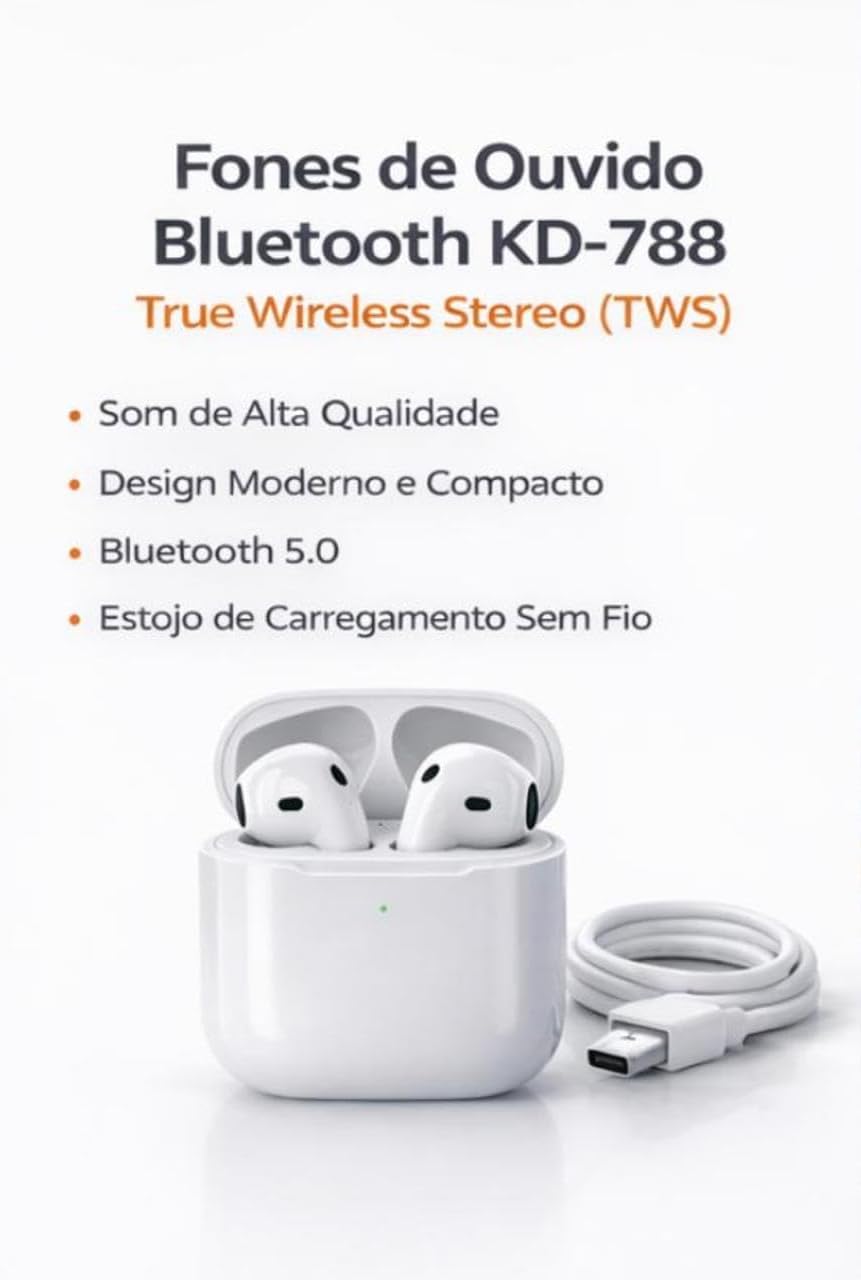
Image: Kaidi KD-788 True Wireless Stereo (TWS) Earbuds with charging case and USB cable. This image highlights the product's high sound quality, modern and compact design, Bluetooth 5.0, and wireless charging case.
การตั้งค่า
1. การชาร์จหูฟังและเคส
Before first use, fully charge the earbuds and the charging case. Connect the provided USB cable to the charging case and a power source. The indicator light on the case will show the charging status.
2. การจับคู่กับอุปกรณ์ของคุณ
- ตรวจสอบให้แน่ใจว่าหูฟังได้รับการชาร์จและใส่ไว้ในกล่องชาร์จ
- Open the charging case lid. The earbuds will automatically enter pairing mode, indicated by a flashing light (usually blue or white) on one or both earbuds.
- บนสมาร์ทโฟน แท็บเล็ต หรือแล็ปท็อปของคุณ ไปที่การตั้งค่าบลูทูธ
- ค้นหา available devices and select "KD-788" (or similar name) from the list.
- Once connected, a voice prompt will confirm successful pairing, and the indicator lights on the earbuds will turn off or flash slowly.
เมื่อถอดหูฟังออกจากเคส หูฟังจะเชื่อมต่อกับอุปกรณ์ที่จับคู่ไว้ล่าสุดโดยอัตโนมัติ หากเปิดใช้งาน Bluetooth บนอุปกรณ์

Image: Kaidi KD-788 Earbuds showcasing Bluetooth 5.0 technology. This image highlights fast and stable connection, low power consumption, and compatibility with iOS and Android devices.
คำแนะนำการใช้งาน
เปิด/ปิดเครื่อง
- เปิดเครื่อง: Open the charging case lid, or long-press the touch area on both earbuds for 3 seconds.
- หมดแรง: วางหูฟังกลับเข้าไปในกล่องชาร์จและปิดฝา หรือกดบริเวณสัมผัสบนหูฟังทั้งสองข้างค้างไว้ 5 วินาที
การเล่นเพลง
- เล่น/หยุดชั่วคราว: แตะเพียงครั้งเดียวที่หูฟังข้างใดข้างหนึ่ง
- เพลงถัดไป: แตะที่หูฟังด้านขวาสองครั้ง
- แทร็กก่อนหน้า: แตะที่หูฟังด้านซ้ายสองครั้ง
การจัดการการโทร
- รับ/วางสาย: แตะเพียงครั้งเดียวที่หูฟังข้างใดข้างหนึ่ง
- ปฏิเสธสาย: กดหูฟังข้างใดข้างหนึ่งค้างไว้ 2 วินาที
ผู้ช่วยเสียง
- เปิดใช้งาน Voice Assistant: แตะสามครั้งที่หูฟังข้างใดข้างหนึ่ง

Image: Kaidi KD-788 Earbuds highlighting superior sound quality. Features include crisp and immersive stereo sound, powerful drivers for impactful bass, and a built-in microphone for hands-free calls.
การซ่อมบำรุง
- การทำความสะอาด: ใช้ผ้านุ่ม แห้ง และไม่เป็นขุยทำความสะอาดหูฟังและกล่องชาร์จ ห้ามใช้สารเคมีรุนแรงหรือวัสดุที่มีฤทธิ์กัดกร่อน
- ความต้านทานน้ำ: The earbuds are IPX4 water resistant, meaning they can withstand splashes of water. Do not submerge them in water or expose them to heavy rain. Ensure they are dry before placing them back in the charging case.
- พื้นที่จัดเก็บ: เก็บหูฟังไว้ในกล่องชาร์จเมื่อไม่ใช้งาน เพื่อปกป้องหูฟังและรักษาระดับพลังงาน หลีกเลี่ยงอุณหภูมิที่สูงหรือต่ำเกินไป
- การดูแลแบตเตอรี่ เพื่อยืดอายุการใช้งานแบตเตอรี่ ควรหลีกเลี่ยงการชาร์จหูฟังและเคสจนหมดบ่อย ควรชาร์จเป็นประจำ แม้จะไม่ได้ใช้งานบ่อยก็ตาม
การแก้ไขปัญหา
หูฟังไม่จับคู่หรือเชื่อมต่อ
- ตรวจสอบให้แน่ใจว่าได้ชาร์จหูฟังเอียร์บัดทั้งสองข้างแล้ว
- ปิดและเปิดบลูทูธของอุปกรณ์ของคุณ
- Forget/delete "KD-788" from your device's Bluetooth list and try pairing again.
- ใส่หูฟังกลับเข้าไปในเคส ปิดฝา รอสักครู่ แล้วเปิดฝาเพื่อเริ่มโหมดจับคู่ใหม่อีกครั้ง
มีหูฟังใช้งานได้แค่ข้างเดียว
- ตรวจสอบให้แน่ใจว่าได้ชาร์จหูฟังเอียร์บัดทั้งสองข้างแล้ว
- ใส่หูฟังทั้งสองข้างกลับเข้าไปในกล่องชาร์จ ปิดฝา แล้วเปิดอีกครั้ง ซึ่งมักจะทำให้หูฟังทั้งสองข้างเชื่อมต่อกันอีกครั้ง
- Try resetting the earbuds (refer to specific reset instructions if available in the full product manual, or try forgetting the device and re-pairing).
Low sound quality or no sound
- ตรวจสอบระดับเสียงทั้งบนอุปกรณ์และหูฟังของคุณ
- Ensure the earbuds are clean and free of debris that might block the sound.
- Move closer to your connected device to avoid interference or being out of range.
ปัญหาการชาร์จ
- ตรวจสอบให้แน่ใจว่าสายชาร์จเชื่อมต่อกับเคสและแหล่งจ่ายไฟอย่างแน่นหนา
- ลองใช้สายชาร์จหรืออะแดปเตอร์ไฟอื่น
- ทำความสะอาดหน้าสัมผัสการชาร์จบนหูฟังและภายในเคสด้วยสำลีแห้ง
ข้อมูลจำเพาะ
| ยี่ห้อ | Kaidi |
| ชื่อรุ่น | เคดี-788 |
| สี | สีขาว |
| การวางตำแหน่งหู | อินเอียร์ |
| เทคโนโลยีการเชื่อมต่อ | บลูทูธ |
| เทคโนโลยีการสื่อสารไร้สาย | บลูทูธ |
| ช่วงบลูทูธ | Up to 10 Meters (without barriers) |
| วิธีการควบคุม | สัมผัส |
| อายุการใช้งานแบตเตอรี่ | Up to 4 Hours (continuous music) |
| ระดับความต้านทานต่อน้ำ | กันน้ำ (IPX4) |
| คุณสมบัติพิเศษ | True Wireless Stereo (TWS) Technology, Smart Touch Control |
| อุปกรณ์ที่รองรับ | โทรศัพท์มือถือ แท็บเล็ต แล็ปท็อป |
| ส่วนประกอบที่รวมอยู่ | เครื่องชาร์จ |
| น้ำหนักสินค้า | 55 กรัม |
| จำนวนหน่วย | 1 คู่ |
ข้อมูลการรับประกัน
ผลิตภัณฑ์นี้มาพร้อมกับ รับประกัน 30 วัน from the date of purchase, covering manufacturing defects. Please retain your proof of purchase for warranty claims. The warranty does not cover damage caused by misuse, accidents, unauthorized modifications, or normal wear and tear.
สนับสนุน
For further assistance, technical support, or warranty inquiries, please contact your retailer or the point of purchase. Please have your product model number (KD-788) and proof of purchase ready when contacting support.
วิดีโอสินค้า
Kaidi TWS Earbuds Overview
วิดีโอ: สั้นๆ สั้นๆview of the Kaidi TWS Bluetooth Earbuds, demonstrating their design and features. This video is provided by the seller BBGC COMERCIO E VENDAS.
KD-788 Earbuds Demonstration
Video: A demonstration of the Kaidi KD-788 earbuds, showcasing their physical aspects and how they fit. This video is provided by the seller LUMEO PLACE STORE.


