
1. ข้อมูลด้านความปลอดภัย
Before using your new Samsung TV, please read all safety instructions carefully to prevent electric shock, fire, or injury. Keep this manual for future reference.
- อย่าให้ทีวีโดนฝนหรือความชื้น
- ตรวจสอบให้แน่ใจว่ามีการระบายอากาศที่เหมาะสม อย่าปิดกั้นช่องระบายอากาศ
- ใช้เฉพาะสายไฟที่ผู้ผลิตจัดมาให้เท่านั้น
- ห้ามเปิดตู้ทีวี ควรส่งซ่อมโดยช่างผู้ชำนาญการเท่านั้น
- เก็บแบตเตอรี่ให้พ้นจากมือเด็ก
2. อะไรอยู่ในกล่อง
ตรวจสอบว่าส่วนประกอบทั้งหมดมีอยู่ก่อนดำเนินการติดตั้ง
- Samsung 65-Inch Class M70H Series Mini LED Smart TV
- IR Simple Remote Control (TM2240A) with batteries
- สายไฟ
- ส่วนประกอบขาตั้ง
- คู่มือการใช้งาน (เอกสารนี้)
- บัตรรับประกัน

Figure 2.1: Package Contents and Dimensions. This image illustrates the TV's dimensions, the included remote control, power cable, and user manual.
3. การตั้งค่า
3.1. การติดตั้งขาตั้ง
- วางหน้าจอทีวีลงบนพื้นผิวที่นุ่มและเรียบอย่างระมัดระวังเพื่อป้องกันความเสียหาย
- จัดตำแหน่งส่วนประกอบของขาตั้งให้ตรงกับช่องที่กำหนดไว้ที่ด้านล่างของทีวี
- ยึดขาตั้งด้วยสกรูที่ให้มา ตรวจสอบให้แน่ใจว่าขาตั้งยึดติดแน่น
- ยกทีวีขึ้นอย่างระมัดระวังแล้ววางบนพื้นผิวที่มั่นคงและระดับ
3.2. การติดตั้งบนผนัง
This TV supports VESA mount standard 200 x 200 mm. For wall mounting, use a compatible wall mount kit (sold separately) and follow the instructions provided with the wall mount. Professional installation is recommended.
3.3. อุปกรณ์เชื่อมต่อ
Connect your external devices to the TV's ports as shown below.

Figure 3.1: Rear Panel Connections. This image displays the various input ports on the back of the TV.
- HDMI1 (เออาร์ซี): Enhanced audio return for high-quality sound and advanced formats.
- HDMI 2 & 3: Transmits high-definition video and audio from external devices (e.g., Blu-ray player, game console).
- ยูเอสบี-เอ: พอร์ตสี่เหลี่ยมมาตรฐานสำหรับจ่ายไฟหรือเล่นสื่อ
- เคเบิล/แอนที: ช่องต่อสำหรับรับสัญญาณเสาอากาศหรือเคเบิลทีวี
- อีเทอร์เน็ต (แลน): การเชื่อมต่ออินเทอร์เน็ตแบบใช้สาย สำหรับการสตรีมมิ่ง การอัปเดต และฟีเจอร์อัจฉริยะ
3.4. เปิดเครื่องครั้งแรก
- เชื่อมต่อสายไฟเข้ากับทีวีแล้วจึงเสียบเข้ากับเต้ารับที่ผนัง
- กดปุ่มเปิด/ปิดบนรีโมทคอนโทรลหรือทีวี
- ปฏิบัติตามคำแนะนำบนหน้าจอเพื่อทำการตั้งค่าเบื้องต้นให้เสร็จสมบูรณ์ รวมถึงการเชื่อมต่อเครือข่ายและการสแกนช่องสัญญาณ
4. การใช้งานทีวีของคุณ
4.1. รีโมทคอนโทรล
The included IR Simple Remote Control (TM2240A) provides intuitive navigation. Ensure batteries are correctly inserted. For detailed functions, refer to the on-screen e-Manual.
4.2. การตั้งค่ารูปภาพ
Your Samsung M70H TV features advanced picture technologies for an optimal viewการสร้างประสบการณ์
- Mini LED Processor 4K: This advanced processor enhances picture quality by delivering brighter highlights and deeper blacks, bringing out fine details.
- Pure Spectrum Color: Experience a billion true-to-life colors with advanced color technology and Mini LED precision.
- Mini LED HDR: Enjoy HDR picture quality with brighter highlights and deeper blacks compared to traditional HDR TVs, enhancing vibrant colors and lifelike details.
- Supreme Mini LED Dimming: This software-based technology provides precise dimming for improved contrast, resulting in a superb picture.
- Motion Xcelerator + DLG 120Hz: Experience smooth visuals and clear fast-motion. This technology optimizes the refresh rate up to 120Hz (on 55" and larger models), ideal for gaming and sports. Note that DLG 120Hz may reduce image sharpness.
- บูสเตอร์สี: Enhances color intensity, making every hue more vibrant.

Figure 4.1: Mini LED Processor 4K. This image highlights the TV's powerful 4K processor.

Figure 4.2: Pure Spectrum Color. This image demonstrates the enhanced color vibrancy with Pure Spectrum Color.

Figure 4.3: Mini LED HDR. This image illustrates the dramatic detail provided by Mini LED HDR.
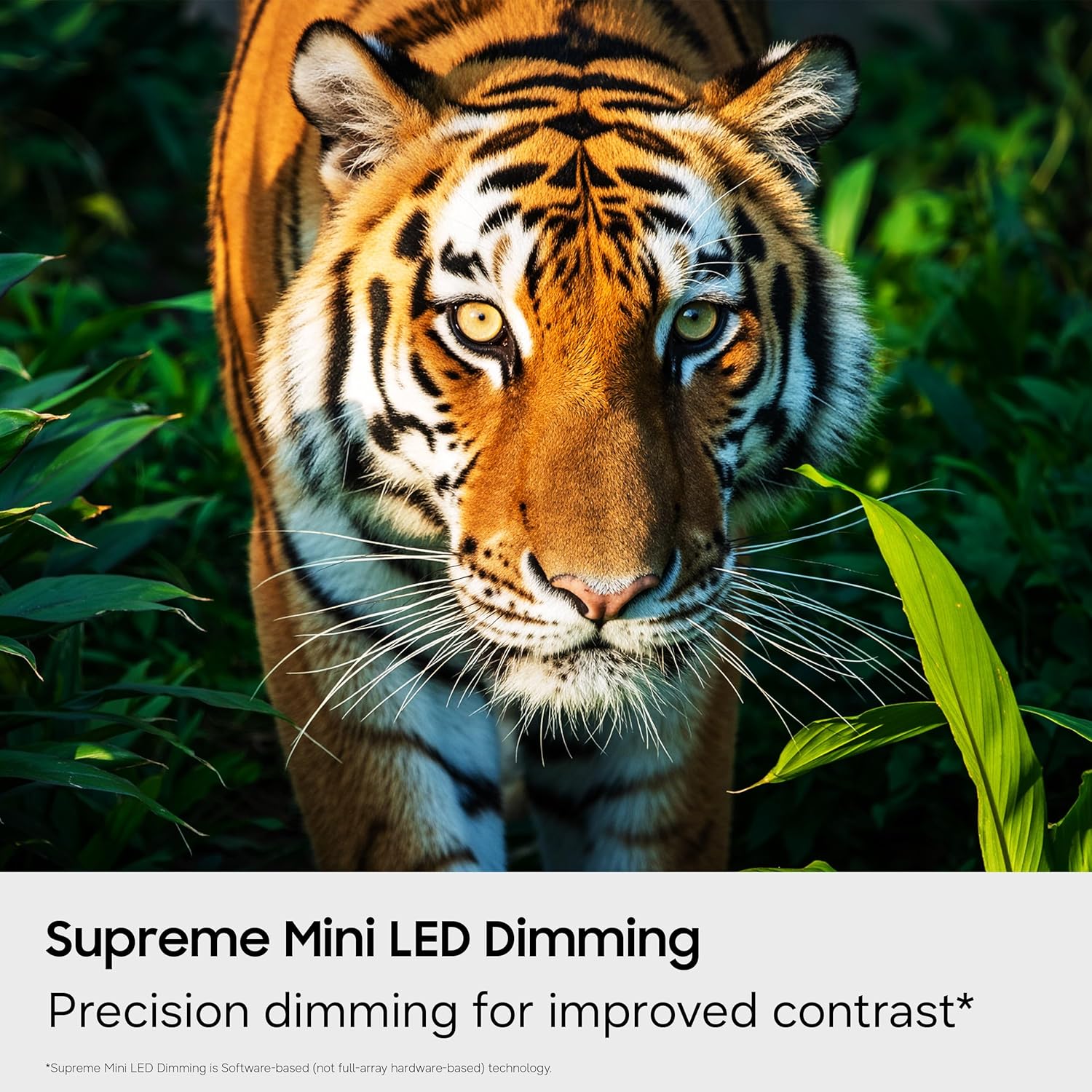
Figure 4.4: Supreme Mini LED Dimming. This image showcases the precision dimming for enhanced contrast.

Figure 4.5: Motion Xcelerator + DLG 120Hz. This image demonstrates blur-free action for fast-paced content.
4.3. Smart Features (Tizen OS)
Your TV runs on the Tizen operating system, offering a personalized smart TV experience.
- คอนเทนต์ฟรีไม่จำกัด (Samsung TV Plus): Access over 2,700 free streaming options, including 750+ subscription-free channels. An internet connection and Samsung Account are required for network-based smart services.
- เกมมิ่งฮับ: A central hub for games from consoles, cloud services, and gaming apps. Provides personalized recommendations.
- วิชั่น AI คอมพาเนียน: Utilize AI-enhanced picture and sound, along with personalized experiences. Requires a Samsung account and internet connection.
- สมาร์ทธิงส์ ฮับ: Connect and control smart devices through your TV. Requires a Samsung account and internet connection.
- ระบบรักษาความปลอดภัย Samsung Knox: Built-in triple-layer data protection for your TV experiences, safeguarding sensitive data and IoT devices.

Figure 4.6: Endless Free Content. This image displays the Samsung TV Plus interface with numerous streaming channels.

Figure 4.7: Vision AI Companion. This image illustrates the AI features and interface of the TV.
4.4. โหมดพิเศษ
- โหมดฟุตบอล: Optimizes settings for sports, providing clearer motion and more vibrant greens for a stadium-like experience.
- โหมดพลังงาน AI: Reduces power consumption by auto-adjusting brightness based on room lighting and user activity.
5. การบำรุงรักษา
5.1. การทำความสะอาดทีวีของคุณ
- ควรถอดปลั๊กทีวีทุกครั้งก่อนทำความสะอาด
- Use a soft, dry microfiber cloth to gently wipe the screen and exterior.
- ห้ามใช้น้ำยาทำความสะอาด สเปรย์ หรือผ้าขัด เพราะอาจทำให้หน้าจอหรือสารเคลือบเสียหายได้
5.2. การอัปเดตซอฟต์แวร์
Ensure your TV's software is up to date for optimal performance and security. Connect your TV to the internet and navigate to the settings menu to check for and install available updates. Samsung provides 7 years of automatic OS updates.
6 การแก้ไขปัญหา
If you encounter issues with your TV, refer to the following common solutions. For more detailed troubleshooting, consult the on-screen e-Manual or Samsung Support.
- ไม่มีไฟฟ้าตรวจสอบว่าสายไฟเชื่อมต่อกับทีวีและเต้ารับที่ผนังอย่างแน่นหนาแล้ว และตรวจสอบให้แน่ใจว่าเต้ารับใช้งานได้ปกติ
- ไม่มีภาพ/เสียง: Verify that the correct input source is selected. Check all cable connections (HDMI, antenna).
- รีโมตคอนโทรลไม่ทำงาน: Replace the batteries in the remote. Ensure there are no obstructions between the remote and the TV. Re-pair the remote if necessary (refer to the e-Manual for pairing instructions).
- Slow Startup / Unresponsive Interface: This can sometimes be resolved by adjusting settings related to Samsung TV Plus or other smart features. Navigate deep into the menu structure to disable features that might be causing delays. A factory reset may also resolve persistent issues, but will erase personalized settings.
- ปัญหาการเชื่อมต่อเครือข่าย: Check your Wi-Fi router or Ethernet cable. Try restarting your router and the TV.
7. ข้อมูลจำเพาะ
| คุณสมบัติ | รายละเอียด |
|---|---|
| ชื่อรุ่น | UN65M70HAFXZA |
| ขนาดหน้าจอ | 65 นิ้ว |
| เทคโนโลยีการแสดงผล | มินิแอลอีดี |
| ปณิธาน | 4K (3840x2160) ความคมชัดระดับ XNUMXK |
| อัตราการรีเฟรช | 120 Hz (DLG 120Hz) / 60 Hz (Native) |
| รองรับรูปแบบ HDR | HDR10+ |
| ระบบปฏิบัติการ | ไทเซน |
| เทคโนโลยีการเชื่อมต่อ | Bluetooth (v5.3), HDMI (x3), USB (x1), Wi-Fi, Ethernet |
| อินพุตเสียง | HDMI, ยูเอสบี |
| คำอธิบายลำโพง | Built-in Speakers (2.0 Channel) |
| มาตรฐาน VESA Mount | 200 x 200 มม. |
| ขนาดสินค้า (ลึก x กว้าง x สูง) | ลึก 8.7 นิ้ว x กว้าง 56.9 นิ้ว x สูง 34.7 นิ้ว (รวมขาตั้ง) |
| น้ำหนักสินค้า | 31.7 ปอนด์ (พร้อมขาตั้ง) |
| รุ่นปี | 2026 |
8. การรับประกันและการสนับสนุน
8.1. ข้อมูลการรับประกัน
This Samsung TV comes with a การรับประกันแบบจำกัดจากผู้ผลิต 1 ปี. Please refer to the included Warranty Card for full terms and conditions. Keep your proof of purchase for warranty claims.
8.2. การสนับสนุนลูกค้า
For technical assistance, troubleshooting, or warranty service, please contact Samsung Customer Support. You can find contact information on the Samsung official webไซต์หรือบนบัตรรับประกันของคุณ
9. วิดีโอผลิตภัณฑ์
ชมวิดีโอผลิตภัณฑ์อย่างเป็นทางการเพื่อดูรายละเอียดเพิ่มเติมview of the Samsung Mini LED M70H Series features.
Video 9.1: Samsung Mini LED M70 Features. This video provides a visual demonstration of the key features of the M70H series TV.