พาวเวอร์เอ แอดแวนtage Wireless Controller for Nintendo Switch 2 - Mario & Yoshi
รุ่น: NSGP0569-01V
การแนะนำ
คู่มือเล่มนี้ให้คำแนะนำอย่างละเอียดสำหรับการใช้งาน PowerA Advantage Wireless Controller, designed for use with the Nintendo Switch family of devices. It covers setup, operation, maintenance, and troubleshooting to ensure optimal performance and longevity of your controller.
คุณสมบัติหลัก
โมดูลฮอลล์เอฟเฟกต์: Equipped with contact-free magnetic sensors in the thumbsticks to prevent stick drift, offering smoother control, enhanced precision, and increased longevity.
ปุ่มเกมขั้นสูง: Two mappable buttons can be programmed on the fly during gameplay without needing to access system settings.
Intuitive Motion Controls: Experience fluid and responsive motion controls for aiming, steering, flying, and other in-game actions.
ปุ่ม C: Provides quick access to GameChat features.
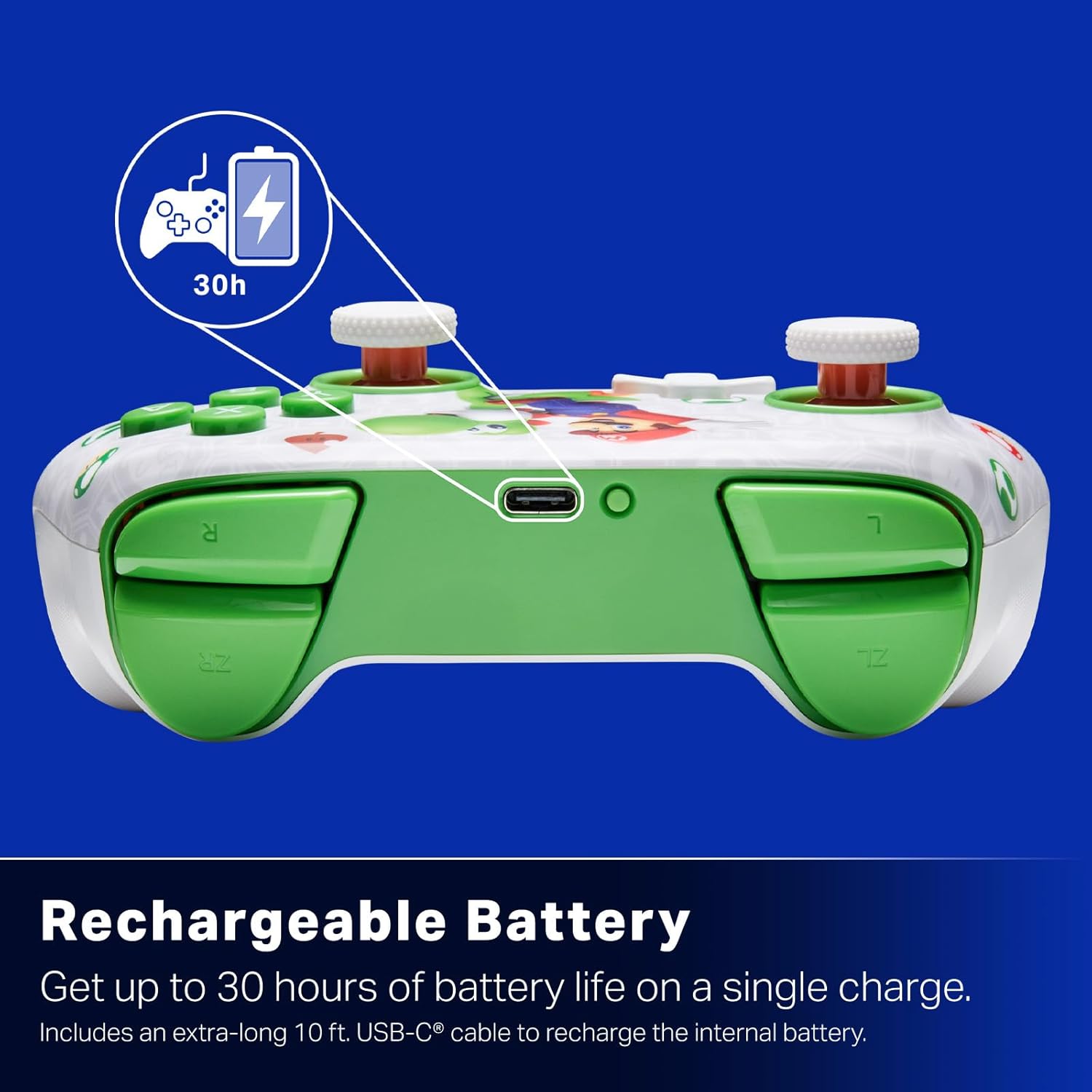
แบตเตอรี่แบบชาร์จไฟได้: Offers up to 30 hours of gameplay on a single charge. Includes a 10 ft. (3m) USB-C cable for recharging.
การออกแบบตามหลักสรีรศาสตร์: Crafted for comfort during extended gaming sessions, utilizing cutting-edge ergonomics and high-quality materials.
Nintendo Family Compatibility: Compatible with Nintendo Switch 2, Nintendo Switch, Nintendo Switch – OLED Model, and Nintendo Switch Lite.
ได้รับอนุญาตอย่างเป็นทางการ: PowerA products undergo rigorous testing by Nintendo to ensure compatibility and quality.
คำแนะนำการตั้งค่า
1. การชาร์จครั้งแรก
Before first use, fully charge your PowerA Advantage Wireless Controller. Connect the included 10 ft. (3m) USB-C cable to the controller's USB-C port and the other end to a powered USB port on your Nintendo Switch dock or a USB wall adapter.
Figure 1: Controller connected via USB-C for charging, highlighting the rechargeable battery feature.
2. การจับคู่กับ Nintendo Switch
โปรดตรวจสอบให้แน่ใจว่าเครื่อง Nintendo Switch ของคุณเปิดอยู่และอัปเดตซอฟต์แวร์ระบบเป็นเวอร์ชันล่าสุดแล้ว
จากเมนู HOME เลือก ตัวควบคุม, แล้ว เปลี่ยนกริป/สั่งซื้อ.
On the PowerA Advantage Wireless Controller, press and hold the ปุ่ม SYNC located on the top edge of the controller for at least three seconds. The player indicator LEDs on the bottom of the controller will begin to flash.
Once the controller successfully pairs, the player indicator LED(s) corresponding to the controller number will remain lit.
กดปุ่ม ปุ่ม to confirm and exit the pairing screen.
For subsequent uses, simply press the HOME button on the controller to wake it up and automatically reconnect to your Switch console.
คำแนะนำการใช้งาน
การควบคุมพื้นฐาน
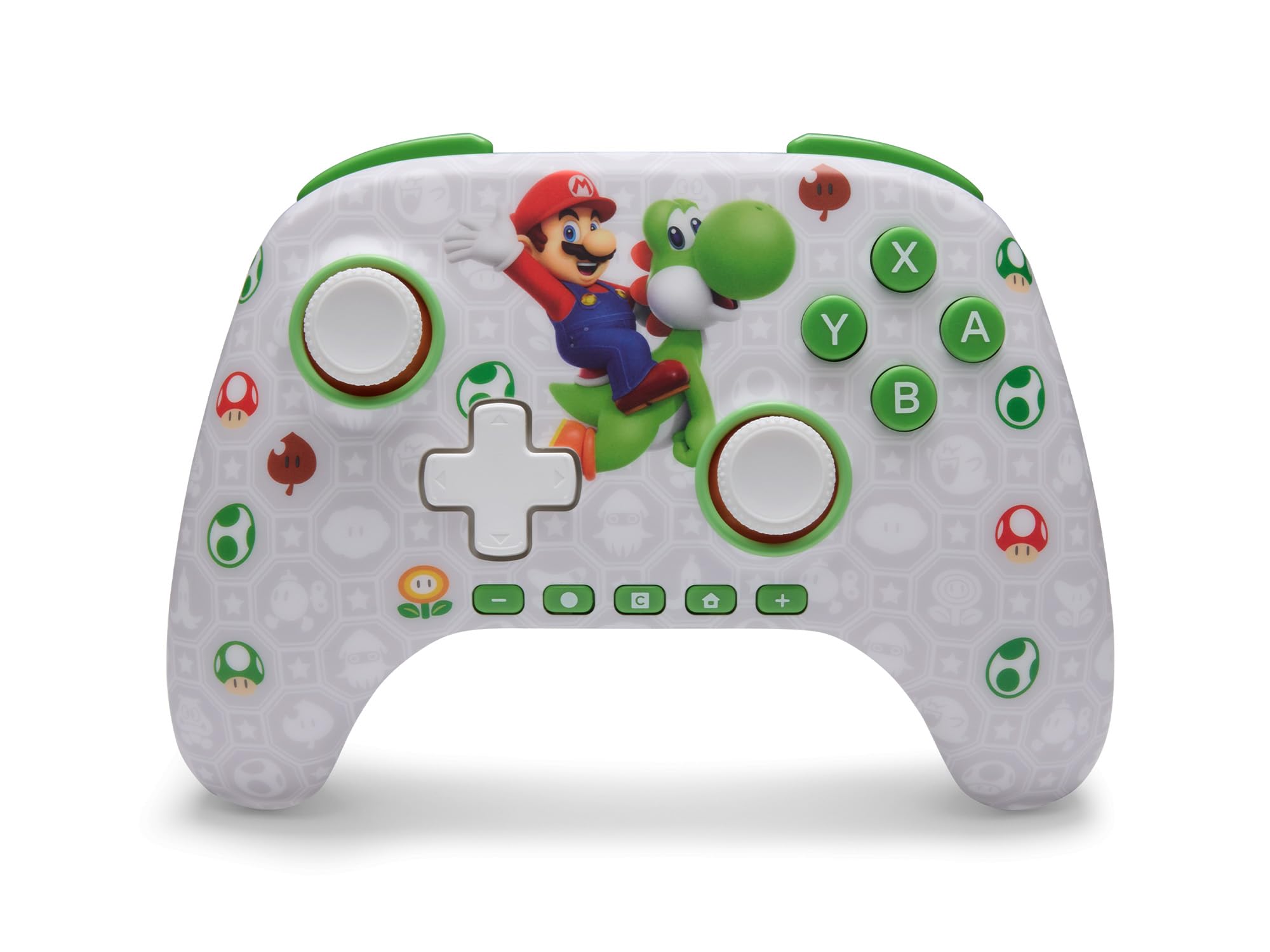
พาวเวอร์เอ แอดแวนtage Wireless Controller features standard Nintendo Switch button layouts, including A, B, X, Y buttons, L/R and ZL/ZR shoulder buttons, a D-pad, and dual analog sticks. Familiarize yourself with these controls for general gameplay.
รูปที่ 2 : ด้านหน้า view ของ PowerA Advantage Wireless Controller, highlighting the Mario and Yoshi design and button layout.
ปุ่มเกมขั้นสูง (AGB)
The controller includes two mappable Advanced Gaming Buttons (AGR and AGL) on the back. These buttons can be assigned to replicate any other button on the controller for quick access during gameplay.
กดปุ่ม Program Button (PRGM) on the back of the controller. The Program LED will flash.
กดปุ่ม ปุ่มเกมขั้นสูง (AGR or AGL) you wish to map. The Program LED will flash rapidly.
กดปุ่ม ปุ่ม you want to assign to the Advanced Gaming Button (e.g., A, B, X, Y, L, R, ZL, ZR, D-pad directions). The Program LED will stop flashing, indicating successful mapping.
To clear a mapped button, repeat steps 1-2, then press the ปุ่มโปรแกรม อีกครั้ง.
Figure 3: Advanced Gaming Buttons (AGB) on the back of the controller, with an illustration of mappable functions.
การควบคุมการเคลื่อนไหว
The controller supports motion controls, allowing for intuitive interaction in compatible games. These controls are automatically enabled when supported by the game.
Figure 4: Controller demonstrating motion control capabilities through tilting.
C Button (GameChat)
The dedicated C Button provides quick access to GameChat features in supported titles, enhancing your multiplayer experience.
Figure 5: The 'C' button, used for GameChat features.
การดูแลสายเคเบิล: Handle the USB-C charging cable with care. Avoid bending or twisting it excessively.
การแก้ไขปัญหา
ตัวควบคุมไม่เชื่อมต่อ/จับคู่
ตรวจสอบให้แน่ใจว่าตัวควบคุมมีประจุไฟเต็ม
Verify the Nintendo Switch console is updated to the latest system software.
Repeat the pairing process (see "Pairing with Nintendo Switch" in Setup Instructions).
หากปัญหายังคงอยู่ ให้ลองรีสตาร์ททั้งตัวควบคุมและเครื่อง Nintendo Switch
สติ๊ก ดริฟท์
พาวเวอร์เอ แอดแวนtage Controller features Hall Effect modules designed to prevent stick drift. If you experience any unintended input, ensure the controller's firmware is up to date (check PowerA's official web(ดูเว็บไซต์สำหรับการอัปเดต)
Recalibrate the joysticks through the Nintendo Switch system settings if necessary (System Settings > Controllers and Sensors > Calibrate Control Sticks).
Battery life can vary based on game usage and features enabled.
ใช้สาย USB-C ที่ให้มาเพื่อการชาร์จที่ดีที่สุด
ข้อมูลจำเพาะ
คุณสมบัติ
รายละเอียด
หมายเลขรุ่น
NSGP0569-01V
การเชื่อมต่อ
Wireless (Bluetooth), USB-C (for charging)
อุปกรณ์ที่รองรับ
Nintendo Switch 2, Nintendo Switch, Nintendo Switch – OLED Model, Nintendo Switch Lite
อายุการใช้งานแบตเตอรี่
สูงสุด 30 ชั่วโมง (ขึ้นอยู่กับการใช้งาน)
ความยาวสายเคเบิล
10 ft. (3m) USB-C
ขนาด
5.88 x 4.21 x 2.36 นิ้ว
น้ำหนัก
0.66 ปอนด์
คุณสมบัติพิเศษ
Hall Effect Thumbsticks, Mappable Advanced Gaming Buttons, Motion Controls, C Button
การรับประกันและการสนับสนุน
พาวเวอร์เอ แอดแวนtage Wireless Controller comes with a การรับประกันแบบ จำกัด สองปีสำหรับข้อมูลการรับประกันโดยละเอียด การสนับสนุนผลิตภัณฑ์ หรือการลงทะเบียนผลิตภัณฑ์ โปรดเยี่ยมชมเว็บไซต์อย่างเป็นทางการของ PowerA webไซต์ที่ PowerA.com/สนับสนุน.
Figure 6: Official Nintendo Licensed Product badge, ensuring quality and compatibility.
Ask a question about this manual
Ask about setup, troubleshooting, compatibility, parts, safety, or missing instructions. Manuals+ will review the question and use this page’s manual context to help answer it.