
1. สินค้าหมดview
The TESSAN Power Strip Tower JW402-IT is a versatile power solution designed for home and office use. It features 8 Italian Schuko outlets, 3 USB-A ports, and 1 USB-C port, providing a total of 12 charging options. Equipped with a 5-meter extension cable and independent switches, this power strip offers convenience and safety for multiple devices.

Image: TESSAN Power Strip Tower, showcasing its 8 Schuko outlets and 4 USB ports, ready to power multiple devices.
คุณสมบัติหลัก:
- โซลูชันด้านพลังงาน 12-in-1: 8 Italian Schuko outlets, 3 USB-A ports, and 1 USB-C port.
- การชาร์จอย่างรวดเร็ว 20W PD: USB-C port and one USB-A port (A3) deliver up to 20W for rapid charging of compatible devices.
- 5-Meter Extension Cable: Provides extended reach for flexible placement.
- สวิตช์อิสระ: Two separate ON/OFF switches for controlling groups of outlets, enhancing energy efficiency and safety.
- การปกป้องความปลอดภัยอย่างครอบคลุม: Includes overload protection, short-circuit protection, lightning protection, and over-temperature protection.
- การออกแบบประหยัดพื้นที่: Vertical tower design with 45-degree angled outlets prevents plugs from blocking each other.
2. คำแนะนำด้านความปลอดภัย
- Do not exceed the maximum rated power of 2500W (10A, 110-250V~).
- ห้ามใช้ในสภาพแวดล้อมที่เปียก
- เก็บให้ห่างจากเด็ก
- ห้ามถอดประกอบหรือดัดแปลงผลิตภัณฑ์
- Ensure plugs are fully inserted into the outlets.
- Unplug the power strip from the wall outlet when not in use for extended periods.
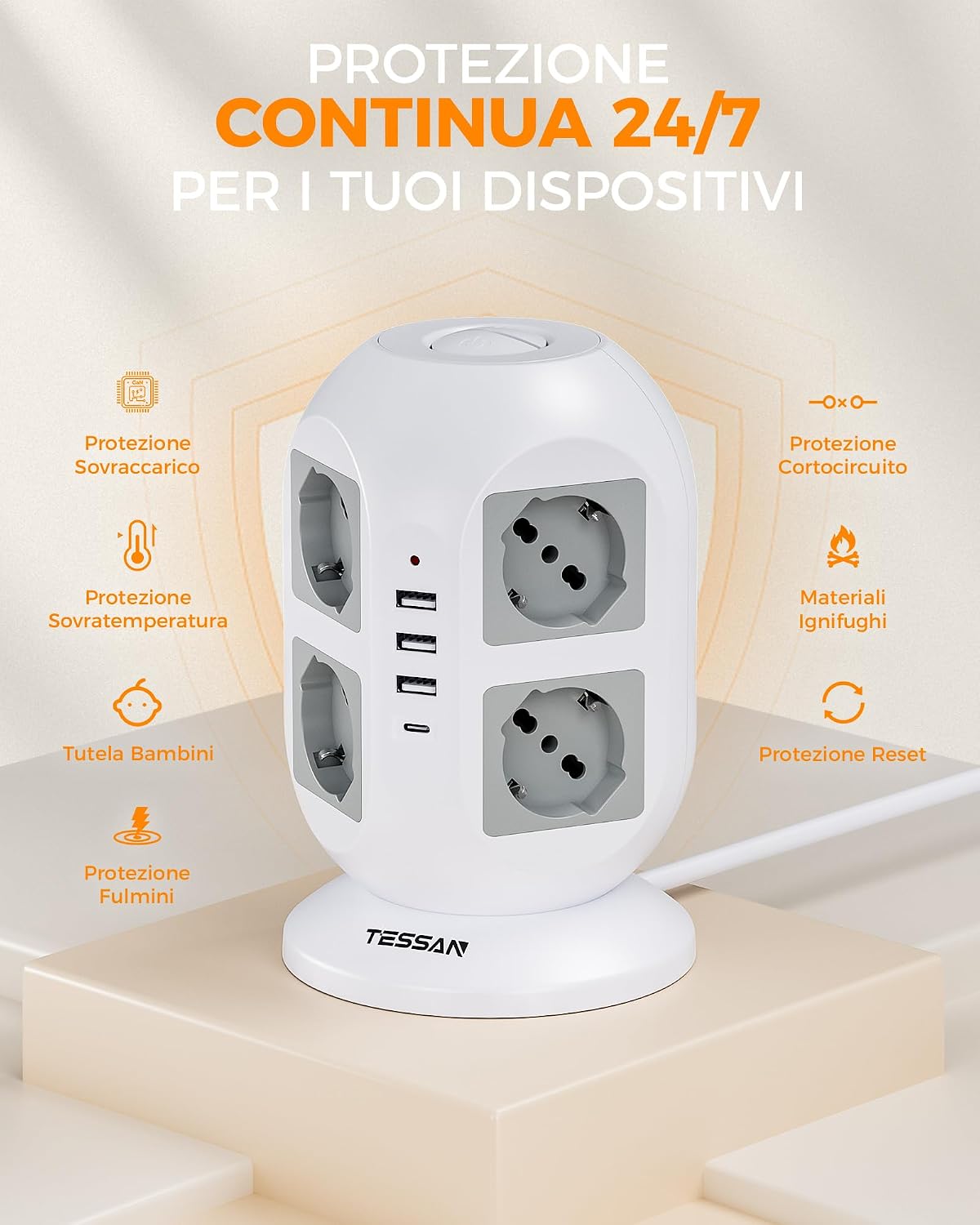
Image: Visual representation of the power strip's continuous 24/7 protection features, including overload, short-circuit, over-temperature, and lightning protection, along with child safety and fire-retardant materials.
3. การตั้งค่า
- แกะ: แกะปลั๊กพ่วงออกจากบรรจุภัณฑ์อย่างระมัดระวัง
- การจัดวาง: Place the power strip on a stable, dry surface, away from heat sources and direct sunlight. The 5-meter cable allows for flexible positioning.
- เชื่อมต่อกับเต้ารับไฟฟ้า: เสียบปลั๊กหลักของรางปลั๊กไฟเข้ากับเต้ารับติดผนังที่มีสายดิน
- เชื่อมต่ออุปกรณ์:
- Insert appliance plugs into the 8 Schuko outlets. The 45-degree angled design helps prevent overcrowding.
- Connect USB-powered devices to the 3 USB-A ports or the 1 USB-C port.

Image: The TESSAN Power Strip with its 5-meter extension cable, demonstrating its reach and flexibility for placement in various scenarios, such as a living room setup.
4. คู่มือการใช้งาน
อุปกรณ์จ่ายไฟ:
- After plugging in your devices, press the corresponding ON/OFF switch to activate the outlets. The power strip features two independent switches, allowing you to control different sets of outlets.
- A red indicator light will illuminate when the power strip is active.

Image: Detail of the two independent ON/OFF switches located on the top of the power strip, allowing for separate control of connected devices.
การชาร์จ USB:
- พอร์ต USB-C: Provides up to 20W Power Delivery (PD) for fast charging compatible smartphones, tablets, and other USB-C devices.
- พอร์ต USB-A3: Also provides up to 20W for fast charging compatible devices.
- USB-A1 & USB-A2 Ports: Combined output of up to 12W for standard charging of various USB devices.
- Simply connect your device's USB charging cable to the appropriate port.

Image: The TESSAN Power Strip actively charging a tablet via USB-C and other devices, highlighting the 20W PD fast charging capability and the different USB port outputs.
5. การบำรุงรักษา
- การทำความสะอาด: ถอดปลั๊กรางปลั๊กไฟออกจากเต้ารับก่อนทำความสะอาด ใช้ผ้าแห้งและนุ่มเช็ดทำความสะอาดพื้นผิว ห้ามใช้น้ำยาทำความสะอาดหรือวัสดุที่มีฤทธิ์กัดกร่อน
- พื้นที่จัดเก็บ: When not in use, store the power strip in a cool, dry place, away from dust and moisture.
- การตรวจสอบ: Periodically inspect the power cord and the power strip for any signs of damage. If damage is found, discontinue use and contact customer support.
6 การแก้ไขปัญหา
| ปัญหา | สาเหตุที่เป็นไปได้ | สารละลาย |
|---|---|---|
| ไม่มีไฟเข้าปลั๊กไฟ/พอร์ต USB |
|
|
| อุปกรณ์ไม่สามารถชาร์จผ่าน USB ได้ |
|
|
| Power strip feels hot. |
|
|
7. ข้อมูลจำเพาะ
| คุณสมบัติ | รายละเอียด |
|---|---|
| หมายเลขรุ่น | JW402-IT |
| ยี่ห้อ | เทสซาน |
| AC Outlets AC | 8 Italian Schuko Sockets |
| พอร์ต USB | 3 x USB-A, 1 x USB-C |
| เอาท์พุต USB-C | 20W สูงสุด |
| เอาท์พุต USB-A3 | 20W สูงสุด |
| USB-A1 & USB-A2 Combined Output | 12W สูงสุด |
| กำลังไฟที่กำหนด | 2500W (10A, 110-250V~) |
| ความยาวสายเคเบิล | 5 เมตร |
| คุณสมบัติพิเศษ | Independent ON/OFF Switches, Overload Protection, Short-circuit Protection, Lightning Protection, Over-temperature Protection |
| สี | สีเทา |
| อุปกรณ์ที่รองรับ | General electronic devices |
8. การรับประกันและการสนับสนุน
TESSAN products are designed for reliability and performance. This product typically comes with a standard manufacturer's warranty. Please refer to the warranty information provided with your purchase or visit the official TESSAN webเว็บไซต์สำหรับรายละเอียดเกี่ยวกับข้อกำหนดและเงื่อนไขการรับประกัน
For technical support, troubleshooting assistance, or warranty claims, please contact TESSAN customer service through their official website or the retailer from whom you purchased the product. Have your model number (JW402-IT) and purchase details ready when contacting support.
ผู้ผลิต: Dongguan JunWei Electronics Co.,Ltd