
การแนะนำ
This manual provides detailed instructions for setting up, operating, and maintaining your Bmax Mini PC B1 Pro. The B1 Pro is a compact and efficient mini desktop computer powered by an Intel Celeron N4000 processor, designed for various applications including office work, web browsing, and e-learning. It features 8GB LPDDR4 RAM, 128GB eMMC storage, 4K dual display support, and comes pre-installed with Windows 11 Pro.
มีอะไรอยู่ในกล่อง
กรุณาตรวจสอบเนื้อหาในแพ็คเกจของคุณเพื่อให้แน่ใจว่ามีสินค้าครบทั้งหมด:
- 1x B1 Pro Intel Celeron N4000 Mini PC
- 1x HDMI Cable (1.5m)
- อะแดปเตอร์แปลงไฟ 1 ชิ้น (ปลั๊กแบบสหรัฐอเมริกา)
- 1x User Guide (Multi-language)
- 1x VESA Mount (with Screws)

Image: Contents of the Bmax B1 Pro package, including the mini PC, HDMI cable, power adapter, user guide, and VESA mount with screws.
สินค้าเกินview
Front and Side Ports
The Bmax B1 Pro Mini PC is equipped with a variety of ports for connectivity and expansion:
- พอร์ต USB 3.0: 2x for high-speed data transfer.
- พอร์ต USB 2.0: 2x for connecting peripherals.
- พอร์ต HDMI: 1x for video output, supporting up to 4K UHD resolution.
- พอร์ต VGA: 1x for video output, supporting up to 1080P HD resolution.
- พอร์ตอีเธอร์เน็ต: 1x Gigabit Ethernet (1000Mbps) for wired network connection.
- แจ็คหูฟังขนาด 3.5 มม.: 1x for audio input/output.
- ช่องเสียบการ์ด Micro SD: 1x for additional storage expansion.
- กำลังเข้า: อินพุตไฟ DC
- ปุ่มเปิด/ปิด: เพื่อเปิด/ปิดอุปกรณ์
- ล้าง CMOS: Button for resetting BIOS settings.

ภาพ: รายละเอียด view of the Bmax B1 Pro Mini PC, highlighting the location and type of each port, including USB 3.0, USB 2.0, Micro SD card slot, Power In, Power Button, HDMI, Ethernet, 3.5mm Headset Jack, VGA, and Clear CMOS button.
คุณสมบัติหลัก
- โปรเซสเซอร์: Intel Celeron N4000 (Dual-Core, up to 2.6GHz).
- ระบบปฏิบัติการ: ติดตั้งระบบปฏิบัติการ Windows 11 Pro มาให้แล้ว
- หน่วยความจำ: แรม LPDDR4 ขนาด 8GB
- พื้นที่จัดเก็บ: 128GB eMMC internal storage, expandable via M.2 2280 SATA SSD (up to 1TB) and Micro SD card.
- กราฟิก: Intel UHD Graphics 600, supporting 4K UHD via HDMI and 1080P HD via VGA.
- การเชื่อมต่อ: Dual-Band Wi-Fi (2.4G/5G), Bluetooth 4.2, Gigabit Ethernet.
- การสนับสนุนการแสดงผล: Dual display output via HDMI and VGA ports.
- การระบายความร้อน: Fanless passive cooling design for silent operation.
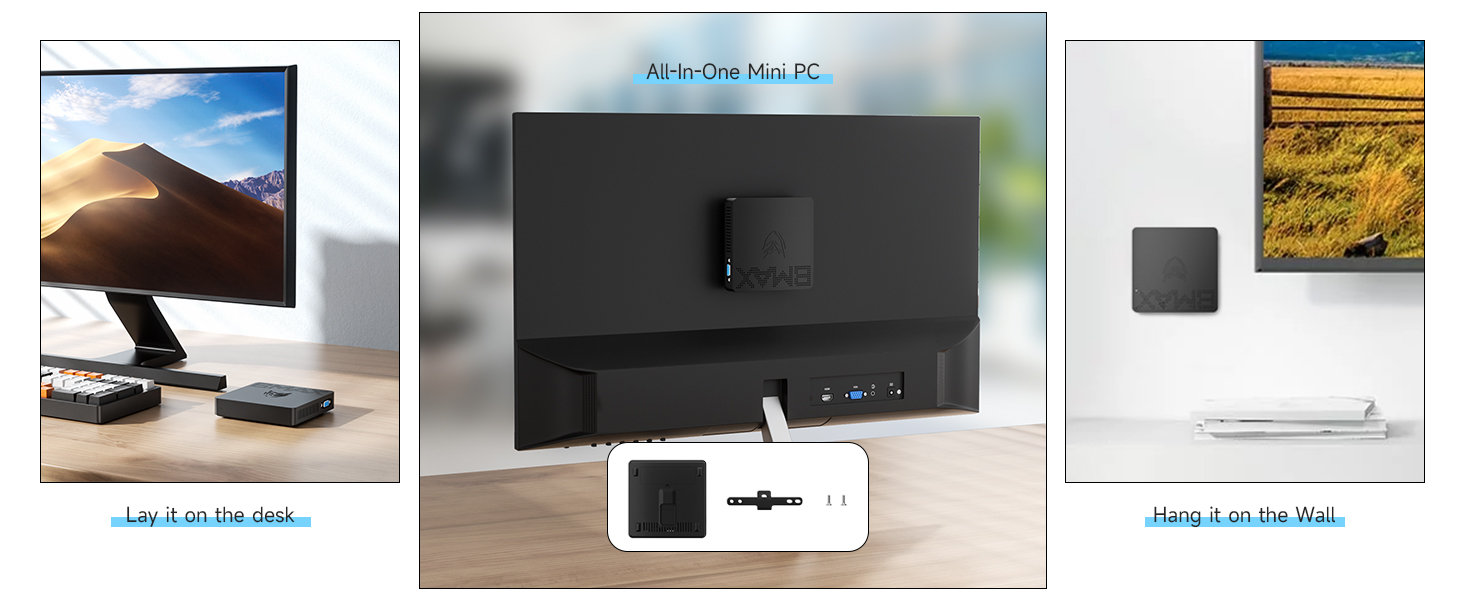
Image: Diagram illustrating the Intel Gemini Lake N4000 processor with specifications including 2 Cores, 2 Threads, 14nm Nanometre, 4MB Cache, 6W Power Consumption, and 2.6 GHz Burst Frequency.

Image: The Bmax B1 Pro Mini PC set up with two monitors, demonstrating its dual screen display capability via HDMI and VGA, alongside Wi-Fi 2.4GHz/5GHz and Bluetooth 4.2 icons.
คำแนะนำการตั้งค่า
- เชื่อมต่อกับจอแสดงผล: Connect your monitor or TV to the Mini PC using the provided HDMI cable or a VGA cable (not included). The HDMI port supports 4K UHD, and the VGA port supports 1080P HD. For dual display, connect both ports to separate monitors.
- เชื่อมต่ออุปกรณ์ต่อพ่วง: เสียบแป้นพิมพ์และเมาส์ USB เข้ากับพอร์ต USB ที่ว่างอยู่
- เชื่อมต่อกับพลังงาน: ต่ออะแดปเตอร์แปลงไฟเข้ากับพอร์ต DC-in บนมินิพีซี จากนั้นเสียบอะแดปเตอร์เข้ากับเต้ารับไฟฟ้า
- เปิดเครื่อง: Press the power button on the Mini PC. The device will boot up automatically.
- การตั้งค่า Windows เริ่มต้น: Follow the on-screen instructions to complete the initial setup of Windows 11 Pro, including language, region, network connection, and user account creation.
คำแนะนำการใช้งาน
การทำงานพื้นฐาน
- เปิด/ปิดเครื่อง: Press the power button to turn the Mini PC on. To turn off, use the Windows shutdown option or press and hold the power button for a few seconds.
- เริ่มต้นใหม่อีกครั้ง: ใช้ตัวเลือกการรีสตาร์ทของ Windows
- โหมดสลีป: ใช้ตัวเลือกการพักเครื่องของ Windows หรือกดปุ่มเปิด/ปิดเครื่องสั้นๆ
การเชื่อมต่อเครือข่าย
- ไวไฟ : The Mini PC supports Dual-Band Wi-Fi (2.4G/5G). To connect, go to Windows Settings > Network & Internet > Wi-Fi, select your network, and enter the password.
- อีเธอร์เน็ต: For a wired connection, plug an Ethernet cable into the Gigabit Ethernet port.
- บลูทูธ: The device supports Bluetooth 4.2. To pair devices, go to Windows Settings > Bluetooth & devices.
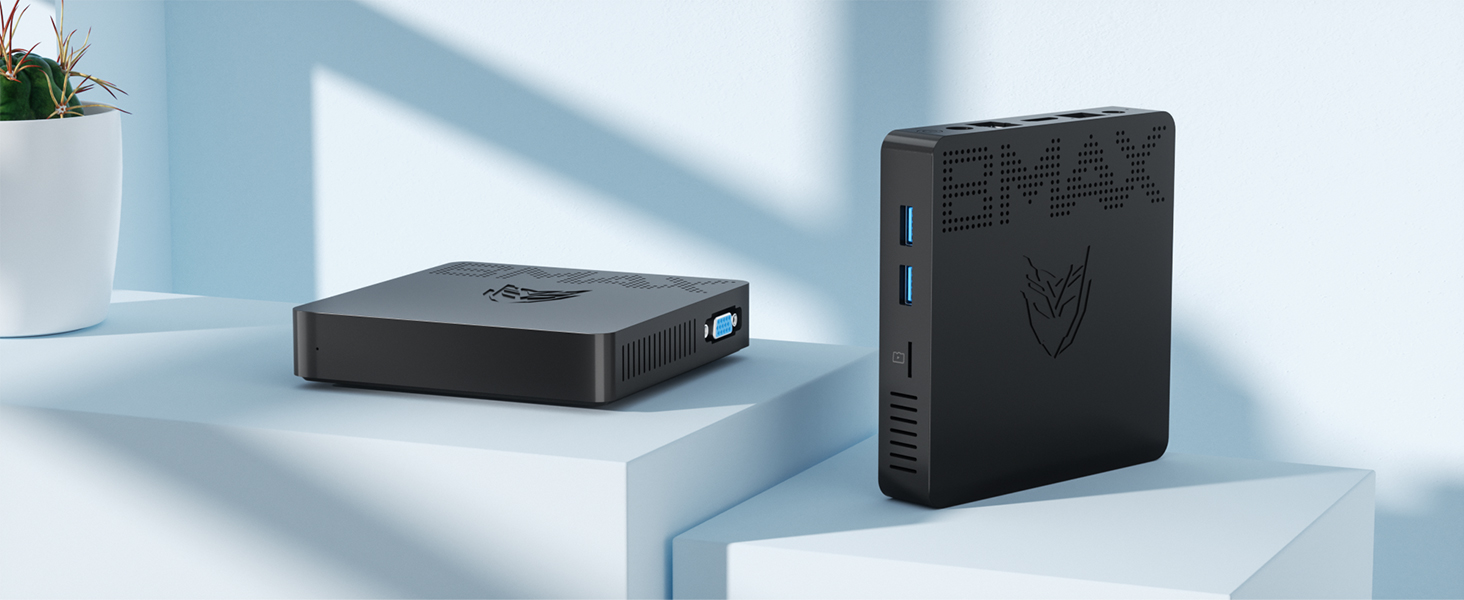
Image: The Bmax B1 Pro Mini PC on a desk next to a keyboard and mouse, with icons indicating 2.4GHz/5GHz Wi-Fi and Bluetooth 4.2 connectivity.
การตั้งค่าจอแสดงผลคู่
To utilize the dual display feature:
- เชื่อมต่อจอภาพหลักของคุณเข้ากับพอร์ต HDMI
- Connect your secondary monitor to the VGA port.
- Once both monitors are connected and powered on, Windows should automatically detect them.
- Right-click on the desktop, select "Display settings," and configure your display preferences (e.g., extend, duplicate).
การขยายพื้นที่เก็บข้อมูล
The Bmax B1 Pro comes with 128GB eMMC storage. For additional storage, you can install an M.2 2280 SATA SSD (up to 1TB, sold separately) or use a Micro SD card.
M.2 SSD Installation Steps:
- Ensure the Mini PC is powered off and disconnected from the power adapter.
- Locate the bottom cover of the Mini PC.
- Carefully remove the screws securing the bottom cover.
- Gently open the cover to access the internal components.
- Locate the M.2 2280 slot. Insert your M.2 SATA SSD into the slot and secure it with the provided screw (if applicable, or use one from the SSD package).
- Replace the bottom cover and secure it with the screws.
- Power on the Mini PC. You may need to initialize and format the new SSD in Windows Disk Management before use.

Image: A sequence of five images demonstrating the process of installing an M.2 2280 SATA SSD into the Bmax B1 Pro Mini PC, showing how to open the case and insert the drive.
การติดตั้ง VESA Mount
The included VESA bracket allows you to mount the Bmax B1 Pro behind a monitor or TV, creating a clutter-free workspace.
- Attach the VESA bracket to the back of your monitor or TV using the provided screws. Ensure it is securely fastened to the VESA mounting holes.
- Slide the Bmax B1 Pro Mini PC onto the VESA bracket until it clicks into place.
- Connect all necessary cables (power, HDMI, peripherals) to the Mini PC.

Image: Three-step diagram showing how to install the Bmax B1 Pro Mini PC onto the back of a monitor using the VESA mount, illustrating the bracket attachment and PC sliding into place.
การซ่อมบำรุง
- การทำความสะอาด: ใช้ผ้าแห้งนุ่มๆ เช็ดทำความสะอาดภายนอกของมินิพีซี ห้ามใช้น้ำยาทำความสะอาดหรือสเปรย์กระป๋อง
- การระบายอากาศ : Ensure the ventilation holes are not obstructed to maintain proper airflow for the fanless cooling system.
- การอัปเดตซอฟต์แวร์: อัปเดต Windows และไดรเวอร์เป็นประจำเพื่อให้มั่นใจถึงประสิทธิภาพและความปลอดภัยที่เหมาะสมที่สุด
- การจัดการพื้นที่เก็บข้อมูล: ทำความสะอาดสิ่งที่ไม่จำเป็นเป็นระยะๆ fileใช้แอปพลิเคชันและโปรแกรมต่างๆ เพื่อเพิ่มพื้นที่จัดเก็บข้อมูลให้ว่าง
- สภาพแวดล้อม : Operate the Mini PC in a well-ventilated area, away from direct sunlight, heat sources, and excessive moisture.
การแก้ไขปัญหา
| ปัญหา | สาเหตุที่เป็นไปได้ | สารละลาย |
|---|---|---|
| ไม่มีไฟเลี้ยง / อุปกรณ์ไม่เปิดใช้งาน | อะแดปเตอร์ไฟไม่ได้เชื่อมต่อหรือมีข้อบกพร่อง มีปัญหากับเต้ารับไฟฟ้า | Ensure the power adapter is securely connected to the Mini PC and a working power outlet. Try a different outlet. |
| ไม่มีการแสดงผลบนจอภาพ | Monitor not connected or turned on; incorrect input source; faulty cable. | Check HDMI/VGA cable connections. Ensure monitor is powered on and set to the correct input source. Try a different cable or monitor if possible. |
| ไม่มีการเชื่อมต่อ Wi-Fi | Wi-Fi disabled; incorrect password; router issue. | Check Wi-Fi settings in Windows. Ensure Wi-Fi is enabled and the password is correct. Restart your router. |
| ประสิทธิภาพการทำงานช้า | Too many applications running; low storage space; outdated drivers. | Close unnecessary applications. Free up disk space. Update Windows and drivers. Consider adding an M.2 SSD for faster storage. |
| อุปกรณ์ USB ไม่ได้รับการรู้จัก | Faulty USB port; driver issue; device malfunction. | Try a different USB port. Update USB drivers. Test the device on another computer. |
ข้อมูลจำเพาะ
| ยี่ห้อ | บีแม็กซ์ |
| ชื่อรุ่น | บีทูโปร |
| ระบบปฏิบัติการ | วินโดวส์ 11 โปร |
| รุ่นซีพียู | อินเทล เซเลรอน N4000 |
| ความเร็วซีพียู | สูงสุด 2.6 GHz |
| โคโปรเซสเซอร์กราฟิก | กราฟิก Intel UHD 600 |
| ติดตั้งหน่วยความจำ RAM แล้ว | 8GB LPDDR4 ความจุ |
| ความจุของหน่วยความจำ | 128GB อีเอ็มซี |
| พื้นที่เก็บข้อมูลแบบขยายได้ | M.2 2280 SATA SSD (up to 1TB), Micro SD Card |
| การเชื่อมต่อแบบไร้สาย | Wi-Fi 2.4G/5G, บลูทูธ 4.2 |
| การเชื่อมต่อแบบมีสาย | กิกะบิตอีเธอร์เน็ต (1000 เมกะบิตต่อวินาที) |
| เอาท์พุตวิดีโอ | 1x HDMI (4K UHD), 1x VGA (1080P HD) |
| พอร์ต USB | พอร์ต USB 2 จำนวน 3.0 พอร์ต, พอร์ต USB 2 จำนวน 2.0 พอร์ต |
| อินเทอร์เฟซเสียง | แจ็คหูฟัง 3.5 มม |
| วิธีการทำความเย็น | คูลลิ่งคูลลิ่งแบบไม่มีพัดลม |
| ขนาด | ขนาดโดยประมาณ 4.7" x 4.7" x 0.9" |
| น้ำหนัก | 8.5 ออนซ์ (ประมาณ) |
| คุณสมบัติเพิ่มเติม | VESA Mount Support, Wake-on-LAN, RTC Wake, Auto Power On |

Image: The Bmax B1 Pro Mini PC next to a smartphone, illustrating its compact size with dimensions of 4.72 inches (L) x 4.72 inches (W) x 1.02 inches (H) and a weight of 220g.
การรับประกันและการสนับสนุน
Bmax provides comprehensive support for your Mini PC B1 Pro:
- การรับประกัน: ผลิตภัณฑ์นี้มาพร้อมกับการรับประกัน 12 เดือนนับจากวันที่ซื้อ
- การรับประกันความพึงพอใจ: A 30-day satisfaction guarantee is offered.
- การสนับสนุนด้านเทคนิค: มีบริการสนับสนุนทางเทคนิคตลอดอายุการใช้งาน
- บริการลูกค้า: Our customer service team is available 24/7 to assist with any inquiries or issues you may encounter. Please refer to the contact information provided in the included User Guide or visit the official Bmax webเว็บไซต์สำหรับการสนับสนุน