
1. บทนำ
Welcome to the user manual for your new Xiaomi 17 Ultra smartphone. This device combines cutting-edge technology with a sophisticated design, offering an exceptional user experience. Key features include a powerful Leica 200MP telephoto lens, a 1-inch ultra-dynamic camera with LOFIC HDR technology for stunning night photography, and the advanced Snapdragon 8 Elite Gen 5 mobile platform for superior performance. The device is also equipped with a long-lasting 6000 mAh Xiaomi Surge battery and integrates HyperAI for enhanced productivity and smart features.

Figure 1: Xiaomi 17 Ultra smartphone in hand.
2. การตั้งค่า
2.1 การแกะกล่องและเนื้อหาภายในบรรจุภัณฑ์
Carefully unbox your Xiaomi 17 Ultra. Ensure all components are present. The standard package includes the Xiaomi 17 Ultra smartphone, a USB-C cable, and a SIM ejector tool (SIM-Pin).

Figure 2: Package contents including the Xiaomi 17 Ultra, USB-C cable, and SIM-Pin.
2.2 การใส่ซิมการ์ด
- ค้นหาถาดใส่การ์ด SIM ที่ด้านข้างอุปกรณ์ของคุณ
- สอดเครื่องมือถอดซิมเข้าไปในรูเล็กๆ บนถาดซิม แล้วกดเบาๆ จนกว่าถาดซิมจะหลุดออกมา
- ใส่การ์ดนาโนซิมลงในถาดโดยให้หน้าสัมผัสสีทองคว่ำลง ตรวจสอบให้แน่ใจว่าวางตำแหน่งถูกต้อง
- ค่อยๆ ดันถาดใส่ซิมกลับเข้าไปในช่องจนกระทั่งแนบสนิทกับตัวเครื่อง

รูปที่ 3: ด้านข้าง view of the Xiaomi 17 Ultra, indicating the SIM card tray.
2.3 การเปิดเครื่องครั้งแรกและการชาร์จ
To power on your device, press and hold the power button located on the side until the Xiaomi logo appears. For initial setup, it is recommended to fully charge your device. Connect the USB-C cable to the phone's charging port and the other end to a compatible power adapter (not included) or a computer.
3. Operating Your Xiaomi 17 Ultra
3.1 การนำทางพื้นฐาน
- เปิด/ปิดเครื่อง: Press and hold the power button. Select "Power off" or "Restart" from the menu.
- ล็อค/ปลดล็อคหน้าจอ: Briefly press the power button. Use your fingerprint, face unlock, or PIN/pattern to unlock.
- หน้าจอหลัก: ปัดขึ้นจากด้านล่างของหน้าจอเพื่อไปที่หน้าจอหลัก
- แอปล่าสุด: ปัดขึ้นจากด้านล่างและกดค้างไว้ view ใบสมัครล่าสุด
- การแจ้งเตือนและการตั้งค่าด่วน: ปัดลงจากด้านบนของหน้าจอเพื่อเข้าถึงการแจ้งเตือนและการสลับการตั้งค่าด่วน
3.2 คุณสมบัติกล้อง
The Xiaomi 17 Ultra features an advanced Leica camera system designed for professional-grade photography.
- Leica 200MP Telephoto Lens: Experience exceptional detail and clarity with the 75–100mm optical zoom, eliminating the need for digital cropping.
- Leica 1-inch Ultra-Dynamic Camera: The large 1-inch sensor, combined with LOFIC HDR technology, captures stunning images even in challenging low-light conditions, preserving intricate details.
- Leica UltraPure Optical Design: An updated optical structure with precision glass elements significantly reduces reflections, ensuring purer image quality.
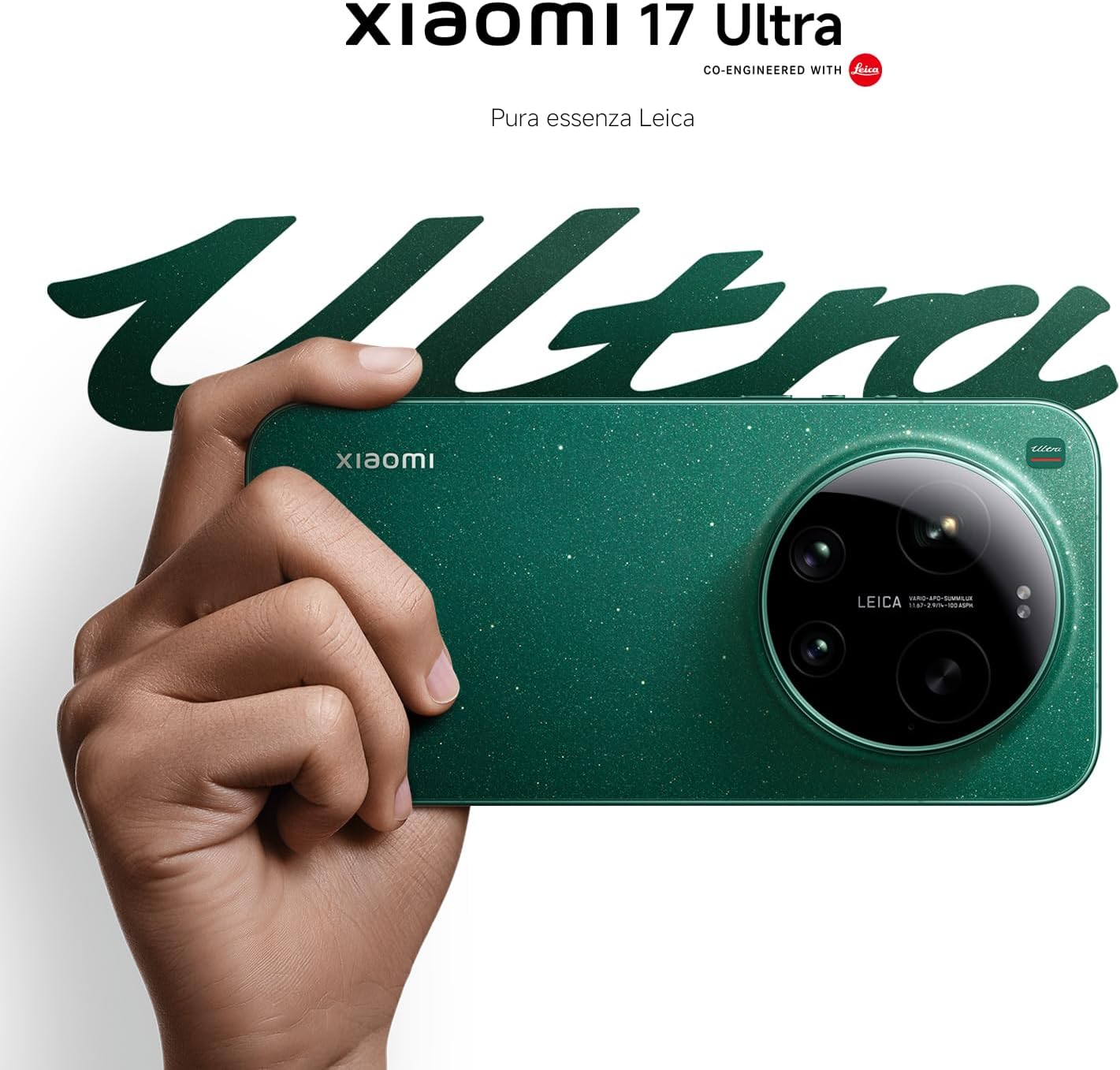
Figure 4: Leica 200MP Telephoto Lens.

Figure 5: Leica 1-inch Ultra-Dynamic Camera Sensor.

Figure 6: Leica UltraPure Optical Design.
Video 1: Demonstration of the Xiaomi 17 Ultra's camera capabilities, capturing fireworks with detail and clarity.
3.3 HyperAI Features
The integrated HyperAI enhances various aspects of your smartphone experience, offering intelligent assistance and improved productivity.
- การเขียนโดย AI: Assists with text composition and suggestions.
- การจดจำเสียงด้วย AI: Provides accurate voice-to-text conversion and command execution.
- การค้นหาด้วย AI: Intelligently processes search queries for more relevant results.
- วอลเปเปอร์ AI แบบไดนามิก: Offers personalized and adaptive visual experiences.

รูปที่ 7: เกินview of Xiaomi HyperAI functionalities.
4. การบำรุงรักษา
4.1 การดูแลแบตเตอรี่
Your Xiaomi 17 Ultra is equipped with a 6000 mAh Xiaomi Surge battery for extended usage. To maximize battery lifespan:
- หลีกเลี่ยงอุณหภูมิที่สูงหรือต่ำเกินไป (ร้อนหรือเย็นเกินไป)
- Do not let the battery drain completely regularly. Charge it before it reaches very low levels.
- ใช้เฉพาะเครื่องชาร์จและสายไฟที่ได้รับการรับรองเท่านั้น
- Avoid overcharging for prolonged periods.

รูปที่ 8: ภายใน view of the 6000 mAh Xiaomi Surge battery.
4.2 Screen and Device Cleaning
To clean your device, use a soft, lint-free cloth. Avoid abrasive materials, sprays, or harsh chemicals. For stubborn smudges, slightly dampชุบผ้าด้วยน้ำ ห้ามจุ่มอุปกรณ์ลงในน้ำ
4.3 การอัปเดตซอฟต์แวร์
Regularly check for and install software updates to ensure optimal performance, security, and access to new features. You can usually find this option in your device's settings under "About phone" or "System updates."
5 การแก้ไขปัญหา
5.1 ปัญหาทั่วไปและแนวทางแก้ไข
| ปัญหา | วิธีแก้ปัญหาที่เป็นไปได้ |
|---|---|
| อุปกรณ์ไม่เปิด | ตรวจสอบให้แน่ใจว่าแบตเตอรี่ชาร์จเต็มแล้ว กดปุ่มเปิด/ปิดค้างไว้อย่างน้อย 10-15 วินาทีเพื่อบังคับรีสตาร์ท |
| แอปขัดข้องหรือค้าง | Close the app and reopen it. Clear the app's cache and data in settings. Update the app or the phone's software. |
| อายุการใช้งานแบตเตอรี่ต่ำ | Check background app usage. Reduce screen brightness. Disable unnecessary features like GPS or Bluetooth when not in use. Refer to battery care tips. |
| ปัญหาการเชื่อมต่อเครือข่าย | Restart the device. Check if airplane mode is off. Reinsert the SIM card. Reset network settings. Contact your service provider. |
6. ข้อมูลจำเพาะ
| คุณสมบัติ | รายละเอียด |
|---|---|
| แบบอย่าง | เสี่ยวหมี่ 17 อุลตร้า |
| โปรเซสเซอร์ | Snapdragon 8 Elite Gen 5 Mobile Platform |
| แรม | 16GB |
| การจัดเก็บข้อมูลภายใน | 512GB |
| กล้องหลัก | Leica 1-inch Ultra-Dynamic Camera with LOFIC HDR |
| เลนส์เทเลโฟโต้ | Leica 200MP, 75–100mm Optical Zoom |
| แบตเตอรี่ | 6000 mAh Xiaomi Surge Battery (typical) |
| คุณสมบัติ AI | Xiaomi HyperAI (AI Writing, Voice Recognition, Search, Dynamic Wallpapers) |

Figure 9: Snapdragon 8 Elite Gen 5 Mobile Platform.
7. การรับประกันและการสนับสนุน
7.1 การรับประกันของผู้ผลิต
Xiaomi 17 Ultra ของคุณมาพร้อมกับ... การรับประกันจากผู้ผลิต 3 ปี. This includes the standard 2-year manufacturer warranty plus an additional 1 year of extended warranty, automatically applied upon purchase.
โปรดเก็บหลักฐานการซื้อของคุณไว้เพื่อเรียกร้องการรับประกัน
7.2 การสนับสนุนลูกค้า
For further assistance, technical support, or warranty inquiries, please visit the official Xiaomi support website or contact their customer service. You can find contact information on the Xiaomi official website or within your device's "Settings" under "About phone" > "Legal information" or "Support".