
การแนะนำ
This manual provides detailed instructions for the setup, operation, and maintenance of your Vrriis WL096PRO 4K Wireless HDMI Transmitter and Receiver system. This system is designed for high-quality 4K30Hz video transmission with low latency, suitable for surveillance, recording, and live streaming applications. It features 20 adjustable channels, UVC output for direct computer connection, and supports multiple receivers.

Image: The Vrriis WL096PRO Wireless Video Transmitter and Receiver connected to a professional camera, demonstrating its application in video production.
มีอะไรอยู่ในกล่อง?
ตรวจสอบว่ามีรายการทั้งหมดอยู่ในแพ็คเกจของคุณ:
- เครื่องส่งสัญญาณ 1 ตัว
- 1 x ตัวรับสัญญาณ
- 6 x เสาอากาศ
- สาย USB-C 2 เส้น
- 2 x 5V2A Adapters
- 1 x คู่มือผู้ใช้
- 3 x HDMI Cables (Standard, Mini, Micro)
- 1 x USB 3.0 Cable (for UVC OUT)

Image: A visual representation of all components included in the Vrriis WL096PRO package.
สินค้าเกินview
ทรานสมิตเตอร์ (TX)
The transmitter unit sends the video and audio signal wirelessly. It includes an HDMI input, a loop-out port for local monitoring, a reset button, an audio output, and a USB-C port for power.

ภาพ: รายละเอียด view of the Transmitter unit, highlighting HDMI IN, Loop Out, Reset, Audio, and 5V2A USB-C power ports.
ตัวรับสัญญาณ (RX)
The receiver unit receives the wireless video and audio signal. It features an HDMI output, a UVC port for computer connection, a reset button, an audio output, and a USB-C port for power.

ภาพ: รายละเอียด view of the Receiver unit, highlighting HDMI OUT, UVC, Reset, Audio, and 5V2A USB-C power ports.
จอแสดงผล LCD
Both the transmitter and receiver are equipped with LCD displays that show real-time connection status, signal strength, current channel, video input/output resolution, and power source information. This display aids in intuitive operation and monitoring.

Image: A close-up of the full-color LCD screen, showing channel (CH03), resolution (3840x2160P 30Hz), signal strength, and battery status.
คำแนะนำการตั้งค่า
The Vrriis WL096PRO system is designed for plug-and-play operation. The units are pre-paired from the factory.
- จ่ายไฟให้เครื่องส่งสัญญาณ (TX): Connect the transmitter to a power source using an NP-F series battery (not included) or the provided 5V2A adapter via the USB-C port.
- Connect Signal Source to TX: Plug one end of an HDMI cable into the HDMI IN port of the transmitter and the other end into your signal source (e.g., camera, laptop, TV box).
- เปิดใช้งานเครื่องรับสัญญาณ (RX): Connect the receiver to a power source using an NP-F series battery (not included) or the provided 5V2A adapter via the USB-C port.
- Connect Display to RX: Plug one end of an HDMI cable into the HDMI OUT port of the receiver and the other end into your display device (e.g., monitor, TV, projector).
- การเชื่อมต่ออัตโนมัติ: After powering both units and connecting the HDMI cables, the transmitter and receiver will automatically connect within a few seconds. The LCD screens will display the connection status.

Image: Visual guide illustrating the plug-and-play setup process for the transmitter and receiver units.
Pairing Video Guide
For a visual guide on the pairing process, please refer to the official video below:
Video: Official Vrriis WL096Pro Pairing Video Guide. This video demonstrates the steps to connect and pair the transmitter and receiver units.
คำแนะนำการใช้งาน
การเลือกช่องทาง
The system operates on a 5G frequency with 20 selectable channels (1-20). You can manually adjust channels on both the transmitter and receiver to avoid interference and ensure optimal signal quality.
- กดปุ่ม Up or ลง buttons on the unit to select a channel (1-20).
- กดปุ่ม OK button to confirm your selection. The selection will be automatically confirmed after 6 seconds if no further input is received.
- The TX/RX units will auto-sync channels. In a one-to-many setup, all receivers will match the transmitter's channel.
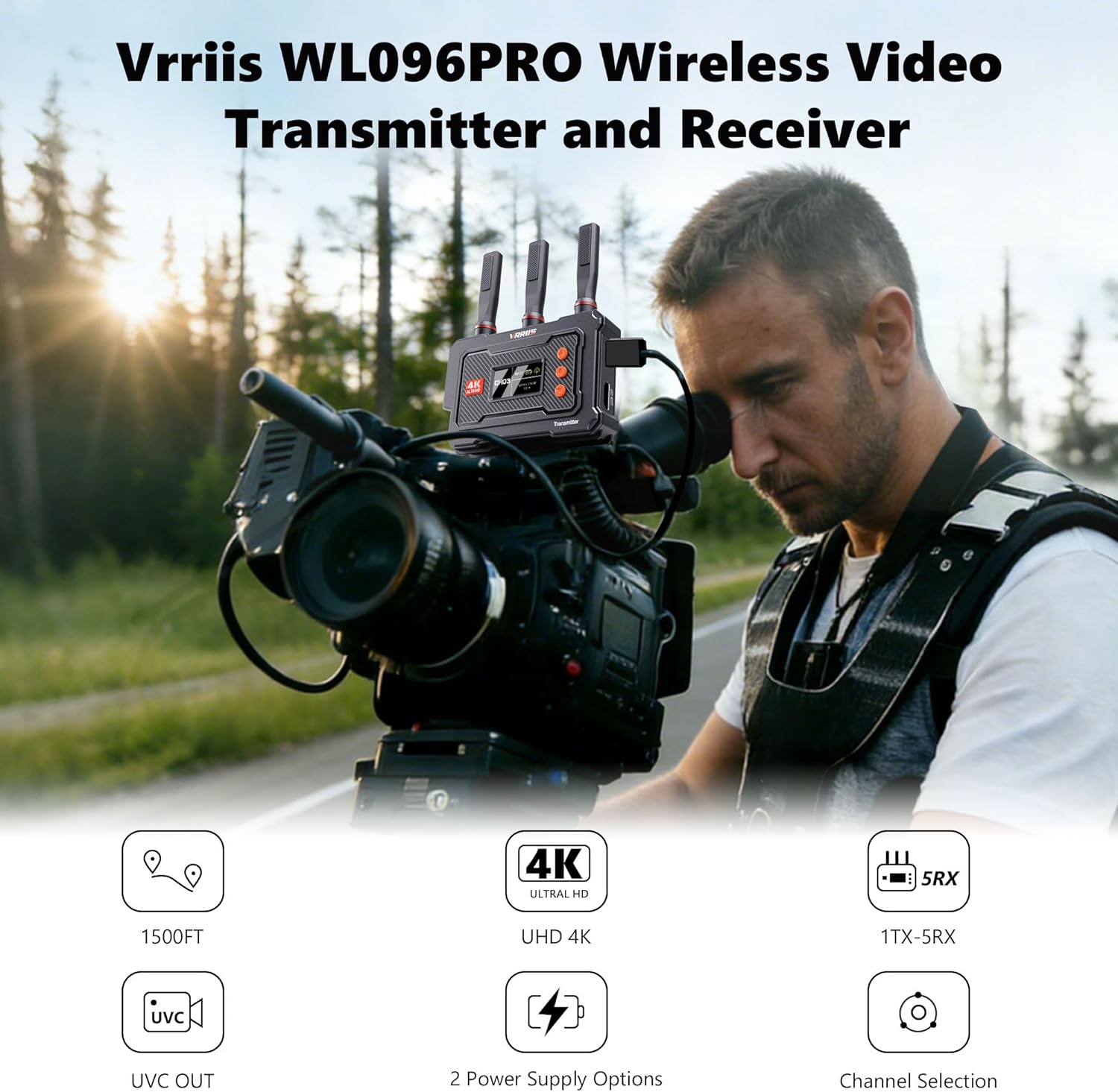
Image: The transmitter unit displaying various channel options (CH01-CH12) and the control buttons for manual channel selection.
UVC Output for Live Streaming
The WL096Pro 4K Wireless Video Transmission System supports UVC (USB Video Class) output, allowing direct connection to a computer for live streaming without a separate capture card.
- Connect the receiver to your computer via a USB-C 3.0 cable (not included).
- The computer will recognize the receiver as a video source.
- You can then use software like OBS Studio or other third-party platforms for live streaming (up to 1080p@60Hz output) and local video storage.

Image: The receiver unit connected to a laptop, demonstrating its UVC output capability for live streaming applications like OBS Studio.
Multi-Receiver Setup (One Transmitter to Five Receivers)
The Vrriis WL096PRO system supports transmitting audio and video signals from one transmitter to up to five receivers simultaneously. This is ideal for multi-camera monitoring setups.
- Each additional receiver must be paired with the original transmitter before use.
- Ensure all receivers are powered and connected to their respective displays.
- The transmitter's loop-out port allows real-time monitoring directly at the signal source while transmitting to multiple receivers.

Image: An illustration of a multi-receiver setup, where one transmitter broadcasts to five individual receivers, each connected to a display.
ตัวเลือกพลังงานหลายตัว
ระบบนี้มีตัวเลือกแหล่งพลังงานที่ยืดหยุ่น:
- แบตเตอรี่ซีรีส์ NP-F: Compatible with NP-F970, F750, F550 series batteries (not included).
- 5V2A Type-C Power: Use the provided adapters and USB-C cables for continuous power.
คำเตือน: Power adapters exceeding 5V may damage the product. When using a power station or V-type battery for power supply, please use the USB-C or USB-A port for charging. Other ports (such as DC-C) may deliver excessively high voltage, potentially causing damage to the product.

Image: The transmitter and receiver units demonstrating their compatibility with NP-F batteries and USB-C power input.
วิดีโอแนะนำผลิตภัณฑ์
สำหรับทั่วไปมากกว่าview and demonstration of the product's features, please watch the official introduction video:
Video: Official Vrriis WL096PRO Product Introduction. This video highlights the key features and benefits of the wireless video transmission system.
การซ่อมบำรุง
To ensure the longevity and optimal performance of your Vrriis WL096PRO system, follow these maintenance guidelines:
- การทำความสะอาด: Use a soft, dry cloth to clean the units. Avoid using liquid cleaners or solvents, which may damage the surface or internal components.
- พื้นที่จัดเก็บ: Store the units in a cool, dry place away from direct sunlight and extreme temperatures. When not in use for extended periods, remove any attached batteries.
- เสาอากาศ: Handle antennas with care. Ensure they are securely attached during operation and gently removed or folded for storage to prevent damage.
- อัพเดตเฟิร์มแวร์: Check the official Vrriis webไซต์เป็นระยะสำหรับการอัปเดตเฟิร์มแวร์ที่มีอยู่เพื่อให้แน่ใจว่าอุปกรณ์ของคุณมีคุณลักษณะและการปรับปรุงประสิทธิภาพล่าสุด
การแก้ไขปัญหา
If you encounter issues with your Vrriis WL096PRO system, refer to the following common problems and solutions:
| ปัญหา | สาเหตุที่เป็นไปได้ | สารละลาย |
|---|---|---|
| No Signal / Disconnection | Incorrect cable connection, power issue, signal interference, out of range. | Ensure all HDMI and power cables are securely connected. Check power supply. Try switching to a different channel (1-20) to avoid interference. Reduce distance between TX and RX. Ensure line of sight. |
| Video Lag / High Latency | Signal interference, excessive distance, obstacles, channel congestion. | Change to a less congested channel. Reduce distance between units. Minimize obstacles. Note that the system has an inherent latency of approximately 0.1s, which is not suitable for real-time gaming. |
| No UVC Output on Computer | Incorrect USB-C cable, driver issue, software settings. | Ensure you are using a USB-C 3.0 cable. Check your computer's device manager to see if the UVC device is recognized. Verify settings in your streaming software (e.g., OBS). |
| จอแสดงผล LCD ไม่ทำงาน | ปัญหาเกี่ยวกับไฟ เครื่องทำงานผิดปกติ | Ensure the unit is properly powered. If the problem persists, contact customer support. |
| Cannot Connect to Multiple Receivers | Receivers not paired, channel mismatch. | Ensure each additional receiver has been paired with the transmitter. Verify all units are on the same channel. |
ข้อมูลจำเพาะ
| คุณสมบัติ | รายละเอียด |
|---|---|
| ชื่อรุ่น | WL096 PRO |
| ยี่ห้อ | Vrriis |
| เทคโนโลยีการเชื่อมต่อ | HDMI |
| เทคโนโลยีไร้สาย | HDMI, 5GHz |
| การตอบสนองความถี่ | 5 กิกะเฮิรตซ์ |
| ระยะสูงสุด | 1500 Feet (line of sight) |
| ความหน่วงเวลา | ประมาณ 0.1 วินาที |
| ความละเอียดวิดีโอ | Up to 4K30Hz (input/output), 1080p@60Hz (UVC output) |
| ช่องทางการ | ช่องปรับได้ 20 ช่อง |
| รองรับเครื่องรับสัญญาณหลายเครื่อง | 1 Transmitter to up to 5 Receivers |
| แหล่งพลังงาน | Corded Electric (5V2A USB-C), NP-F Series Camera Batteries |
| โหมดเอาต์พุตเสียง | สเตอริโอ |
| วัสดุของตู้หุ้ม | โลหะ, พลาสติก |
| ขนาด (D x W x H) | 6.69" x 5.2" x 2.24" |
| การใช้งานเฉพาะ | Home Theatre, Live streaming, Outdoor filming, Real-time monitoring |
การรับประกันและการสนับสนุน
ข้อมูลการรับประกัน
The Vrriis WL096PRO Wireless HDMI Transmitter and Receiver comes with a รับประกันจำกัด 1 ปี นับจากวันที่ซื้อ การรับประกันนี้ครอบคลุมข้อบกพร่องจากการผลิตและรับรองว่าผลิตภัณฑ์ทำงานได้ตามที่ตั้งใจไว้ภายใต้การใช้งานปกติ โปรดเก็บหลักฐานการซื้อไว้เพื่อใช้ในการเรียกร้องการรับประกัน
การสนับสนุนลูกค้า
For technical assistance, troubleshooting, or warranty inquiries, please contact Vrriis customer support through the official Vrriis store on Amazon or visit the Vrriis webเว็บไซต์สำหรับข้อมูลการติดต่อ
แผนการคุ้มครองเพิ่มเติมอาจมีจำหน่าย:
- แผนคุ้มครอง 2 ปี
- แผนคุ้มครอง 3 ปี
- แพ็กเกจ Complete Protect (ต่ออายุรายเดือน)
โปรดอ่านข้อกำหนดและเงื่อนไขเฉพาะของแผนคุ้มครองเหล่านี้ ณ เวลาที่ทำการซื้อ