
1. บทนำ
Thank you for choosing the Monster BC300 Open Ear Sport Headphones. These headphones are designed to provide a comfortable and secure audio experience while keeping you aware of your surroundings. Featuring bone conduction technology, IPX8 waterproofing, 32GB of built-in memory, and a long-lasting battery, the BC300 is ideal for various sports and outdoor activities.
โปรดอ่านคู่มือนี้อย่างละเอียดก่อนใช้งานหูฟังเพื่อให้มั่นใจว่าหูฟังจะทำงานได้อย่างถูกต้องและมีอายุการใช้งานยาวนานขึ้น
2. เนื้อหาบรรจุภัณฑ์
ตรวจสอบให้แน่ใจว่ามีสินค้าทั้งหมดอยู่ในแพ็คเกจของคุณ:
- Monster BC300 Open Ear Sport Headphones
- สายชาร์จ USB
- คู่มือการใช้งาน
3. คุณสมบัติของผลิตภัณฑ์
- การออกแบบหูเปิด: Rests comfortably outside your ears, providing a secure fit without pressure. This design allows you to remain aware of your surroundings, enhancing safety during outdoor activities.
- เทคโนโลยีการนำเสียงทางกระดูก: Sound is transmitted through your cheekbones, keeping your ear canals open. This minimizes ear fatigue and offers a natural listening experience.
- การเชื่อมต่อบลูทูธ 6.0: Ensures a stable, low-latency connection for reliable audio streaming and clear calls.
- ระดับการกันน้ำ IPX8: Designed to resist heavy sweat, rain, and temporary submersion, making them suitable for intense training, trail running, and even swimming.
- หน่วยความจำภายใน 32GB: Store thousands of songs directly on the headphones for true wire-free listening without needing a phone, perfect for swimming or gym workouts.
- อายุการใช้งานแบตเตอรี่ 10 ชั่วโมง: Provides extended playtime for all-day use.
4. การตั้งค่า
4.1 การชาร์จหูฟัง
Before first use, fully charge the headphones. Connect the USB charging cable to the charging port on the headphones and to a standard USB power adapter (not included) or a computer's USB port. The LED indicator will show charging status and turn off or change color when fully charged.
การชาร์จเต็มสามารถเล่นได้ประมาณ 10 ชั่วโมง
4.2 เปิด/ปิดเครื่อง
- เปิดเครื่อง: Press and hold the Power/Multi-function button for approximately 3 seconds until the LED indicator flashes and you hear a power-on prompt.
- หมดแรง: Press and hold the Power/Multi-function button for approximately 5 seconds until the LED indicator turns off and you hear a power-off prompt.
4.3 การจับคู่บลูทูธ
- ตรวจสอบให้แน่ใจว่าหูฟังปิดอยู่
- กดปุ่มเปิด/ปิดค้างไว้ประมาณ 5-7 วินาที จนกระทั่งไฟ LED กระพริบสลับสีแดงและสีน้ำเงิน ซึ่งแสดงว่าเข้าสู่โหมดจับคู่แล้ว
- บนอุปกรณ์ของคุณ (สมาร์ทโฟน แท็บเล็ต ฯลฯ) เปิดใช้งานบลูทูธและค้นหาอุปกรณ์ที่มีอยู่
- Select "Monster BC300" from the list of devices.
- Once connected, the LED indicator will flash blue slowly, and you will hear a connection confirmation.
หมายเหตุ: หูฟังจะพยายามเชื่อมต่อกับอุปกรณ์ที่จับคู่ไว้ครั้งล่าสุดโดยอัตโนมัติเมื่อเปิดเครื่อง
4.4 Using Built-in Memory (MP3 Mode)
The BC300 headphones feature 32GB of internal storage for music playback without a connected device.
- การถ่ายโอนเพลง: Connect the headphones to your computer using the USB charging cable. The headphones will appear as a removable disk. Drag and drop your audio files (e.g., MP3, WAV, FLAC) into the headphone's storage folder.
- การสลับไปที่โหมด MP3: While the headphones are on, press the Mode button (if available, or a combination of buttons as per specific model design) to switch between Bluetooth mode and MP3 player mode. Refer to the specific button layout for your model.
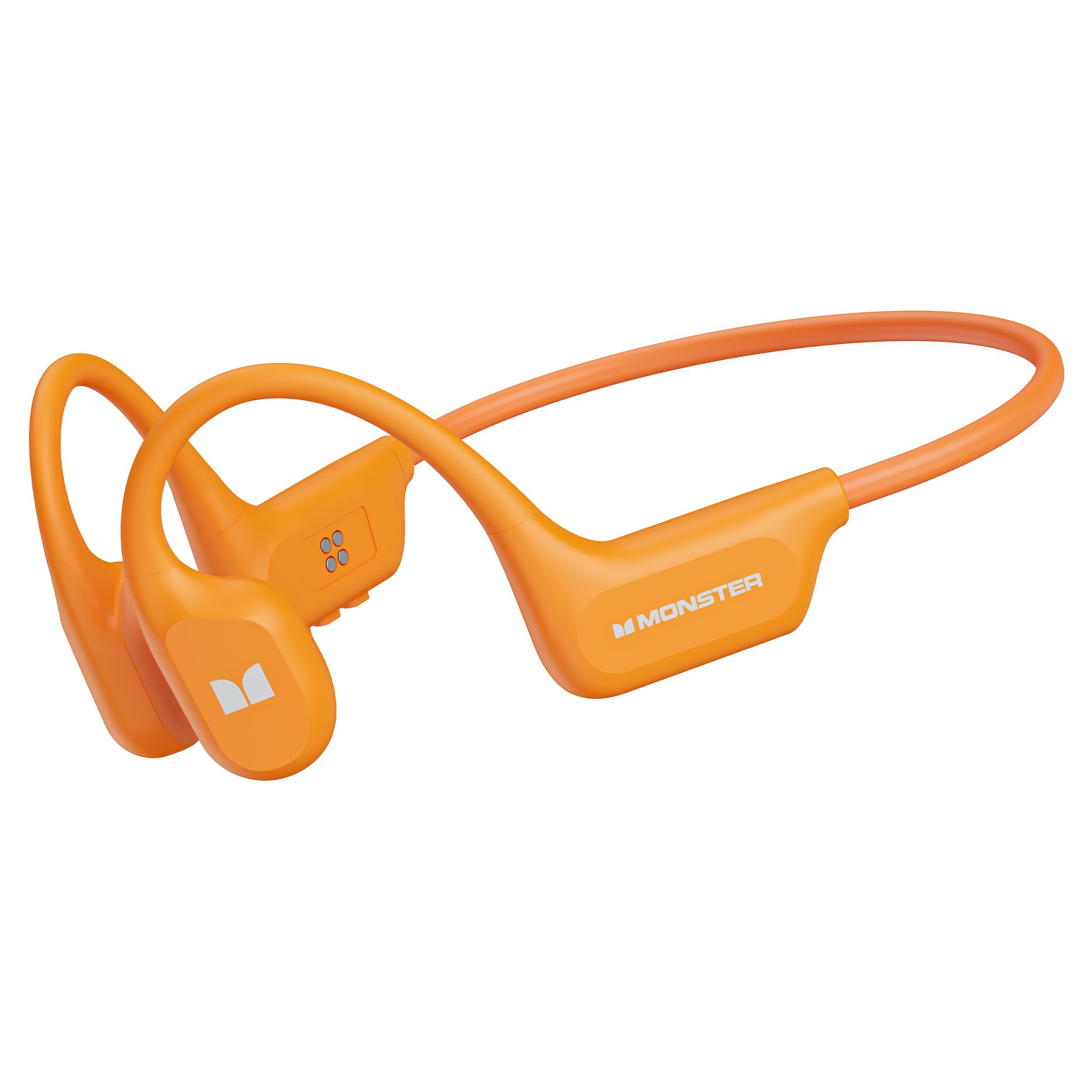
Image: Monster BC300 headphones connected to a laptop via USB cable, illustrating the 32GB built-in memory feature for standalone music playback.
5. คู่มือการใช้งาน
5.1 Button Functions (General)
The headphones typically feature a Power/Multi-function button, Volume Up (+), and Volume Down (-) buttons. Specific functions may vary slightly.
| ปุ่ม | การทำงาน |
|---|---|
| ปุ่มเปิด/ปิด/มัลติฟังก์ชั่น |
|
| เพิ่มระดับเสียง (+) |
|
| ลดเสียงลง (-) |
|
| ปุ่มโหมด (ถ้ามี) |
|
5.2 ฟังก์ชั่นการโทร
- รับสาย: กดปุ่มเปิด/ปิด/ปุ่มมัลติฟังก์ชั่นหนึ่งครั้ง
- วางสาย: กดปุ่มเปิด/ปิด/ปุ่มมัลติฟังก์ชั่นหนึ่งครั้งระหว่างการโทร
- ปฏิเสธสาย: Press and hold the Power/Multi-function button for 2 seconds during an incoming call.
- โทรซ้ำ: Double-press the Power/Multi-function button to redial the last number.
5.3 การเล่นเพลง
- เล่น/หยุดชั่วคราว: กดปุ่มเปิด/ปิด/ปุ่มมัลติฟังก์ชั่นหนึ่งครั้ง
- เพลงถัดไป: กดปุ่มเพิ่มระดับเสียง (+) ค้างไว้
- แทร็กก่อนหน้า: กดปุ่มลดระดับเสียง (-) ค้างไว้
- การปรับระดับเสียง: Press Volume Up (+) or Volume Down (-) buttons to adjust the volume.

Image: Man wearing Monster BC300 headphones, demonstrating the bone conduction technology that keeps ear canals open.

ภาพ: ระยะใกล้ view of the Monster BC300 headphone's internal components, emphasizing the Bluetooth 6.0 chip for stable connections.

Image: A man playing basketball while wearing Monster BC300 headphones, demonstrating their secure and comfortable fit during workouts.

Image: A woman cycling on a road wearing Monster BC300 headphones, highlighting the open-ear design that maintains awareness of surroundings for safety.

Image: Monster BC300 headphones depicted with abstract sound waves, symbolizing the 'Pure Monster Sound' quality with deep bass and crisp clarity.
6. การบำรุงรักษาและการดูแล
- การทำความสะอาด: เช็ดหูฟังด้วยผ้านุ่มdamp ผ้า. ห้ามใช้สารเคมีรุนแรงหรือวัสดุกัดกร่อน
- ความต้านทานน้ำ: The headphones are IPX8 waterproof. This means they can withstand continuous immersion in water up to 1.5 meters for 30 minutes. Rinse with fresh water after exposure to saltwater or chlorinated water and allow to dry completely before charging.
- พื้นที่จัดเก็บ: เก็บหูฟังไว้ในที่แห้งและเย็น หลีกเลี่ยงแสงแดดโดยตรงและอุณหภูมิที่สูงหรือต่ำเกินไป
- การดูแลแบตเตอรี่ To preserve battery life, charge the headphones regularly, even if not in use for extended periods. Avoid fully discharging the battery frequently.

Image: A man swimming underwater while wearing Monster BC300 headphones, showcasing their IPX8 waterproof capability for aquatic activities.
7 การแก้ไขปัญหา
| ปัญหา | สารละลาย |
|---|---|
| หูฟังไม่สามารถเปิดเครื่องได้ | ตรวจสอบให้แน่ใจว่าหูฟังชาร์จเต็มแล้ว เสียบปลั๊กเข้ากับแหล่งจ่ายไฟแล้วลองอีกครั้งหลังจากผ่านไปสองสามนาที |
| ไม่สามารถจับคู่กับอุปกรณ์ได้ |
|
| ไม่มีเสียงหรือเสียงเบา |
|
| เพลงไม่เล่นจากหน่วยความจำภายในเครื่อง |
|
8. ข้อมูลจำเพาะ
| คุณสมบัติ | รายละเอียด |
|---|---|
| ยี่ห้อ | มอนสเตอร์ |
| หมายเลขรุ่น | E129 (BC300) |
| การวางตำแหน่งหู | หูเปิด |
| เทคโนโลยีการเชื่อมต่อ | บลูทูธ |
| เวอร์ชันบลูทูธ | 5.0 (Product description mentions 6.0) |
| ระดับความต้านทานต่อน้ำ | กันน้ำระดับ IPX8 |
| หน่วยความจำภายใน | 32GB |
| อายุการใช้งานแบตเตอรี่ | นานถึง 10 ชั่วโมง |
| ช่วงความถี่ | 20 เฮิรตซ์ - 20,000 เฮิรตซ์ |
| วัสดุ | ซิลิโคน |
| วิธีการควบคุม | App (and physical buttons) |
9. การรับประกันและการสนับสนุน
The Monster BC300 Open Ear Sport Headphones come with a การรับประกันจากผู้ผลิต 1 ปี นับจากวันที่ซื้อ การรับประกันนี้ครอบคลุมข้อบกพร่องในการผลิตและฝีมือการผลิตภายใต้การใช้งานปกติ
การรับประกันไม่ครอบคลุมความเสียหายที่เกิดจากการใช้งานผิดวิธี อุบัติเหตุ การดัดแปลงที่ไม่ได้รับอนุญาต หรือการสึกหรอตามปกติ
For warranty claims or technical support, please contact Monster customer service through their official website or the retailer where the product was purchased. Please have your proof of purchase and product model number (E129) ready.