
Thermalright TL-M12Q-S X3
Thermalright TL-M12Q-S X3 Wireless Splicing Case Fan Instruction Manual
Model: TL-M12Q-S X3 | Brand: Thermalright
1. บทนำ
Thank you for choosing the Thermalright TL-M12Q-S X3 Wireless Splicing Case Fan. This 120mm fan features an infinity mirror ARGB lighting effect and a unique wireless splicing design for simplified cable management. This manual provides essential information for proper installation, operation, and maintenance to ensure optimal performance and longevity of your product.
2. คุณสมบัติของผลิตภัณฑ์
- Silent Fan Parameters: Fan size: 124x120x25mm, Speed: 2000 RPM ± 10%, Noise: ≤28.2 dB(A), Air Volume: 68.9 CFM, Air Pressure: 2.21 mm H2O. Power Interface: 4PIN PWM, Lighting Interface: 5V 3PIN ARGB. Voltage: DC 12V, Current: 0.17A. Designed for improved cooling performance with low noise output.
- High-Performance Heat Dissipation: The noise-reducing 7-blade design achieves speeds up to 2000 RPM with a noise level of ≤28.2 dB(A). Soft silicone corner pads are integrated to absorb vibration, balancing high heat dissipation with low noise.
- การออกแบบที่เหมาะสมที่สุด: Constructed from industrial-grade PBT+PC material with UL Class A insulation. Supports PWM series control for fan speed and 3-pin ARGB for lighting. Fans of the same type connect in series via integrated buckles.
- Wireless Splicing: A new power module cable simplifies wiring, reducing internal cable complexity. Signals and power are transmitted via contacts between fans, allowing for a cleaner build. Note: The control cable must be connected to the fan side with pins.
- การใช้งานที่หลากหลาย: Functions effectively as a chassis fan or can be paired with a CPU heatsink to enhance overall cooling performance, reducing temperatures within the chassis and for the CPU.

Image: Three Thermalright TL-M12Q-S X3 fans showcasing their infinity mirror ARGB lighting and overall design.

Image: The fan's construction using high-quality PBT+PC material for durability.
3. เนื้อหาบรรจุภัณฑ์
กรุณาตรวจสอบเนื้อหาแพ็คเกจเมื่อแกะกล่อง:
- 3 x Thermalright TL-M12Q-S X3 Case Fans
- 1 x Control Cable (for power and ARGB sync)
- สกรูยึด
4. ข้อมูลจำเพาะ
| คุณสมบัติ | ข้อมูลจำเพาะ |
|---|---|
| ขนาดสินค้า | ยาว 4.88 นิ้ว x กว้าง 4.72 นิ้ว x สูง 0.98 นิ้ว (124x120x25 มม.) |
| ยี่ห้อ | เทอร์มอลไรท์ |
| ประเภทตัวเชื่อมต่อกระแสไฟ | 4-Pin PWM |
| วิธีการทำความเย็น | อากาศ |
| อุปกรณ์ที่รองรับ | เดสก์ท็อป |
| ระดับเสียง | 28.2 เดซิเบล (สูงสุด) |
| วัสดุ | PBT + PC Plastic |
| ความเร็วการหมุนสูงสุด | 2000 รอบต่อนาที |
| ความจุการไหลของอากาศ | 68.9 ลูกบาศก์ฟุตต่อนาที (CFM) |
| แรงดันอากาศ | 2.21 มม. H2O |
| อินเตอร์เฟซแสงสว่าง | 5V 3 พิน ARGB |
| ประเภทตลับลูกปืน | S-FDB (Stably-FDB) Bearing |
5. ข้อมูลด้านความปลอดภัย
โปรดอ่านและปฏิบัติตามคำแนะนำด้านความปลอดภัยเหล่านี้เพื่อป้องกันความเสียหายต่อผลิตภัณฑ์หรือการบาดเจ็บ:
- Ensure your computer is powered off and unplugged from the wall outlet before installation or maintenance.
- Handle components carefully to avoid static discharge. Consider using an anti-static wrist strap.
- Do not attempt to disassemble the fan motor or bearing.
- Keep fingers and other objects away from rotating fan blades.
- ตรวจสอบให้แน่ใจว่ามีการระบายอากาศที่เหมาะสมระหว่างการทำงาน
- Use only the provided cables and connectors.
6. การตั้งค่าและการติดตั้ง
Follow these steps to install your Thermalright TL-M12Q-S X3 fans:
- เตรียมระบบของคุณ: ปิดเครื่องคอมพิวเตอร์และถอดปลั๊กออกจากแหล่งจ่ายไฟ เปิดเคสคอมพิวเตอร์เพื่อเข้าถึงตำแหน่งติดตั้งพัดลม
- Connect Fans (Wireless Splicing): Align the fans and connect them in series using the integrated buckles on the sides. Ensure a secure connection between each fan. You can connect up to three fans in a row.
- เชื่อมต่อสายควบคุม: Attach the provided control cable to the designated port on the side of the last fan in your series. Ensure the pins are correctly aligned. This single cable will manage both power and ARGB lighting for all connected fans.
- พัดลมติดตั้ง: Secure the assembled fan unit to your desired location (e.g., chassis fan mounts, radiator) using the provided mounting screws. The soft silicone corner pads will help reduce vibration.
- เชื่อมต่อกับเมนบอร์ด:
- Connect the 4-pin PWM connector from the control cable to an available 4-pin fan header on your motherboard (e.g., CPU_FAN, SYS_FAN).
- Connect the 3-pin ARGB connector from the control cable to an available 5V 3-pin ARGB header on your motherboard. Do not connect to a 12V RGB header, as this can damage the LEDs.
- การจัดการสายเคเบิล: Route the control cable neatly to avoid interference with other components or airflow.
- การตรวจสอบขั้นสุดท้าย: ตรวจสอบการเชื่อมต่อทั้งหมดอีกครั้งก่อนปิดเคสคอมพิวเตอร์และเปิดเครื่อง

Image: Illustrates the wireless splicing connection between two fans.

Image: The easy connect power and lighting cable for simplified wiring.
7. คู่มือการใช้งาน
Once installed, the Thermalright TL-M12Q-S X3 fans operate as follows:
- การควบคุมความเร็วพัดลม (PWM): The fan speed is controlled via the 4-pin PWM connection to your motherboard. You can adjust fan curves and speeds through your motherboard's BIOS/UEFI settings or dedicated software provided by your motherboard manufacturer.
- การควบคุมแสง ARGB: The ARGB lighting effects are controlled via the 5V 3-pin ARGB connection to your motherboard. Use your motherboard's ARGB synchronization software (e.g., ASUS Aura Sync, MSI Mystic Light Sync, Gigabyte RGB Fusion, ASRock Polychrome Sync) to customize colors, patterns, and brightness.
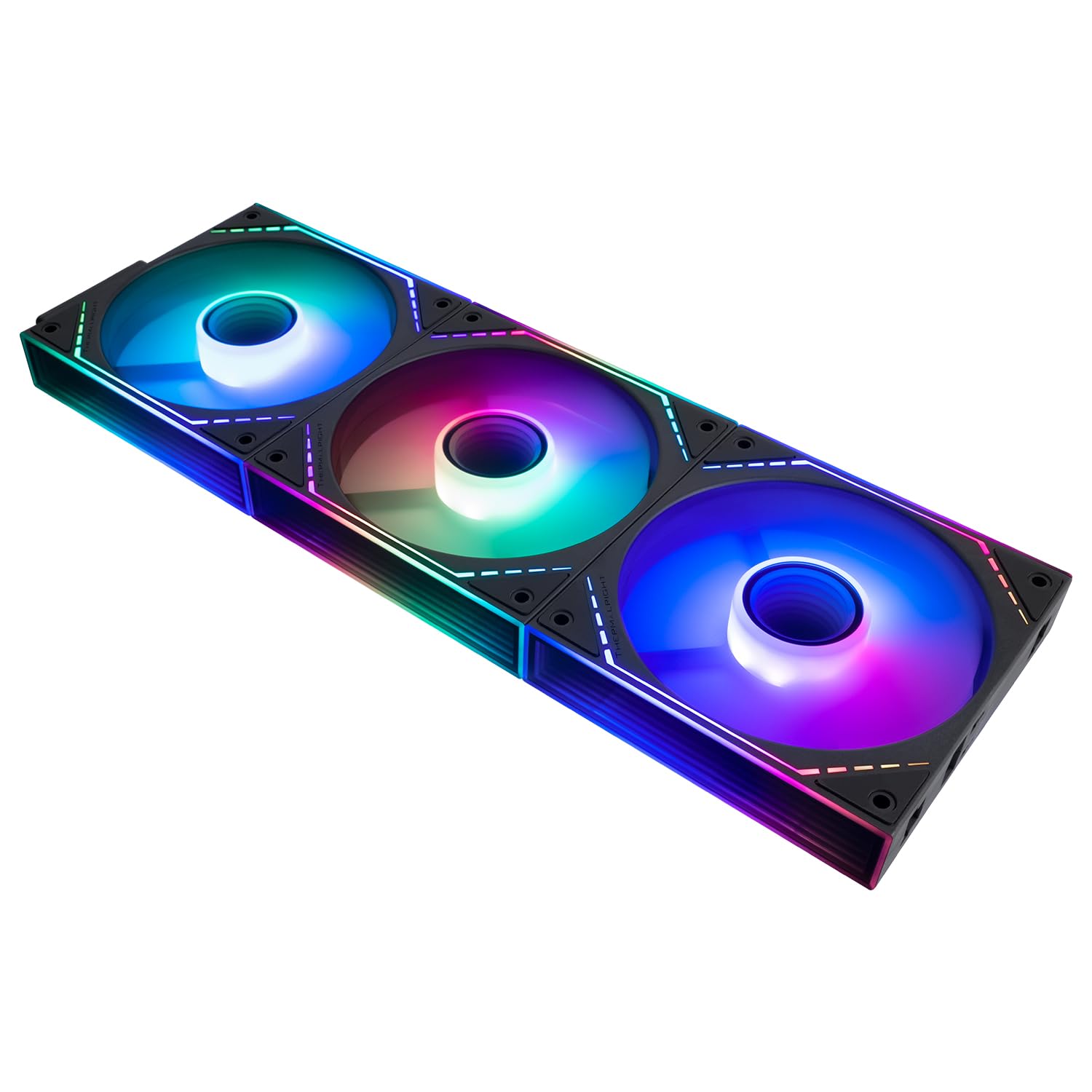
Image: Three fans connected in series, demonstrating synchronized ARGB lighting.

Image: Close-up of the fan's S-FDB bearing and vibration-absorbing rubber pads.
8. การบำรุงรักษา
Regular maintenance helps ensure optimal performance and extends the lifespan of your fans:
- การทำความสะอาด: Periodically clean the fan blades and frame to remove dust buildup. Use a can of compressed air or a soft, dry cloth. Ensure the fan is powered off and unplugged before cleaning.
- ตรวจสอบการเชื่อมต่อ: Occasionally check that all power and ARGB connections are secure.
- การบำรุงรักษาแบริ่ง: The S-FDB bearing is designed for long-lasting, maintenance-free operation. Do not attempt to lubricate or disassemble the bearing.
9 การแก้ไขปัญหา
If you encounter issues with your Thermalright TL-M12Q-S X3 fans, refer to the following common problems and solutions:
- พัดลมไม่หมุน:
- ตรวจสอบให้แน่ใจว่าสาย PWM 4 พินเชื่อมต่อกับหัวต่อพัดลมบนเมนบอร์ดอย่างแน่นหนาแล้ว
- ตรวจสอบการตั้งค่า BIOS/UEFI ของเมนบอร์ดเพื่อให้แน่ใจว่าได้เปิดใช้งานและกำหนดค่าหัวต่อพัดลมอย่างถูกต้องแล้ว
- Verify that the fans are properly spliced together and the control cable is firmly attached to the last fan.
- แสง ARGB ไม่ทำงาน:
- Ensure the 3-pin ARGB cable is securely connected to a 5V 3-pin ARGB header on your motherboard.
- Confirm that you are using the correct motherboard software to control ARGB lighting.
- Check for any loose connections between the spliced fans.
- ตรวจสอบว่าส่วนหัว ARGB ได้รับการเปิดใช้งานใน BIOS/UEFI ของเมนบอร์ดของคุณแล้ว
- เสียงดังเกินไป:
- Ensure all mounting screws are tightened to prevent vibration.
- ตรวจสอบสายเคเบิลหรือสิ่งกีดขวางที่สัมผัสใบพัดลม
- ทำความสะอาดฝุ่นละอองที่เกาะอยู่บนใบพัดลม
- Adjust fan speed settings in your motherboard's software or BIOS/UEFI to a lower RPM if noise is a concern.
10. ข้อมูลการรับประกัน
Thermalright products are manufactured to high-quality standards and are backed by a manufacturer's warranty. For specific warranty terms and conditions, please refer to the warranty card included with your product or visit the official Thermalright webไซต์ โปรดเก็บใบเสร็จรับเงินไว้เป็นหลักฐานการซื้อสำหรับการเรียกร้องการรับประกัน
11. การสนับสนุน
If you require further assistance or have questions not covered in this manual, please contact Thermalright customer support. You can typically find contact information on the official Thermalright webเว็บไซต์หรือผ่านผู้ค้าปลีกของคุณ