
มอร์โปร แอร์6
MorePro Fitness Tracker AIR6 Black User Manual
Model: AIR6 Black
1. บทนำ
Welcome to the MorePro Fitness Tracker AIR6 Black user manual. This guide provides detailed instructions on how to set up, operate, and maintain your new fitness tracker. The MorePro AIR6 is designed to help you monitor your health and fitness activities with features such as 24/7 heart rate, blood pressure, blood oxygen, and sleep tracking. It also includes multiple sports modes, smart notifications, and a durable, waterproof design.
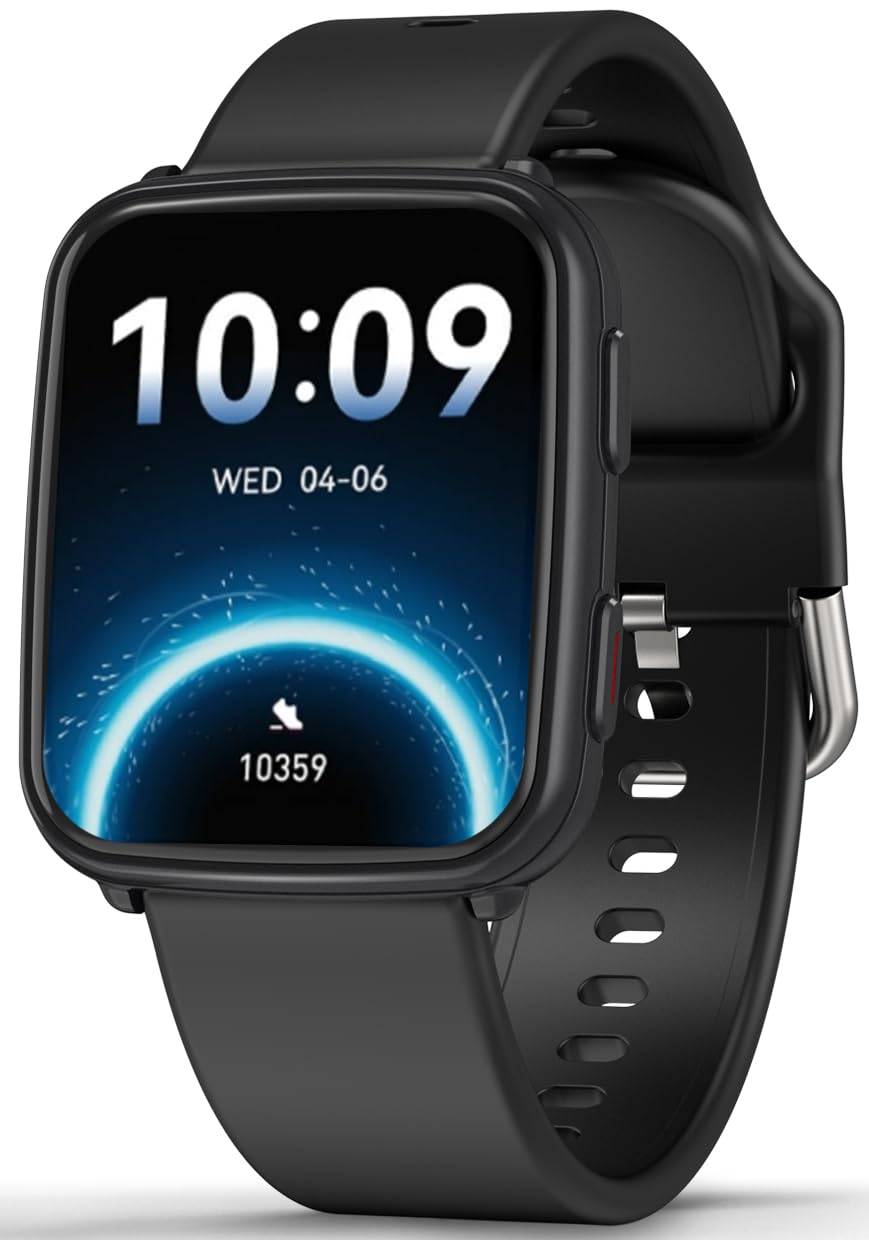
Image: MorePro Fitness Tracker AIR6 Black, showcasing การออกแบบที่เพรียวบาง
2. คู่มือการติดตั้ง
2.1. การแกะกล่องและการชาร์จครั้งแรก
Upon opening the package, you will find the MorePro Fitness Tracker, a charging cable, and this user manual. Before first use, ensure the device is fully charged.
- เสียบสายชาร์จแม่เหล็กเข้ากับจุดชาร์จที่ด้านหลังของนาฬิกา
- เสียบปลายสาย USB เข้ากับอะแดปเตอร์ไฟ USB มาตรฐาน (ไม่รวมอยู่ด้วย) หรือพอร์ต USB ของคอมพิวเตอร์
- หน้าจอของนาฬิกาจะแสดงสถานะการชาร์จ โดยปกติการชาร์จเต็มจะใช้เวลาประมาณ 2 ชั่วโมง
2.2. Powering On and App Pairing
- To power on the device, press and hold the side button until the screen lights up.
- Select your preferred language from the options displayed on the screen.
- Scan the QR code shown on the watch screen or in the manual using your smartphone to download the companion MorePro app. The app is compatible with Android 7.0+ and iOS 13.0+ devices.
- Open the MorePro app on your smartphone, create an account, and follow the on-screen instructions to pair your fitness tracker via Bluetooth. Ensure Bluetooth is enabled on your phone.
Video: Demonstrates unboxing, connecting the charger, powering on the watch, selecting language, and scanning the QR code for app download and pairing.
3. คู่มือการใช้งาน
3.1. การนำทางพื้นฐาน
เครื่องติดตามการออกกำลังกาย MorePro มีหน้าจอสัมผัสที่ตอบสนองได้ดีและปุ่มด้านข้างสำหรับการนำทาง:
- ปัดขึ้น/ลง: เลื่อนดูเมนูและการแจ้งเตือน
- ปัดไปทางซ้าย/ขวา: Access quick data screens (e.g., steps, heart rate, weather).
- แตะ: เลือกสินค้าหรือยืนยันการดำเนินการ
- ปุ่มด้านข้าง: Press to return to the previous screen or wake the display. Press and hold to access the main menu or power options.
3.2. การติดตามสุขภาพ
The device continuously monitors various health metrics:
- อัตราการเต้นของหัวใจ: Provides 24/7 heart rate tracking. Access detailed graphs in the app.
- ความดันโลหิต: Offers on-demand blood pressure measurements. (Note: Not for medical use.)
- ออกซิเจนในเลือด (SpO2): Check your blood oxygen levels at any time.
- การติดตามการนอนหลับ: Automatically tracks deep sleep, light sleep, and wake-up times to provide comprehensive sleep insights.

Image: The watch screen showing real-time heart rate, blood pressure, and blood oxygen data.

Image: A close-up of the smart watch displaying heart rate monitoring.

Image: The smart watch screen showing blood pressure measurement.

Image: The smart watch displaying blood oxygen levels.
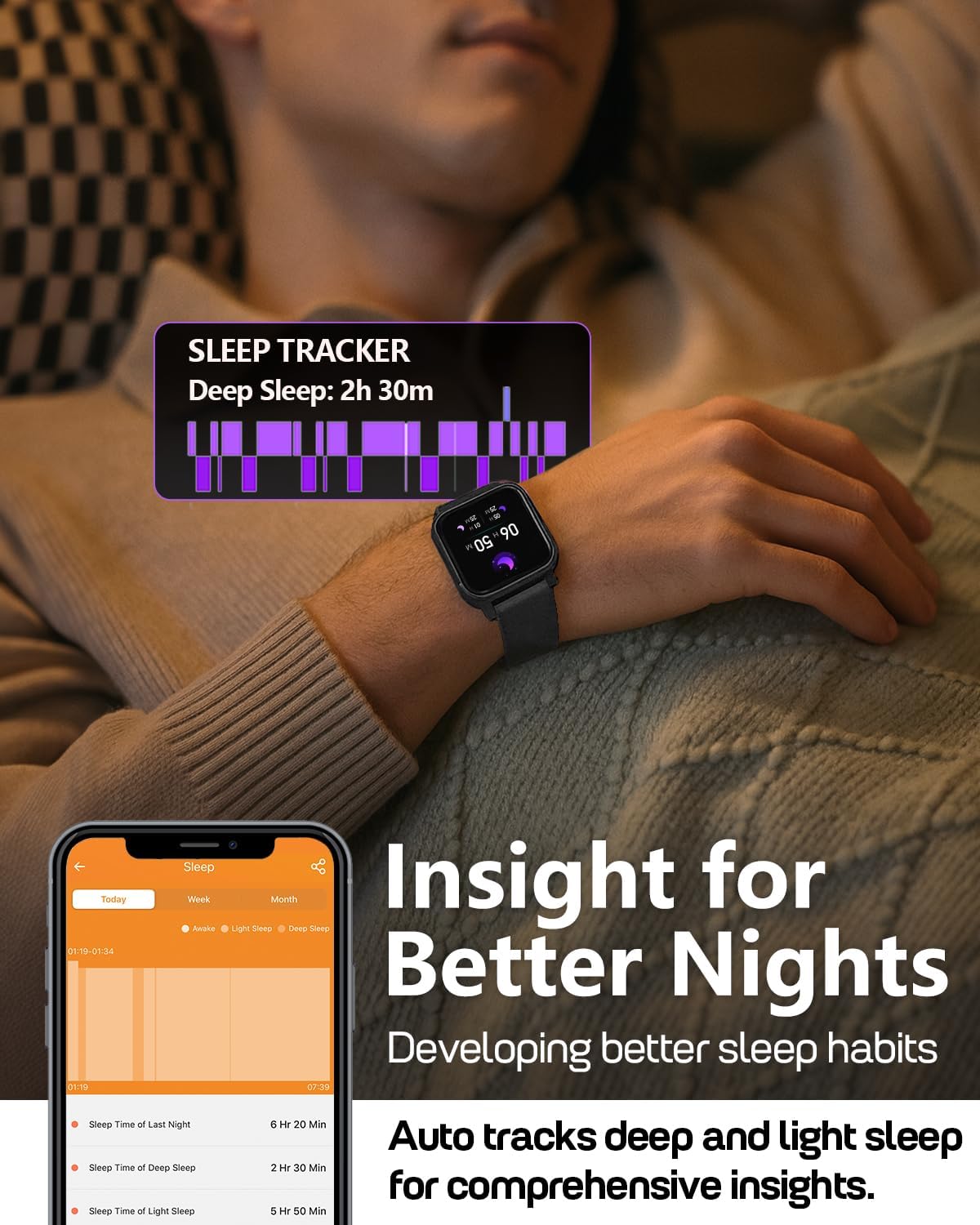
Image: A person wearing the MorePro Fitness Tracker while sleeping, with sleep data displayed on the screen.

Image: The smart watch displaying sleep tracking data.
3.3. การติดตามกิจกรรม
The tracker supports over 20 sports modes and records daily activity:
- โหมดกีฬามากกว่า 20 แบบ: Includes running, walking, cycling, yoga, elliptical, swimming, basketball, football, badminton, table tennis, skipping, tennis, baseball, rugby, hula hoop, golf, and more.
- กิจวัตรประจำวัน: บันทึกจำนวนก้าว ระยะทาง และปริมาณแคลอรีที่เผาผลาญ

Image: A person exercising while wearing the MorePro Fitness Tracker, displaying activity time, heart rate, steps, and calories burned.

Image: The fitness tracker displaying various sports modes like cycling, exercise bike, swimming, and yoga.
3.4 การติดตามสุขภาพสตรี
The tracker includes a dedicated feature for women's health, allowing you to log and track menstrual periods, safe days, ovulation windows, and ovulation days directly on your wrist. The app supports period mode, trying-to-conceive mode, and pregnancy mode.

Image: A woman using the smart watch to track her menstrual cycle.
3.5. ฟังก์ชั่นอัจฉริยะ
เชื่อมต่อและจัดระเบียบด้วยคุณสมบัติอัจฉริยะเหล่านี้:
- การแจ้งเตือน: Receive real-time call, SMS, and app message notifications (e.g., Facebook, Instagram, TikTok) on your wrist.
- พยากรณ์อากาศ: Get on-wrist weather updates.
- การควบคุมเพลง: ควบคุมการเล่นเพลงบนโทรศัพท์ของคุณ
- การควบคุมกล้อง: ใช้สมาร์ทวอทช์เป็นรีโมทชัตเตอร์สำหรับกล้องโทรศัพท์ของคุณ
- นาฬิกาจับเวลา: มีเครื่องมือในตัวสำหรับจับเวลาการทำกิจกรรม
- นาฬิกาปลุก: ตั้งนาฬิกาปลุกได้โดยตรงจากข้อมือของคุณ
- ค้นหาหมายเลขโทรศัพท์: ค้นหาสมาร์ทโฟนที่หายไปของคุณ
- Sedentary & Hydration Reminders: Prompts to move and drink water throughout the day.
- หน้าปัดนาฬิกาแบบกำหนดเอง: Choose from over 200 watch faces or create custom ones using your own photos.

Image: The smart watch showing notifications from various social media apps and a stress monitor.

Image: The 1.52-inch HD screen of the MorePro Fitness Tracker displaying various watch face options, including custom photo faces.
4. การบำรุงรักษา
4.1. การกันซึม
The MorePro Fitness Tracker is IP68 waterproof, meaning it is resistant to sweat, rain, and can be worn during hand-washing or swimming. However, it is not recommended for hot showers, saunas, or diving.

Image: Demonstrates the IP68 waterproof feature, showing the watch being exposed to sweat, poolside splashes, and hand-washing.
4.2. การทำความสะอาด
To maintain your device, regularly clean the watch and strap with a soft, damp ผ้า. หลีกเลี่ยงการใช้สารเคมีรุนแรงหรือวัสดุกัดกร่อน
4.3. อายุการใช้งานแบตเตอรี่และการชาร์จ
The device offers up to 7-10 days of battery life with normal use and 15 days on standby. Recharge using the provided magnetic charging cable when the battery is low.

Image: A person in a desert setting, highlighting the ultra-long battery life of 15 days standby and 7 days normal use, with a 2-hour magnetic charging time.
5 การแก้ไขปัญหา
If you encounter issues with your MorePro Fitness Tracker, try the following steps:
- อุปกรณ์ไม่เปิด: ตรวจสอบให้แน่ใจว่าอุปกรณ์ชาร์จเต็มแล้ว เสียบอุปกรณ์เข้ากับที่ชาร์จและรอสักครู่ก่อนที่จะลองเปิดเครื่องอีกครั้ง
- ปัญหาการเชื่อมต่อ: Make sure Bluetooth is enabled on your smartphone and the tracker is within range. Restart both your phone and the tracker. Check the app for pairing status.
- การอ่านค่าที่ไม่ถูกต้อง: ตรวจสอบให้แน่ใจว่าสวมนาฬิกาให้กระชับพอดีข้อมือ ไม่แน่นหรือหลวมเกินไป ทำความสะอาดเซ็นเซอร์ที่ด้านหลังนาฬิกา
- แอปไม่ซิงค์: Verify your phone has an active internet connection. Close and reopen the MorePro app.
- การแจ้งเตือนไม่ปรากฏ: Check your phone's notification settings for the MorePro app and ensure all necessary permissions are granted.
หากต้องการความช่วยเหลือเพิ่มเติม โปรดดูส่วนช่วยเหลือในแอป หรือติดต่อฝ่ายบริการลูกค้า
6. ข้อมูลจำเพาะ
| คุณสมบัติ | รายละเอียด |
|---|---|
| ยี่ห้อ | เพิ่มเติมโปร |
| แบบอย่าง | AIR6 Black |
| ขนาดหน้าจอ | 1.52 นิ้ว |
| ประเภทจอภาพ | จอแอลซีดี |
| ความจุของหน่วยความจำ | 128MB |
| ระบบปฏิบัติการ | แอนดรอยด์และ iOS |
| อุปกรณ์ที่รองรับ | สมาร์ทโฟน |
| คุณสมบัติพิเศษ | Activity Tracker, Cycle Tracking, Daily Workout Memory, Music Player, Sedentary Reminder, Heart Rate, Blood Pressure, Blood Oxygen, Sleep Monitor, Weather, Alarm Clock, Find Phone, Camera Control, Stopwatch, Timer, Hydration Reminder |
| ระดับการกันน้ำ | IP68 |
| ความจุของแบตเตอรี่ | 230 มิลลิวินาทีamp ชั่วโมง |
| อายุการใช้งานแบตเตอรี่ (ใช้งานปกติ) | 7-10 วัน |
| อายุการใช้งานแบตเตอรี่ (สแตนด์บาย) | 15 วัน |
| เวลาในการชาร์จ | ประมาณ 2 ชั่วโมง |
| เทคโนโลยีการเชื่อมต่อ | บลูทูธ 5.3 |
| ประเภทวัสดุ | พลาสติก |
| ความเข้ากันได้กับขนาดข้อมือ | 6.3 - 8.6 นิ้ว |

Image: Details on watch dimensions, minimum and maximum wrist sizes, and compatibility with Android 7.0+ and iOS 13.0+ via Bluetooth 5.3.

Image: The smart watch highlighting its 1.52-inch HD screen and various watch face options.

Image: Detailed measurements of the watch strap, indicating its adjustable length for wrist sizes between 6.3 and 8.6 inches.
7. การรับประกันและการสนับสนุน
MorePro offers comprehensive support for your fitness tracker:
- รับประกันเปลี่ยนสินค้า 2 ปี: Enjoy a 2-year replacement policy for manufacturing defects.
- บริการตลอดอายุการใช้งาน: Benefit from lifetime technical support and service.
- ตอบกลับด่วนภายใน 12 ชั่วโมง: เราจะตอบข้อซักถามของคุณภายใน 12 ชั่วโมง
For any questions or support needs, please contact MorePro customer service.

Image: Highlights MorePro's after-sales support, including a 2-year premium service and 12-hour quick support.
Ask a question about this manual
Ask about setup, troubleshooting, compatibility, parts, safety, or missing instructions. Manuals+ will review the question and use this page’s manual context to help answer it.