
1. สินค้าหมดview
The Edifier W280NB Pro are neckband wireless headphones designed for immersive audio experiences with advanced features. They offer hybrid active noise cancellation, Hi-Res Audio support with LDAC, and a durable, comfortable design suitable for various activities.

Image: Edifier W280NB Pro headphones with key features highlighted.
คุณสมบัติหลัก:
- Deep Hybrid Active Noise Cancellation: Up to -45dB noise reduction with 4 selectable modes (High ANC, Medium ANC, Ambient Aware, Wind Reduction).
- Studio-Quality Hi-Res Audio: 10mm dynamic drivers with titanium-coated composite diaphragms, supporting LDAC codec and Hi-Res Audio Wireless certification (20Hz-40KHz frequency response).
- แบตเตอรี่ใช้งานได้ยาวนานและชาร์จเร็ว: Up to 23 hours of playback (ANC off), 14 hours (ANC on). 15 minutes of charging provides 5 hours of playtime. Full charge in 1.5 hours.
- การเชื่อมต่อบลูทูธ 5.4 ที่เสถียร: Ensures stable transmission, low power consumption, and multipoint connection for seamless device switching.
- All-Day Comfort & Secure Fit: Lightweight, flexible neckband with skin-friendly material and multiple sizes of ear wings for a secure fit. Magnetic earbuds for tangle-free storage.
- Durable & Clear Calls: IP55 dust and water resistance. Built-in AI noise-canceling microphones for clear communication in noisy environments.
2. คู่มือการติดตั้ง
2.1 เนื้อหาบรรจุภัณฑ์
ก่อนใช้งาน โปรดตรวจสอบให้แน่ใจว่ามีอุปกรณ์ครบถ้วนในบรรจุภัณฑ์:
- Edifier W280NB Pro Neckband Wireless Headphones
- สายชาร์จ USB-C
- Multiple sizes of ear tips and ear wings
- คู่มือการใช้งาน (เอกสารนี้)
2.2 การชาร์จหูฟัง
Charge the headphones fully before first use to ensure optimal battery performance.
- Connect the provided USB-C charging cable to the charging port on the neckband.
- เชื่อมต่อปลายสายอีกด้านหนึ่งเข้ากับอะแดปเตอร์ไฟ USB (ไม่รวมอยู่ด้วย) หรือพอร์ต USB ของคอมพิวเตอร์
- ไฟแสดงสถานะจะแสดงสถานะการชาร์จ (โปรดดูรายละเอียดในส่วนไฟแสดงสถานะ LED)
- A full charge takes approximately 1.5 hours. A 15-minute quick charge provides approximately 5 hours of playback.

Image: Visual representation of battery life (23 hours ANC off, 14 hours ANC on) and fast charging (15 mins = 5 hours).
2.3 Fitting the Headphones
Proper fit is crucial for comfort, sound quality, and effective noise cancellation.
- Select the ear tips and ear wings that best fit your ears. Experiment with different sizes for the most secure and comfortable seal.
- วางสายคล้องคอไว้รอบคอของคุณ
- Insert the earbuds into your ear canals and adjust the ear wings to sit snugly in your outer ear for stability.

Image: Diagram showing various ear tip and ear wing sizes for a secure and comfortable fit.
2.4 การจับคู่บลูทูธ
Pair your Edifier W280NB Pro headphones with your device via Bluetooth.
- ตรวจสอบให้แน่ใจว่าหูฟังได้รับการชาร์จและปิดเครื่องแล้ว
- Press and hold the multi-function button (usually the power button) until the indicator light flashes rapidly (e.g., blue and red alternately), indicating pairing mode.
- บนอุปกรณ์ของคุณ (สมาร์ทโฟน แท็บเล็ต แล็ปท็อป) เปิดใช้งาน Bluetooth และค้นหาอุปกรณ์ที่มีอยู่
- Select "Edifier W280NB Pro" from the list of found devices.
- เมื่อเชื่อมต่อแล้ว ไฟแสดงสถานะมักจะแสดงแสงสีน้ำเงินคงที่หรือกะพริบช้าๆ
การเชื่อมต่อแบบหลายจุด:
The W280NB Pro supports multipoint connection, allowing you to connect to two Bluetooth devices simultaneously.
- จับคู่หูฟังกับอุปกรณ์แรกตามที่อธิบายไว้ข้างต้น
- ปิดใช้งานบลูทูธบนอุปกรณ์ตัวแรก
- ใส่หูฟังกลับเข้าสู่โหมดจับคู่และจับคู่กับอุปกรณ์ที่สอง
- Re-enable Bluetooth on the first device. The headphones should now be connected to both devices, allowing seamless switching.

Image: Illustration of Bluetooth 5.4 technology for stable transmission and multipoint connection.
3. คู่มือการใช้งาน
3.1 เปิด/ปิดเครื่อง
- เปิดเครื่อง: Press and hold the multi-function button for approximately 3 seconds until the indicator light illuminates.
- หมดแรง: กดปุ่มมัลติฟังก์ชั่นค้างไว้ประมาณ 5 วินาที จนกว่าไฟแสดงสถานะจะดับลง
3.2 ปุ่มควบคุม
The Edifier W280NB Pro features intuitive button controls on the neckband for easy management of music, calls, and noise cancellation modes.

Image: Diagram illustrating the functions of each button on the neckband for calls, music playback, and mode switching.
| การกระทำ | การทำงาน |
|---|---|
| Multi-function Button (Power) | Press and hold 3s: Power On Press and hold 5s: Power Off Press and hold (pairing mode): Enter Bluetooth pairing Single press (during call): Answer/End Call Double press (during call): Reject Call |
| เพิ่มระดับเสียง (+) | Single press: Increase Volume Press and hold: Next Track |
| ลดเสียงลง (-) | Single press: Decrease Volume Press and hold: Previous Track |
| ปุ่มเล่น/หยุดชั่วคราว | Single press: Play/Pause Music |
| ปุ่มโหมด ANC | Single press: Cycle through ANC modes (High ANC, Medium ANC, Ambient Aware, Wind Reduction, ANC Off) |
3.3 โหมดการตัดเสียงรบกวนแบบแอคทีฟ (ANC)
The W280NB Pro offers four distinct noise cancellation modes to adapt to your environment.

Image: Visual guide to the four ANC modes and their typical use cases.
- ANC สูง: Provides maximum noise reduction, ideal for very noisy environments like airplanes or subways.
- ANC ขนาดกลาง: Offers a balanced level of noise cancellation, suitable for offices or cafes.
- ตระหนักถึงสภาพแวดล้อม: Allows you to hear your surroundings while still enjoying your audio, useful for urban environments or when needing to be aware of announcements.
- การลดลม: ได้รับการออกแบบมาโดยเฉพาะเพื่อลดเสียงลมในระหว่างกิจกรรมกลางแจ้ง
3.4 การโทรออกและรับสาย
The headphones feature AI noise-canceling microphones for clear call quality.
- รับสาย: กดปุ่มมัลติฟังก์ชั่นเพียงครั้งเดียว
- วางสาย: กดปุ่มมัลติฟังก์ชั่นเพียงครั้งเดียว
- ปฏิเสธสาย: กดปุ่มมัลติฟังก์ชั่นสองครั้ง

Image: A person using the headphones for a call, highlighting the AI-enhanced clear call feature.
3.5 แอป Edifier Connect
For advanced settings and customization, download the Edifier Connect app from your device's app store. The app allows you to:
- เปลี่ยนชื่ออุปกรณ์ของคุณ
- Personalize ANC levels.
- Fine-tune audio with preset EQs or custom EQs.
- ค้นหาหูฟังที่หายไป
4. การบำรุงรักษา
4.1 การทำความสะอาด
The W280NB Pro headphones are IP55 rated for dust and water resistance, but proper cleaning helps maintain their condition.
- Wipe the neckband and earbuds with a soft, dry, lint-free cloth.
- For ear tips, gently remove them and clean with a damp ผ้าและสบู่อ่อนๆ หากจำเป็น ตรวจสอบให้แน่ใจว่าแห้งสนิทก่อนติดกลับเข้าที่
- Avoid using harsh chemicals, abrasive materials, or submerging the headphones in water.
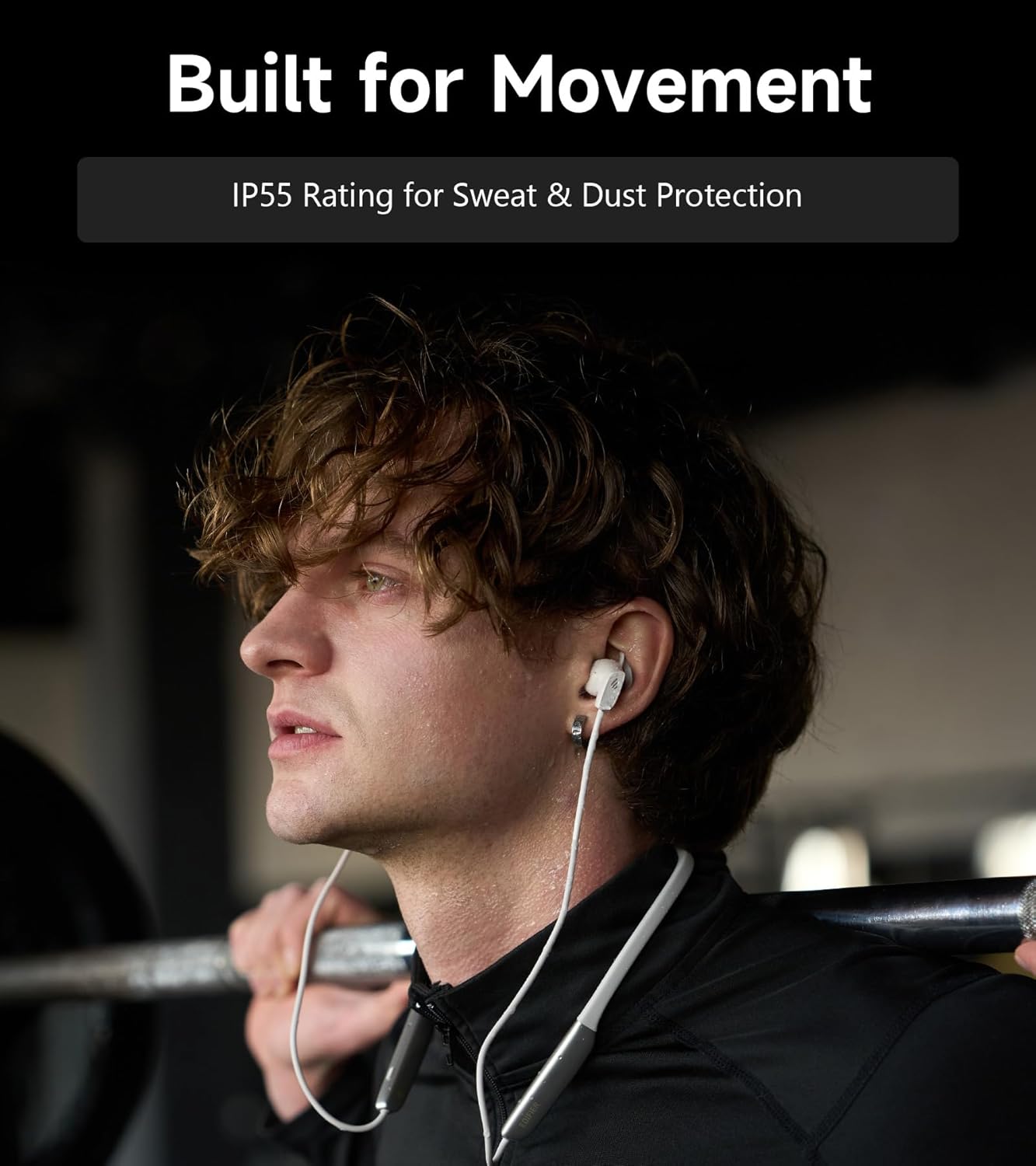
Image: A person wearing the headphones during a workout, illustrating the IP55 sweat and dust protection.
4.2 พื้นที่จัดเก็บ
When not in use, store your headphones properly to prevent damage.
- The earbuds are magnetic, allowing them to snap together for tangle-free storage around your neck or in a bag.
- เก็บในที่เย็นและแห้ง ห่างจากแสงแดดโดยตรงและอุณหภูมิที่สูงเกินไป
4.3 การดูแลแบตเตอรี่
- หลีกเลี่ยงการปล่อยแบตเตอรี่จนหมดบ่อยครั้ง
- ควรชาร์จหูฟังเป็นประจำ แม้ว่าจะไม่ได้ใช้งานเป็นเวลานาน เพื่อรักษาอายุการใช้งานของแบตเตอรี่
5 การแก้ไขปัญหา
If you encounter issues with your Edifier W280NB Pro headphones, refer to the following common problems and solutions.
| ปัญหา | สาเหตุที่เป็นไปได้ | สารละลาย |
|---|---|---|
| หูฟังไม่สามารถเปิดเครื่องได้ | แบตเตอรี่อ่อน | ชาร์จหูฟังให้เต็ม |
| ไม่สามารถจับคู่กับอุปกรณ์ได้ | หูฟังไม่ได้อยู่ในโหมดจับคู่ ปิดใช้งานบลูทูธบนอุปกรณ์แล้ว Device too far from headphones. | Ensure headphones are in pairing mode (flashing indicator). เปิดใช้งานบลูทูธบนอุปกรณ์ของคุณ เลื่อนอุปกรณ์ให้เข้ามาใกล้หูฟังมากขึ้น (ภายในระยะ 10 เมตร) Try resetting the headphones (refer to manual for specific reset procedure if available, or power cycle). |
| ไม่มีเสียงหรือเสียงเบา | Volume too low on headphones or device. ไม่ได้เชื่อมต่อหูฟัง เลือกเอาท์พุตเสียงไม่ถูกต้องบนอุปกรณ์ | เพิ่มระดับเสียงทั้งในหูฟังและอุปกรณ์ ตรวจสอบให้แน่ใจว่าหูฟังได้รับการจับคู่และเชื่อมต่อเรียบร้อยแล้ว Check your device's audio settings to ensure output is set to Edifier W280NB Pro. |
| คุณภาพเสียงไม่ดี | การเชื่อมต่อบลูทูธไม่ดี จุกหูฟังไม่พอดี คุณภาพของแหล่งเสียง | ขยับเข้าไปใกล้กับอุปกรณ์ที่เชื่อมต่อมากขึ้น Ensure ear tips provide a secure seal. ลองใช้แหล่งเสียงอื่นหรือ file. |
| ระบบตัดเสียงรบกวนแบบแอคทีฟไม่ได้ผล | จุกหูฟังไม่พอดี Incorrect ANC mode selected. Extreme noise conditions. | Ensure ear tips provide a secure seal. Cycle through ANC modes to select the most appropriate one. ANC works best for low-frequency, constant noise. |
| ไมโครโฟนไม่ทำงานในระหว่างการโทร | Headphones not selected as input device. ไมโครโฟนถูกปิดเสียงบนอุปกรณ์ | Check your device's call settings to ensure Edifier W280NB Pro is selected for microphone input. Ensure microphone is not muted on your device. |
6. ข้อมูลจำเพาะ
Detailed technical specifications for the Edifier W280NB Pro Neckband Wireless Headphones.
| คุณสมบัติ | รายละเอียด |
|---|---|
| ยี่ห้อ | เครื่องช่วยสอน |
| ชื่อรุ่น | W280NB โปร |
| สี | สีดำ |
| การวางตำแหน่งหู | ในหู |
| ฟอร์มแฟกเตอร์ | สายคล้องคอ |
| อิมพีแดนซ์ | 24 โอห์ม |
| การควบคุมเสียงรบกวน | ระบบตัดเสียงรบกวนแบบแอคทีฟ |
| ช่วงความถี่ | 20เฮิรตซ์-40กิโลเฮิรตซ์ |
| ประเภทไดร์เวอร์เสียง | Dynamic Driver (10mm with Titanium-Coated Diaphragm) |
| เทคโนโลยีการเชื่อมต่อ | ไร้สาย (Bluetooth) |
| เวอร์ชันบลูทูธ | 5.4 |
| ช่วงบลูทูธ | 10 เมตร (33 ฟุต) |
| Battery Average Life (Playback) | 23 ชั่วโมง (ปิด ANC), 14 ชั่วโมง (เปิด ANC) |
| เวลาในการชาร์จแบตเตอรี่ | 1.5 ชั่วโมง |
| ระดับความต้านทานต่อน้ำ | IP55 (Dust & Waterproof) |
| อุปกรณ์ที่รองรับ | สมาร์ทโฟน แท็บเล็ต แล็ปท็อป ลำโพงอัจฉริยะ |
| วัสดุ | Silicone (Enclosure) |
| ยูพีซี | 628430220005 |
7. ข้อมูลการรับประกัน
The Edifier W280NB Pro Neckband Wireless Headphones come with a การรับประกันจากผู้ผลิต 1 ปี.
This warranty covers defects in materials and workmanship under normal use. It does not cover damage caused by misuse, accidents, unauthorized modifications, or normal wear and tear. Please retain your proof of purchase for warranty claims.
8. การสนับสนุนลูกค้า
For further assistance, technical support, or warranty inquiries, please contact Edifier customer service.
- Webเว็บไซต์: เยี่ยมชมเว็บไซต์ Edifier อย่างเป็นทางการ webเว็บไซต์นี้รวบรวมคำถามที่พบบ่อย แหล่งข้อมูลสนับสนุน และข้อมูลการติดต่อ
- อีเมล์/โทรศัพท์: Refer to the Edifier website or your product packaging for specific contact details in your region.