
1. คำแนะนำด้านความปลอดภัยที่สำคัญ
Please read these safety instructions carefully before installing or operating your FSP FlexGURU Pro 650W power supply. Failure to follow these instructions may result in electric shock, fire, or damage to the product and connected components.
- อันตรายจากไฟฟ้า: ห้ามเปิดแหล่งจ่ายไฟ แรงดันไฟฟ้าสูงtagอนุภาคยังคงอยู่ภายในแม้ในขณะที่ถอดปลั๊กเครื่องแล้ว ไม่มีชิ้นส่วนใดภายในที่ผู้ใช้สามารถซ่อมแซมได้เอง
- การระบายอากาศ : Ensure adequate airflow around the power supply. Do not block ventilation openings. Overheating can lead to performance degradation or failure.
- ความชื้น: Keep the power supply away from water, humidity, and liquids. Do not operate in damp หรือสภาวะเปียกชื้น
- แหล่งพลังงาน: เชื่อมต่อแหล่งจ่ายไฟเข้ากับเต้ารับไฟฟ้าที่มีสายดินและมีแรงดันไฟฟ้าที่ถูกต้องเท่านั้นtage และความถี่ตามที่ระบุไว้บนฉลากของอุปกรณ์
- การติดตั้ง: Install the power supply in a well-ventilated computer chassis. Ensure all cables are properly connected and secured.
- การจัดการ: Handle the power supply with care. Avoid dropping or subjecting it to strong impacts.
- เด็ก: Keep the power supply and its components out of reach of children.
2. สินค้าหมดview
The FSP FlexGURU Pro 650W is a high-efficiency Flex ATX power supply designed for compact systems requiring stable and reliable power. It complies with the latest ATX 3.1 and Flex ATX V2.1 standards, offering robust performance for current and future high-end hardware. With 80 PLUS Platinum certification, it ensures up to 92% efficiency, reducing power loss and heat generation.

Image: The FSP FlexGURU Pro 650W power supply, illustrating its compact dimensions of 5.90 inches (L) x 3.20 inches (W) x 1.59 inches (H).
3. คุณสมบัติหลัก
- New-Gen ATX 3.1 & Flex ATX V2.1 Compliance: Fully compliant with both the latest ATX 3.1 and Flex ATX V2.1 regulations, ensuring exceptional system stability and peak performance when paired with current and future high-end hardware in compact chassis.
- ประสิทธิภาพ 80 PLUS Platinum: Achieves the prestigious 80 PLUS Platinum standard, delivering up to 92% efficiency to significantly reduce power loss and energy costs. This high-efficiency design minimizes heat generation, allowing for ultra-quiet operation and extending the lifespan of your components.
- Optimized Low-Noise Performance: Equipped with a 40mm ball-bearing fan, smart fan control, and unique shielding design to significantly lower acoustic noise and deliver a consistent, near-silent computing experience.
- High Compatibility & Versatile Installation: Includes a universal fix bracket, allowing this 650W model to easily integrate and transform into reliable 1U IPC (Industrial PC), Networking, or Surveillance power supplies.
- Premium Japanese Electrolytic Capacitors: The FlexGURU PRO series utilizes main Japanese electrolytic capacitors to ensure exceptionally stable outputs, maximum longevity, and long-term reliability under continuous operation.
- Complete Protection for Diverse Applications: Designed and tested to the highest standards, featuring full protections (UVP, OVP, SCP, OPP, OTP, SIP, NLO). Ideal for specialized solutions like Edge Computing, NAS, HTPC, POS terminals, and Industrial PC builds.
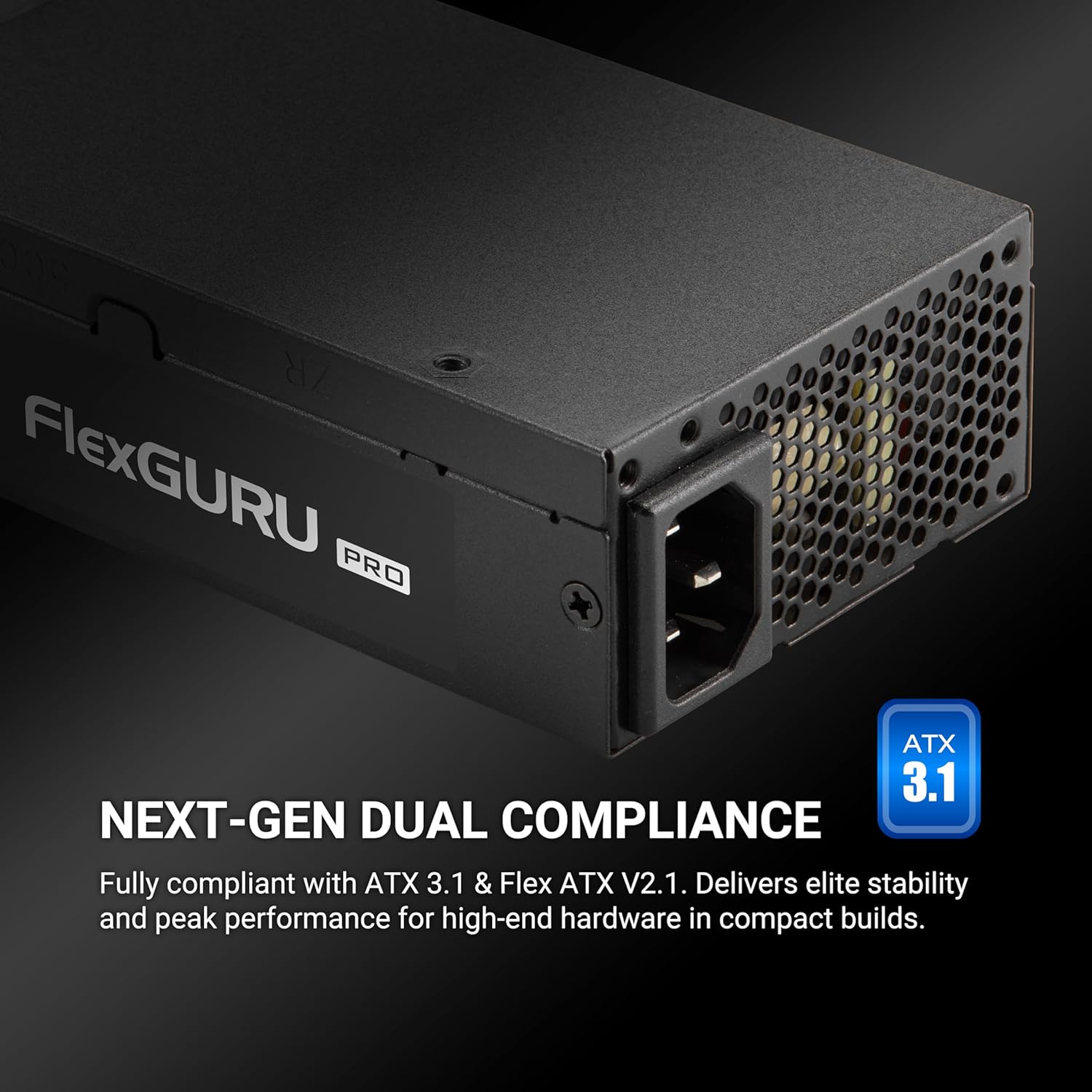
Image: The FSP FlexGURU Pro power supply highlighting its ATX 3.1 and Flex ATX V2.1 dual compliance for modern systems.

Image: A graph illustrating the 92% typical efficiency conversion of the FlexGURU Pro 650W power supply at various load levels for both 115V and 230V inputs.

ภาพ: ภาพระยะใกล้ view of a Japanese electrolytic capacitor, emphasizing the quality components used in the FlexGURU Pro series for stable outputs and reliability.
4. เนื้อหาบรรจุภัณฑ์
ตรวจสอบว่ามีรายการทั้งหมดอยู่ในแพ็คเกจของคุณ:
- FSP FlexGURU Pro 650W Power Supply Unit
- สายไฟ AC
- Modular Cable Set (if applicable, this model is non-modular but includes various fixed cables)
- 1U Universal Fix Bracket
- สกรูยึด
- คู่มือการใช้งาน (เอกสารนี้)

Image: A diagram showing the types and quantities of all black round cables included with the power supply: 1x MB 20+4 PIN, 2x CPU 8 PIN / 4+4 PIN, 2x PCIe 6+2 PIN, 2x 2 SATA, and 1x 2 MOLEX / FLOPPY.
5. คู่มือการติดตั้ง
5.1 รายการตรวจสอบก่อนการติดตั้ง
- โปรดตรวจสอบให้แน่ใจว่าระบบคอมพิวเตอร์ของคุณปิดเครื่องสนิทและถอดปลั๊กออกจากเต้ารับแล้ว
- Discharge any residual power by pressing the power button on your PC for a few seconds.
- Gather necessary tools: screwdriver, zip ties (optional for cable management).
5.2 การติดตั้งพาวเวอร์ซัพพลาย
The FSP FlexGURU Pro 650W can be installed in standard Flex ATX chassis or adapted for 1U IPC applications using the included bracket.
- Carefully remove your old power supply (if applicable).
- Position the FSP FlexGURU Pro 650W into the power supply bay of your chassis.
- Secure the power supply using the provided mounting screws. For 1U IPC applications, attach the universal fix bracket to the power supply first, then mount it into the 1U chassis.

Image: The FlexGURU Pro power supply shown with the 1U bracket attached, demonstrating its adaptability for 1U IPC power supply applications.
5.3 สายเชื่อมต่อ
Connect the power supply cables to the corresponding components in your system. Refer to your motherboard and component manuals for specific connection points.
- ขั้วต่อไฟหลัก 20+4 พิน: Connect to the motherboard.
- CPU 8 Pin / 4+4 Pin Connector: Connect to the CPU power input on the motherboard.
- PCIe 6+2 Pin Connector: Connect to graphics cards or other PCIe devices requiring auxiliary power.
- ขั้วต่อไฟ SATA: เชื่อมต่อกับฮาร์ดไดรฟ์ SATA, SSD และไดรฟ์ออปติคัล
- MOLEX / Floppy Connectors: เชื่อมต่อกับอุปกรณ์ต่อพ่วงหรือพัดลมเคสรุ่นเก่า
Ensure all connections are firm and secure. Improper connections can cause system instability or damage.
6. การดำเนินการ
After installation, ensure all components are correctly connected and the power supply is securely mounted.
- เชื่อมต่อสายไฟ AC เข้ากับแหล่งจ่ายไฟ แล้วจึงเสียบเข้ากับเต้ารับติดผนังที่มีสายดิน
- พลิกสวิตช์เปิด/ปิดที่ด้านหลังของแหล่งจ่ายไฟไปที่ตำแหน่ง 'เปิด' (I)
- กดปุ่มเปิด/ปิดบนเคสคอมพิวเตอร์ของคุณเพื่อเริ่มระบบ
The power supply's 40mm ball-bearing fan will operate automatically, controlled by smart fan technology to maintain optimal temperature and minimize noise.
7. การบำรุงรักษาและการดูแล
To ensure the longevity and optimal performance of your FSP FlexGURU Pro 650W power supply, follow these maintenance guidelines:
- การทำความสะอาด: Periodically clean the exterior of the power supply and its fan grille to prevent dust buildup. Use compressed air to gently clear dust from the fan and vents. Ensure the power supply is unplugged before cleaning.
- สิ่งแวดล้อม: Operate the power supply in a clean, dry, and well-ventilated environment. Avoid extreme temperatures.
- การจัดการสายเคเบิล: Ensure cables are neatly routed and do not obstruct airflow within the chassis.
- การตรวจสอบ: Occasionally inspect power cables for any signs of damage or fraying. Replace damaged cables immediately.
8 การแก้ไขปัญหา
หากคุณพบปัญหาเกี่ยวกับแหล่งจ่ายไฟ โปรดดูขั้นตอนการแก้ไขปัญหาทั่วไปต่อไปนี้:
- ไม่มีไฟฟ้า:
- ตรวจสอบว่าสายไฟ AC เชื่อมต่อกับแหล่งจ่ายไฟและเต้ารับที่ผนังอย่างแน่นหนาหรือไม่
- ตรวจสอบให้แน่ใจว่าสวิตช์เปิด/ปิดด้านหลังของ PSU อยู่ในตำแหน่ง 'เปิด' (I)
- ตรวจสอบว่าปลั๊กไฟใช้งานได้หรือไม่ โดยลองเสียบอุปกรณ์อื่นเข้าไป
- Check all internal power connections (20+4 pin, CPU, PCIe) to ensure they are firmly seated.
- ระบบไม่เสถียร/ปิดเครื่องเองโดยไม่ทราบสาเหตุ:
- ตรวจสอบให้แน่ใจว่าแหล่งจ่ายไฟมีน้ำtage เพียงพอสำหรับส่วนประกอบระบบทั้งหมดของคุณ
- Check for proper ventilation within the chassis to prevent overheating.
- Verify that all power cables are correctly connected and not loose.
- If possible, test the power supply with a different set of components or in another system to isolate the issue.
- เสียงพัดลมดัง:
- ตรวจสอบให้แน่ใจว่าตะแกรงพัดลมของแหล่งจ่ายไฟปราศจากฝุ่นและสิ่งกีดขวาง
- Verify that the system is not under excessive load, causing the fan to spin faster.
- Ensure adequate case airflow to prevent the PSU from drawing in hot air.
If the problem persists after attempting these steps, please contact FSP customer support for further assistance.
9. ข้อมูลจำเพาะทางเทคนิค
Detailed specifications for the FSP FlexGURU Pro 650W Power Supply (FSP650-50FUB):
| คุณสมบัติ | ข้อมูลจำเพาะ |
|---|---|
| แบบอย่าง | FSP650-50FUB |
| ยี่ห้อ | FSP |
| ฟอร์มแฟกเตอร์ | เฟล็กซ์ เอทีเอ็กซ์ |
| เอาท์พุต วัดtage | 650วัตต์ |
| การรับรองประสิทธิภาพ | 80 PLUS Platinum (Up to 92%) |
| การปฏิบัติตาม | ATX 3.1, Flex ATX V2.1 |
| วิธีการทำความเย็น | Air (40mm ball-bearing fan) |
| ขนาดรายการ (ยาว x กว้าง x สูง) | 5.91 x 1.59 x 3.21 นิ้ว |
| น้ำหนักสินค้า | 2.18 ปอนด์ |
| การออกแบบแหล่งจ่ายไฟ | ไม่ใช่โมดูลาร์ |
| อินพุต Voltage | 100-240 โวลต์ (กระแสสลับ) |
| ความถี่อินพุต | 50-60เฮิรตซ์ |
| การคุ้มครอง | UVP, OVP, SCP, OPP, OTP, SIP, NLO |
| ตัวเก็บประจุ | Japanese Electrolytic Capacitors |
| การรับประกัน | 5 ปี |

Image: A table detailing the AC Input and DC Output specifications for the FlexGURU Pro 650W, including Max Output Current and Max Combined Power for +3.3V, +5V, +12V, +5Vsb, and -12V rails, with a total power of 650W.
10. การใช้งานที่หลากหลาย
The FSP FlexGURU Pro 650W power supply is designed for a wide range of applications due to its compact size, high efficiency, and robust protections:
- Industrial PC (IPC) builds
- Point of Sale (POS) terminals
- Network communication devices
- Surveillance systems
- Edge Computing solutions
- Home Theater Personal Computers (HTPC)
- Network Attached Storage (NAS) servers
- Gaming & Creator PCs (in compact chassis)

Image: Icons depicting versatile industrial applications for the FlexGURU Pro series, including Industrial PC, Point of Sale System, Network communication, Surveillance, Edge Computer, Home Theater Personal Computer, NAS Server, and Gaming & Creator PC.
11. การรับประกันและการสนับสนุน
The FSP FlexGURU Pro 650W Power Supply (FSP650-50FUB) comes with a รับประกัน 5 ปี ตั้งแต่วันที่ซื้อ การรับประกันนี้ครอบคลุมถึงข้อบกพร่องในวัสดุและฝีมือการผลิตภายใต้การใช้งานปกติ
For warranty claims, technical support, or any product-related inquiries, please contact FSP customer service through their official website or the retailer where the product was purchased. Please have your proof of purchase and product model number (FSP650-50FUB) ready when contacting support.
แหล่งข้อมูลออนไลน์: For additional information, FAQs, and driver downloads, please visit the official FSP webเว็บไซต์: www.fspgroupusa.com