
1. บทนำ
This manual provides detailed instructions for the safe and proper installation, operation, and maintenance of your LOKLNEYK Universal TV Bracket, Model liangwei 90. This low-profile wall mount is designed for most 14-60 inch flat or curved TVs with a maximum VESA compatibility of 200x200mm and a maximum load capacity of 40kg.
Please read this manual thoroughly before installation and retain it for future reference. Ensure all components are present and undamaged before proceeding.
2. ข้อมูลด้านความปลอดภัย
คำเตือน: Improper installation may result in serious personal injury or damage to your TV and property. If you do not understand these instructions or have doubts about the safety of the installation, please contact a qualified installer.
- ห้ามรับน้ำหนักเกินขีดจำกัดสูงสุดที่ 40 กิโลกรัม (88 ปอนด์)
- ตรวจสอบให้แน่ใจว่าโครงสร้างผนังสามารถรับน้ำหนักรวมของขาตั้งและทีวีได้อย่างปลอดภัย
- Always use a stud finder to locate wall studs for secure mounting. If mounting to concrete or brick, use appropriate anchors (not always included).
- สวมอุปกรณ์ป้องกันความปลอดภัยที่เหมาะสม รวมถึงอุปกรณ์ป้องกันดวงตา ระหว่างการติดตั้ง
- เก็บให้ห่างจากเด็กและสัตว์เลี้ยงในระหว่างการติดตั้ง
- ห้ามขันสกรูแน่นเกินไป เพราะอาจทำให้เกิดความเสียหายได้
- ผลิตภัณฑ์นี้มีวัตถุประสงค์สำหรับใช้ภายในอาคารเท่านั้น
3. ข้อมูลจำเพาะผลิตภัณฑ์
| ประเภทสินค้า | TV Mount Accessories |
| ความเข้ากันได้ของขนาดหน้าจอ | 14-60 inches (Flat/Curved TVs) |
| ความเข้ากันได้ของ VESA | Max VESA 200x200mm |
| น้ำหนักบรรทุกสูงสุด | 40 กก. (88 ปอนด์) |
| การปรับเปลี่ยน | Fixed with 0-15° tilting angle |
| ประเภทการติดตั้ง | ติดตั้งบนผนัง |
| วัสดุ | เหล็กกล้ารีดเย็น |
| น้ำหนักสินค้า | 1.76 ออนซ์ (0.05 กก.) |
| หมายเลขรุ่น | liangwei 90 |
Note: The product is designed for a low-profile installation, keeping your TV close to the wall.
4. เนื้อหาบรรจุภัณฑ์
Please verify that all parts are included before installation. If any parts are missing or damaged, do not proceed with installation and contact customer support.
- แผ่นผนัง (1)
- แขนยึดทีวี (2)
- Mounting Hardware (Screws, Washers, Spacers, Wall Anchors - specific quantities may vary)
- Bubble Level (1) (Often included for installation)

Figure 1: Mount Dimensions and VESA Compatibility. This image illustrates the overall dimensions of the mount (440mm width, 417mm height) and indicates compatibility for 26-60 inch TVs. While the image shows VESA up to 400x400mm, please adhere to the product specification of Max VESA 200x200mm.
5. การตั้งค่าและการติดตั้ง
Follow these steps carefully to install your LOKLNEYK Universal TV Bracket.
5.1 เครื่องมือที่จำเป็น (ไม่รวม)
- ดินสอ
- เจาะ
- ไขควงหัวแฉก
- เครื่องตรวจหาโครงไม้ (สำหรับผนังโครงไม้)
- สายวัด
- Level (a small bubble level is often included)
5.2 การติดตั้งขาตั้งทีวีเข้ากับทีวี
- วางทีวีคว่ำหน้าลงบนพื้นผิวที่นุ่มและสะอาดอย่างระมัดระวัง เพื่อป้องกันความเสียหายของหน้าจอ
- ระบุรูยึด VESA ที่ด้านหลังทีวีของคุณ
- Select the appropriate screws, washers, and spacers from the provided hardware that fit your TV's mounting holes. Ensure the screws are long enough to securely fasten the brackets but not so long that they damage internal components.
- Attach the two vertical TV bracket arms to the back of your TV using the selected hardware. Ensure the hooks on the bracket arms are facing upwards and the arms are centered and level. Do not overtighten.
5.3 การติดตั้งแผ่นยึดผนัง
- Determine the desired height for your TV. Mark the center of where you want the TV to be.
- Hold the wall plate against the wall at the desired height and use a level to ensure it is perfectly horizontal. Mark the drilling locations through the holes on the wall plate.
- สำหรับผนังโครงไม้: Use a stud finder to locate the center of two adjacent wood studs. Drill pilot holes at the marked locations. Secure the wall plate to the studs using the provided wood screws and washers.
- สำหรับผนังคอนกรีต/อิฐ: Drill pilot holes at the marked locations. Insert the plastic wall anchors into the drilled holes. Secure the wall plate using the provided concrete screws and washers.
- ตรวจสอบให้แน่ใจว่าแผ่นยึดผนังติดตั้งแน่นและได้ระดับก่อนดำเนินการต่อ

Figure 2: Wall Plate Installation. This image shows the main wall plate securely mounted to a wall, ready for the TV to be attached.

Figure 3: Mount Construction Detail. This image emphasizes the cold-rolled steel material, indicating durability, and shows a built-in bubble level for accurate installation.
5.4 การแขวนทีวี
- With assistance, carefully lift the TV with the attached bracket arms.
- Hook the TV bracket arms onto the top edge of the wall plate.
- Gently lower the TV until the bracket arms fully engage with the wall plate.
- Secure the TV to the wall plate using the safety screws or locking mechanisms located at the bottom of the TV bracket arms. This prevents accidental dislodging.
- Check that the TV is level and securely mounted.
6. การดำเนินการ
The LOKLNEYK Universal TV Bracket is a low-profile wall mount designed for a fixed position with a slight tilting capability.
- ตำแหน่งคงที่: Once installed, your TV will be held securely in a fixed position close to the wall, optimizing space.
- มุมเอียง: This mount allows for a 0-15° tilting adjustment. To adjust the tilt, loosen the tilt adjustment screws on the side of the TV bracket arms, set the desired angle, and then securely tighten the screws. This feature helps reduce glare and provides a comfortable viewing experience from various positions.
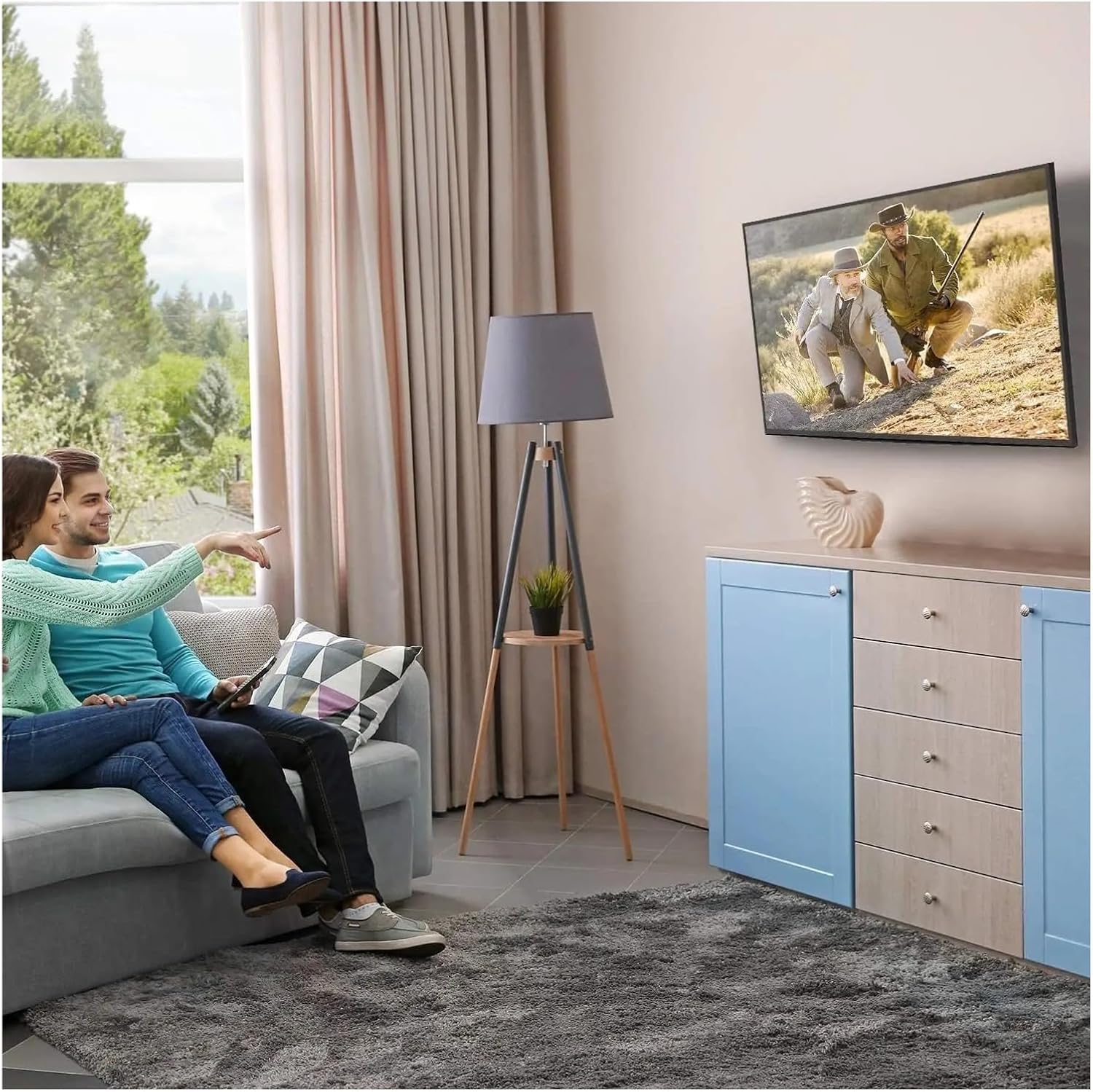
รูปที่ 4: ค่าที่เหมาะสมที่สุด Viewing Experience. This image demonstrates the TV mounted on the wall, providing an enhanced viewing experience and saving space.
7. การบำรุงรักษา
การบำรุงรักษาอย่างสม่ำเสมอจะช่วยให้ขาตั้งทีวีของคุณใช้งานได้ยาวนานและปลอดภัย
- การทำความสะอาด: เช็ดทำความสะอาดฐานตั้งโมเดลเป็นระยะด้วยผ้าแห้งเนื้อนุ่ม หลีกเลี่ยงการใช้สารทำความสะอาดที่มีฤทธิ์กัดกร่อนหรือตัวทำละลาย
- ตรวจสอบการเชื่อมต่อ: Annually, or if you notice any instability, check all screws and bolts to ensure they are securely tightened. Do not overtighten.
- ตรวจสอบความเสียหาย: Periodically inspect the mount for any signs of wear, corrosion, or damage. If any damage is found, contact customer support for replacement parts or advice.
8 การแก้ไขปัญหา
หากพบปัญหาในระหว่างหรือหลังการติดตั้ง โปรดดูปัญหาและวิธีแก้ไขที่พบบ่อยต่อไปนี้
| ปัญหา | สาเหตุที่เป็นไปได้ | สารละลาย |
|---|---|---|
| ทีวีไม่ได้ตั้งตรง | แผ่นปิดผนังไม่ตรงระดับระหว่างการติดตั้ง | Remove TV, adjust wall plate to be level, re-mount TV. Use a level during installation. |
| TV feels unstable | Screws not fully tightened; incorrect wall anchors used; wall structure insufficient. | Ensure all screws are tightened. Verify wall type and use correct anchors. Consult a professional if wall structure is questionable. Do not exceed weight capacity. |
| Cannot attach TV bracket arms to TV | Incorrect VESA pattern; wrong screws used. | Verify your TV's VESA pattern matches the mount's compatibility (max 200x200mm). Ensure correct screw diameter and length are used for your TV. |
| TV does not tilt | Tilt adjustment screws are too tight. | Loosen the tilt adjustment screws slightly, adjust the angle, then re-tighten. |
9. การรับประกันและการสนับสนุน
For warranty information or technical support, please refer to the documentation included with your purchase or contact LOKLNEYK customer service directly. Please have your model number (liangwei 90) and purchase details ready when contacting support.
Manufacturer: LOKLNEYK
วันที่เปิดให้ใช้งานครั้งแรก: 10 มกราคม 2026