
1. บทนำ
The Insoma WiFi Water Timer is designed to automate your garden watering system, providing convenience and efficiency. This smart device connects directly to your 2.4GHz WiFi network, allowing remote control via a smartphone application and voice commands through compatible smart assistants. It is suitable for various watering needs, including garden hoses, smart sprinklers, and drip irrigation systems.

Image 1.1: Insoma WiFi Water Timer in use, demonstrating app remote control.
2. คุณสมบัติของผลิตภัณฑ์
- 100% WiFi Connectivity: Operates exclusively on 2.4GHz WiFi, eliminating the need for a separate gateway and ensuring stable remote control.
- Easy App Control: Manage watering programs and review history anytime, anywhere using the Smart Life APP.
- การควบคุมด้วยเสียงอัจฉริยะ: เข้ากันได้กับ Amazon Alexa และ Google Assistant เพื่อการใช้งานแบบแฮนด์ฟรี
- Manual Watering & Weather Delay: Offers on-demand manual watering and the ability to pause schedules for 24h, 48h, or 72h due to rain.
- Multiple Schedule Settings: Supports up to 20 watering schedules, including normal and cycle/soak types, to meet diverse irrigation requirements.
- โครงสร้างทนทาน: Features brass inlet and outlet for enhanced durability and leak prevention.
3. คู่มือการติดตั้ง
3.1 เนื้อหาบรรจุภัณฑ์
- Insoma WiFi Water Timer Unit
- คู่มือการใช้งาน
- Additional Washers
- เทปสำหรับช่างประปา
3.2 การติดตั้งฮาร์ดแวร์
- ติดตั้งแบตเตอรี่: Open the battery compartment (typically on the side or back) and insert the required batteries (usually AA, refer to the device for specific type). Ensure correct polarity.
- ติดตั้งเข้ากับก๊อกน้ำ: Screw the water timer onto your outdoor faucet. Ensure the connection is secure to prevent leaks. Use the provided washers and plumber's tape if necessary for a watertight seal. The timer features a 360-degree rotatable reinforced brass inlet for easy installation.
- เชื่อมต่อท่อ: ต่อสายยางรดน้ำเข้ากับช่องจ่ายน้ำของเครื่องตั้งเวลาเปิด-ปิดน้ำ

ภาพที่ 3.1: รายละเอียด view of the enhanced water inlet with built-in filter.

Image 3.2: Illustration of the durable and leak-proof design with brass inlet/outlet and filter.
3.3 App and WiFi Connection
- ดาวน์โหลดแอพ: ค้นหา and download the 'Smart Life' application from your smartphone's app store (iOS or Android).
- ลงทะเบียน/เข้าสู่ระบบ: Open the Smart Life app and register a new account or log in with an existing one.
- เพิ่มอุปกรณ์: In the app, tap the '+' icon to add a new device. Select 'Water Timer' or 'Irrigation' from the device list.
- เชื่อมต่อกับ WiFi: Follow the in-app instructions to connect the water timer to your 2.4GHz WiFi network. Ensure your phone is also connected to the same 2.4GHz network during the pairing process. The timer does not support 5GHz WiFi.
- การตั้งชื่ออุปกรณ์: Once connected, you can rename your water timer for easy identification.
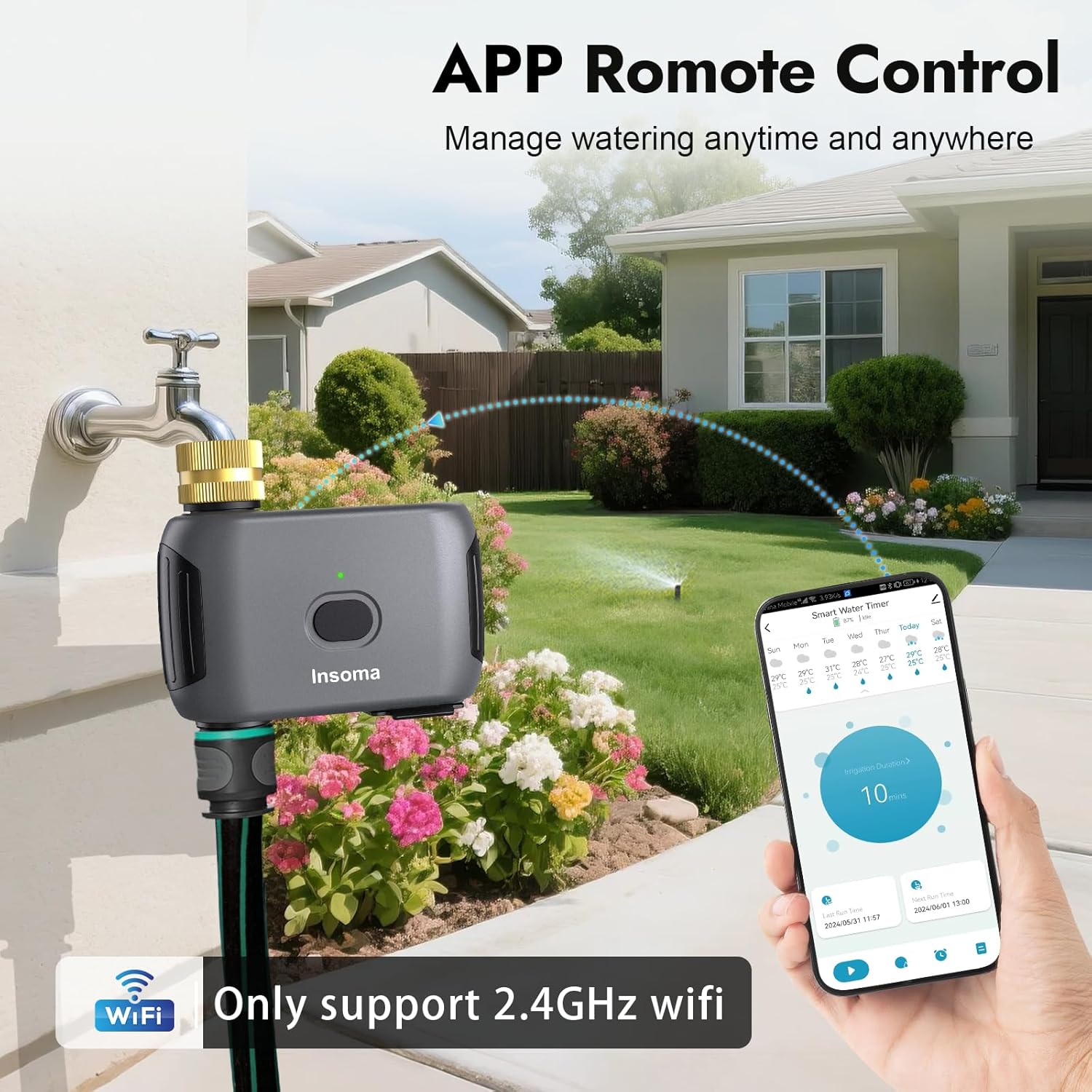
Image 3.3: Remote control via the Smart Life App.
4. คู่มือการใช้งาน
4.1 Scheduling Watering Programs
The Insoma WiFi Water Timer supports up to 20 watering schedules, including two main types:
- Normal Schedule Type: Set a specific start time, irrigation duration (1 minute to 24 hours), and select the days of the week for watering.
- Cycle & Soak Type: Ideal for efficient watering, this mode allows you to set a start time, end time, and then define a cycle duration (e.g., 10 minutes) and a soak duration (e.g., 5 minutes) within that period. This helps water penetrate the soil better and reduces runoff.
ในการตั้งตารางเวลา:
- Open the Smart Life app and select your water timer.
- ไปที่ส่วน 'ตารางเวลา' หรือ 'โปรแกรม'
- Tap to add a new schedule and choose between 'Normal Schedule' or 'Cycle & Soak'.
- Configure the start time, duration, days, and other parameters as required.
- บันทึกตารางเวลาไว้

Image 4.1: App interface for setting Normal and Cycle & Soak watering schedules.

Image 4.2: Setting a Normal Schedule in the app.

Image 4.3: Setting a Cycle & Soak Schedule in the app.
4.2 การรดน้ำด้วยตนเอง
You can initiate watering manually without affecting your preset schedules. This is useful for immediate watering needs.
- ผ่านแอป: In the Smart Life app, select your water timer and choose the 'Manual' option. You can set a custom watering duration from 1 minute up to 24 hours.
- ผ่านปุ่มอุปกรณ์: Press the button on the water timer unit to start manual watering for a default duration (e.g., 10 minutes, as indicated in some visuals). Press again to stop.

Image 4.4: Manual watering can be initiated via the app or the device button.

ภาพที่ 4.5: อดีตamples of quick manual watering applications.
4.3 ฟังก์ชันหน่วงเวลาฝน
To conserve water and avoid overwatering during rainy conditions, use the rain delay function:
- In the Smart Life app, navigate to the water timer settings.
- Select the 'Rain Delay' option.
- Choose to pause scheduled watering for 24 hours, 48 hours, or 72 hours.
- The timer will automatically resume its programmed schedules after the selected delay period.

Image 4.6: Rain Delay function in action, showing options for pausing watering.

Image 4.7: Rain Delay feature and IP55 waterproof rating.
4.4 การควบคุมด้วยเสียง
Integrate your Insoma WiFi Water Timer with Amazon Alexa or Google Assistant for convenient voice commands:
- Ensure your water timer is connected to the Smart Life app and your Alexa/Google Assistant device is set up.
- Enable the 'Smart Life' skill or action in your Alexa or Google Home app.
- Discover devices. Your water timer should appear.
- ใช้คำสั่งเช่น:
- "Alexa, turn on the WiFi Water Timer."
- "Hey Google, turn off the garden hose."

Image 4.8: Voice control with Alexa and Google Assistant.

ภาพที่ 4.9: อดีตample of smart voice control in a home setting.
4.5 การแบ่งปันในครอบครัว
The Smart Life app allows you to share control of your water timer with family members, enabling collaborative garden management.
- In the Smart Life app, go to the device settings for your water timer.
- Look for a 'Share Device' or 'Family Management' option.
- Add family members by entering their Smart Life account details.
5. การบำรุงรักษา
- ทำความสะอาดตัวกรอง: Periodically check and clean the built-in metal filter at the water inlet to prevent debris from clogging the timer and affecting water flow.
- การเปลี่ยนแบตเตอรี่: Replace batteries when the low battery indicator appears in the app or on the device. Always use fresh batteries of the specified type.
- ฤดูหนาว: Before freezing temperatures, disconnect the water timer from the faucet, remove batteries, and store the unit indoors in a dry, protected area to prevent damage from freezing water.
6 การแก้ไขปัญหา
- Timer not connecting to WiFi: Ensure your router is broadcasting a 2.4GHz network. Move the timer closer to the router. Check WiFi password. Restart the timer and try pairing again.
- ตัวตั้งเวลาไม่รดน้ำ: Check battery level. Ensure the faucet is turned on. Verify that no rain delay is active. Check for clogs in the filter or hose. Review your watering schedules in the app.
- รอยรั่วบริเวณจุดเชื่อมต่อ: Ensure all connections are tight. Use plumber's tape and additional washers if necessary. Check for damaged O-rings or gaskets.
- การควบคุมด้วยเสียงไม่ทำงาน: Confirm the Smart Life skill/action is enabled in your Alexa/Google Home app. Ensure the water timer is online in the Smart Life app. Try re-discovering devices in your smart assistant app.
7. ข้อมูลจำเพาะ
| ยี่ห้อ | อินโซมา |
| หมายเลขรุ่น | ISMSGW03WF-TTUS42 |
| สี | สีเทา |
| วัสดุ | Brass Inlet and Outlet |
| ขนาดสินค้า (ลึก x กว้าง x สูง) | ลึก 3 นิ้ว x กว้าง 3 นิ้ว x สูง 4 นิ้ว |
| น้ำหนักสินค้า | 0.32 กิโลกรัม |
| จำนวนการตั้งค่า | 20 (watering schedules) |
| แรงดันน้ำทำงาน | 7.26-116 PSI |
| การเชื่อมต่อ | WiFi 2.4GHz |
8. การรับประกันและการสนับสนุน
8.1 ข้อมูลการรับประกัน
For detailed warranty information, please refer to the documentation included with your product or visit the official Insoma webไซต์ เงื่อนไขการรับประกันโดยทั่วไปครอบคลุมถึงข้อบกพร่องในการผลิตเป็นระยะเวลาหนึ่งนับจากวันที่ซื้อ
8.2 การสนับสนุนลูกค้า
If you encounter any issues or have questions regarding the Insoma WiFi Water Timer, please contact Insoma customer service through their official website or the contact information provided in your product packaging. Be prepared to provide your model number (ISMSGW03WF-TTUS42) and purchase details.