
การแนะนำ
The MILAGROW iMap Max W300 ECO is an advanced robotic vacuum cleaner designed for automated home cleaning. This device integrates powerful vacuuming with high-pressure mopping, featuring automatic water refilling, carpet detection with mop lifting, and self-cleaning capabilities. It utilizes advanced navigation for precise cleaning and offers hands-free operation through its auto-dust disposal and self-drying mop system.
1. การตั้งค่า
1.1 การแกะกล่องและเนื้อหา
นำส่วนประกอบทั้งหมดออกจากบรรจุภัณฑ์อย่างระมัดระวัง ตรวจสอบว่ามีส่วนประกอบทั้งหมดครบถ้วน:
- ตัวเครื่องหลัก (หุ่นยนต์ดูดฝุ่น)
- สถานีเชื่อมต่อ
- อะแดปเตอร์ชาร์จไฟ
- รีโมทคอนโทรล
1.2 ตำแหน่งสถานีเชื่อมต่อ
Place the docking station on a hard, level surface against a wall. Ensure there is at least 0.5 meters of clear space on both sides and 1.5 meters in front of the docking station to allow the robot to navigate and dock properly. Connect the charging adapter to the docking station and plug it into a power outlet.
1.3 การชาร์จเริ่มต้น
Place the robot vacuum onto the docking station. Ensure the charging contacts on the robot align with those on the station. The robot will begin charging automatically. For first-time use, allow the robot to charge completely before operation. A full charge can take several hours.
2. คู่มือการใช้งาน
2.1 การเปิด/ปิดเครื่อง
To power on the robot, press and hold the power button on the robot or use the remote control/app. To power off, place the robot on the charging dock or press and hold the power button until it shuts down.
โหมดทำความสะอาด 2.2 โหมด
The iMap Max W300 ECO supports various cleaning modes:
- การดูดฝุ่น: For dry debris removal with 24,000Pa suction power.
- ถูพื้น: For wet cleaning with dual high-pressure spinning mops.
- 2-in-1 Sweeping & Mopping: การดูดฝุ่นและถูพื้นพร้อมกันเพื่อการทำความสะอาดที่มีประสิทธิภาพ
Select your desired mode via the mobile application, remote control, or voice commands.
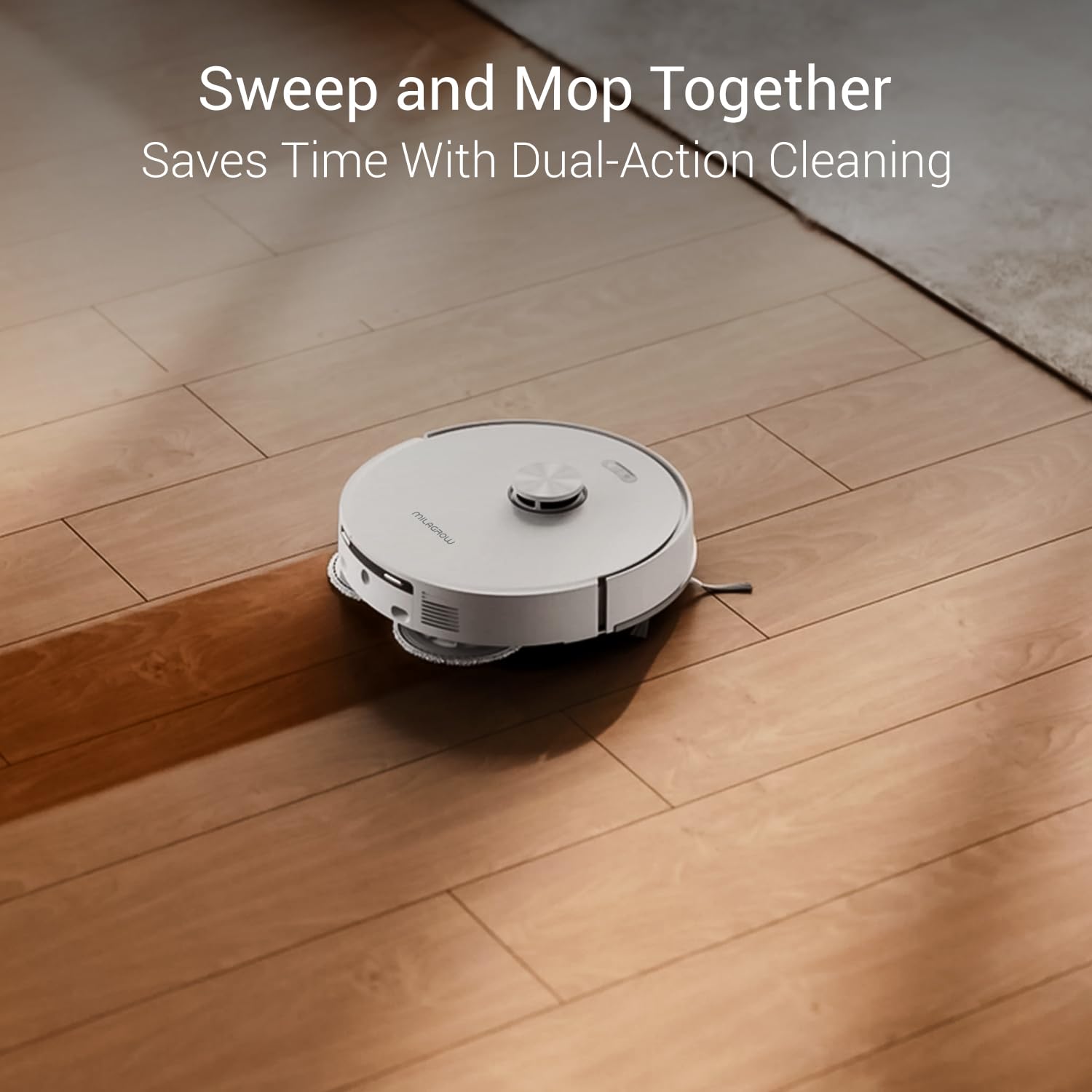
The robot vacuum performing simultaneous sweeping and mopping on a hard floor.
2.3 การนำทางและการทำแผนที่
The robot uses RT²R Laser Navigation (LDS+SLAM) for precise mapping and optimized route planning. It can store multiple floor maps, making it suitable for multi-level homes or offices. Use the mobile app to define No-go Zones or virtual walls.

Illustration of the robot's multi-floor memory system, ideal for homes with multiple levels.
2.4 การตรวจจับพรมและการยกไม้ถูพื้น
When operating in mopping or 2-in-1 mode, the robot intelligently detects carpets and automatically lifts its mops by up to 17 mm to prevent wetting the carpet. This ensures carpets remain dry and clean.
2.5 Corner Cleaning
The intelligent mop extension system allows the mop to extend by up to 7 mm along edges and corners, ensuring thorough cleaning in hard-to-reach areas.

The robot vacuum demonstrating its extended mop reach for precise corner cleaning.
3. การบำรุงรักษา
3.1 Auto Dust Disposal
After each cleaning session, the robot automatically empties its dustbin into the large-capacity dust disposal dock. This system provides 4–12 weeks of hands-free operation, depending on usage. Ensure the dust bag in the docking station is replaced when full.
3.2 การซักและอบแห้งด้วยไม้ถูพื้น
The robot automatically washes its mops using a scrubbing tray and rinses them during and after each cleaning cycle. The docking station then dries the mops with 68°C hot air to prevent bacterial growth, mold, and odors.

The docking station's self-washing technology, ensuring mops are clean for every use.

The hot air drying system within the docking station, preventing mold and bacteria on mops.
3.3 การบำรุงรักษาตัวกรอง
The robot is equipped with an H12 antibacterial HEPA filter. Regularly check and clean the filter to maintain optimal suction performance and air purification. Replace the filter as recommended in the app or when visibly dirty.
3.4 Tangle-Free Technology
The robot features Dual Tangle-Free AI Technology with reverse-rotation to prevent hair and fiber tangling on the brushes. Periodically inspect the main brush and side brushes for any accumulated debris and clean as needed.

Visual representation of the Tangle-Free Technology, showing how it prevents hair from wrapping around the brush.
3.5 Automatic Water Refill
The intelligent docking station automatically refills the robot's water tank. Ensure the clean water tank in the docking station is filled and the dirty water tank is emptied regularly for continuous mopping operation.
4 การแก้ไขปัญหา
If you encounter issues with your MILAGROW iMap Max W300 ECO, refer to the following common problems and solutions:
- Robot does not power on: Ensure the robot is fully charged and properly seated on the docking station. Check if the power adapter is securely connected to the docking station and the wall outlet.
- หุ่นยนต์ไม่สามารถเทียบท่าได้: Ensure the docking station is placed in an open area with sufficient clearance (0.5m on sides, 1.5m in front). Clean the charging contacts on both the robot and the docking station.
- ประสิทธิภาพการดูดไม่ดี: Check if the dustbin is full and empty it. Clean or replace the HEPA filter. Inspect the main brush and side brushes for any tangled hair or debris and remove them.
- Mopping is ineffective or leaves streaks: Ensure the clean water tank in the docking station is filled and the dirty water tank is emptied. Check if the mops are clean and properly attached. The robot automatically washes and dries mops, but manual inspection is recommended.
- หุ่นยนต์ติดขัดบ่อยครั้ง: Clear obstacles from the cleaning path. Use the app to set No-go Zones for areas where the robot frequently gets stuck. Clean the cliff sensors and other navigation sensors.
- ปัญหาการเชื่อมต่อแอป: Ensure your Wi-Fi network is stable and the robot is within range. Restart the robot and your router. Follow the app's instructions for re-pairing if necessary.
หากมีปัญหาเกิดขึ้นอย่างต่อเนื่อง โปรดติดต่อฝ่ายสนับสนุนลูกค้า
5. ข้อมูลจำเพาะ
| ยี่ห้อ | มิลาโกรว์ |
| หมายเลขรุ่น | iMap Max W300 ECO |
| พลังดูด | 24,000ปาสคาล |
| ความจุของแบตเตอรี่ | 5200 มิลลิแอมป์ |
| รันไทม์ | Up to 5 hours (approx. 3,500–4,000 sq. ft.) |
| ประเภทตัวกรอง | H12 Antibacterial HEPA |
| ความสูงในการยกไม้ถูพื้น | สูงถึง 17 มม. |
| ส่วนขยายม็อบ | Up to 7 mm for corners |
| อุณหภูมิในการถูพื้น | 68°C Hot Air |
| ระบบนำทาง | RT²R Laser Navigation (LDS+SLAM) |
| ประเภทตัวควบคุม | การควบคุมผ่านแอปพลิเคชัน, การควบคุมระยะไกล, การควบคุมด้วยเสียง |
| ขนาดสินค้า (กว้าง x ยาว x สูง) | กว้าง 37.5 ยาว 34.1 สูง 46 เซนติเมตร |
| น้ำหนักสินค้า | 4.5 กิโลกรัม |
| คำแนะนำด้านพื้นผิว | Hard Floor, Wood, Carpet, Tiles, Marble, Concrete, Glass |

หุ่นยนต์ดูดฝุ่นจัดแสดงasing its powerful 24,000Pa suction for deep cleaning.

The robot vacuum charging at its dock, highlighting its 5200 mAh battery for extended runtime.
6. การรับประกันและการสนับสนุน
For warranty information, technical support, or service inquiries, please contact the manufacturer or importer directly.
- ผู้ผลิต / ผู้นำเข้า: Pyramis Lifestyle India Pvt Ltd
- ที่อยู่: 1st Floor Kh# 385, Plot No.3, 100 Feet Road, Ghitorni, New Delhi-30
- ติดต่อ: +919910019853