
GOBOULT Tuff Hawk Smart Watch User Manual
Model: Tuff Hawk
การแนะนำ
This manual provides essential instructions for setting up, operating, and maintaining your GOBOULT Tuff Hawk Smart Watch. Please read this guide thoroughly before using your device to ensure optimal performance and longevity.

Image: The GOBOULT Tuff Hawk Smart Watch, highlighting its design and features.
มีอะไรอยู่ในกล่อง
ตรวจสอบว่ามีรายการทั้งหมดอยู่ในบรรจุภัณฑ์ผลิตภัณฑ์ของคุณ:
- GOBOULT Tuff Hawk Smart Watch
- สายชาร์จ
- คู่มือผู้ใช้ (เอกสารฉบับนี้)
การตั้งค่า
1. การชาร์จสมาร์ทวอทช์
Before initial use, fully charge your GOBOULT Tuff Hawk Smart Watch. Connect the provided charging cable to the charging port on the watch and a compatible USB power source. A full charge takes approximately 150 minutes.

Image: The GOBOULT Tuff Hawk Smart Watch connected to its charging cable, illustrating the charging process and battery indicator.
2. การเปิด/ปิดเครื่อง
To power on the watch, press and hold the Power button until the screen illuminates. To power off, press and hold the Power button, then select "Power Off" on the screen.
3. การจับคู่กับสมาร์ทโฟนของคุณ
The GOBOULT Tuff Hawk Smart Watch uses Bluetooth 5.3 for connectivity. Follow these steps to pair your watch with your smartphone:
- ตรวจสอบให้แน่ใจว่านาฬิกาของคุณชาร์จไฟและเปิดอยู่
- เปิดใช้งานบลูทูธบนสมาร์ทโฟนของคุณ
- Download and install the companion application (refer to the watch screen or packaging for app name) from your phone's app store.
- เปิดแอปพลิเคชันและทำตามคำแนะนำบนหน้าจอเพื่อเพิ่มอุปกรณ์ของคุณ
- Select "GOBOULT Tuff Hawk" from the list of available Bluetooth devices in the app to establish a one-click connection.

Image: The GOBOULT Tuff Hawk Smart Watch showing an incoming call notification, demonstrating its Bluetooth calling feature with a dedicated speaker and microphone.
การใช้งานสมาร์ทวอทช์
1. การแสดงผลและการนำทาง
The watch features a 1.39-inch TFT HD display with a 240x240 resolution and 450 nits brightness for clear visuals. Navigate the interface using the touchscreen or the working crown.
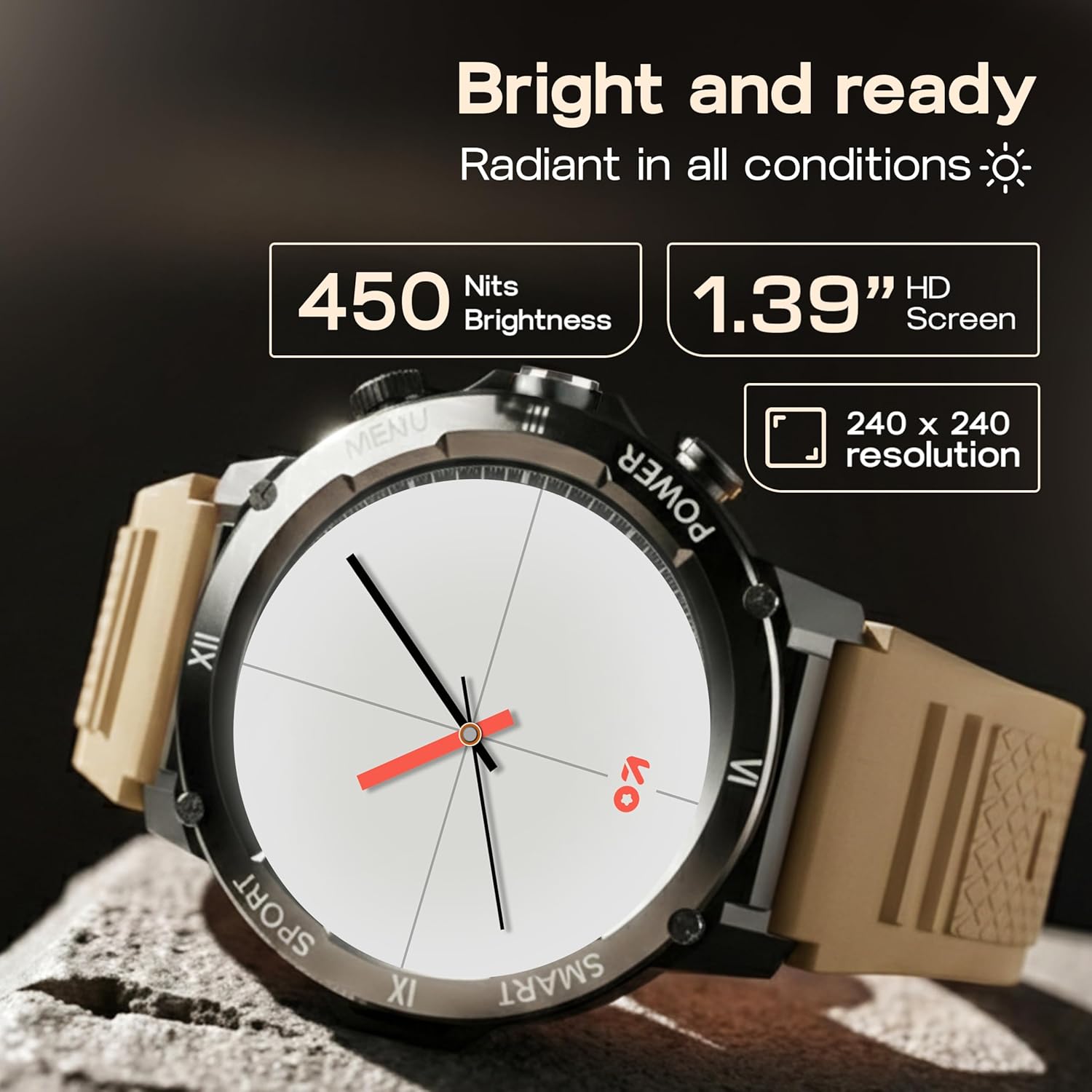
Image: Close-up of the GOBOULT Tuff Hawk Smart Watch display, highlighting its 1.39-inch HD screen, 240x240 resolution, and 450 nits brightness.
2. Using the Working Crown
Rotate the working crown to scroll through menus, lists, and adjust settings effortlessly. Press the crown to select items or return to the home screen.

Image: The GOBOULT Tuff Hawk Smart Watch interface with app icons, demonstrating how to use the rotating working crown for navigation.
3. การโทรผ่านบลูทูธ
With Bluetooth 5.3 and a single-chip design, the Tuff Hawk Smart Watch allows you to make and receive calls directly from your wrist. It includes a dedicated speaker and microphone for clear communication.
4. ผู้ช่วยเสียง AI
Access your AI Voice Assistant (compatible with Google Assistant and Siri) directly from your watch. Simply activate the feature and speak your commands for hands-free assistance.
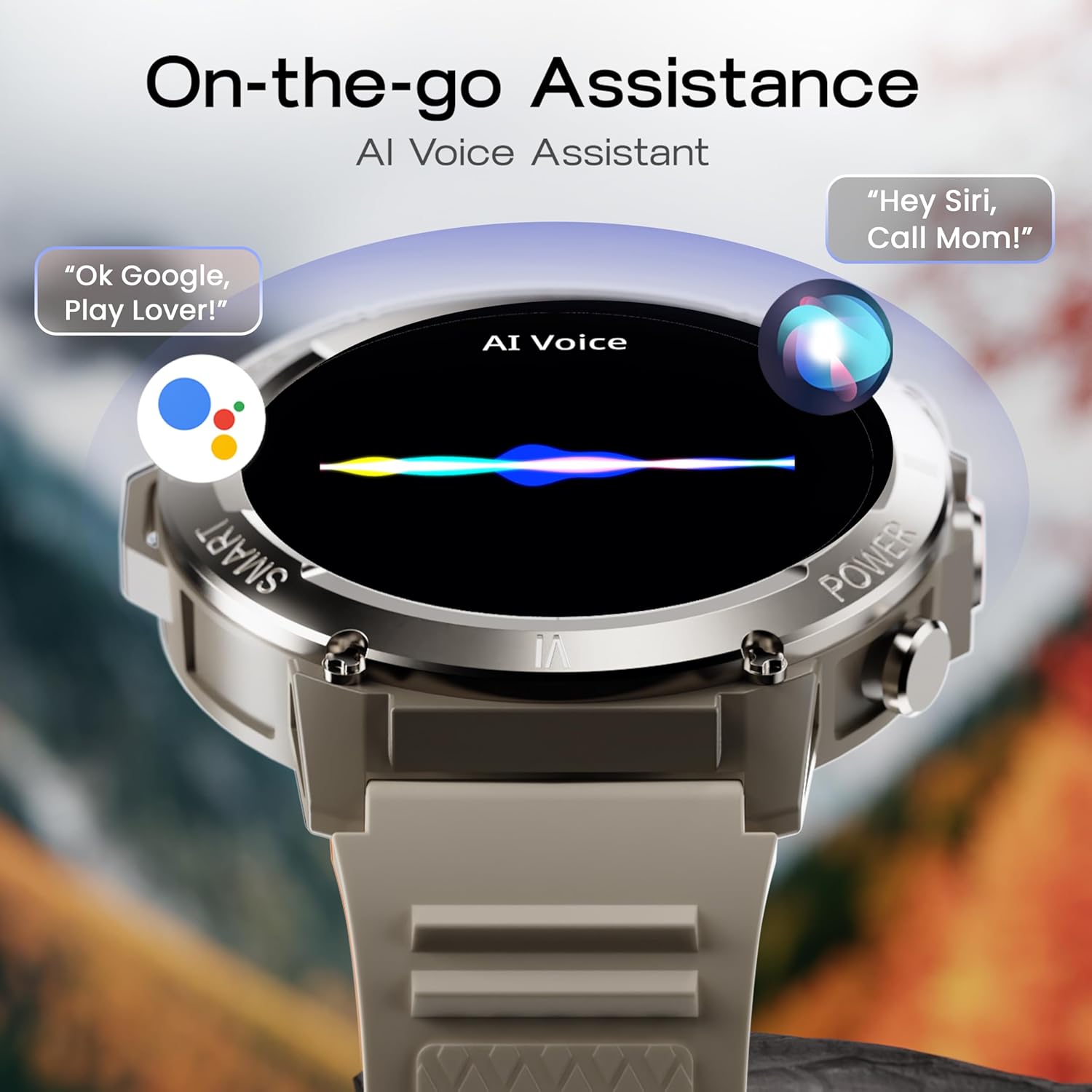
Image: The GOBOULT Tuff Hawk Smart Watch screen showing the AI Voice Assistant in action, with examples of voice commands for Google Assistant and Siri.
5. Sports Modes and Health Tracking
The watch supports over 120 sports modes for various activities. It also provides comprehensive health monitoring features:
- เครื่องวัดความดันโลหิต: ติดตามระดับความดันโลหิตของคุณ
- เครื่องวัดอัตราการเต้นของหัวใจ: Continuously monitor your heart rate.
- การติดตามการนอนหลับ: วิเคราะห์รูปแบบการนอนหลับของคุณ
- เครื่องตรวจวัด SpO2: วัดระดับความอิ่มตัวของออกซิเจนในเลือดของคุณ
- ตัวติดตามกิจกรรม: Records steps taken, calories burned, and distance covered.
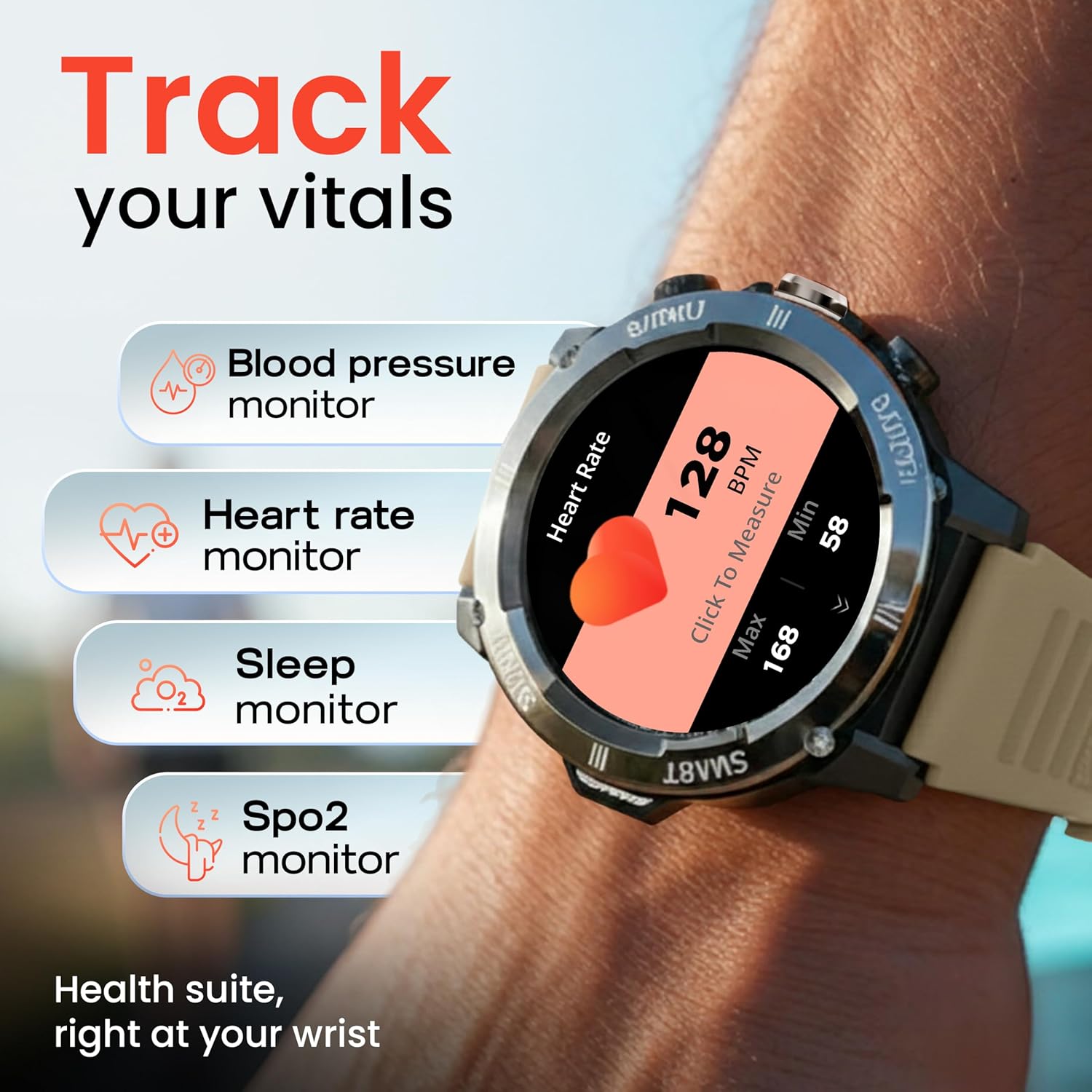
Image: The GOBOULT Tuff Hawk Smart Watch displaying various health tracking features such as blood pressure, heart rate, sleep, and SpO2 monitoring.

Image: The GOBOULT Tuff Hawk Smart Watch on a user's wrist, illustrating the availability of over 120 sports modes for diverse activities.
6. หน้าปัดนาฬิกา
Personalize your watch with over 150 available watch faces to match your style or activity.

Image: The GOBOULT Tuff Hawk Smart Watch showcasing a selection of over 150 customizable watch faces.
7. Dedicated Flashlight
Activate the quick access flashlight feature for instant illumination when needed.

ภาพ: ภาพระยะใกล้ view of the GOBOULT Tuff Hawk Smart Watch demonstrating its dedicated flashlight feature, providing instant light.
8. คุณสมบัติเพิ่มเติม
นาฬิกาเรือนนี้มีคุณสมบัติที่เป็นประโยชน์หลายประการ:
- ค้นหาโทรศัพท์ของฉัน: ค้นหาสมาร์ทโฟนที่เชื่อมต่ออยู่กับคุณ
- นาฬิกาโลก: View เวลาในเขตเวลาต่างๆ
- รายละเอียดสภาพอากาศ: ตรวจสอบข้อมูลสภาพอากาศล่าสุด
- การควบคุมกล้องระยะไกล: ควบคุมกล้องโทรศัพท์ของคุณจากระยะไกล
- เครื่องคิดเลข: ดำเนินการคำนวณขั้นพื้นฐาน

Image: The GOBOULT Tuff Hawk Smart Watch screen showing the 'Find My Phone' feature, alongside icons for world clock, weather details, remote camera, and calculator.
การซ่อมบำรุง
1. ความทนทานต่อน้ำ
The GOBOULT Tuff Hawk Smart Watch is IP68 water resistant, making it suitable for rain, dust, and rugged outdoor conditions. It can withstand immersion up to 1.5 meters. Avoid prolonged exposure to hot water or steam.

Image: The GOBOULT Tuff Hawk Smart Watch partially submerged in water, highlighting its IP68 water resistance for protection against rain and dust.
2. การทำความสะอาด
เช็ดนาฬิกาและสายนาฬิกาเป็นประจำด้วยผ้าแห้งนุ่มๆ หากจำเป็น ให้ใช้ผ้าที่ชื้นเล็กน้อยเช็ดamp เช็ดด้วยผ้าและสบู่อ่อนๆ แล้วเช็ดให้แห้งสนิท หลีกเลี่ยงสารเคมีรุนแรงหรือสารกัดกร่อน
3. การจัดเก็บ
When not in use for extended periods, store the watch in a cool, dry place. Ensure it is partially charged to prevent battery degradation.
การแก้ไขปัญหา
1. นาฬิกาไม่เปิดเครื่อง
- ตรวจสอบให้แน่ใจว่านาฬิกาชาร์จเต็มแล้ว เสียบนาฬิกาเข้ากับสายชาร์จและปล่อยให้ชาร์จอย่างน้อย 30 นาที ก่อนที่จะลองเปิดเครื่องอีกครั้ง
- กดปุ่มเปิด/ปิดค้างไว้ 10-15 วินาทีเพื่อรีสตาร์ทอัตโนมัติ
2. ไม่สามารถจับคู่กับสมาร์ทโฟนได้
- ตรวจสอบให้แน่ใจว่าได้เปิดใช้งาน Bluetooth บนสมาร์ทโฟนและนาฬิกาของคุณแล้ว
- Make sure the watch is within the Bluetooth range of your phone (typically 10 meters).
- รีสตาร์ททั้งสมาร์ทโฟนและนาฬิกาของคุณ
- ล้างแคชบลูทูธในโทรศัพท์ของคุณ หรือลบอุปกรณ์ออกจากระบบ แล้วลองจับคู่ใหม่อีกครั้ง
- ตรวจสอบให้แน่ใจว่าแอปคู่หูได้รับการอัปเดตเป็นเวอร์ชันล่าสุด
3. ข้อมูลสุขภาพที่ไม่ถูกต้อง
- ตรวจสอบให้แน่ใจว่าสวมนาฬิกาให้พอดีกับข้อมือ แต่ไม่แน่นเกินไป
- ทำความสะอาดเซ็นเซอร์ที่ด้านหลังของนาฬิกา
- หลีกเลี่ยงการเคลื่อนไหวมากเกินไปในระหว่างการวัด
- Note that the watch is not a medical device; readings are for reference only.
4. อายุการใช้งานแบตเตอรี่สั้น
- ลดความสว่างหน้าจอ
- ปิดการแจ้งเตือนที่ไม่จำเป็น
- จำกัดการตรวจสอบอัตราการเต้นของหัวใจอย่างต่อเนื่องหรือคุณสมบัติที่ใช้ทรัพยากรสูงอื่นๆ
- ตรวจสอบให้แน่ใจว่านาฬิกาชาร์จเต็มทุกครั้ง
ข้อมูลจำเพาะ
| คุณสมบัติ | รายละเอียด |
|---|---|
| ชื่อรุ่น | Tuff Hawk |
| ขนาดจอแสดงผล | 1.39 นิ้ว |
| ประเภทจอภาพ | ทีเอฟที |
| ปณิธาน | ขนาด 240x240 |
| Maximum Display Brightness | 450 นิต |
| เทคโนโลยีการเชื่อมต่อ | บลูทูธ 5.3 |
| ส่วนประกอบของเซลล์แบตเตอรี่ | ลิเธียมโพลีเมอร์ |
| เวลาในการชาร์จแบตเตอรี่ | 150 นาที |
| อายุการใช้งานแบตเตอรี่ | นานถึง 7 วัน |
| ระดับการต้านทานน้ำ | IP68 (1.5 Metres depth) |
| วัสดุตัวเรือน | Zink Alloy |
| วัสดุของวงดนตรี | ซิลิโคน |
| น้ำหนัก | 48 กรัม |
| อินพุตอินเทอร์เฟซมนุษย์ | Touchscreen, Working Crown |
| ประเภทตัวควบคุม | Google Assistant, สิริ |
| เมตริกที่วัด | Blood Oxygen (SpO2), Calories Burned, Sleep Duration, Step Count |
| อุปกรณ์ที่รองรับ | Android, iOS Smartphones |
| เนื้อหาในกล่อง | สายชาร์จ, คู่มือผู้ใช้ |
การรับประกันและการสนับสนุน
ข้อมูลการรับประกัน
Your GOBOULT Tuff Hawk Smart Watch comes with a รับประกันจากผู้ผลิต 1 ปี นับจากวันที่ซื้อ การรับประกันนี้ครอบคลุมถึงข้อบกพร่องจากการผลิต โปรดเก็บหลักฐานการซื้อไว้เพื่อใช้ในการเรียกร้องการรับประกัน
การสนับสนุนลูกค้า
For technical assistance, warranty claims, or product inquiries, please contact GOBOULT customer support. Refer to the product packaging or the official GOBOULT webเว็บไซต์สำหรับข้อมูลการติดต่อล่าสุด
ผู้ผลิต: บริษัท Exotic Mile Private Limited, Boult Audio, B-67 เขตอุตสาหกรรม Wazirpur, นิวเดลี 110052