
การแนะนำ
Thank you for choosing the EcoLink Tiny Tornado Mini Fan. This compact and portable personal fan is designed to provide powerful, quiet, and convenient cooling for various environments. Please read this manual carefully before use to ensure proper operation and maintenance.
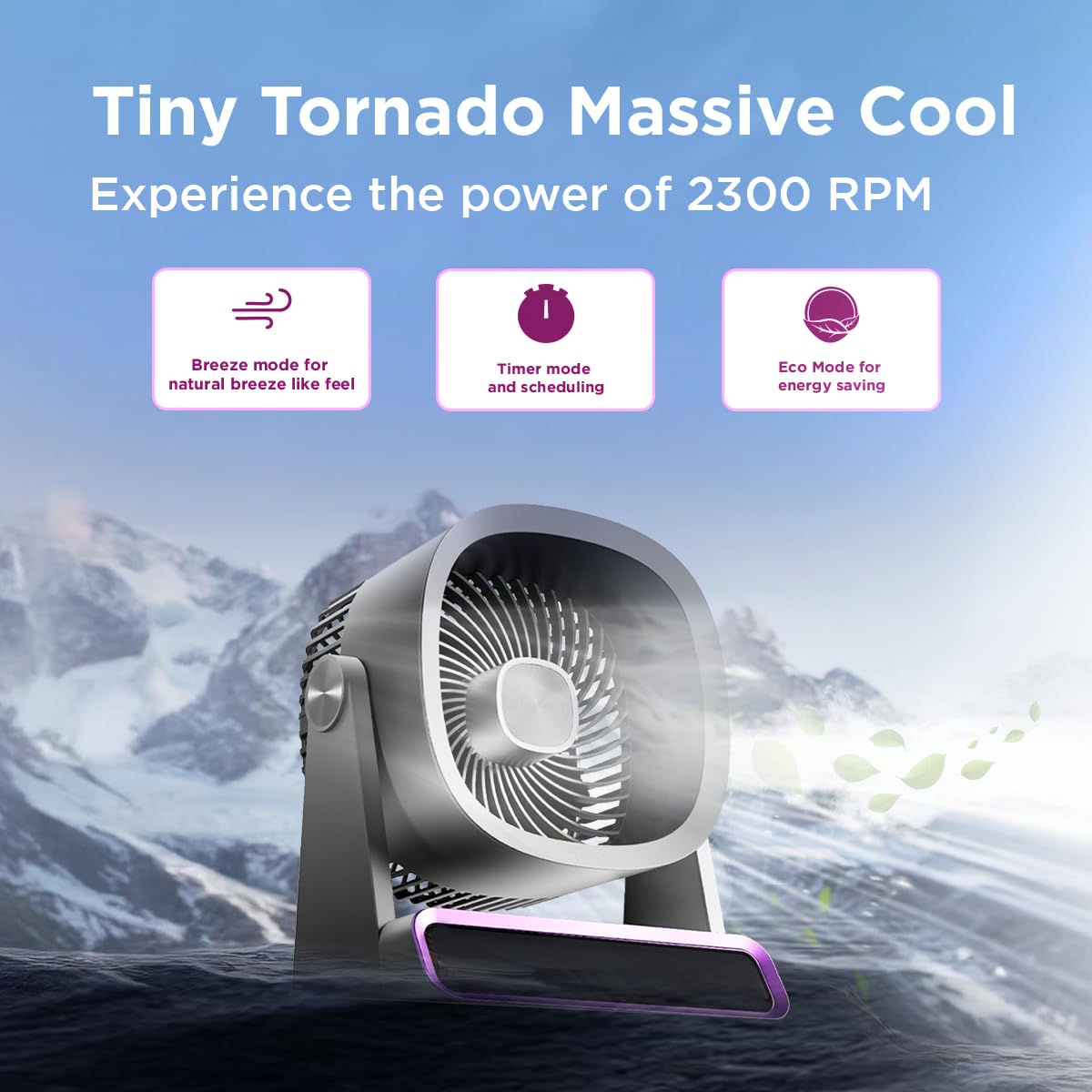
The EcoLink Tiny Tornado Mini Fan delivers powerful airflow in a compact design.
คุณสมบัติหลัก:
- Mini Yet Powerful Cooling: Delivers strong airflow in a compact size for instant personal cooling.
- ขนาดกะทัดรัดและน้ำหนักเบาเป็นพิเศษ: Easy to carry and place on desks, tables, or in bags.
- Smooth & Quiet Operation: Low-noise performance suitable for various quiet environments.
- ชาร์จ USB ได้สะดวก: Rechargeable via laptop, power bank, or USB adapter.
- การใช้งานที่หลากหลาย: Ideal for desk use, travel, outdoor activities, commuting, and emergency cooling.
เนื้อหาแพ็คเกจ
ตรวจสอบให้แน่ใจว่ามีรายการทั้งหมดอยู่ในบรรจุภัณฑ์:
- EcoLink Tiny Tornado Mini Fan (1 unit)
- สายชาร์จ USB Type-C (1 หน่วย)

The fan comes with a Type-C charging cable for easy recharging via various devices.
คำแนะนำเพื่อความปลอดภัย
เพื่อป้องกันการบาดเจ็บหรือความเสียหาย โปรดปฏิบัติตามข้อควรระวังด้านความปลอดภัยต่อไปนี้:
- ห้ามสอดนิ้วหรือวัตถุใดๆ เข้าไปในตะแกรงพัดลม
- ควรวางพัดลมให้ห่างจากน้ำหรือของเหลวอื่นๆ
- ห้ามใช้พัดลมในสภาพแวดล้อมที่มีความชื้นสูงหรือมีฝุ่นละอองมาก
- เก็บให้พ้นจากมือเด็กและสัตว์เลี้ยง
- Use only the provided USB cable or a certified Type-C cable for charging.
- อย่าพยายามถอดประกอบหรือซ่อมพัดลมด้วยตนเอง โปรดติดต่อฝ่ายบริการลูกค้าเพื่อขอความช่วยเหลือ
- Avoid blocking the air intake or outlet during operation.
การตั้งค่า
การชาร์จครั้งแรก:
- เชื่อมต่อสาย USB Type-C ที่ให้มาเข้ากับพอร์ตชาร์จบนพัดลม
- Connect the other end of the USB cable to a power source such as a USB adapter (not included), computer, or power bank.
- The charging indicator light will illuminate (color may vary) to show that the fan is charging.
- A full charge typically takes 10 to 12 hours. The indicator light will change or turn off when charging is complete.
การจัดวาง:
Place the fan on a stable, flat surface. Ensure there is adequate space around the fan for proper airflow.
คำแนะนำการใช้งาน
เปิด/ปิดเครื่อง:
- To turn on the fan, press the power button (usually located on the base or front panel).
- To turn off the fan, press and hold the power button, or cycle through the speed settings until it turns off.
การปรับความเร็วพัดลม:
Press the power button repeatedly to cycle through different fan speeds. The fan typically has multiple speed settings (e.g., Low, Medium, High, Boost).
โหมดการทำงาน:
The fan may feature different operating modes, indicated by specific icons or lights:
- โหมดบรีซ: จำลองลมธรรมชาติด้วยความเร็วพัดลมที่หลากหลาย
- โหมดจับเวลา: Allows scheduling the fan to turn off after a set period. Refer to the fan's display or specific button for timer settings.
- โหมดอีโค: Optimizes fan speed for energy saving, extending battery life.

The fan features digital touch screen control and a boost mode for high-speed output.
อายุการใช้งานแบตเตอรี่:
The fan offers extended battery life, with up to 17 hours of run time at the lowest speed on a full charge. Run time decreases with higher fan speeds.

The 6000 mAh battery provides long-lasting power, with up to 17 hours of run time at speed 1.
การซ่อมบำรุง
การทำความสะอาด:
- ตรวจสอบให้แน่ใจว่าได้ปิดพัดลมและถอดปลั๊กก่อนทำความสะอาด
- เช็ดพื้นผิวภายนอกด้วยผ้านุ่ม damp ผ้า ห้ามใช้สารทำความสะอาดที่มีฤทธิ์กัดกร่อนหรือตัวทำละลาย
- Use a soft brush or vacuum cleaner to gently remove dust from the fan grille.
- ห้ามจุ่มพัดลมลงในน้ำหรือของเหลวอื่นๆ
พื้นที่จัดเก็บ:
When not in use for extended periods, store the fan in a cool, dry place, away from direct sunlight and extreme temperatures. It is recommended to fully charge the battery before storing.
การแก้ไขปัญหา
| ปัญหา | สาเหตุที่เป็นไปได้ | สารละลาย |
|---|---|---|
| พัดลมไม่เปิด | แบตเตอรี่หมด | Charge the fan using the provided USB Type-C cable. |
| การไหลเวียนของอากาศอ่อน | Fan grille is obstructed or dirty. | Clean the fan grille. Ensure nothing is blocking the air intake or outlet. |
| พัดลมมีเสียงผิดปกติ | มีวัตถุแปลกปลอมอยู่ภายในพัดลม | Turn off and unplug the fan. Carefully inspect for any foreign objects. If unable to resolve, contact customer support. |
| ไฟแสดงสถานะการชาร์จไม่ทำงาน | ปัญหาเกี่ยวกับสายเคเบิลหรือแหล่งจ่ายไฟ | Try a different USB Type-C cable or a different power source. Ensure connections are secure. |
ข้อมูลจำเพาะ
| คุณสมบัติ | รายละเอียด |
|---|---|
| ยี่ห้อ | EcoLink |
| หมายเลขรุ่น | 915006708301_1 |
| สี | สีม่วง |
| การออกแบบพัดลมไฟฟ้า | Wearable Fan / Tabletop Mount |
| แหล่งพลังงาน | ใช้แบตเตอรี่ (ชาร์จ USB ได้) |
| สไตล์ | มินิ |
| ขนาดสินค้า (ลึก x กว้าง x สูง) | 19.5D x 14.5W x 25.8H เซนติเมตร |
| น้ำหนักสินค้า | 940 กรัม |
| วัดtage | 4.6 วัตต์ |
| ส่วนประกอบที่รวมอยู่ | Handheld Pack of 1 (Fan, USB Type-C Cable) |
| การใช้งานภายใน/ภายนอกอาคาร | ในร่ม, กลางแจ้ง |
| ประเภทการติดตั้ง | พกพาได้ |
| ความเข้ากันได้ของสมาร์ทโฮม | Not Smart Home Compatible |

The fan is equipped with a powerful and silent BLDC motor for smooth, consistent, and energy-efficient airflow.
ข้อมูลการรับประกัน
This EcoLink product is covered by a manufacturer's warranty. Please refer to the warranty card included with your purchase or contact EcoLink customer support for detailed warranty terms and conditions. Keep your purchase receipt as proof of purchase for warranty claims.
การสนับสนุนลูกค้า
For any questions, technical assistance, or warranty claims, please contact the manufacturer:
- ผู้ผลิต: บริษัท ซิกนิฟาย อินโนเวชั่นส์ อินเดีย จำกัด
- ข้อมูลติดต่อ: Refer to the packaging or official EcoLink webเว็บไซต์สำหรับรายละเอียดการติดต่อล่าสุด