
การแนะนำ
This manual provides essential information for setting up, operating, maintaining, and troubleshooting your new OPPO A6x 5G smartphone. Please read this guide thoroughly to ensure optimal performance and longevity of your device. Keep this manual for future reference.
การตั้งค่าเริ่มต้น
1. การแกะกล่องอุปกรณ์ของคุณ
Carefully open the product packaging and ensure all contents are present. The standard package includes:
- OPPO A6x 5G Smartphone
- สาย USB
- ตัวดันถาดซิม
- คู่มือเริ่มต้นอย่างรวดเร็ว
- ฟิล์มกันรอยหน้าจอ (ติดมาแล้วหรืออยู่ในกล่อง)
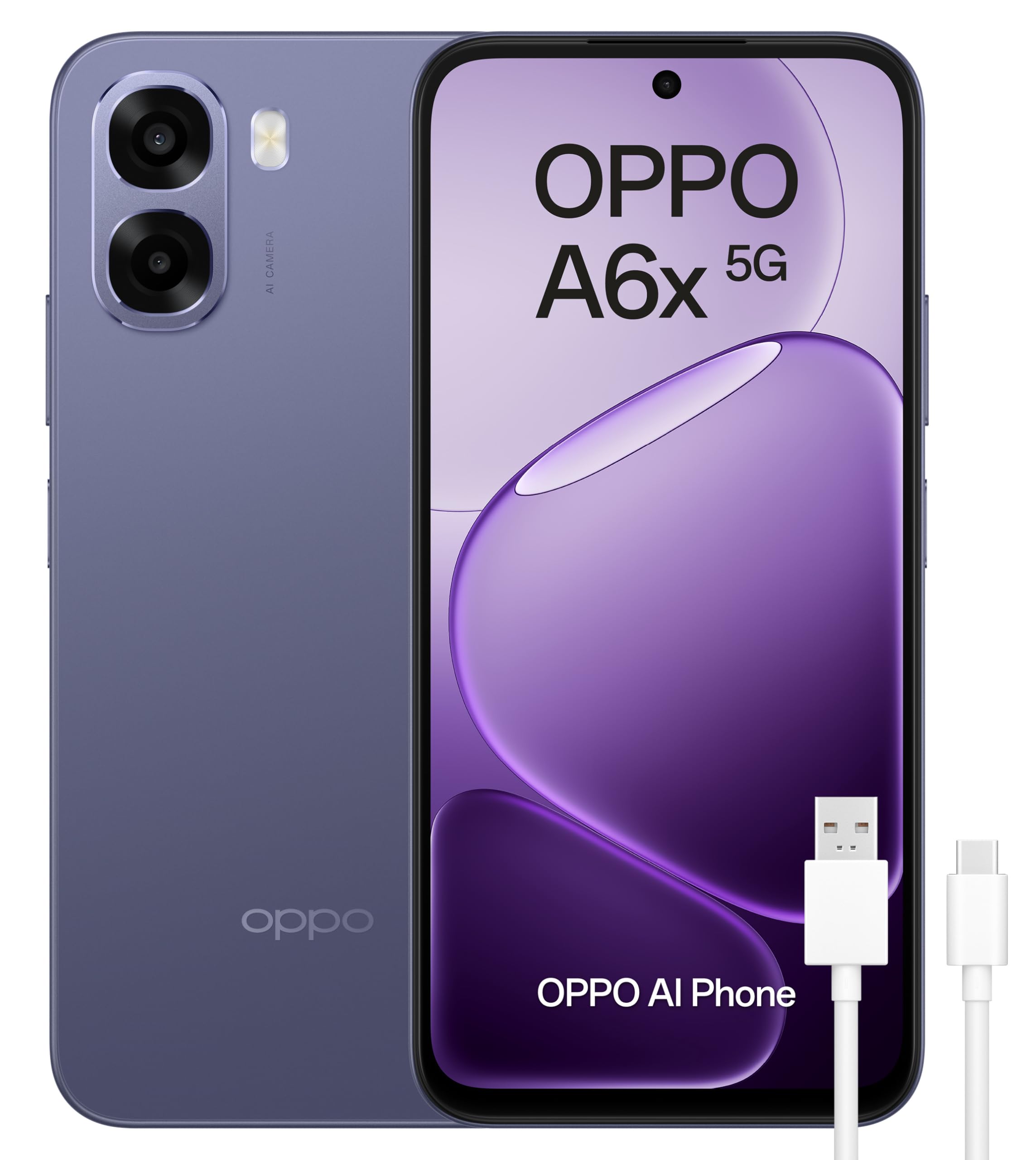
Figure 1: OPPO A6x 5G Smartphone and included accessories.
2. การติดตั้งซิมการ์ด
Your OPPO A6x 5G supports Dual SIM functionality. To install your SIM card(s):
- ค้นหาถาดใส่การ์ด SIM ที่ด้านข้างอุปกรณ์ของคุณ
- ใส่เครื่องมือถอดถาดซิมเข้าไปในรูเล็ก ๆ ข้างถาดแล้วกดเบา ๆ จนกว่าถาดจะดีดออกมา
- ใส่ซิมการ์ดนาโนของคุณลงในช่องที่กำหนดบนถาด ตรวจสอบให้แน่ใจว่าด้านขั้วสีทองหันลงด้านล่าง
- ใส่ถาดซิมกลับเข้าไปในอุปกรณ์อย่างระมัดระวังจนกระทั่งล็อคเข้าที่
3. การเปิดอุปกรณ์ของคุณ
Press and hold the Power button (located on the right side of the device) until the OPPO logo appears on the screen. Follow the on-screen instructions to complete the initial setup, including language selection, Wi-Fi connection, and Google account setup.
การใช้งานอุปกรณ์ของคุณ
1. การแสดงผลและการนำทาง
The OPPO A6x 5G features a 6.67-inch HD+ LCD display with a 120Hz refresh rate, providing a smooth and responsive user experience. Navigate the interface using touch gestures: tap to select, swipe to scroll, pinch to zoom.

Figure 2: The 120Hz HD+ LCD display offers clear and fluid visuals.
2. คุณสมบัติของกล้อง
Capture high-quality photos and videos with the 50MP AI main camera. The device also includes a 2MP front camera and a 2MP rear monochrome sensor for enhanced photography. AI features optimize settings for various scenes.

Figure 3: Rear camera module with 50MP main lens and 2MP monochrome lens.
3. การจัดการแบตเตอรี่
The OPPO A6x 5G is equipped with a large 6100 mAh battery, providing extended usage time. To maximize battery life, adjust screen brightness, close unused apps, and enable power-saving modes when needed. The device supports fast charging.

Figure 4: The 6100 mAh battery ensures long-lasting power.
4. การเชื่อมต่อ
Your smartphone offers various connectivity options:
- 5G Mobile Technology: เพื่อการเข้าถึงอินเทอร์เน็ตความเร็วสูง
- ไวไฟ : เชื่อมต่อกับเครือข่ายไร้สายเพื่อการเข้าถึงอินเทอร์เน็ต
- บลูทูธ: จับคู่กับอุปกรณ์เสริมไร้สายเช่นหูฟังหรือลำโพง
- NFC: For contactless payments and quick data transfer.
- USB Type-C: สำหรับการชาร์จและถ่ายโอนข้อมูล
5. คุณสมบัติด้านความปลอดภัย
The device includes biometric security features such as fingerprint recognition for secure unlocking and data protection. You can set up your fingerprint in the device settings.
การซ่อมบำรุง
1. ความทนทานต่อน้ำและฝุ่นละออง
The OPPO A6x 5G is rated IP64 for water and dust resistance, meaning it is protected against dust ingress and splashing water from any direction. While it offers protection against everyday splashes, it is not designed for submersion in water. Avoid exposing the device to excessive moisture or harsh chemicals.

Figure 5: IP64 rating provides protection against dust and water splashes.
2. การอัปเดตซอฟต์แวร์
Your device runs on Android 15. Regularly check for and install software updates to ensure optimal performance, security, and access to the latest features. Updates can be found in the device's settings menu under 'System Updates'.
การแก้ไขปัญหา
หากคุณพบปัญหาเกี่ยวกับอุปกรณ์ของคุณ ให้ลองทำตามขั้นตอนการแก้ไขปัญหาพื้นฐานต่อไปนี้:
- รีสตาร์ทอุปกรณ์: การรีสตาร์ทเพียงครั้งเดียวสามารถแก้ไขข้อผิดพลาดซอฟต์แวร์เล็กๆ น้อยๆ ได้หลายประการ
- ตรวจสอบการอัปเดตซอฟต์แวร์: ตรวจสอบให้แน่ใจว่าระบบปฏิบัติการของอุปกรณ์ของคุณได้รับการอัปเดตแล้ว
- ล้างแคชแอป: If an app is misbehaving, try clearing its cache in the app settings.
- รีเซ็ตเป็นค่าโรงงาน: หากปัญหายังคงอยู่เป็นวิธีสุดท้าย คุณอาจลองทำการรีเซ็ตเป็นค่าเริ่มต้นจากโรงงานดู คำเตือน: การดำเนินการนี้จะลบข้อมูลทั้งหมดในอุปกรณ์ของคุณ โปรดสำรองข้อมูลสำคัญก่อนดำเนินการต่อ
ข้อมูลจำเพาะทางเทคนิค

Figure 6: Key internal components of the OPPO A6x 5G.
| คุณสมบัติ | ข้อมูลจำเพาะ |
|---|---|
| ยี่ห้อ | ออปโป้ |
| ชื่อรุ่น | A6x 5G |
| หมายเลขรุ่น | CPH2783 |
| ระบบปฏิบัติการ | แอนดรอยด์ 15 |
| แรม | 6GB |
| ความจุในการเก็บข้อมูล | 256GB |
| รุ่นซีพียู | สแนปดราก้อน |
| ความเร็วซีพียู | 2.4 กิกะเฮิรตซ์ |
| ขนาดหน้าจอ | 6.67 นิ้ว |
| ความละเอียดการแสดงผล | 1520 x 720 พิกเซล |
| อัตราการรีเฟรช | 120 เฮิรตซ์ |
| ประเภทจอภาพ | จอแอลซีดี |
| ความละเอียดกล้องหลัง | 50 MP (Effective Video Resolution) / 2 MP (Sensor Resolution) |
| ความละเอียดของกล้องหน้า | 2 MP |
| ความจุของแบตเตอรี่ | 6100 มิลลิแอมป์ |
| SIM Card Count | ซิมคู่ |
| ระดับความต้านทานต่อน้ำ | IP64 (กันน้ำ) |
| ขนาด | 18.4 x 10 x 4.6 ซม.; 209 กรัม |
การรับประกันและการสนับสนุน
1. การรับประกันสินค้า
Your OPPO A6x 5G smartphone comes with a three-year manufacturer's warranty. Please retain your proof of purchase for any warranty claims. For detailed terms and conditions, refer to the warranty card included in your product packaging or visit the official OPPO webเว็บไซต์.
2. การสนับสนุนลูกค้า
For further assistance, technical support, or service inquiries, please contact OPPO customer service through their official website or the contact information provided in your Quick Start Guide. You can also visit the ร้าน OPPO บน Amazon สำหรับทรัพยากรเพิ่มเติม