
1. บทนำ
This manual provides essential information for setting up, operating, maintaining, and troubleshooting your OPPO A6 Pro 5G smartphone. Please read this guide thoroughly to ensure proper use and to maximize the device's capabilities.
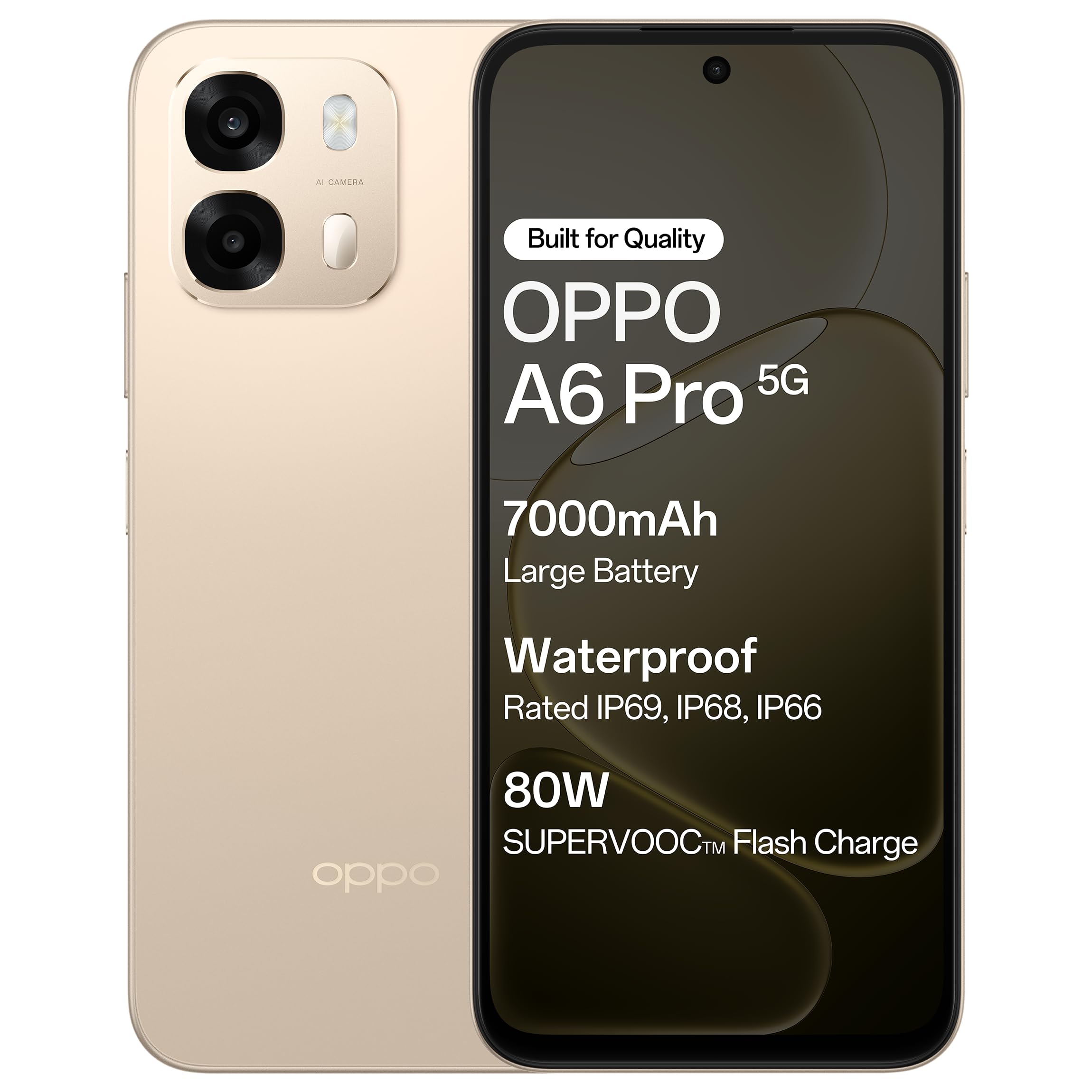
รูปที่ 1.1 : ด้านหน้า view of the OPPO A6 Pro 5G smartphone.
2. เนื้อหาบรรจุภัณฑ์
ตรวจสอบว่ามีรายการทั้งหมดอยู่ในบรรจุภัณฑ์ผลิตภัณฑ์ของคุณ:
- สมาร์ทโฟน OPPO A6 Pro 5G
- อะแดปเตอร์แปลงไฟ
- สาย USB
- เคสโทรศัพท์
- ตัวดันถาดซิม
3. การตั้งค่า
3.1. การใส่ซิมการ์ดและการ์ด SD
- ค้นหาถาดใส่การ์ด SIM ที่ด้านข้างของอุปกรณ์
- ใส่เครื่องมือถอดถาดซิมเข้าไปในรูเล็ก ๆ ข้างถาดแล้วกดเบา ๆ จนกว่าถาดจะดีดออกมา
- ใส่การ์ด Nano-SIM และ/หรือการ์ด microSD ลงในช่องที่กำหนดบนถาด ตรวจสอบให้แน่ใจว่าหน้าสัมผัสสีทองคว่ำลง
- ใส่ถาดกลับเข้าไปในโทรศัพท์อย่างระมัดระวังจนกระทั่งล็อคเข้าที่
3.2. การชาร์จครั้งแรก
Before first use, it is recommended to fully charge your device. Connect the USB cable to the power adapter and then to the phone's charging port. Plug the power adapter into a wall outlet.

Figure 3.1: The device screen displaying 80W SUPERVOOC Flash Charge status.
3.3. การเปิดเครื่องและการกำหนดค่าเริ่มต้น
- กดปุ่มเปิด/ปิด (อยู่ด้านขวา) ค้างไว้จนกว่าโลโก้ OPPO จะปรากฏขึ้น
- ทำตามคำแนะนำบนหน้าจอเพื่อเลือกภาษา ภูมิภาค เชื่อมต่อกับเครือข่าย Wi-Fi และตั้งค่าบัญชี Google ของคุณ
- Configure security features such as fingerprint unlock or face unlock as desired.
4. คู่มือการใช้งาน
4.1. การนำทางพื้นฐาน
- ปุ่มเปิด/ปิด: กดค้างไว้เพื่อเปิด/ปิดเครื่องหรือรีสตาร์ท กดสั้นๆ เพื่อล็อก/ปลดล็อกหน้าจอ
- ปุ่มปรับระดับเสียง: ปรับระดับเสียงสื่อ ระดับเสียงการโทร หรือระดับเสียงริงโทน
- ท่าทางสัมผัส: แตะเพื่อเลือก ปัดเพื่อเลื่อน บีบเพื่อซูม
4.2. การโทรและการส่งข้อความ
Tap the Phone icon to make calls. Tap the Messages icon to send and receive text messages.
4.3. การใช้กล้อง
Open the Camera app to capture photos and videos. Tap the shutter button to take a picture. Swipe left or right to switch between modes like Photo, Video, Portrait, etc.

Figure 4.1: The 50MP Ultra-Clear Camera capturing a detailed landscape.
4.4. การเชื่อมต่อ
Access Wi-Fi and Bluetooth settings from the Quick Settings panel (swipe down from the top of the screen) or through the Settings app.

Figure 4.2: AI LinkBoost 3.0 ensures stable online connectivity.
5. คุณสมบัติหลัก
5.1. การแสดงผล
The OPPO A6 Pro 5G features a 17.14 cm (6.75-inch) HD+ IPS LCD Ultra Bright 1125 nits Display with a 120Hz high refresh rate, providing smooth visuals and enhanced outdoor visibility.

Figure 5.1: The 120Hz Ultra Bright Display offers fluid visuals.
5.2. แบตเตอรี่และการชาร์จ
Equipped with a massive 7000mAh battery, the device supports extended usage. The 80W SUPERVOOC Flash Charge technology allows for rapid charging. Additionally, the phone supports wired reverse charging, enabling it to charge other devices using a C-to-C data cable.
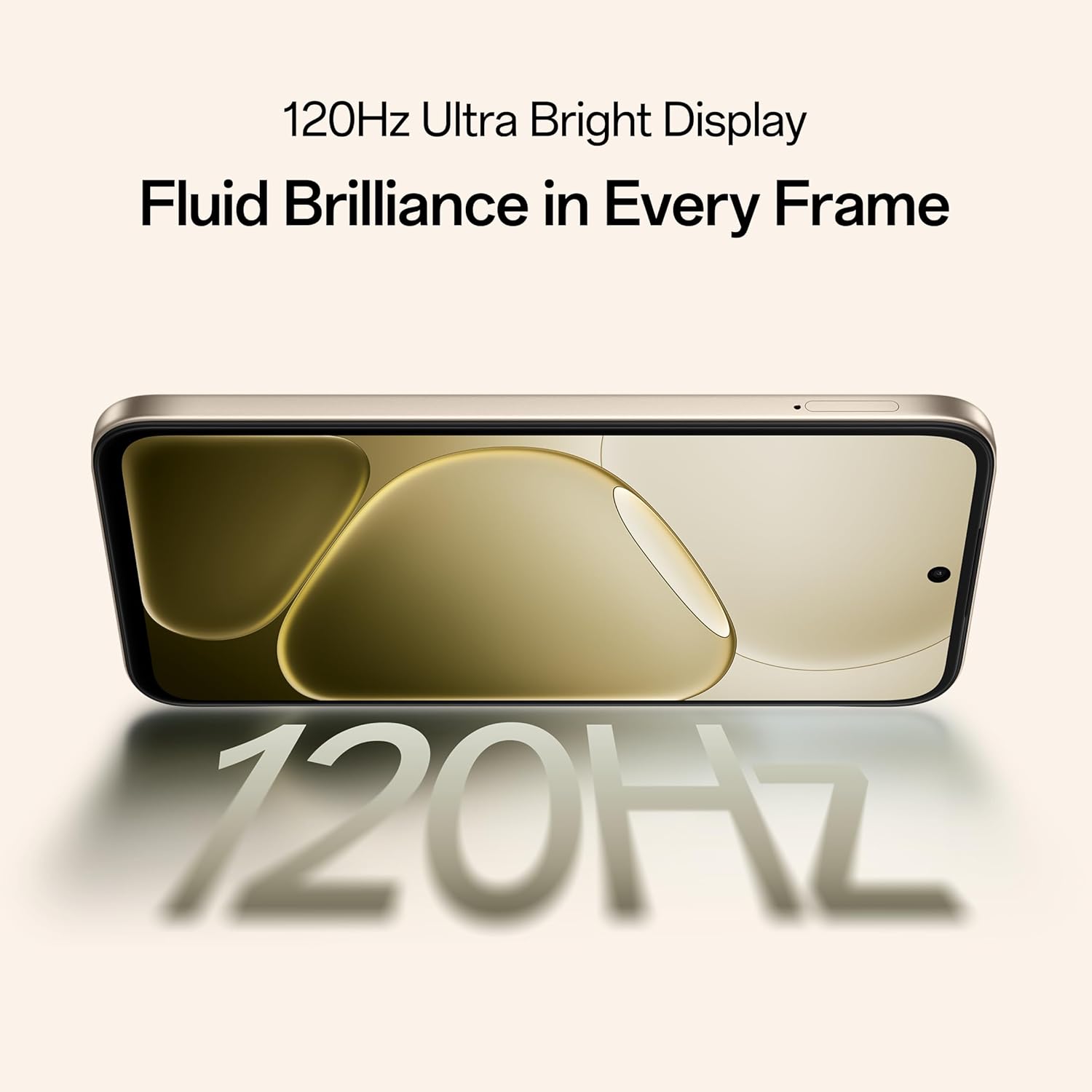
Figure 5.2: Internal representation of the 7000mAh large battery.

Figure 5.3: The device performing reverse wired charging to another gadget.
5.3. ความทนทาน
The OPPO A6 Pro 5G features triple IP-rated durability (IP69, IP68, and IP66), providing protection against water jets, immersion, hot water, steam, and dust.

Figure 5.4: The device demonstrating IP69 water and dust resistance.
5.4. การปฏิบัติงาน
Powered by the 6nm MediaTek Dimensity 6300 chipset, the phone offers enhanced performance and power efficiency with reliable 5G connectivity. It is optimized for long-lasting smoothness, tested to deliver up to 60 months of fluency.

Figure 5.5: The MediaTek Dimensity 6300 mobile platform.

Figure 5.6: The device designed for 60-month fluency protection.
5.5. ระบบระบายความร้อน
An advanced cooling system, featuring a large vapor chamber and expanded graphite layers, helps maintain low temperatures during intensive use, ensuring stable performance.

รูปที่ 5.7: ระเบิด view illustrating the SuperCool VC System.
5.6. กล้องถ่ายรูป
The 50MP AI camera includes intelligent features like AI Eraser, AI Recompose, and AI Perfect Shot for enhanced photography.
6. การบำรุงรักษา
6.1. การทำความสะอาดอุปกรณ์
Use a soft, lint-free cloth to clean the screen and body of the phone. Avoid using harsh chemicals or abrasive materials. For stubborn stains, slightly dampเทน้ำลงบนผ้า
6.2. การอัปเดตซอฟต์แวร์
ตรวจสอบและติดตั้งการอัปเดตซอฟต์แวร์เป็นประจำเพื่อให้มั่นใจถึงประสิทธิภาพ ความปลอดภัย และการเข้าถึงฟีเจอร์ใหม่ๆ ที่ดีที่สุด ไปที่ การตั้งค่า > เกี่ยวกับอุปกรณ์ > อัปเดต เพื่อตรวจสอบการอัปเดต
6.3. การดูแลแบตเตอรี่
To prolong battery life, avoid exposing the phone to extreme temperatures. It is recommended to keep the battery charge between 20% and 80% for daily use.
6.4. การจัดการการจัดเก็บข้อมูล
ล้างสิ่งที่ไม่จำเป็นออกเป็นระยะๆ files, cache data, and uninstall unused applications to free up storage space and maintain device speed. You can manage storage in การตั้งค่า > การจัดเก็บข้อมูล.
7 การแก้ไขปัญหา
This section addresses common issues you might encounter with your OPPO A6 Pro 5G.
| ปัญหา | สารละลาย |
|---|---|
| อุปกรณ์ไม่เปิดเครื่อง | Ensure the battery is charged. Connect to the charger for at least 10 minutes, then try powering on again. If it still doesn't work, perform a force restart by holding the Power button and Volume Up button simultaneously for about 10 seconds. |
| แอปขัดข้องหรือค้าง | ล้างแคชของแอป (การตั้งค่า > แอป > [ชื่อแอป] > ที่เก็บข้อมูล > ล้างแคช) หากปัญหายังคงอยู่ ให้ถอนการติดตั้งและติดตั้งแอปใหม่ ตรวจสอบให้แน่ใจว่าซอฟต์แวร์ของอุปกรณ์ของคุณเป็นเวอร์ชันล่าสุด |
| Poor Wi-Fi or mobile data connection | Restart your phone. Check if Wi-Fi is enabled and you are within range of a known network. For mobile data, ensure your SIM card is properly inserted and mobile data is enabled in settings. Contact your service provider if the issue persists. |
| แบตเตอรี่หมดเร็ว | Reduce screen brightness, disable unused features like Bluetooth/GPS, close background apps, and check battery usage in Settings to identify power-hungry applications. |
8. ข้อมูลจำเพาะ
Key technical specifications for the OPPO A6 Pro 5G (Model CPH2827):
| คุณสมบัติ | รายละเอียด |
|---|---|
| หมายเลขรุ่น | CPH2827 |
| ระบบปฏิบัติการ | แอนดรอยด์ 15 |
| แสดง | 17.14 cm (6.75") HD+ IPS LCD, 120Hz, 1125 nits |
| โปรเซสเซอร์ | MediaTek Dimensity 6300 (6nm) |
| แรม | 8GB |
| การจัดเก็บข้อมูลภายใน | 256GB |
| กล้องหลัง | กล้อง AI 50MP |
| ความจุของแบตเตอรี่ | 7000 มิลลิแอมป์ |
| การชาร์จไฟ | 80W SUPERVOOC Flash Charge, Wired Reverse Charging |
| การเชื่อมต่อ | 5G, บลูทูธ, ยูเอสบี, ไวไฟ |
| ขนาด (กxยxส) | 15.8 x 7.5 x 0.7 ซม. |
| น้ำหนัก | 198 กรัม |
| ระดับความทนทาน | IP69, IP68, IP66 |
9. การรับประกันและการสนับสนุน
9.1. ข้อมูลผู้ผลิต
ผู้ผลิต: บริษัท โอเป้ โมบิลส์ อินเดีย จำกัด
ที่อยู่: 5th FLOOR, Tower B, BUILDING, N-8, DLF Cyber City, DLF Phase 2, Gurugram, Haryana 122002, India
9.2. การบริการลูกค้า
For technical support, warranty claims, or service inquiries, please contact OPPO customer service at 18001032777 or visit the official OPPO webเว็บไซต์สำหรับข้อมูลเพิ่มเติม