
1. บทนำ
The RiVOG Portable PT-260 is a compact, ink-less thermal label printer designed for various labeling needs. It features Bluetooth 4.0 connectivity, allowing wireless operation with iOS, Android, and Windows devices. This manual provides essential information for setting up, operating, and maintaining your PT-260 printer.
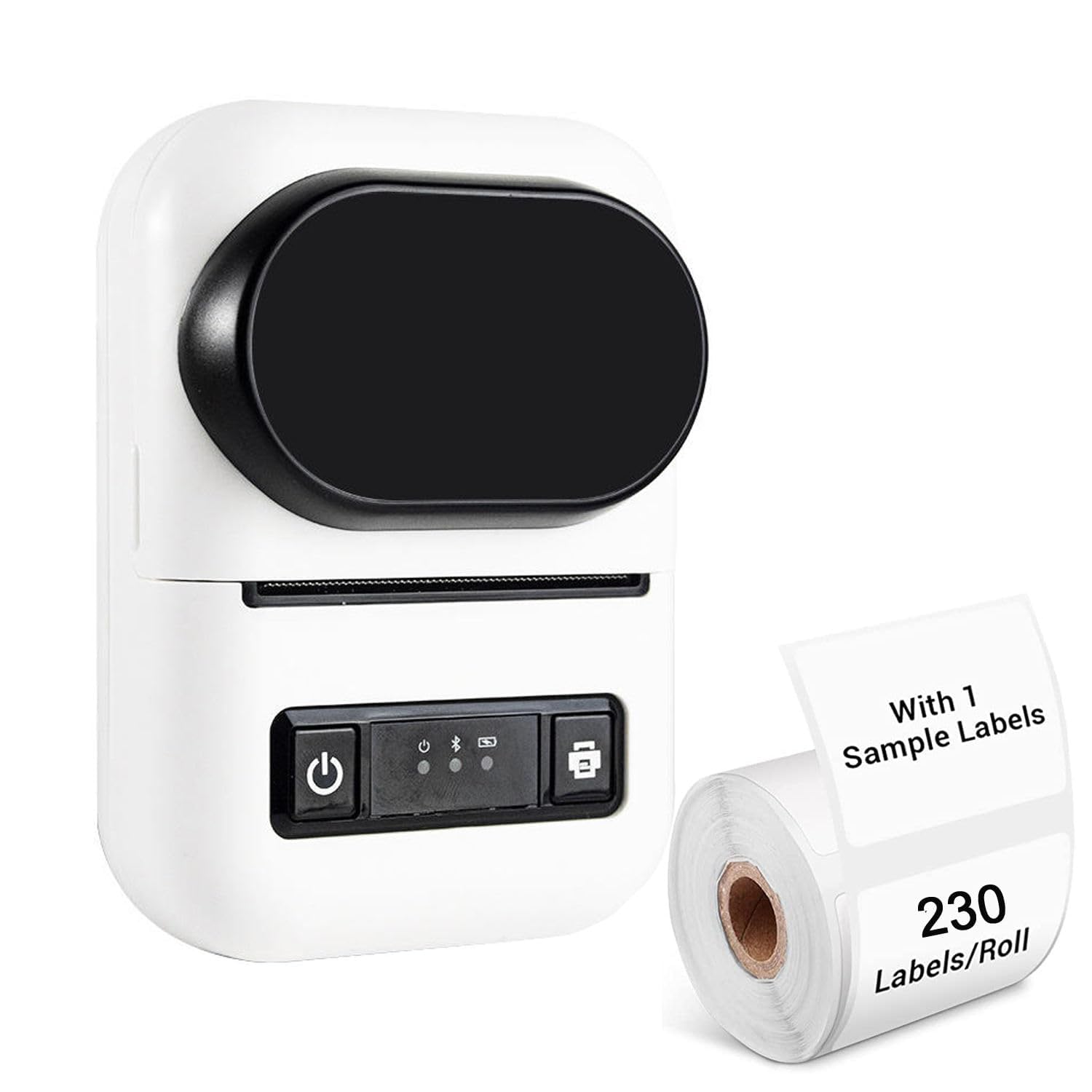
Image 1.1: RiVOG Portable PT-260 Thermal Label Printer overview.
2. เนื้อหาบรรจุภัณฑ์
ตรวจสอบว่ามีรายการทั้งหมดอยู่ในแพ็คเกจ:
- 1N Thermal Printer
- 1N Pole (for paper roll)
- อะแดปเตอร์ 1N
- 1N Charging Cable (Type-C USB)
- คู่มือการใช้งาน 1N

Image 2.1: Contents of the RiVOG PT-260 package, including the printer, adapter, charging cable, paper roll pole, and a sample paper roll.
3. เค้าโครงอุปกรณ์
Familiarize yourself with the main components of the PT-260 printer:
- จอแสดงผล HD: แสดงสถานะและข้อมูลของเครื่องพิมพ์
- ปุ่มเปิด/ปิด: เปิด/ปิดเครื่องพิมพ์
- Cover Opening and Closing Key: ปลดล็อคฝาครอบด้านบนเพื่อใส่กระดาษ
- พอร์ต USB Type-C: สำหรับการชาร์จและการเชื่อมต่อแบบมีสาย
- ช่องทางออกกระดาษ: จุดที่ฉลากพิมพ์ปรากฏขึ้น

ภาพที่ 3.1: ด้านหน้าและด้านข้าง view of the PT-260, highlighting the HD display and the cover opening mechanism.

Image 3.2: The translucent material allows for easy monitoring of the remaining paper roll.
4. การตั้งค่าเริ่มต้น
4.1 การชาร์จเครื่องพิมพ์
Before first use, fully charge the printer. Connect the provided Type-C USB cable to the printer and the adapter to a power outlet. The 1500mAh battery typically takes 2-4 hours to fully charge.

Image 4.1: The PT-260 is powered by a 1500mAh rechargeable battery, offering extended use.
4.2 การโหลดกระดาษความร้อน
- Press the cover opening key to open the top cover of the printer.
- Insert a thermal paper roll (max 57mm width) into the paper compartment, ensuring the printing side faces the print head.
- Pull a small length of paper out of the paper exit slot.
- ปิดฝาครอบด้านบนให้แน่นจนกระทั่งล็อคเข้าที่
4.3 การติดตั้งแอปและการจับคู่บลูทูธ
- ดาวน์โหลด DLabel app from your device's app store (available for iOS and Android). For Windows, ensure Bluetooth is enabled.
- Turn on the PT-260 printer by pressing and holding the power button.
- เปิดใช้งานบลูทูธบนสมาร์ทโฟน แท็บเล็ต หรือคอมพิวเตอร์ของคุณ
- Open the DLabel app (or your device's Bluetooth settings) and search for available devices. Select "PT-260" to pair.
- Once paired, the printer status on the HD display or within the app will indicate a successful connection.
5. การทำงานพื้นฐาน
5.1 การพิมพ์ฉลาก
The DLabel app provides a user-friendly interface for creating and printing labels.
- Open the DLabel app on your connected device.
- Choose from over 500 preloaded templates or create a custom label design.
- Enter or import your label data. The app supports Excel batch printing for efficiency.
- พรีview ติดฉลากเพื่อให้มั่นใจในความถูกต้อง
- Tap the print button in the app to send the label data to the PT-260 printer.
5.2 OCR Text Recognition
The PT-260 supports OCR (Optical Character Recognition) technology through the DLabel app, allowing you to convert text from images into editable formats.
- Within the DLabel app, select the OCR function.
- Use your device's camera to capture an image containing text, or select an existing image from your gallery.
- The app will process the image and convert the recognized text into an editable format.
- You can then edit, save, or print the recognized text as a label.
6. การบำรุงรักษา
6.1 การทำความสะอาดเครื่องพิมพ์
As a thermal printer, the PT-260 does not use ink or ribbons, simplifying maintenance. However, regular cleaning of the print head and paper path is recommended to ensure optimal print quality.
- ปิดเครื่องพิมพ์และปลดการเชื่อมต่อจากแหล่งจ่ายไฟ
- เปิดฝาครอบด้านบน
- Gently wipe the print head (the dark strip inside the printer) with a lint-free cloth lightly dampเคลือบด้วยแอลกอฮอล์ไอโซโพรพิล
- Clean any paper dust or debris from the paper path.
- Allow the printer to dry completely before closing the cover and turning it on.
6.2 การดูแลแบตเตอรี่
เพื่อยืดอายุแบตเตอรี่:
- หลีกเลี่ยงการปล่อยแบตเตอรี่จนหมดบ่อยครั้ง
- ควรเก็บเครื่องพิมพ์ไว้ในที่แห้งและเย็นหากไม่ได้ใช้งานเป็นเวลานาน
- ควรชาร์จแบตเตอรี่เป็นระยะหากเก็บไว้นานเพื่อป้องกันการคายประจุจนหมด
7 การแก้ไขปัญหา
If you encounter issues with your PT-260 printer, refer to the following common problems and solutions:
- Printer does not turn on: Ensure the battery is charged. Connect the printer to the charger and try again.
- ไม่สามารถเชื่อมต่อผ่านบลูทูธได้:
- Ensure Bluetooth is enabled on both the printer and your device.
- Make sure the printer is within range (typically 10 meters).
- รีสตาร์ทเครื่องพิมพ์และอุปกรณ์ของคุณ
- ลืมอุปกรณ์ในการตั้งค่าบลูทูธของคุณและจับคู่ใหม่อีกครั้ง
- Poor print quality or blank prints:
- ตรวจสอบว่าใส่กระดาษความร้อนถูกต้องหรือไม่ โดยให้ด้านที่ต้องการพิมพ์หันเข้าหาหัวพิมพ์
- Ensure you are using thermal paper, as regular paper will not print.
- ทำความสะอาดหัวพิมพ์ตามที่อธิบายไว้ในส่วนการบำรุงรักษา
- Replace the paper roll if it is old or damaged.
- Printer not responding to print commands:
- Verify that the printer is connected to your device via Bluetooth.
- Check the DLabel app for any error messages.
- Ensure there is enough paper in the printer.
8. ข้อมูลจำเพาะทางเทคนิค
| แบบอย่าง | PT-260 |
| ประเภทการพิมพ์ | Ink-less Thermal Printing (Black & White) |
| การเชื่อมต่อ | Bluetooth 4.0, Type-C USB |
| แบตเตอรี่ | แบตเตอรี่ลิเธียมไอออนแบบชาร์จได้ 1500mAh |
| เวลาในการชาร์จ | 2-4 ชั่วโมง |
| เวลาทำงานต่อเนื่อง | 24 ชั่วโมง |
| เวลาสแตนด์บาย | 7 days (100 hours) |
| ความเร็วในการพิมพ์ | 60-150มม./วินาที |
| ความกว้างพิมพ์แม็กซ์ | 57มม. |
| ปณิธาน | 203 จุดต่อนิ้ว |
| ขนาด (กxยxส) | 120 มม. x 85 มม. x 60 มม. (12 x 6 x 8.5 ซม.) |
| น้ำหนัก | 230g (excluding paper rolls) |
| ประเภทกระดาษ | Thermal Paper (Roll) |
| ระบบที่รองรับ | ไอโอเอส, แอนดรอยด์, วินโดวส์ |
| แอป | DLabel |
| OCR Support | ใช่ |

Image 8.1: Physical dimensions of the PT-260 printer.

Image 8.2: The compact size and light weight of the PT-260 make it highly portable.
9. การรับประกันและการสนับสนุน
สำหรับข้อมูลการรับประกันและการสนับสนุนทางเทคนิค โปรดดูเอกสารที่ให้ไว้ ณ เวลาที่ซื้อ หรือติดต่อผู้ค้าปลีกของคุณ เก็บใบเสร็จรับเงินไว้เป็นหลักฐานการซื้อเพื่อใช้ในการเรียกร้องการรับประกัน