
1. สินค้าหมดview
The Philips 55MLED610/94 is a 55-inch 4K Ultra HD QLED Smart QD-Mini LED Google TV. It features advanced display technology, smart connectivity, and integrated audio solutions for an enhanced viewการสร้างประสบการณ์

ด้านหน้า view of the Philips 55MLED610/94 55-inch 4K QD-Mini LED Google TV.
คุณสมบัติหลัก:
- แสดง: 4K QD-Mini LED Panel, Philips Halo Control Technology, Dolby Vision, Local Dimming, 120 Hz Motion Clarity HSR, HDR 10+, 178 Degree Wide Viewing Angle, MEMC, ALLM.
- สมาร์ททีวี: Google TV operating system, 2GB RAM, 32GB ROM, Quad Core Processor, Dual band WIFI 5, Hands-Free Voice Control, Screen Mirroring, Google Assistant compatibility.
- เสียง: 36 Watts Output, Dolby Atmos, Dolby Audio.
- การเชื่อมต่อ: 3 HDMI Ports (including HDMI 2.1), 2 USB Ports, 1 LAN Port, 1 Antenna Input, 1 Satellite Input, 1 Digital Audio Out (Optical), 1 AV-IN, 1 Earphone port.
2. การตั้งค่าและการติดตั้ง
2.1 การแกะกล่องและเนื้อหา
Carefully unpack the television and ensure all components are present.
- 1N TV Unit
- 2N Stand Bases
- คู่มือเริ่มต้นใช้งานฉบับย่อ 1N
- ใบรับประกัน 1N
- รีโมทคอนโทรล 1N
- แบตเตอรี่ AAA 2 ก้อน (สำหรับรีโมท)
- 1N Power Cord
- สกรู 4N (สำหรับขาตั้ง/ติดตั้ง)
- 1N AV Converting Cable

Illustration showing the TV unit and its included accessories for setup.
2.2 การติดตั้งขาตั้งหรือติดผนัง
The television supports both table-top stand installation and wall mounting.
- ขาตั้งโต๊ะ: Attach the provided stand bases to the bottom of the TV unit using the included screws. Ensure the stand is stable on a flat surface.
- ติดผนัง: For wall mounting, use a compatible VESA wall mount (not included) and follow the instructions provided with the wall mount. Refer to the TV's back panel for mounting points.

หลัง view of the television, highlighting the mounting points and various input/output ports.
2.3 การเชื่อมต่ออุปกรณ์ต่อพ่วง
Connect your external devices such as set-top boxes, gaming consoles, and audio systems to the TV using the appropriate ports.
- ช่องต่อ HDMI: Use HDMI ports for high-definition video and audio from devices like Blu-ray players or gaming consoles. HDMI 2.1 supports advanced features.
- ยูเอสบี: เชื่อมต่ออุปกรณ์ USB สำหรับเล่นสื่อหรือใช้เป็นอุปกรณ์จัดเก็บข้อมูลภายนอก
- LAN: เพื่อการเชื่อมต่ออินเตอร์เน็ตแบบมีสายที่เสถียร
- เสาอากาศ/ดาวเทียม: Connect your antenna or satellite dish for broadcast TV.
- เอาต์พุตเสียงดิจิตอล (ออปติคัล): สำหรับเชื่อมต่อกับระบบเสียงภายนอก
- AV-IN: สำหรับอุปกรณ์รุ่นเก่าที่ใช้คอมโพสิตวิดีโอและเสียงสเตอริโอ
- หูฟัง: สำหรับการฟังส่วนตัว

รายละเอียด view of the television's input and output ports, including HDMI, USB, LAN, and audio connections.
3. คู่มือการใช้งาน
3.1 การเปิดเครื่องครั้งแรกและการตั้งค่า Google TV
After connecting the power cord, press the power button on the remote control or TV. Follow the on-screen instructions to complete the initial setup, including language selection, network connection (Wi-Fi or LAN), and Google account sign-in.

The Google TV interface, showing various streaming applications and content recommendations.
3.2 ฟังก์ชั่นการควบคุมระยะไกล
The provided remote control uses both IR and Bluetooth technology. Insert the two AAA batteries as indicated.

The remote control for the Philips 55MLED610/94 TV, featuring dedicated buttons for streaming services and Google Assistant.
- ปุ่มเปิด/ปิด: เปิดหรือปิดทีวี
- แผ่นนำทาง: สำหรับการนำทางและเลือกเมนู
- ปุ่ม Google Assistant: เปิดใช้งานการควบคุมด้วยเสียงสำหรับคำสั่งและการค้นหา
- ปุ่มปรับระดับเสียง/ช่องสัญญาณ: ปรับระดับเสียงและเปลี่ยนช่อง
- ปุ่มลัดแอป: Direct access to popular streaming services like Netflix and Prime Video.
3.3 Smart TV Features and Applications
The Google TV platform provides access to a wide range of applications and services.
- แอพที่ติดตั้งล่วงหน้า: Access popular streaming services such as Prime Video, Netflix, Hotstar, Zee5, YouTube, Eros Now, Hungama, JioCinema, and SonyLiv.
- ผู้ช่วย Google: Use hands-free voice control to search for content, control smart home devices, and get information.
- การสะท้อนหน้าจอ (Miracast): ส่งเนื้อหาจากอุปกรณ์มือถือที่รองรับไปยังหน้าจอทีวี
- Web เบราว์เซอร์: ท่องอินเทอร์เน็ตโดยตรงบนทีวีของคุณ
3.4 การตั้งค่าการแสดงผลและเสียง
ปรับการตั้งค่าภาพและเสียงเพื่อคุณภาพเสียงที่ดีที่สุด viewประสบการณ์การฟังและการฟัง
- โหมดภาพ: Select from various picture modes (e.g., Standard, Vivid, Movie, Game) or customize settings like brightness, contrast, color, and sharpness.
- Dolby Vision และ HDR10+: The TV automatically detects and optimizes content for Dolby Vision and HDR10+ for enhanced dynamic range and color.
- โหมดเสียง: Choose sound modes (e.g., Standard, Music, Movie) or adjust equalizer settings. Dolby Atmos provides immersive audio.
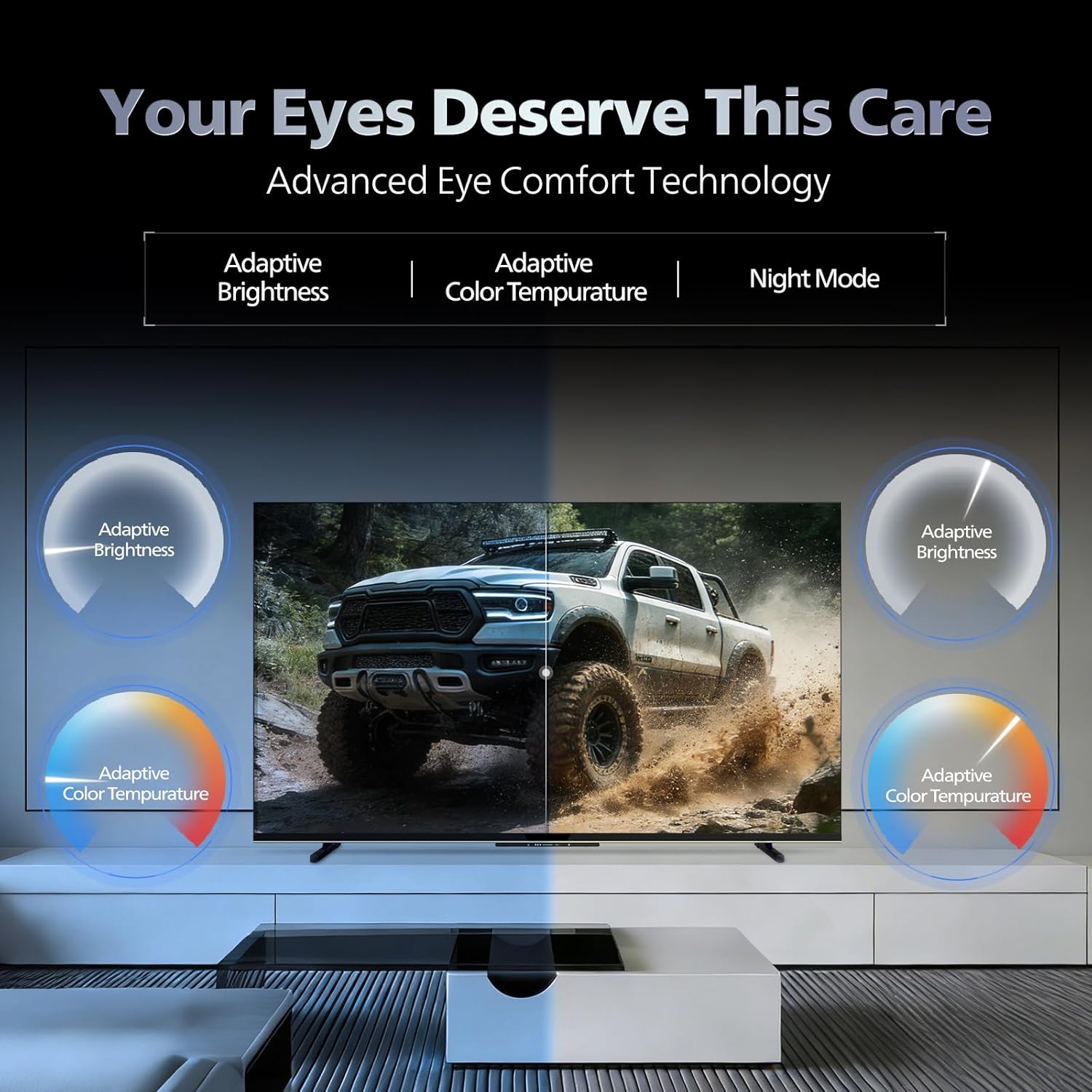
- เทคโนโลยีสบายตา: Features like Adaptive Brightness, Adaptive Color Temperature, and Night Mode are available to reduce eye strain.

Visual representation of the TV's advanced eye comfort technology, including adaptive brightness and color temperature.

A visual demonstrating the immersive multi-dimensional audio experience provided by Dolby Atmos on the television.
4. การบำรุงรักษา
4.1 การทำความสะอาดทีวี
To clean the screen and cabinet, first unplug the power cord. Use a soft, lint-free cloth. For stubborn marks, lightly dampชุบผ้าด้วยน้ำหรือน้ำยาทำความสะอาดหน้าจอสูตรอ่อนโยนที่ไม่กัดกร่อน ห้ามฉีดน้ำยาลงบนหน้าจอโดยตรง
สำคัญ: The television is ไม่กันน้ำ. Avoid exposing it to liquids.
4.2 การอัปเดตซอฟต์แวร์
Ensure your TV's software is up to date for optimal performance and security. The TV will typically prompt you for available updates. You can also manually check for updates in the settings menu.
5 การแก้ไขปัญหา
If you encounter issues with your television, try the following basic troubleshooting steps before contacting support.
- ไม่มีไฟฟ้า: Ensure the power cord is securely plugged into both the TV and a working power outlet. Try a different outlet.
- ไม่มีภาพ/เสียง: ตรวจสอบการเชื่อมต่อสายเคเบิลทั้งหมด (HDMI, AV, เสาอากาศ) และตรวจสอบให้แน่ใจว่าได้เลือกแหล่งสัญญาณเข้าที่ถูกต้องบนทีวีแล้ว
- ระยะไกลไม่ทำงาน: เปลี่ยนแบตเตอรี่ในรีโมทคอนโทรล ตรวจสอบให้แน่ใจว่าไม่มีสิ่งกีดขวางระหว่างรีโมทและเซ็นเซอร์อินฟราเรดของทีวี
- ปัญหาการเชื่อมต่ออินเทอร์เน็ต: Restart your Wi-Fi router. Check the TV's network settings and ensure it's connected to the correct network. Try a wired LAN connection if possible.
- ปัญหาคุณภาพของภาพ: ปรับการตั้งค่าภาพ (ความสว่าง คอนทราสต์ ความคมชัด) ตรวจสอบให้แน่ใจว่าแหล่งที่มาของเนื้อหามีคุณภาพสูง
The television displaying a fast-paced gaming scene, highlighting its 120Hz refresh rate and gaming optimization features.
6. ข้อมูลจำเพาะ
| คุณสมบัติ | รายละเอียด |
|---|---|
| หมายเลขรุ่น | 55MLED610/94 |
| ขนาดหน้าจอ | 55 นิ้ว (138 ซม.) |
| เทคโนโลยีการแสดงผล | QD-มินิ LED |
| ปณิธาน | 4K Ultra HD (3840 x 2160) |
| อัตราการรีเฟรช | 120 Hz HSR |
| รองรับรูปแบบ HDR | HDR10+, Dolby Vision |
| Viewอิงแองเกิล | 178 องศา |
| เอาท์พุตเสียง | 36 วัตต์ |
| การเข้ารหัสเสียง | ดอลบี้ แอทมอส, ดอลบี้ ออดิโอ |
| ระบบปฏิบัติการ | กูเกิลทีวี |
| แรม | 2GB |
| รอม | 32GB |
| การเชื่อมต่อ | Wi-Fi (Dual band WIFI 5), Bluetooth 5.1, 3 HDMI (1x HDMI 2.1 eARC), 2 USB, 1 LAN, 1 Antenna, 1 Satellite, 1 Digital Audio Out (Optical), 1 AV-IN, 1 Earphone |
| ขนาดสินค้า (ลึก x กว้าง x สูง) | 8D x 144.5W x 84H เซนติเมตร |
| Item Weight Without Stand | 9.4 กิโลกรัม |
| การใช้พลังงาน | 130 วัตต์ |
| คะแนนพลังงาน | 3 ดาว |
| การบริโภคพลังงานรายปี | 182 kWh/ปี |
| ส่วนประกอบที่รวมอยู่ | TV Unit, Stand Bases, Quick Start Guide, Warranty Card, Remote, Batteries, Power cord, Screws, AV Converting Cable |

Dimensional drawing of the Philips 55MLED610/94 TV, showing height, width, and depth measurements.
7. การรับประกันและการสนับสนุน
7.1 ข้อมูลการรับประกัน
A 1-year warranty is provided by the manufacturer from the date of purchase. Warranty claims can be processed using your Amazon e-invoice.
The warranty covers manufacturing defects but does not cover spares.
7.2 การสนับสนุนลูกค้า
For assistance, contact the brand's toll-free number: 18004256396. Please provide the product's model name (55MLED610/94) and seller's details from your invoice. The service center will schedule a convenient service slot.
ผู้ผลิต: Radiant Appliances And Electronics Private Limited
Survey No. 111, 112, S-2 A 1, Ecity, Fabcity, Maheshwaram Mandal Raviryala Village, Ranga Reddy, Telangana- 501141
ผู้นำเข้า: TPV Technology India Private Limited
Unit No. 307-308 3rd Floor, SEWA Corporate Park MG Road Gurugram Haryana 122002