
1. บทนำ
Welcome to the instruction manual for your ZAZU Sarah Educational Alarm Clock. This device is designed to help children develop healthy sleep routines through a color-coded system, soothing sounds, and a gentle night light. Please read this manual carefully to ensure proper setup, operation, and maintenance of your device.

Image: ZAZU Sarah Educational Alarm Clock glowing red, indicating sleep time, next to a child sleeping in bed.
2. ข้อมูลด้านความปลอดภัย
Please observe the following safety precautions to prevent damage to the device or injury to users:
- ผลิตภัณฑ์นี้ไม่ใช่ของเล่น ควรมีผู้ใหญ่คอยดูแลเด็กเล็ก
- เก็บอุปกรณ์ให้ห่างจากน้ำและของเหลวอื่นๆ
- Use only the provided USB cable for charging. Do not use damaged cables or chargers.
- Do not attempt to open, modify, or repair the device yourself. Contact customer support for assistance.
- กำจัดอุปกรณ์และแบตเตอรี่อย่างมีความรับผิดชอบตามกฎระเบียบท้องถิ่น
3. เนื้อหาบรรจุภัณฑ์
The ZAZU Sarah Educational Alarm Clock package includes:
- ZAZU Sarah Educational Alarm Clock
- สายชาร์จ USB
- คู่มือการใช้งาน

Image: Contents of the ZAZU Sarah alarm clock box: the device, packaging, USB charging cable, and user manual.
4. สินค้าหมดview
The ZAZU Sarah features a soft silicone casing, a digital display, and control buttons on the back. It combines multiple functions to assist with children's sleep training.
คุณสมบัติหลัก:
- อุปกรณ์ช่วยฝึกการนอนหลับ: Color-coded system (red, orange, green) with automatic eye opening/closing.
- ไฟกลางคืน: 5 adjustable LED colors with brightness control and 30-minute auto-off timer.
- เครื่องเสียง: 6 relaxing sounds with 5 volume levels.
- นาฬิกาปลุก: Features 6 gentle melodies for wake-up.
- แบตเตอรี่แบบชาร์จไฟได้: Integrated battery with USB charging.

ภาพ: เหนือview of ZAZU Sarah alarm clock features: sleep trainer, 5-color night light, 6-sound machine, alarm, and rechargeable battery.
การควบคุม:
The control buttons are located on the back of the device. These typically include buttons for Time, Alarm, Sound, Volume (+/-), and Power ON/OFF.

ภาพ: ด้านหลัง view of the ZAZU Sarah alarm clock, showing control buttons for time, alarm, and sound, along with the USB charging port.
5. การตั้งค่า
5.1 การชาร์จอุปกรณ์
Before first use, fully charge your ZAZU Sarah alarm clock. Connect the provided USB cable to the charging port on the back of the device and plug the other end into a compatible USB power adapter (not included) or a computer USB port. The battery indicator on the display will show charging status.
5.2 การเปิดเครื่องครั้งแรก
To turn on the device, press and hold the ON/OFF button located on the back. The display will illuminate.
6. คู่มือการใช้งาน
6.1 Setting the Time and Alarm
Refer to the specific buttons on the back of the device for time and alarm settings. Typically, you will press a 'Time' or 'Set' button to enter time setting mode, use '+' and '-' buttons to adjust hours and minutes, and then confirm. The process is similar for setting the alarm time.
6.2 Sleep Trainer Function (Day/Night)
The ZAZU Sarah uses a visual color system to teach children when it's time to sleep, wait, or wake up:
- ไฟแดง: Indicates it's time to sleep. The eyes on the display will be closed.
- ไฟสีส้ม: (Optional) Signals that it's almost time to wake up, encouraging patience. This typically appears 15 minutes before the green light.
- ไฟเขียว: Indicates it's okay to get out of bed. The eyes on the display will be open.

Image: Visual guide to the ZAZU Sarah sleep routine: red for bedtime, orange for waiting, and green for wake-up time.

Image: ZAZU Sarah alarm clock showing closed eyes for sleep time (red) and open eyes for wake-up time (green).
6.3 ฟังก์ชันไฟกลางคืน
The device features a soft LED night light with 5 adjustable colors. To activate or change the night light, use the dedicated light button or touch sensor. You can also adjust the brightness to create a comforting environment. The night light automatically turns off after 30 minutes.

Image: ZAZU Sarah alarm clock functioning as a night light, glowing purple, with examples of other available colors (white, red, blue).
6.4 Sound Machine
The ZAZU Sarah includes 6 relaxing sounds to help your child fall asleep. Press the 'Sound' button to cycle through the available sounds. Use the '+' and '-' buttons to adjust the volume across 5 levels.
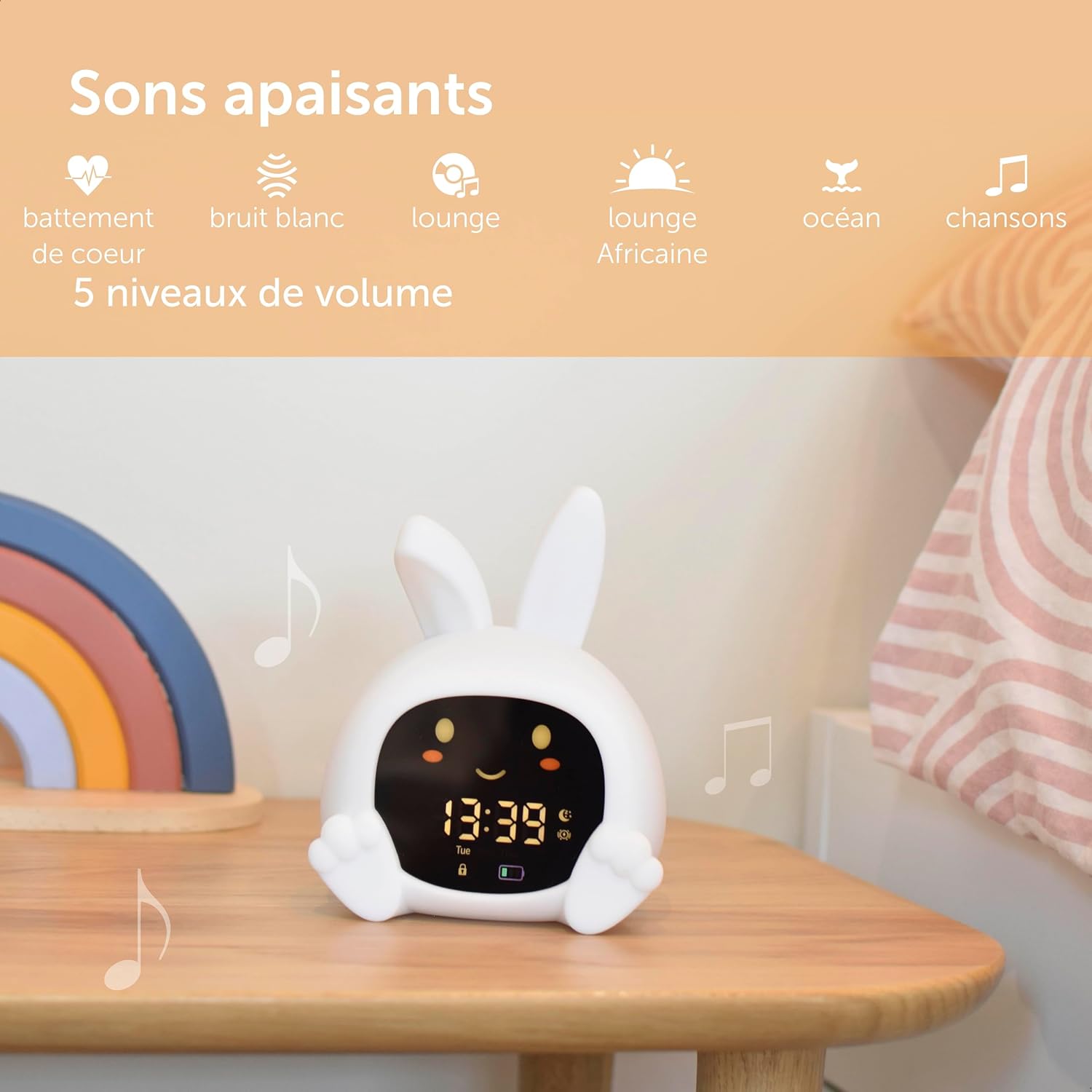
Image: ZAZU Sarah alarm clock on a bedside table, illustrating its soothing sound machine function with musical notes.
6.5 ฟังก์ชั่นปลุก
Set a specific wake-up time using the alarm function. The device offers 6 gentle melodies to ensure a calm awakening. Once the alarm is set, the device will transition to the green light and play the selected melody at the designated time.

Image: Child holding the ZAZU Sarah alarm clock, which is displaying the time and an alarm icon, indicating its alarm function.
7. การบำรุงรักษา
To ensure the longevity and proper functioning of your ZAZU Sarah alarm clock:
- การทำความสะอาด: เช็ดพื้นผิวซิลิโคนด้วยผ้านุ่มๆamp ผ้า. อย่าใช้น้ำยาทำความสะอาดที่มีฤทธิ์กัดกร่อนหรือจุ่มอุปกรณ์ลงในน้ำ
- พื้นที่จัดเก็บ: เก็บอุปกรณ์ไว้ในที่แห้งและเย็นเมื่อไม่ได้ใช้งานเป็นเวลานาน
- การดูแลแบตเตอรี่ Recharge the battery regularly, even if not in constant use, to maintain battery health.
8 การแก้ไขปัญหา
If you encounter issues with your ZAZU Sarah, please refer to the following common solutions:
| ปัญหา | สาเหตุที่เป็นไปได้ | สารละลาย |
|---|---|---|
| เปิดเครื่องไม่ติด | แบตเตอรี่เหลือน้อยหรือมีปัญหาเรื่องไฟเลี้ยง | Charge the device using the provided USB cable. Ensure the cable and power source are working. |
| แบตเตอรี่หมดเร็ว | Frequent use of light/sound functions, or battery degradation over time. | Ensure the device is fully charged. Reduce continuous use of light/sound if possible. Consider keeping it plugged in overnight if battery life is a concern. |
| Settings are not saved | Settings not confirmed or device powered off incorrectly. | Ensure you follow the correct steps to save settings (e.g., pressing a 'Confirm' or 'Set' button after adjustments). |
| Night light or sound not working | Function not activated or incorrect settings. | Press the dedicated buttons for night light or sound. Check volume levels for sound. |
9. ข้อมูลจำเพาะ
| คุณสมบัติ | รายละเอียด |
|---|---|
| หมายเลขรุ่น | ZA-SARAH-01 |
| ขนาด (กว้าง x ยาว x สูง) | 14 x 8 x 11 ซม. |
| น้ำหนัก | 210 กรัม |
| วัสดุ | ซิลิโคน |
| แหล่งพลังงาน | ใช้แบตเตอรี่ (รวมแบตเตอรี่ลิเธียมไอออน 1 ก้อน) |
| การชาร์จไฟ | USB (มีสายให้) |
| สีแสงกลางคืน | 5 |
| เสียงที่ผ่อนคลาย | 6 |
| Alarm Melodies | 6 |

Image: Dimensions of the ZAZU Sarah alarm clock: 14 cm height, 8 cm depth, 11 cm width.
10. การรับประกันและการสนับสนุน
10.1 ข้อมูลการรับประกัน
ZAZU products are manufactured to high quality standards. For specific warranty details, please refer to the warranty card included with your product or visit the official ZAZU webไซต์นี้ โปรดเก็บหลักฐานการซื้อไว้เพื่อใช้ยืนยันการรับประกัน
10.2 การสนับสนุนลูกค้า
หากต้องการความช่วยเหลือเพิ่มเติม การลงทะเบียนผลิตภัณฑ์ หรือ view the latest version of this manual, please visit the official ZAZU webเว็บไซต์:
You can also visit the ZAZU brand store for more information on their products: