
1. บทนำ
Thank you for choosing the Picun G2 Wireless Gaming Headset. This manual provides detailed instructions for setting up, operating, and maintaining your headset to ensure optimal performance and an immersive gaming experience. Please read this manual thoroughly before use.
มีอะไรอยู่ในกล่อง
- 1 x Picun G2 Wireless Gaming Headset
- 1 x USB-A & Type-C 2-in-1 Wireless Dongle
- สายชาร์จ 1 x USB-C
- สายสัญญาณเสียงขนาด 1 มม. 3.5 เส้น
- 1 x คู่มือผู้ใช้
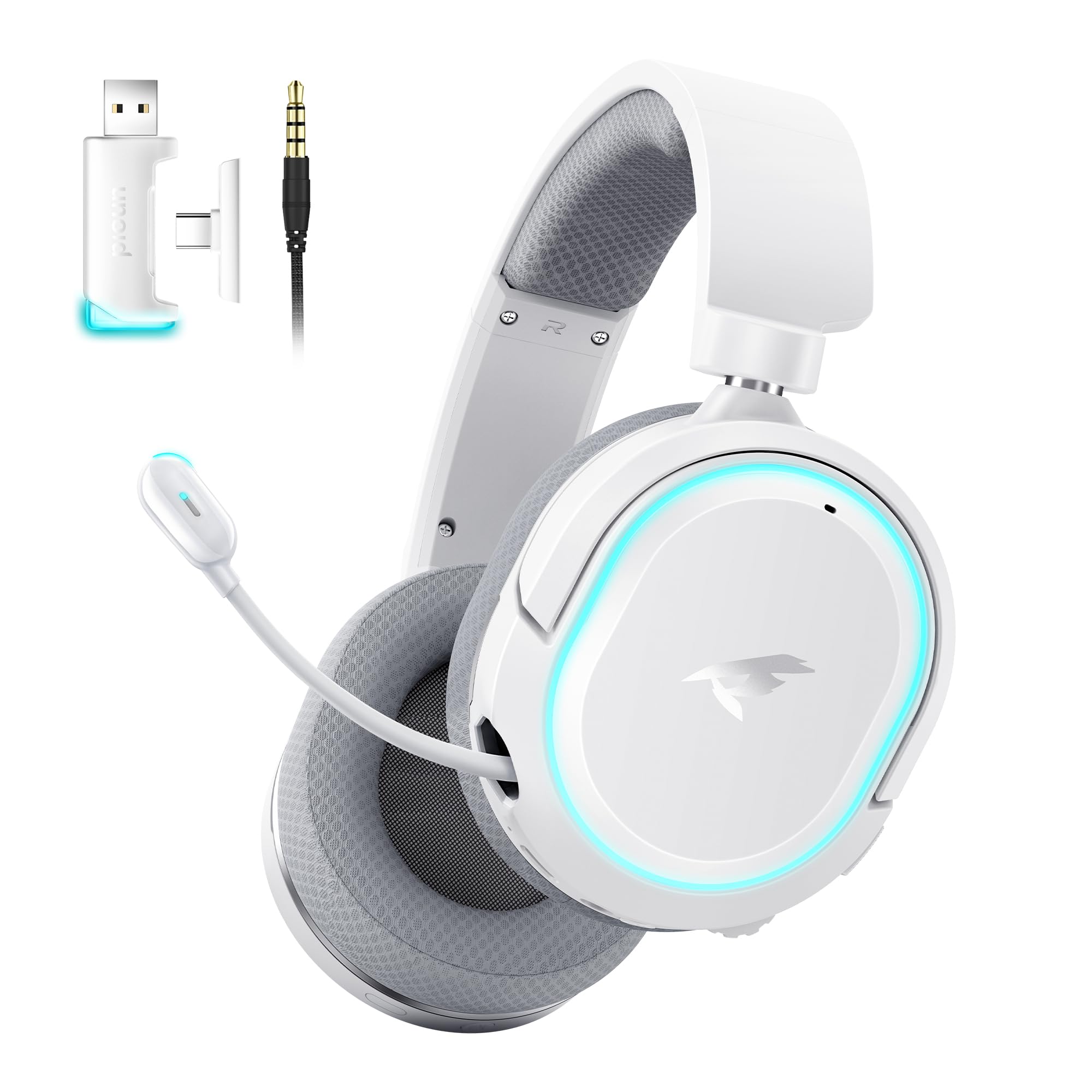
Image: Picun G2 Wireless Gaming Headset (Grey)
2. สินค้าหมดview
Familiarize yourself with the various components and controls of your Picun G2 headset.

Image: Headset Controls Diagram
- 7.1 Mode Light Control: Button to activate/deactivate 7.1 virtual surround sound and control RGB lighting.
- พอร์ตชาร์จ: USB-C port for charging the headset.
- พอร์ตเสียง 3.5 มม.: สำหรับการเชื่อมต่อแบบใช้สาย โดยใช้สายสัญญาณเสียง 3.5 มม. ที่ให้มาในชุด
- ปุ่มเปิด/ปิด: Press and hold to power on/off. Short press for play/pause in Bluetooth mode.
- ล้อระดับเสียง: Scroll up or down to adjust the volume.
- ปิดเสียงไมค์: Slide switch to mute or unmute the microphone.
3. การตั้งค่าและการเชื่อมต่อ
3.1 การชาร์จชุดหูฟัง
Before first use, fully charge the headset using the provided USB-C charging cable. Connect the USB-C end to the headset's charging port and the USB-A end to a power source (e.g., computer USB port, USB wall adapter).
3.2 Connecting via 2.4GHz Wireless (Dongle)
For ultra-low latency gaming on PC, PS5, PS4, or Nintendo Switch (docked mode):
- Insert the 2.4GHz USB-A/Type-C dongle into an available USB port on your device.
- เปิดใช้งานชุดหูฟัง ระบบจะเชื่อมต่อกับตัวรับสัญญาณโดยอัตโนมัติ
- ตรวจสอบให้แน่ใจว่าได้เลือกชุดหูฟังเป็นอุปกรณ์เอาต์พุตเสียงและอินพุตในการตั้งค่าเสียงของอุปกรณ์ของคุณ
3.3 การเชื่อมต่อผ่านบลูทูธ 5.4
For wireless connection to smartphones, tablets, and other Bluetooth-enabled devices:
- With the headset powered off, press and hold the Power Button until the LED indicator flashes blue and red, indicating pairing mode.
- On your device, enable Bluetooth and search for "Picun G2".
- Select "Picun G2" to pair. The LED will turn solid blue once connected.
3.4 Connecting via 3.5mm Wired
For universal compatibility with devices featuring a 3.5mm audio jack:
- ต่อปลายด้านหนึ่งของสายสัญญาณเสียง 3.5 มม. เข้ากับพอร์ตเสียง 3.5 มม. ของชุดหูฟัง
- ต่อปลายอีกด้านหนึ่งเข้ากับช่องเสียบหูฟังขนาด 3.5 มม. ของอุปกรณ์ของคุณ
- หมายเหตุ: ฟังก์ชันการทำงานของไมโครโฟนอาจแตกต่างกันไป หรืออาจใช้งานไม่ได้ในโหมดใช้สาย ขึ้นอยู่กับอุปกรณ์

Image: Multiple Connection Options
4. คู่มือการใช้งาน
4.1 เปิด/ปิดเครื่อง
- เปิดเครื่อง: กดปุ่มเปิดปิดค้างไว้ 3 วินาที
- หมดแรง: กดปุ่มเปิดปิดค้างไว้ 3 วินาที
4.2 การควบคุมระดับเสียง
- หมุน ปริมาณล้อ upwards to increase volume.
- หมุน ปริมาณล้อ downwards to decrease volume.
4.3 Microphone Usage (Retractable ENC Noise-Canceling Mic)
- Extend/Retract Mic: Gently pull out or push in the microphone from the left earcup.
- ปิดเสียง/เปิดเสียง: ใช้ ปิดเสียงไมค์ slide switch located on the earcup.

Image: Retractable ENC Noise-Canceling Microphone
4.4 7.1 Virtual Surround Sound Activation
- กดปุ่ม 7.1 Mode Light Control button to toggle 7.1 virtual surround sound on or off.
- The RGB lighting will indicate the status of the 7.1 mode.

Image: 7.1 Surround Sound Activation
5. ข้อมูลแบตเตอรี่
The Picun G2 headset offers extended battery life for prolonged usage.
- Up to 100 hours playtime in Bluetooth mode (RGB off).
- Approximately 42-45 hours playtime via 2.4GHz wireless (RGB on).
- Full charge typically takes 2-3 hours.
- The headset supports charging while in use.

Image: Battery Life and Charging
6. ความสะดวกสบายและการออกแบบ
The Picun G2 is designed for comfort during extended gaming sessions.
- แถบคาดศีรษะปรับได้: Customize the fit for various head sizes.
- ที่ครอบหูหมุนได้: Allows for flexible positioning and storage.
- Soft Memory Sponge Cushions: Breathable fabric earcups and headband provide comfort and reduce pressure.

Image: Comfort Features
7 การแก้ไขปัญหา
If you encounter any issues with your Picun G2 headset, please refer to the following common solutions:
| ปัญหา | สารละลาย |
|---|---|
| ไม่มีเสียงจากหูฟัง |
|
| ไมโครโฟนไม่ทำงาน |
|
| ไม่สามารถเชื่อมต่อผ่านระบบไร้สาย 2.4GHz ได้ |
|
| ไม่สามารถเชื่อมต่อผ่านบลูทูธได้ |
|
| อายุการใช้งานแบตเตอรี่สั้น |
|
8. ข้อมูลจำเพาะ
| คุณสมบัติ | รายละเอียด |
|---|---|
| ยี่ห้อ | พิคุน |
| ชื่อรุ่น | Picun-G2 |
| เทคโนโลยีการเชื่อมต่อ | ไร้สาย 2.4GHz, บลูทูธ 5.4, แบบมีสาย 3.5 มม. |
| การวางตำแหน่งหู | ครอบหู |
| ประเภทไดร์เวอร์เสียง | ไดรเวอร์ไดนามิก (40 มม.) |
| อิมพีแดนซ์ | 32 โอห์ม |
| ช่วงความถี่ | 20 เฮิรตซ์ - 20,000 เฮิรตซ์ |
| เวลาแฝงของเสียง | 5 มิลลิวินาที (2.4 GHz) |
| เวอร์ชันบลูทูธ | 5.4 |
| ช่วงบลูทูธ | 10 เมตร |
| อายุการใช้งานแบตเตอรี่ | Up to 100 Hours (Bluetooth, RGB off) / 42-45 Hours (2.4GHz, RGB on) |
| เวลาในการชาร์จ | 2-3 ชั่วโมง |
| ไมโครโฟน | Retractable ENC Noise-Canceling Omnidirectional Mic |
| อุปกรณ์ที่รองรับ | PC, Mac, Laptop, Desktop, Phone, Pad, Tablet, PlayStation 4/5/pro/Slim, Gaming Consoles, Switch, Nintendo Switch (microphone invalid on Switch via 3.5mm) |
| วัสดุ | ABS, Breathable Fabric, PC, Soft Memory Sponge Cushions |
| คุณสมบัติเพิ่มเติม | 7.1 Virtual Surround Sound, RGB Lighting, Adjustable Headband, Rotatable Earcups |
9. การรับประกันและการสนับสนุน
9.1 ข้อมูลการรับประกัน
The Picun G2 Wireless Gaming Headset comes with a รับประกัน 1 ปี from the date of purchase. This warranty covers manufacturing defects and ensures the product is free from defects in material and workmanship under normal use. Please retain your proof of purchase for warranty claims.
การรับประกันไม่ครอบคลุมถึง:
- ความเสียหายที่เกิดจากการใช้งานผิดวิธี การใช้ในทางที่ผิด อุบัติเหตุ หรือความประมาทเลินเล่อ
- การซ่อมแซมหรือดัดแปลงโดยไม่ได้รับอนุญาต
- การสึกหรอตามปกติ
9.2 การสนับสนุนลูกค้า
For technical assistance, warranty claims, or any questions regarding your Picun G2 Wireless Gaming Headset, please contact Picun customer support through the following channels:
- อีเมล: support@picun.com (อดีตamp(ไม่ได้ระบุอีเมลจริง)
- Webเว็บไซต์: Visit the official Picun webไซต์สำหรับคำถามที่พบบ่อยและทรัพยากรสนับสนุน
Please have your model number (Picun-G2) and proof of purchase ready when contacting support.