
1. บทนำ
This manual provides instructions for the proper use and maintenance of your plplaaoo SC12022D wired 1D and 2D barcode scanner. This device is designed for fast and accurate scanning of both printed and screen-based barcodes, suitable for various retail, warehouse, and office environments.
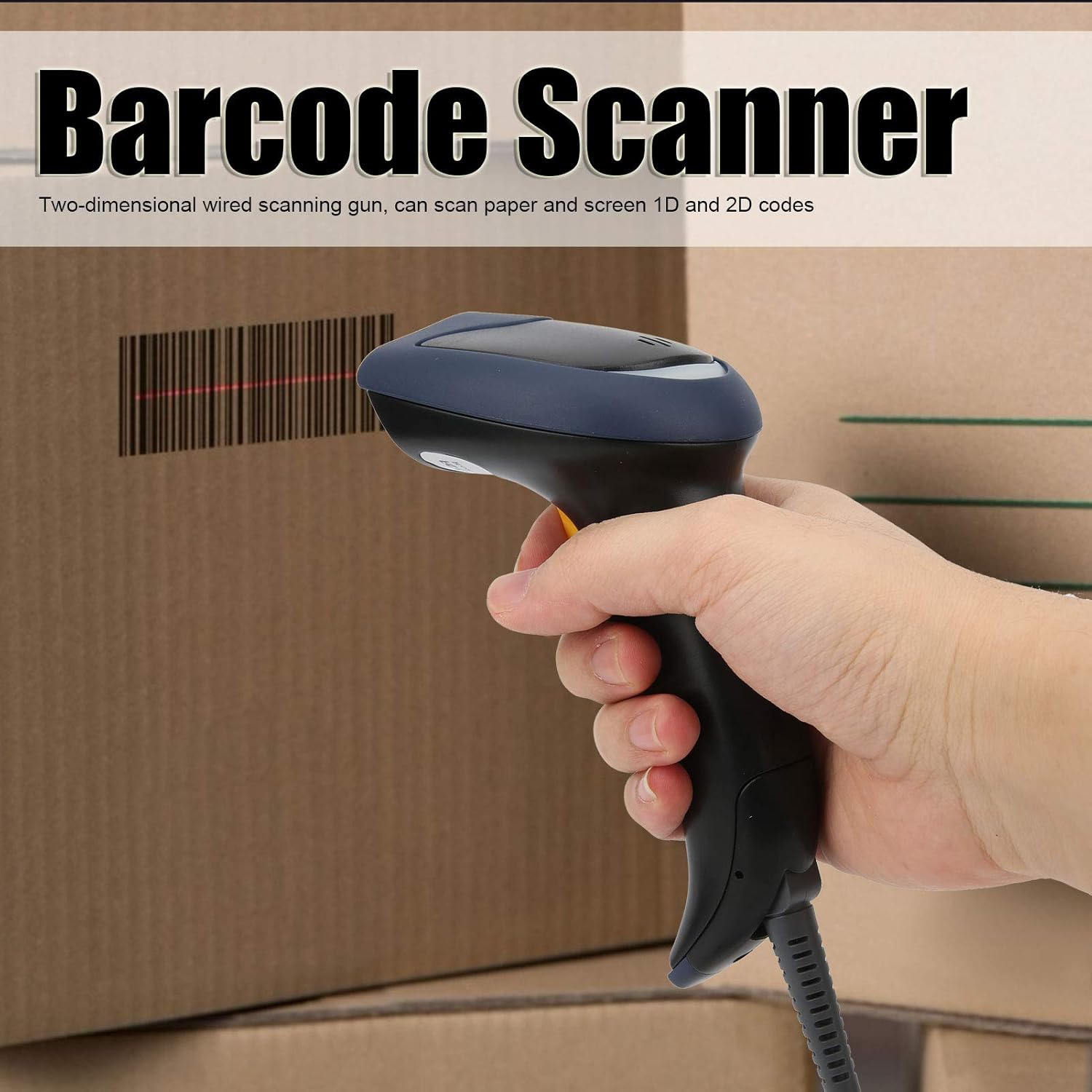
Image 1.1: The plplaaoo SC12022D barcode scanner in operation, held by a user scanning a package. This illustrates the ergonomic design and typical use case of the device.
2. ข้อมูลด้านความปลอดภัย
Please read and follow these safety guidelines to ensure safe operation and to prevent damage to the device or injury to yourself.
- ความปลอดภัยของเลเซอร์: Do not stare directly into the scanning window or point the laser beam at eyes. This device uses a visible light laser.
- สภาพแวดล้อม : Operate the scanner within the specified temperature range of 20℃ to +60℃. Avoid exposure to extreme temperatures, humidity, or dust.
- การจัดการ: ใช้งานอุปกรณ์ด้วยความระมัดระวัง หลีกเลี่ยงการทำตกหรือกระแทกแรงๆ
- การทำความสะอาด: ใช้ผ้าแห้งนุ่มๆ เช็ดทำความสะอาด ห้ามใช้สารทำความสะอาดที่มีฤทธิ์กัดกร่อนหรือตัวทำละลาย
3. เนื้อหาบรรจุภัณฑ์
ตรวจสอบว่ามีรายการทั้งหมดอยู่ในแพ็คเกจ:
- plplaaoo SC12022D Barcode Scanner
- USB Cable (attached or separate)
- คู่มือการใช้งาน (เอกสารนี้)
4. สินค้าหมดview
The plplaaoo SC12022D is a handheld, gun-style barcode scanner designed for comfortable and efficient use. It features a high-resolution sensor for precise reading of various barcode types.
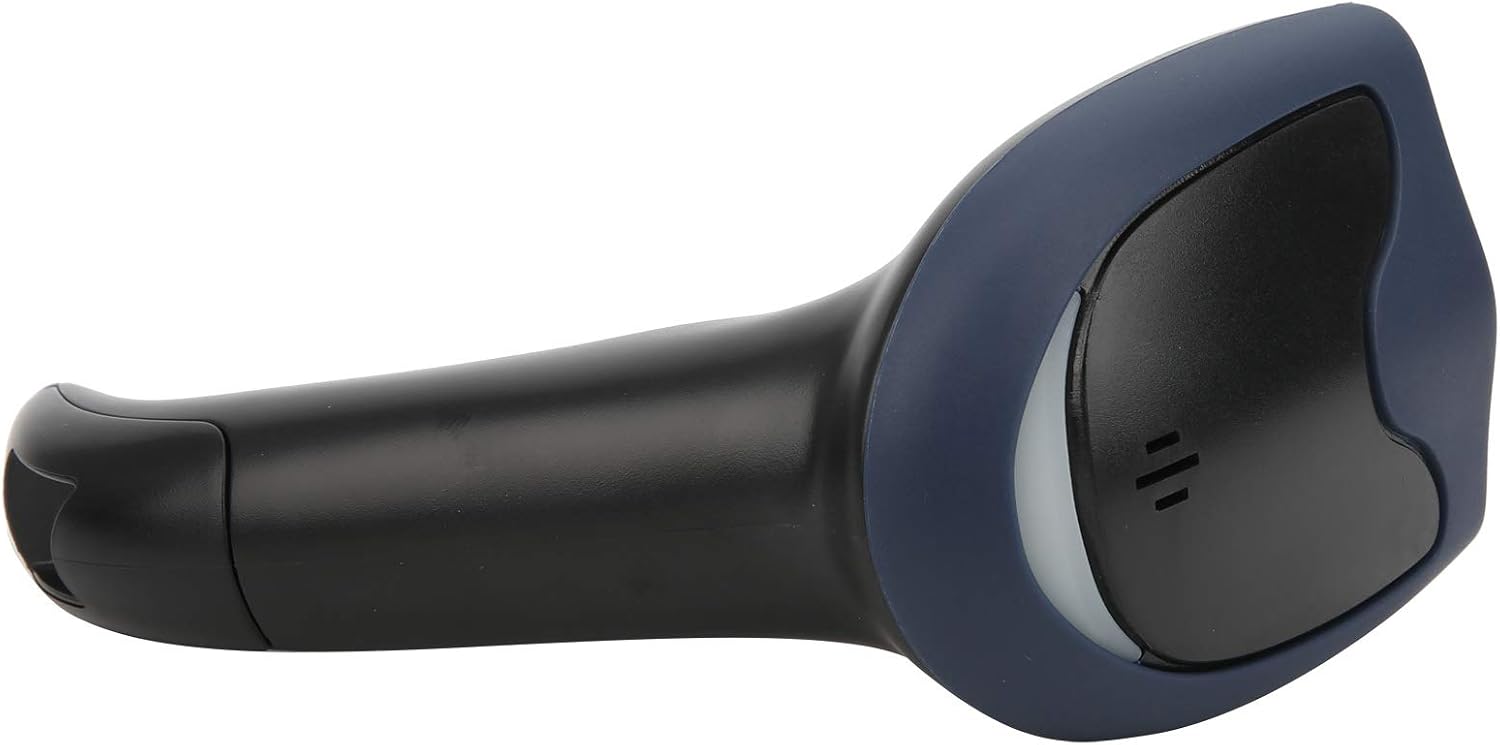
ภาพที่ 4.1: ด้านหน้า view of the barcode scanner, highlighting the scanning window and the comfortable grip design.

ภาพที่ 4.2: ด้านข้าง view of the barcode scanner, illustrating its contoured shape and the placement of the trigger button.

ภาพที่ 4.3: รายละเอียด view of the scanning window, where the laser beam is emitted and barcodes are read.
5. การตั้งค่า
The plplaaoo SC12022D barcode scanner is designed for plug-and-play convenience. No driver installation is typically required for most operating systems.
- เชื่อมต่อสาย USB: Locate the USB cable. If it is detachable, connect the smaller end to the port on the base of the scanner.
- Plug into Computer/POS System: Insert the standard USB-A end of the cable into an available USB port on your computer or Point-of-Sale (POS) system.
- การจดจำระบบ: Your operating system should automatically detect and install the necessary generic drivers. The scanner will typically emit a beep or flash an indicator light to confirm it is ready for use.

Image 5.1: The USB cable provided with the scanner, featuring a USB-A connector for the host device and a proprietary connector for the scanner.

Image 5.2: The USB cable securely connected to the port on the underside of the scanner's handle.
6. คู่มือการใช้งาน
Once connected, the scanner functions as a keyboard wedge, inputting scanned data directly into any active text field.
- จุดมุ่งหมาย: ชี้หน้าต่างการสแกนไปที่บาร์โค้ดที่คุณต้องการอ่าน
- สแกน: Press and hold the trigger button. A red laser line or aiming pattern will appear. Position the laser line across the entire barcode.
- การยืนยัน: Upon successful scan, the scanner will emit a beep and/or the indicator light will flash. The barcode data will then appear in your active application.
- Scanning Performance: The scanner is capable of reading both 1D and 2D barcodes from paper and digital screens, even if they are poorly printed or slightly damaged.
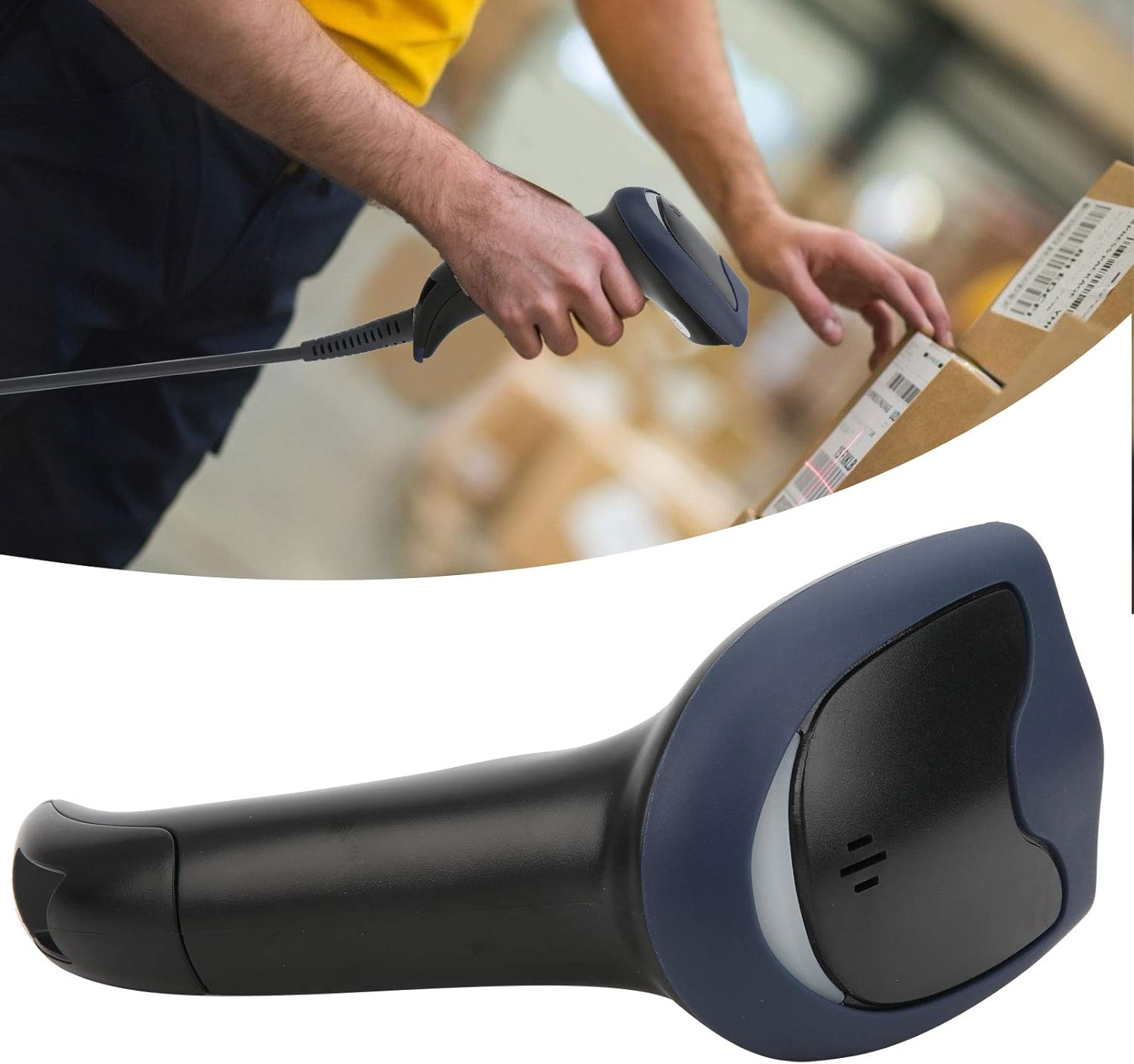
Image 6.1: A user actively scanning a barcode on a box, demonstrating the scanner's application in a typical work environment.

Image 6.2: The barcode scanner displayed alongside icons representing diverse environments such as retail, logistics, and office settings, illustrating its broad compatibility.
7. การบำรุงรักษา
การบำรุงรักษาอย่างถูกต้องจะช่วยให้เครื่องสแกนบาร์โค้ดของคุณมีอายุการใช้งานยาวนานและมีประสิทธิภาพเหมาะสมที่สุด
- การทำความสะอาดหน้าต่างการสแกน: ทำความสะอาดช่องสแกนเป็นประจำด้วยผ้าเนื้อนุ่มที่ไม่เป็นขุย สำหรับคราบสกปรกที่ลบยาก ให้ใช้ผ้าชุบน้ำหมาดๆ เช็ดเบาๆampen the cloth with water or a mild, non-abrasive cleaner. Ensure the window is dry before use.
- การทำความสะอาดทั่วไป: Wipe the exterior of the scanner with a soft, dry cloth. Avoid using harsh chemicals or solvents that could damage the plastic.
- พื้นที่จัดเก็บ: เมื่อไม่ใช้งาน ควรเก็บเครื่องสแกนไว้ในที่สะอาดและแห้ง หลีกเลี่ยงแสงแดดโดยตรงและอุณหภูมิที่สูงหรือต่ำเกินไป
8 การแก้ไขปัญหา
หากคุณพบปัญหาเกี่ยวกับสแกนเนอร์ของคุณ โปรดดูปัญหาทั่วไปและวิธีแก้ไขต่อไปนี้:
| ปัญหา | สาเหตุที่เป็นไปได้ | สารละลาย |
|---|---|---|
| เครื่องสแกนไม่เปิดใช้งานหรือไม่ตอบสนอง | สาย USB ไม่ได้เชื่อมต่ออย่างถูกต้องหรือพอร์ต USB ชำรุด | ตรวจสอบให้แน่ใจว่าได้เสียบสาย USB เข้ากับเครื่องสแกนและคอมพิวเตอร์อย่างแน่นหนาแล้ว ลองใช้พอร์ต USB อื่นหรือคอมพิวเตอร์เครื่องอื่นดู |
| เครื่องสแกนส่งเสียงดัง แต่ไม่มีการส่งข้อมูลใดๆ | No active text field or incorrect keyboard layout. | Ensure a text input field is active (e.g., Notepad, Word document, browser search bar). Check your computer's keyboard language settings. |
| Unable to scan certain barcodes. | Barcode type not supported, damaged barcode, or poor lighting. | Refer to the Specifications section for supported symbologies. Try scanning a different, known-good barcode. Ensure adequate lighting and proper aiming. |
| Scanner is slow or inconsistent. | Dirty scanning window or interference. | Clean the scanning window as described in the Maintenance section. Ensure no obstructions are near the scanning area. |
9. ข้อมูลจำเพาะ
- แบบอย่าง: SC12022D
- เทคโนโลยีการสแกน: 1D/2D Wired
- อินเทอร์เฟซ: ยูเอสบี
- สัญลักษณ์ที่รองรับ: QR, Micro QR, PDF417, Maxicode, Data Matrix, AztecCode, UPC, EAN, Code 128, and more than 20 other types.
- อุณหภูมิในการทำงาน: 20℃ ถึง +60℃
- การป้องกันไฟฟ้าสถิต (ESD): Up to ±15 KV
- ออกแบบ: Ergonomic handheld gun style
10. ข้อมูลการรับประกัน
This product comes with a standard manufacturer's warranty. Please retain your proof of purchase for warranty claims. The warranty typically covers defects in materials and workmanship under normal use. It does not cover damage caused by misuse, accidents, unauthorized modifications, or operation outside the specified environmental conditions.
11. การสนับสนุน
For technical assistance, troubleshooting beyond this manual, or warranty inquiries, please contact your retailer or the manufacturer directly. Refer to the product packaging or the manufacturer's official webเว็บไซต์สำหรับรายละเอียดการติดต่อ