
1. บทนำ
Thank you for choosing the Soudorv T70-N Smart Watch. This device is designed to enhance your daily life with features like fitness tracking, health monitoring, and smart notifications. Please read this manual carefully to understand the watch's functions and ensure proper use.
เนื้อหาแพ็คเกจ
- สมาร์ทวอทช์ x 1
- Magnetic Charger x 1
- 22mm Replaceable Strap x 1
- คู่มือการใช้งาน x 1
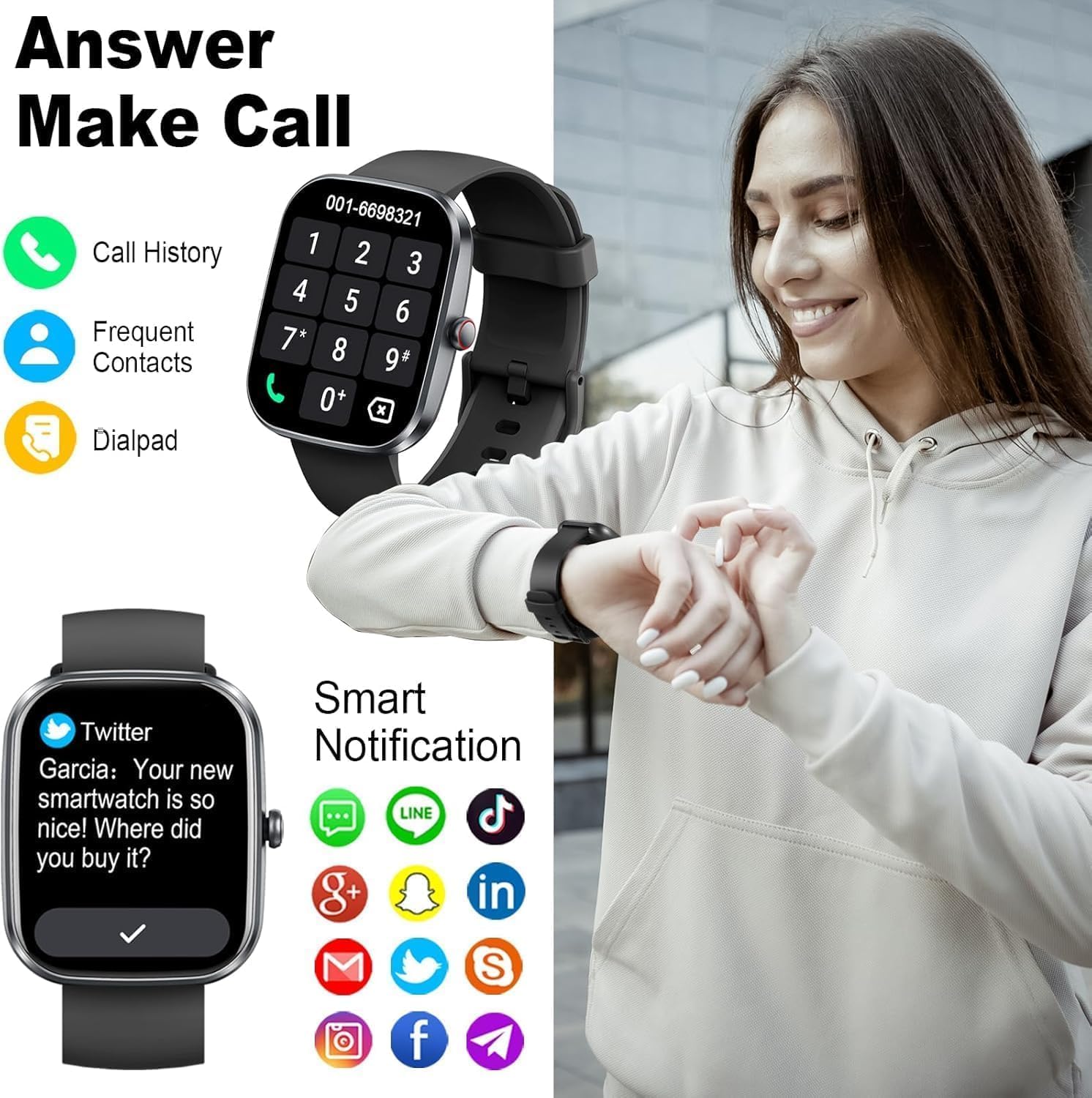
Image 1.1: The Soudorv T70-N Smart Watch, featuring a sleek design and black strap.
2. ข้อมูลด้านความปลอดภัย
- อย่าพยายามถอดประกอบหรือดัดแปลงอุปกรณ์
- เก็บอุปกรณ์ให้ห่างจากอุณหภูมิที่สูงหรือต่ำเกินไปและถูกแสงแดดโดยตรง
- ควรหลีกเลี่ยงการให้นาฬิกาโดนแรงกระแทกหรือตกหล่นอย่างรุนแรง
- This device is IP68 waterproof, suitable for daily use and light water activities. Do not use in hot showers, saunas, or for diving.
- Consult a medical professional before starting any new exercise regimen.
- The health monitoring data is for reference only and should not be used for medical diagnosis or treatment.
3. การเริ่มต้น
3.1 การชาร์จอุปกรณ์
Before first use, fully charge your smartwatch. Connect the magnetic charger to the charging contacts on the back of the watch. Plug the USB end of the charger into a standard USB power adapter (not included) or a computer USB port.
- เวลาในการชาร์จ: ประมาณ 2 ชั่วโมง
- Battery life: Up to 7 days with normal use.

Image 3.1: The smartwatch screen indicating 80% battery charge, demonstrating the magnetic charging feature.
3.2 การเปิด/ปิดเครื่อง
- เปิดเครื่อง: กดปุ่มด้านข้างค้างไว้สองสามวินาทีจนกว่าหน้าจอจะสว่างขึ้น
- หมดแรง: From the watch face, swipe down to access quick settings, or navigate to 'Settings' > 'System' > 'Power Off'. Confirm to shut down.
3.3 การติดตั้งและการจับคู่แอป
The Soudorv T70-N Smart Watch uses the กลอรี่ฟิต application for full functionality. Ensure your smartphone meets the compatibility requirements (Android 5.0+ or iOS 9.0+).
- ดาวน์โหลดแอป: ค้นหา "GloryFit" in the Apple App Store or Google Play Store, or scan the QR code provided in the watch's quick start guide.
- ลงทะเบียน/เข้าสู่ระบบ: เปิดแอป GloryFit และทำตามคำแนะนำบนหน้าจอเพื่อสร้างบัญชีหรือเข้าสู่ระบบ
- เปิดใช้งานบลูทูธ: ตรวจสอบให้แน่ใจว่าได้เปิดใช้งาน Bluetooth บนสมาร์ทโฟนของคุณแล้ว
- จับคู่กับนาฬิกา: In the GloryFit app, navigate to the 'Device' section and select 'Add Device'. The app will search for your watch. Select "T70-N" from the list of available devices to pair.
- เปิดใช้งานฟังก์ชันการโทร: After successful binding, go to the app's settings, find 'Bluetooth Call', and enable the call function to use the watch for making and answering calls.

ภาพที่ 3.2: จบแล้วview of the GloryFit app, showing health data, download options, and steps for connecting the watch via Bluetooth.
4. การทำงานพื้นฐาน
4.1 การนำทางแบบหน้าจอสัมผัส
- ปัดขึ้น: View การแจ้งเตือน
- เลื่อนลง: Access quick settings (brightness, DND, battery, etc.).
- ปัดไปทางซ้าย/ขวา: Cycle through widgets (activity data, heart rate, weather, music control, etc.).
- แตะ: เลือกรายการหรือเปิดแอปพลิเคชัน
- กดค้างไว้: On the watch face, press and hold to change watch faces.

Image 4.1: The watch display showing various metrics like time, weather, steps, calories, and heart rate.
4.2 ฟังก์ชันปุ่ม
The watch features a single physical button on the side.
- ข่าวสารแบบสั้น: Return to the previous screen or wake up the screen.
- กดแบบยาว: Power on/off the device (when off), or access the power menu (when on).
4.3 การปรับแต่งหน้าปัดนาฬิกา
The Soudorv T70-N Smart Watch offers a variety of watch faces. You can change them directly on the watch or through the GloryFit app.
- กำลังจับตาดู: Press and hold the current watch face. Swipe left or right to browse available faces and tap to select.
- ผ่านแอป: Open the GloryFit app, go to the 'Device' section, and select 'Dial Center' or 'Watch Face'. You can choose from over 100 online watch faces or customize one using your own photos.

Image 4.2: A selection of customizable watch faces available for the Soudorv T70-N Smart Watch.
5. คุณสมบัติ
5.1 การโทรและการแจ้งเตือนบลูทูธ
The watch supports Bluetooth calling, allowing you to make and answer calls directly from your wrist. It also displays notifications from your smartphone.
- โทรออก: เข้าถึงแป้นกดหมายเลขหรือรายชื่อผู้ติดต่อบนนาฬิกาเพื่อโทรออก
- การรับสายโทรศัพท์: เมื่อมีสายเรียกเข้า คุณสามารถรับหรือปฏิเสธสายได้โดยตรงจากหน้าจอนาฬิกา
- การแจ้งเตือน: Receive alerts for incoming calls, SMS messages, and app notifications (e.g., Facebook, Twitter, WhatsApp, Instagram) with customizable vibrations.

Image 5.1: The smartwatch displaying a call interface and various social media notification icons.
Video 5.1: Demonstration of the Soudorv T70-N Smart Watch's call answering and making capabilities, along with smart notification features.
5.2 Activity Tracking (120+ Sports Modes)
The watch offers over 120 sports modes to track your workouts. It records data such as heart rate, steps, calories burned, distance, and active hours in real-time.
- โหมดที่มีจำหน่าย: Running, cycling, fitness, swimming, badminton, tennis, football, basketball, and many more.
- การบันทึกข้อมูล: View your exercise data summaries on the watch and detailed reports in the GloryFit app.

Image 5.2: The smartwatch tracking various activities, displaying metrics such as calories, distance, and steps, with a visual representation of over 110 sport modes.
5.3 การตรวจติดตามสุขภาพ
The watch provides continuous health monitoring features to help you stay informed about your well-being.
- เครื่องวัดอัตราการเต้นของหัวใจ: ติดตามอัตราการเต้นของหัวใจของคุณตลอด 24 ชั่วโมง
- การติดตามการนอนหลับ: วิเคราะห์รูปแบบการนอนหลับ รวมถึง การนอนหลับลึก การนอนหลับตื้น และช่วงเวลาที่ตื่น
- เครื่องตรวจวัดออกซิเจนในเลือด (SpO2): วัดระดับออกซิเจนในเลือดของคุณ
- การติดตามรอบเดือน: For female users, track menstrual cycles and predict ovulation.

Image 5.3: The smartwatch displaying real-time health data, including heart rate, blood oxygen saturation, and sleep duration, while being worn during exercise.

Image 5.4: The smartwatch monitoring sleep patterns, showing deep sleep, light sleep, and awake times.
5.4 การกันน้ำระดับ IP68
The Soudorv T70-N Smart Watch is IP68 rated, meaning it is resistant to dust and can withstand immersion in water up to 1.5 meters for 30 minutes. This allows for use during hand washing, rain, and light water activities.
บันทึก: Not suitable for hot showers, saunas, or diving. Avoid contact with hot water or corrosive liquids.

Image 5.5: The smartwatch being worn during swimming, illustrating its IP68 waterproof capability.
5.5 ฟังก์ชันการใช้งานอื่นๆ
The watch includes several convenient tools for daily use:
- พยากรณ์อากาศ: รับข้อมูลอัปเดตสภาพอากาศแบบเรียลไทม์
- การควบคุมเพลง: ควบคุมการเล่นเพลงบนสมาร์ทโฟนของคุณ
- การควบคุมกล้อง: ทริกเกอร์กล้องสมาร์ทโฟนของคุณจากระยะไกล
- ค้นหาหมายเลขโทรศัพท์: ค้นหาสมาร์ทโฟนที่เชื่อมต่ออยู่กับคุณ
- นาฬิกาปลุก: ตั้งนาฬิกาปลุกหลายตัว
- นาฬิกาจับเวลาและตัวจับเวลา: เพื่อตอบสนองความต้องการด้านเวลาที่หลากหลาย
- ผู้ช่วยเสียง: โต้ตอบกับผู้ช่วยเสียงในโทรศัพท์ของคุณ
- เครื่องคิดเลข: ดำเนินการคำนวณขั้นพื้นฐาน
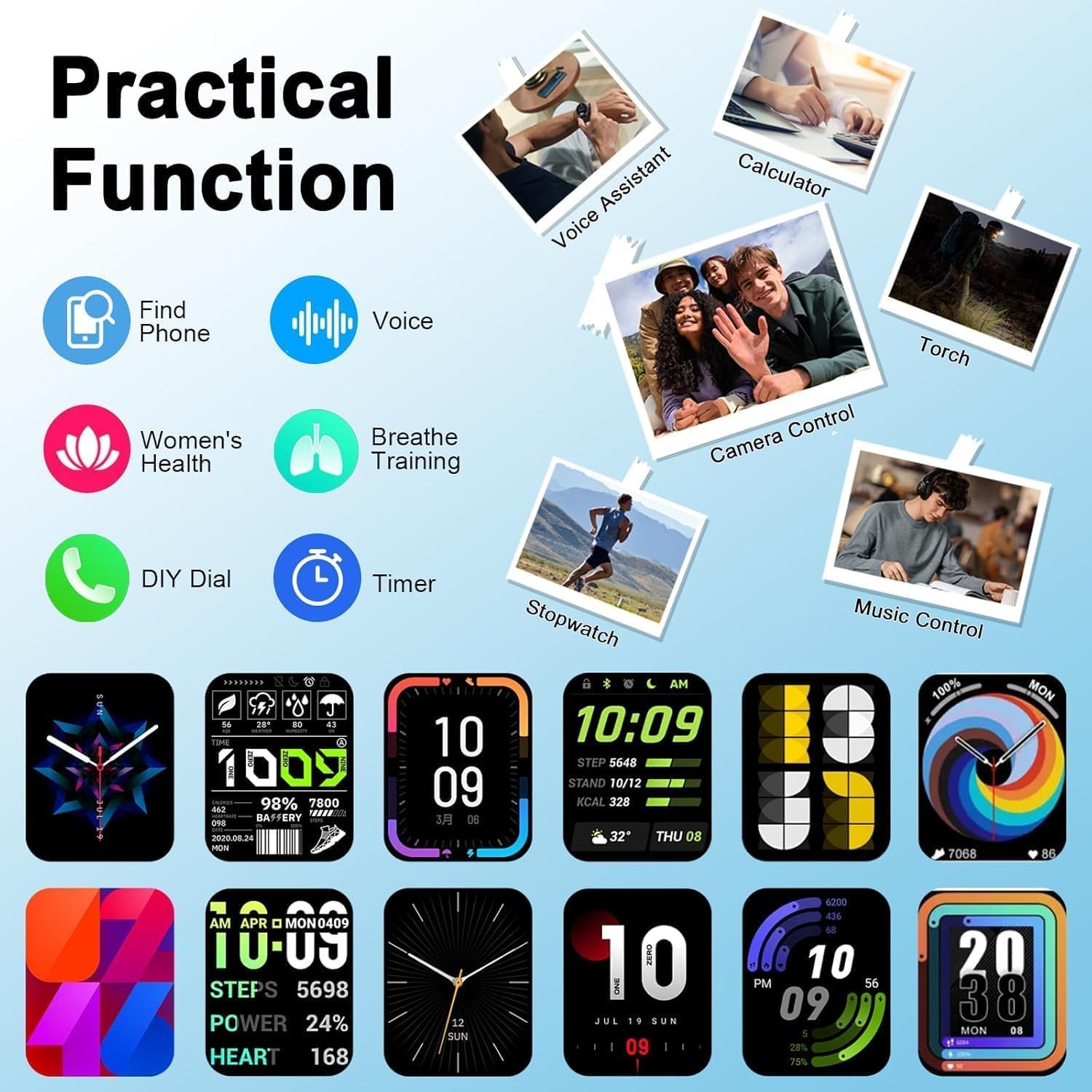
Image 5.6: The smartwatch interface showcasing practical functions such as voice assistant, calculator, and remote camera control.
6. การบำรุงรักษา
- การทำความสะอาด: เช็ดหน้าจอและสายนาฬิกาด้วยผ้านุ่มๆ เป็นประจำamp ผ้า. หลีกเลี่ยงการใช้สารเคมีที่รุนแรง
- การดูแลสายรัด: หากสายรัดเปียกน้ำ ให้เช็ดให้แห้งสนิทก่อนสวมใส่ เพื่อป้องกันการระคายเคืองผิวหนัง
- หน้าสัมผัสการชาร์จ: รักษาความสะอาดและแห้งของจุดเชื่อมต่อการชาร์จเพื่อให้การชาร์จมีประสิทธิภาพ
- พื้นที่จัดเก็บ: ควรเก็บนาฬิกาไว้ในที่แห้งและเย็นเมื่อไม่ได้ใช้งาน
7 การแก้ไขปัญหา
| ปัญหา | สารละลาย |
|---|---|
| นาฬิกาเปิดไม่ติด | ตรวจสอบให้แน่ใจว่านาฬิกาชาร์จเต็มแล้ว เสียบนาฬิกาเข้ากับที่ชาร์จอย่างน้อย 10 นาทีก่อนที่จะลองเปิดเครื่อง |
| ไม่สามารถจับคู่กับโทรศัพท์ได้ | Make sure Bluetooth is enabled on your phone. Ensure the watch is within range. Restart both the watch and your phone. Check if the GloryFit app has necessary permissions. |
| ไม่ได้รับการแจ้งเตือน | Verify that app notifications are enabled in the GloryFit app. Check your phone's notification settings to ensure the GloryFit app has permission to send notifications. Ensure the watch is connected via Bluetooth. |
| ข้อมูลสุขภาพที่ไม่ถูกต้อง | Ensure the watch is worn snugly on your wrist, about one finger's width from your wrist bone. Clean the sensor on the back of the watch. Avoid excessive movement during measurements. |
| การโทรผ่านบลูทูธใช้งานไม่ได้ | Ensure the Bluetooth call function is enabled in the GloryFit app settings. Check your phone's Bluetooth settings to confirm the watch is connected for calls. |
8. ข้อมูลจำเพาะ
| คุณสมบัติ | รายละเอียด |
|---|---|
| หมายเลขรุ่น | T70-N |
| ขนาดหน้าจอ | หน้าจอสัมผัส HD ขนาด 1.91 นิ้ว |
| การเชื่อมต่อ | บลูทูธ 5.3 |
| ความต้านทานต่อน้ำ | IP68 |
| ความจุของแบตเตอรี่ | 300 มิลลิวินาทีamp ชั่วโมง |
| ระบบปฏิบัติการ | Android Wear 1.0 (Compatible with Android 5.0+ / iOS 9.0+) |
| น้ำหนักสินค้า | 3.2 ออนซ์ |
| ขนาดแพ็คเกจ | 6.85 x 3.74 x 0.75 นิ้ว |
| คุณสมบัติพิเศษ | Touchscreen, Heart Rate Monitor, Sleep Monitor, Blood Oxygen Monitor, 120+ Sports Modes, Bluetooth Calling |
9. การรับประกันและการสนับสนุน
For warranty information and customer support, please refer to the warranty card included in your product packaging or contact Soudorv customer service through the retailer where you purchased the product. Please have your model number (T70-N) and purchase date available when contacting support.