
1. บทนำ
The Soudorv T70 Smart Watch is designed to enhance your daily life with advanced features for communication, health monitoring, and fitness tracking. This manual provides detailed instructions to help you get the most out of your device.
2. อะไรอยู่ในกล่อง
- Watch * 1
- Strap * 1
- คู่มือการใช้งาน * 1
- Magnetic charger * 1

Image: Soudorv T70 Smart Watch, strap, instruction manual, and magnetic charger.
3. สินค้าหมดview
The Soudorv T70 Smart Watch features a 1.91-inch HD display, Bluetooth 5.3 for calls and notifications, over 110 sports modes, IP68 waterproofing, and comprehensive health tracking.

Image: Soudorv T70 Smart Watch showing the main display with time, weather, and activity metrics.
4. คู่มือการติดตั้ง
4.1 การชาร์จอุปกรณ์
Before first use, fully charge your Soudorv T70 Smart Watch. Use the provided magnetic charger. A full charge takes approximately 2 hours and provides 5-7 days of normal use or up to 30 days of standby time.
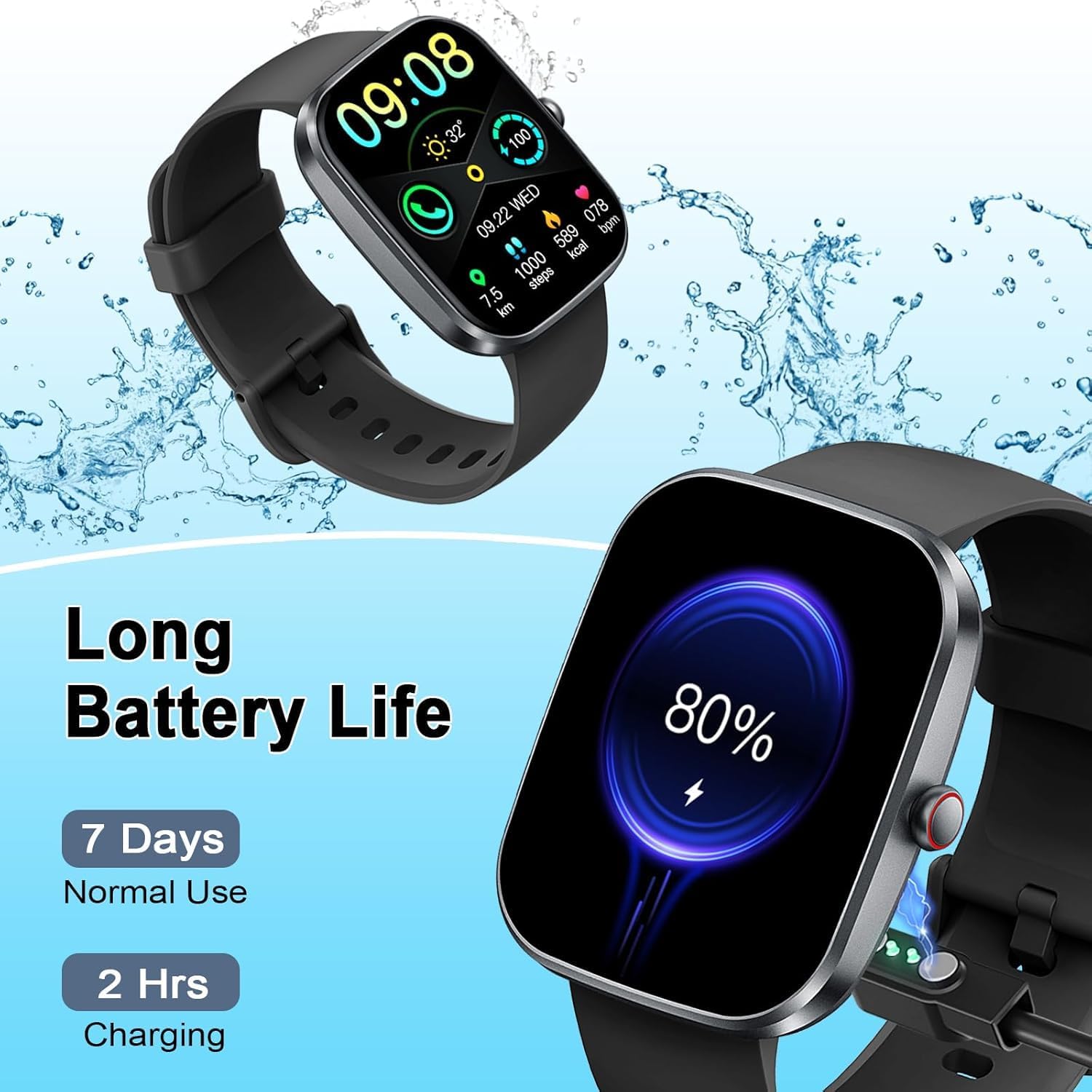
Image: The Soudorv T70 Smart Watch connected to its magnetic charger, indicating battery status.
4.2 การดาวน์โหลดแอปและการเชื่อมต่อ
To utilize all features, download the "GloryFit" app from the App Store (iOS) or Google Play Store (Android). Alternatively, scan the QR code provided in the watch packaging or on the watch screen to download the app.
- ตรวจสอบให้แน่ใจว่าได้เปิดใช้งาน Bluetooth บนสมาร์ทโฟนของคุณแล้ว
- Open the "GloryFit" app and follow the on-screen instructions to add your device.
- Select "T70" from the list of available devices to pair.

Image: Visual guide for downloading the GloryFit app, connecting via Bluetooth, and enabling the call function.
4.3 Enable Call Function
After successful device binding in the GloryFit app, navigate to the app settings to enable the Bluetooth call function. This allows you to make and receive calls directly from your wrist.
Video: Demonstration of the smart watch's call answering and making capabilities, along with smart notifications.
5. คู่มือการใช้งาน
5.1 การนำทางพื้นฐาน
The Soudorv T70 Smart Watch features a full touch screen for intuitive navigation. Swipe left, right, up, or down to access different menus and functions. The side button typically serves as a power/back button or to return to the main watch face.
5.2 การปรับแต่งหน้าปัดนาฬิกา
The GloryFit app offers over 100 unique online watch faces. You can also customize your watch face using any photo from your smartphone, such as family pictures or personal images.

Image: A selection of customized watch faces available for the Soudorv T70 Smart Watch.
5.3 Bluetooth Call and Message Notifications
With Bluetooth 5.3, the watch provides stable connections for calls and message alerts. You can answer or make calls directly from your wrist and receive notifications from various apps like Facebook, WhatsApp, Twitter, TikTok, Instagram, and Gmail.

Image: The smart watch displaying an incoming call and smart notifications from social media and messaging apps.
6. การติดตามสุขภาพ
The Soudorv T70 Smart Watch offers continuous health monitoring features to help you stay informed about your well-being.
6.1 การตรวจวัดอัตราการเต้นของหัวใจ
The watch tracks your heart rate 24 hours a day. View real-time data and historical trends in the GloryFit app to understand your heart health.
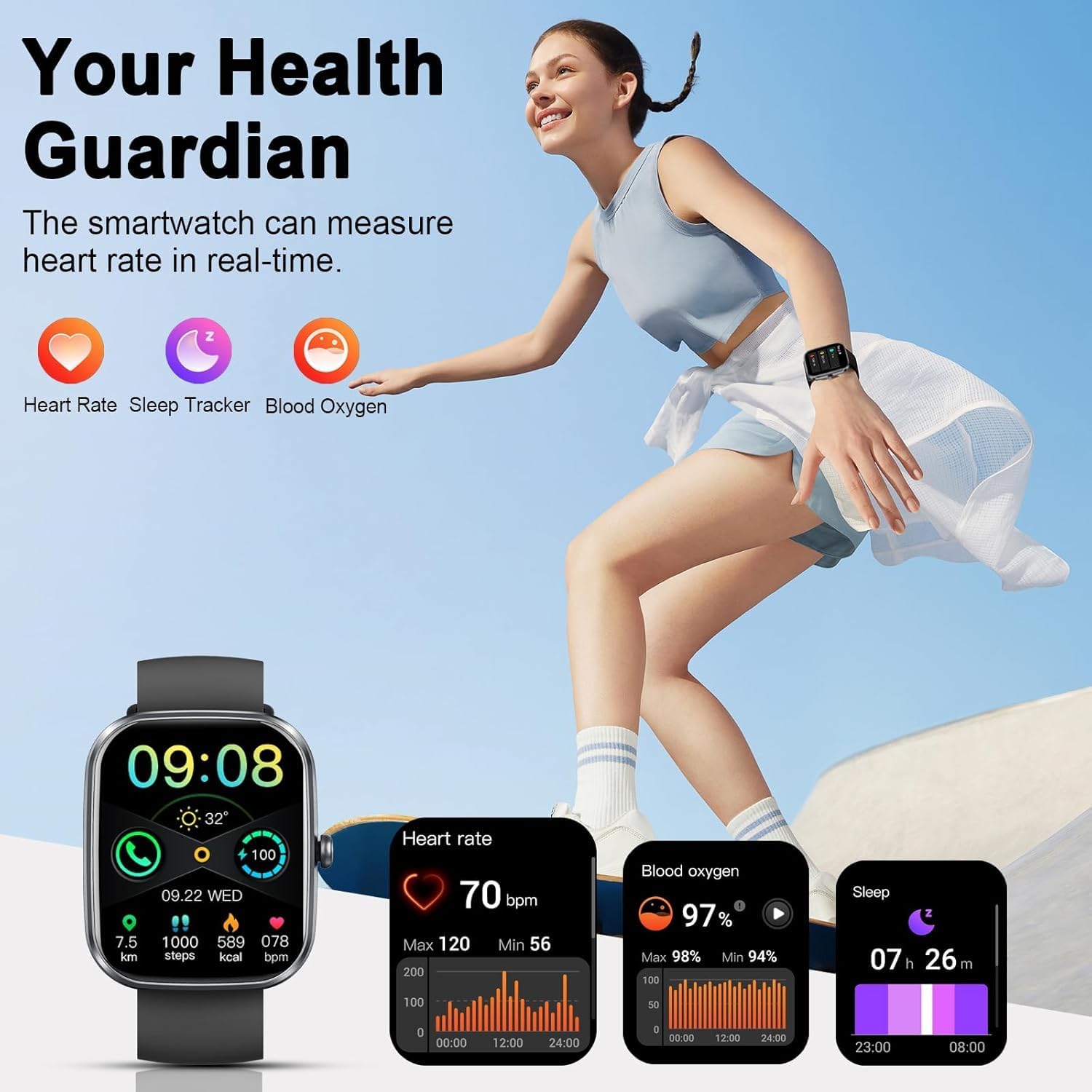
Image: The smart watch displaying heart rate, steps, calories burned, and blood oxygen levels during activity.
6.2 การตรวจวัดระดับออกซิเจนในเลือด
Monitor your blood oxygen saturation (SpO2) levels directly from your wrist. This feature provides insights into your respiratory health.
6.3 การติดตามการนอนหลับ
The watch automatically tracks your sleep patterns, including deep sleep, light sleep, and awake times. Analyze your sleep quality in the GloryFit app to improve your rest.

Image: The smart watch displaying detailed sleep tracking data, including deep and light sleep durations.
6.4 การติดตามรอบประจำเดือน
For female users, the watch can track menstrual cycles and predict ovulation dates, providing valuable insights into reproductive health.

Image: The smart watch interface showing menstrual cycle and ovulation tracking features.
7 การติดตามการออกกำลังกาย
7.1 110+ Sport Modes
The Soudorv T70 Smart Watch supports over 110 sports modes, including running, cycling, fitness, and more. During workouts, it records data such as heart rate, steps, calories burned, distance, and active hours in real-time.
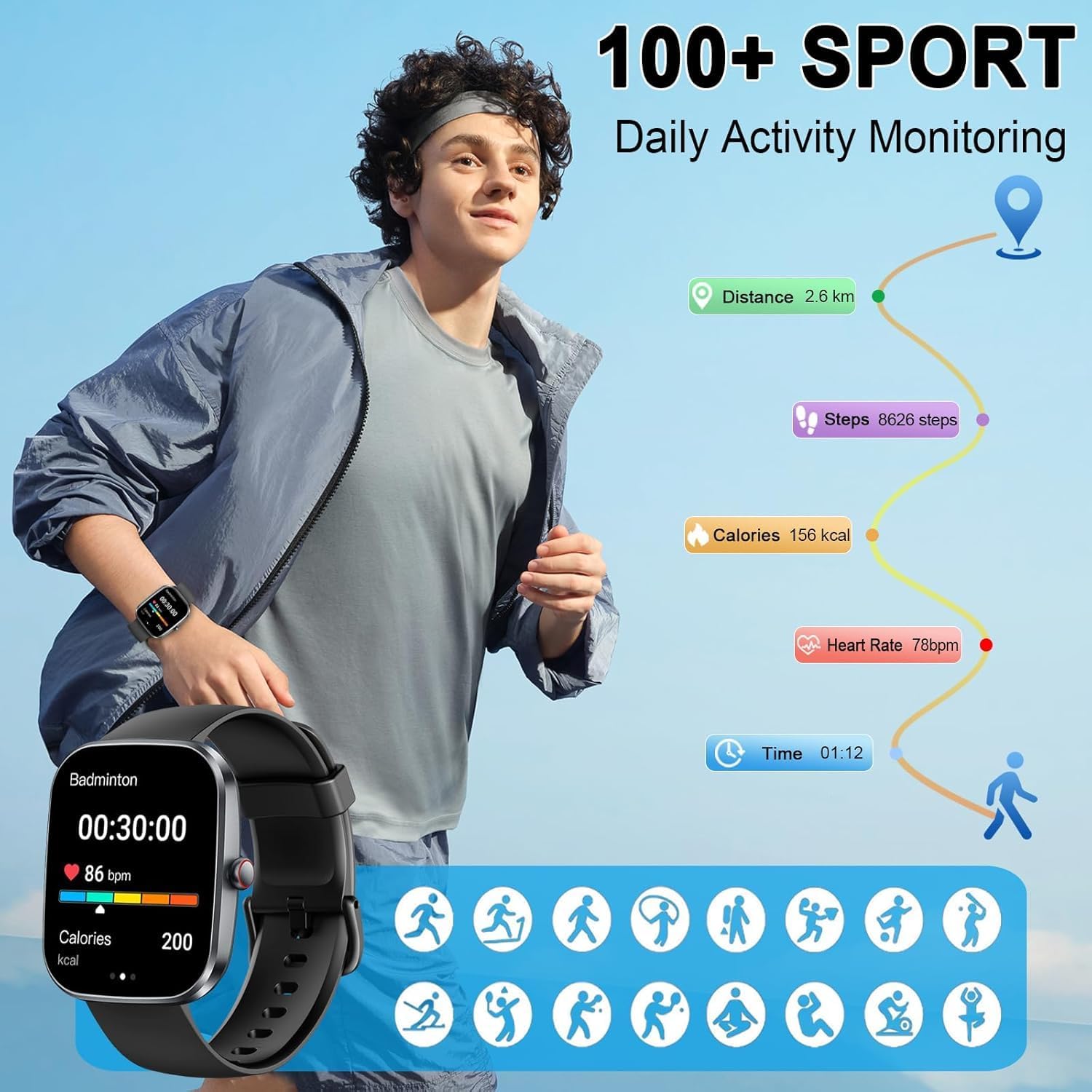
Image: The smart watch displaying activity data for various sports modes, including steps, distance, and calories.
7.2 ระดับการกันน้ำ IP68
With an IP68 waterproof rating, the smart watch can be worn during outdoor activities, in rainy conditions, and while washing hands. บันทึก: It is not recommended for use in showers, saunas, or swimming.

Image: The smart watch demonstrating its IP68 waterproof capability.
8. Practical Functions
Beyond health and fitness, the Soudorv T70 Smart Watch offers several practical tools:
- พยากรณ์อากาศ: รับข้อมูลอัปเดตสภาพอากาศแบบเรียลไทม์
- เครื่องคิดเลข: ทำการคำนวณพื้นฐานบนข้อมือของคุณ
- การควบคุมเพลง: ควบคุมการเล่นเพลงบนสมาร์ทโฟนของคุณ
- การควบคุมกล้อง: ทริกเกอร์กล้องสมาร์ทโฟนของคุณจากระยะไกล
- นาฬิกาปลุก: ตั้งนาฬิกาปลุกหลายตัว
- เตือนการนั่งเฉยๆ: รับการแจ้งเตือนเพื่อเริ่มดำเนินการหลังจากไม่มีการใช้งานเป็นระยะเวลานาน
- นาฬิกาจับเวลา: เพื่อการบอกเวลาที่แม่นยำ
- GPS (via Smartphone): Track routes using your phone's GPS.
- ค้นหาโทรศัพท์ของคุณ: ค้นหาสมาร์ทโฟนที่เชื่อมต่ออยู่กับคุณ
- ผู้ช่วยเสียง: สั่งการนาฬิกาของคุณโดยใช้คำสั่งเสียง
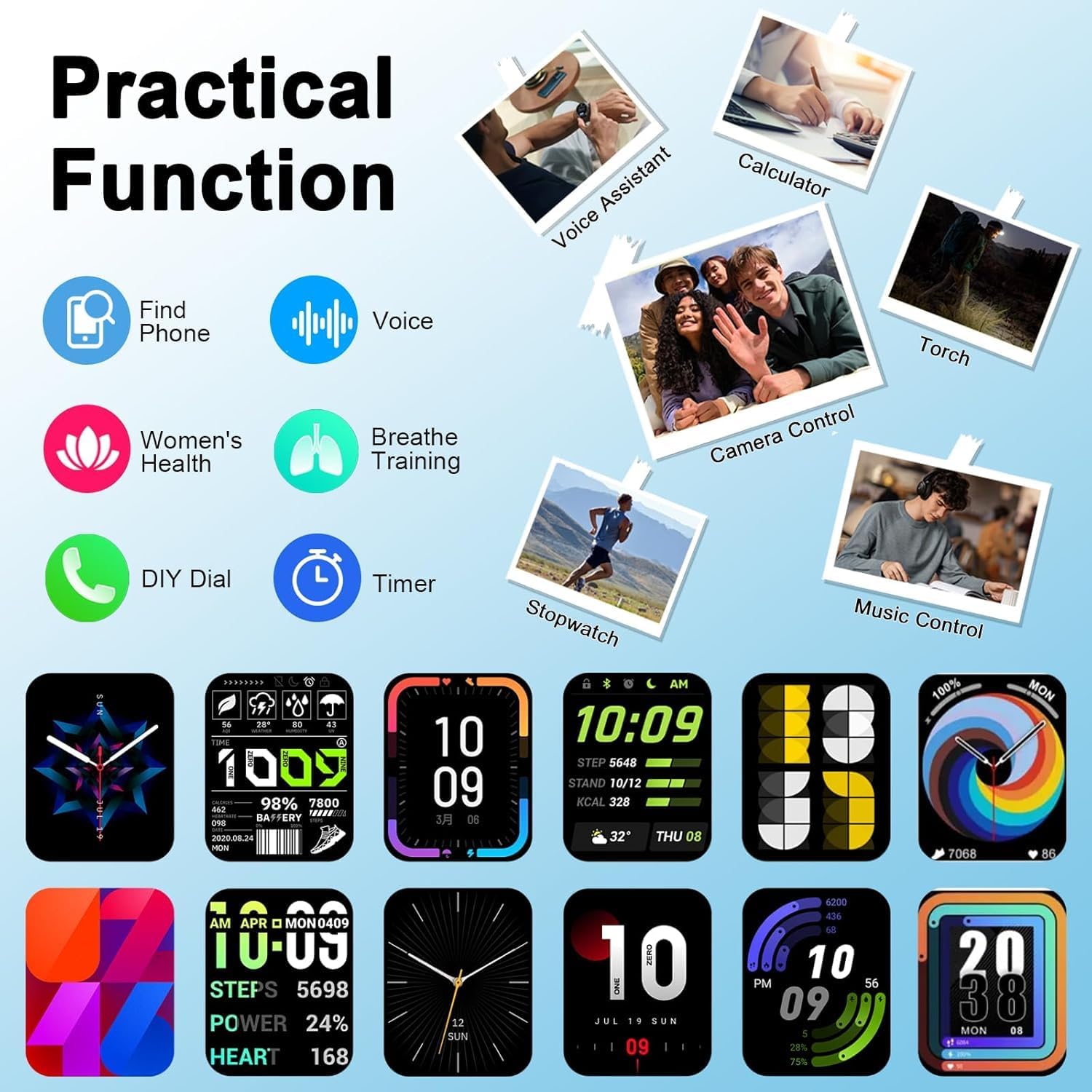
ภาพ: งานแสดงสินค้าสมาร์ทวอทช์asing its practical functions, including calculator, music control, and remote camera.
9. ข้อมูลจำเพาะ
| คุณสมบัติ | รายละเอียด |
|---|---|
| หมายเลขรุ่น | T70 |
| ขนาดหน้าจอ | 1.91 นิ้ว |
| ประเภทจอภาพ | TFT HD color screen (320 * 380 touch screen) |
| การเชื่อมต่อ | บลูทูธ 5.3 |
| ระดับการกันน้ำ | IP68 |
| ความจุของแบตเตอรี่ | 300 มิลลิแอมป์ |
| อายุการใช้งานแบตเตอรี่ (ใช้งานปกติ) | 5-7 วัน |
| เวลาสแตนด์บาย | นานถึง 30 วัน |
| เวลาในการชาร์จ | ประมาณ 2 ชั่วโมง |
| ระบบปฏิบัติการที่รองรับ | Android 5.0 and higher, iOS 9.0 and higher |
| ชื่อแอป | กลอรี่ฟิต |
| น้ำหนักสินค้า | 3.2 ออนซ์ |
| ขนาดแพ็คเกจ | 6.85 x 3.74 x 0.83 นิ้ว |
10. การบำรุงรักษา
- การทำความสะอาด: ควรทำความสะอาดหน้าจอนาฬิกาและสายนาฬิกาเป็นประจำด้วยผ้าแห้งเนื้อนุ่ม หากจำเป็น ให้ใช้ผ้าที่ชื้นเล็กน้อยเช็ดทำความสะอาดamp ผ้าและสบู่ชนิดอ่อน จากนั้นล้างออกและเช็ดให้แห้งสนิท
- หลีกเลี่ยงสารเคมี: ห้ามใช้สารเคมีรุนแรง น้ำยาทำความสะอาด หรือผงซักฟอกที่มีฤทธิ์กัดกร่อน เพราะอาจทำให้พื้นผิวหรือชิ้นส่วนภายในของนาฬิกาเสียหายได้
- พื้นที่จัดเก็บ: เก็บนาฬิกาไว้ในที่แห้งและเย็นเมื่อไม่ใช้งาน หลีกเลี่ยงอุณหภูมิที่สูงหรือต่ำเกินไป
- การสัมผัสน้ำ: While IP68 rated, avoid prolonged submersion or exposure to hot water/steam to maintain waterproof integrity.
11 การแก้ไขปัญหา
- นาฬิกาไม่เปิด: ตรวจสอบให้แน่ใจว่านาฬิกาชาร์จเต็มแล้ว เสียบนาฬิกาเข้ากับเครื่องชาร์จแม่เหล็กและรอสักครู่ก่อนลองเปิดเครื่อง
- ไม่สามารถจับคู่กับสมาร์ทโฟนได้:
- ตรวจสอบให้แน่ใจว่าได้เปิดใช้งานบลูทูธบนโทรศัพท์ของคุณแล้ว และนาฬิกาอยู่ในระยะการทำงาน
- รีสตาร์ททั้งโทรศัพท์และนาฬิกาของคุณ
- Check if the GloryFit app has necessary permissions (location, Bluetooth).
- หากเคยจับคู่ไว้แล้ว ให้ลองยกเลิกการจับคู่แล้วจับคู่กับอุปกรณ์อีกครั้ง
- ไม่ได้รับการแจ้งเตือน:
- Verify that app notifications are enabled in the GloryFit app settings.
- Ensure your phone's notification settings allow the GloryFit app to send alerts.
- Check if "Do Not Disturb" mode is active on either your watch or phone.
- ข้อมูลสุขภาพที่ไม่ถูกต้อง: ตรวจสอบให้แน่ใจว่าสวมนาฬิกาให้กระชับพอดีข้อมือ ไม่แน่นหรือหลวมเกินไป ทำความสะอาดเซ็นเซอร์เป็นประจำ
- อายุการใช้งานแบตเตอรี่สั้น: ลดความสว่างหน้าจอ ปิดการแจ้งเตือนที่ไม่จำเป็น และจำกัดการตรวจสอบอัตราการเต้นของหัวใจอย่างต่อเนื่องหากไม่จำเป็น
12. การรับประกันและการสนับสนุน
Your Soudorv T70 Smart Watch comes with a standard manufacturer's warranty. For detailed warranty information, product support, or technical assistance, please refer to the warranty card included in your package or contact Soudorv customer service through their official website or the contact information provided in the GloryFit app.
โปรดเก็บหลักฐานการซื้อของคุณไว้เพื่อเรียกร้องการรับประกัน