
1. สินค้าหมดview
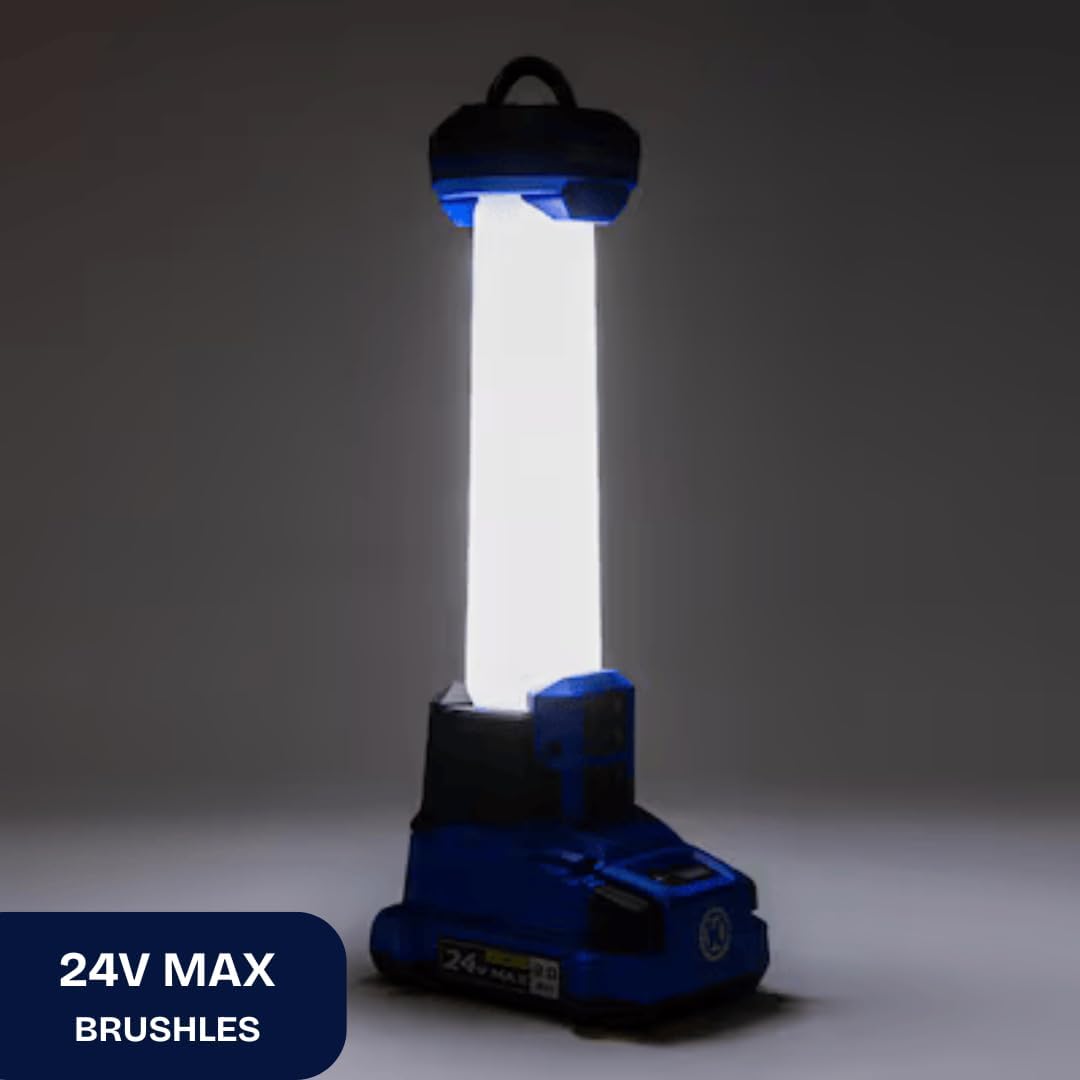
The Kobalt 24-Volt Cordless Area Light provides portable illumination for various tasks. It features two LED brightness settings, offering up to 1000 lumens, and can operate in 360-degree or 180-degree radius modes. An integrated USB port allows for charging mobile devices. This tool is compatible with all Kobalt 24-volt batteries and chargers, which are sold separately.

Image 1.1: The Kobalt 24-Volt Cordless Area Light in operation, showing its illumination.
คุณสมบัติหลัก:
- Two brightness settings, up to 1000 lumens.
- Onboard 2.1A USB port for charging devices.
- Retractable metal hang hook with lock-down feature for versatile placement.
- Selectable 360° and 180° radius lighting modes.
- Strobe mode for emergency situations (activated by long press of power button).
- Durable impact-resistant lens.
- Low battery indicator (low frequency flash).
- Kelvin color temperature: 5000K +/-10%.
2. ข้อมูลด้านความปลอดภัย
โปรดอ่านและทำความเข้าใจคำเตือนและคำแนะนำด้านความปลอดภัยทั้งหมดก่อนใช้งานผลิตภัณฑ์นี้ การไม่ปฏิบัติตามคำเตือนและคำแนะนำอาจส่งผลให้เกิดไฟฟ้าช็อต ไฟไหม้ และ/หรือการบาดเจ็บร้ายแรงได้
คำเตือนความปลอดภัยทั่วไป:
- ความปลอดภัยของแบตเตอรี่: Use only Kobalt 24-volt Lithium-ion batteries. Do not attempt to use other battery types. Ensure the battery is fully seated before operation.
- การปกป้องดวงตา: Do not stare directly into the light beam. The high intensity light can cause temporary vision impairment or eye damage.
- ความร้อน: The LED light head may become warm during extended use. Avoid direct contact with the light head when operating.
- วัสดุไวไฟ: Do not operate the light near flammable liquids, gases, or dust.
- ความชื้น: This product is not water resistant. Do not expose to rain or wet conditions.
- เด็ก: เก็บให้พ้นมือเด็ก นี่ไม่ใช่ของเล่น
- การซ่อมบำรุง: Do not attempt to disassemble or modify the light. Refer all servicing to qualified service personnel.
3. การตั้งค่า
3.1. การติดตั้งแบตเตอรี่
- Ensure the area light is turned off.
- Align the Kobalt 24-volt Lithium-ion battery (sold separately) with the battery port on the base of the area light.
- Slide the battery into the port until it clicks securely into place. Ensure it is fully seated to prevent accidental disconnection.
3.2. การถอดแบตเตอรี่
- Press and hold the battery release button, typically located on the battery itself.
- Slide the battery out of the area light.

ภาพที่ 3.1: ภาพระยะใกล้ view of the 24V MAX battery port on the area light, where the battery is inserted.
4. คู่มือการใช้งาน
4.1. การเปิด/ปิดเครื่องและการปรับความสว่าง
- To turn the light on, press the power button located on the control panel.
- Press the power button again to cycle through brightness settings (e.g., Low, High).
- To turn the light off, continue pressing the power button until the light extinguishes, or press and hold the power button for a few seconds.
4.2. Adjusting Lighting Radius (360°/180°)
The area light offers two lighting modes: full 360-degree illumination or a focused 180-degree illumination. Use the mode selection button on the control panel to switch between these modes.
4.3. โหมดสโตรบ
For emergency situations, the light features a strobe mode. To activate, press and hold the power button for an extended period (typically 2-3 seconds) while the light is on.
ภาพที่ 4.1: รายละเอียด view of the control panel, showing the power button and mode selection button.
4.4. การใช้พอร์ตชาร์จ USB
The integrated 2.1A USB port allows you to charge compatible mobile devices. Connect your device's USB charging cable to the port on the area light. The light does not need to be on for the USB port to function, provided a charged battery is installed.

Image 4.2: Close-up of the USB charging port located on the side of the area light.
4.5. Utilizing the Hang Hook
The area light is equipped with a retractable metal hang hook. Pull the hook out from its stored position to hang the light from various objects, such as rafters, pipes, or tent poles. Ensure the hook is securely engaged to prevent the light from falling.
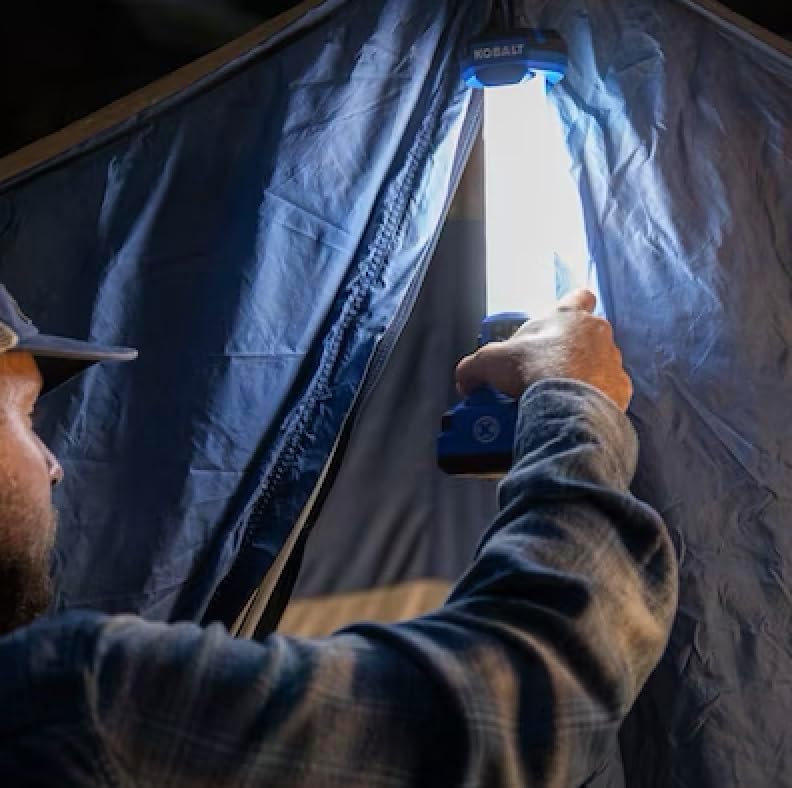
Image 4.3: The retractable metal hang hook extended from the top of the area light.
5. การบำรุงรักษา
5.1. การทำความสะอาด
- Before cleaning, remove the battery from the area light.
- ใช้แบบนุ่มๆamp cloth to wipe down the exterior of the light. Do not use harsh chemicals or abrasive cleaners.
- Ensure all vents and openings are free from dust and debris.
5.2. การจัดเก็บ
- Store the area light in a dry, cool place, away from direct sunlight and extreme temperatures.
- Remove the battery from the light during long periods of storage.
6 การแก้ไขปัญหา
| ปัญหา | สาเหตุที่เป็นไปได้ | สารละลาย |
|---|---|---|
| ไฟไม่เปิด | แบตเตอรี่ไม่ได้รับการติดตั้งอย่างถูกต้องหรือหมดประจุ | Ensure battery is fully seated. Charge the battery using a compatible Kobalt 24-volt charger. |
| แสงที่ออกมาสลัว | Battery is low or light is in low brightness mode. | Charge the battery. Press the power button to cycle to a higher brightness setting. |
| พอร์ต USB ไม่ชาร์จอุปกรณ์ | Battery is discharged or device is incompatible. | Ensure a charged battery is installed. Verify device compatibility with 2.1A USB output. |
| แสงกะพริบเป็นระยะๆ | ไฟแสดงสถานะแบตเตอรี่ต่ำ | ชาร์จแบตเตอรี่ทันที |
7. ข้อมูลจำเพาะ
| คุณสมบัติ | รายละเอียด |
|---|---|
| หมายเลขรุ่น | KAL 124B-03 |
| ยี่ห้อ | โคบอลต์ |
| ประเภทแหล่งกำเนิดแสง | LED (ไดโอดเปล่งแสง) |
| เล่มที่tage | 24 โวลต์ |
| วัดtage | 10 วัตต์ |
| แม็กซ์ ลูเมนส์ | สูงถึง 1000 ลูเมน |
| อุณหภูมิสี | 5000K +/-10% |
| เอาท์พุต USB | 2.1เอ |
| แหล่งพลังงาน | Battery Powered (Kobalt 24V Li-ion) |
| รวมแบตเตอรี่ | เลขที่ |
| วัสดุ | พลาสติก |
| ระดับความต้านทานต่อน้ำ | ไม่ทนน้ำ |
| ขนาดรายการ (ยาว x กว้าง x สูง) | ยาว 11.02 นิ้ว x กว้าง 3.54 นิ้ว x สูง 3.74 นิ้ว |
| น้ำหนักสินค้า | 0.5 กิโลกรัม |

Image 7.1: Diagram highlighting key features of the Kobalt 24V Area Light, including lumen output, USB port, control options, and hang hook.
8. ข้อมูลการรับประกัน
This Kobalt 24-Volt Cordless Area Light comes with a รับประกันจำกัด 5 ปี. For specific terms and conditions of the warranty, please refer to the documentation included with your purchase or contact customer support.
9. ข้อมูลสนับสนุนและการติดต่อ
For technical assistance, warranty claims, or general inquiries regarding your Kobalt product, please visit the manufacturer's webเว็บไซต์: